

Searching for a wireless access point in 2026 means facing a wide array of options, from budget models to enterprise-grade solutions. The best pick overall, TP-Link Omada WiFi 7 (EAP720), offers cutting-edge WiFi 7 technology with robust mesh support, making it ideal for growing networks. For those prioritizing value, the NETGEAR WAX210 brings WiFi 6 performance at an accessible price. Meanwhile, the Ubiquiti U6+ stands out for high-speed dual-band operation suitable for demanding environments. The main tradeoffs include balancing speed, coverage, ease of setup, and budget constraints. Continue reading for a detailed breakdown of these options and what makes each unique.
Key Takeaways
- WiFi 6 and WiFi 7 models dominate the top tier, offering improved speeds and efficiency for modern networks.
- Mesh support and seamless roaming are key features for large or multi-building setups, with enterprise-grade options excelling here.
- Price varies widely; budget models often lack advanced features but can suffice for small homes or offices.
- PoE (Power over Ethernet) support simplifies installation and reduces clutter, highly preferred in professional environments.
- Choosing the right access point depends on network size, device density, and future scalability plans.


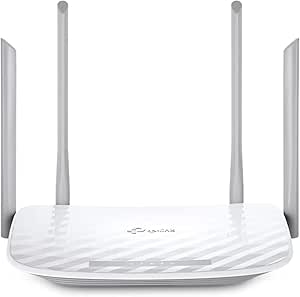


More Details on Our Top Picks
TP-Link Omada WiFi 7 Wireless Access Point – BE5000 Dual Band, 2.5G Port, PoE+ or DC Powered, DC Adapter Included, 5yr Warranty, Captive Portal, Mesh, WPA3, Roaming, Business WiFi Experience(EAP720)
This Wi-Fi 7 access point stands out for delivering blazing-fast speeds up to 5 Gbps, making it ideal for busy offices and high-demand environments. Compared with the Ubiquiti UAP-AC-PRO, which offers solid Wi-Fi 5 performance, the EAP720 leverages Wi-Fi 7’s multi-link operation and increased data capacity to handle more devices simultaneously with lower latency. Its 2.5G Ethernet port supports future broadband upgrades without hardware changes, a clear advantage over many older models. While its advanced features like captive portals, mesh, and WPA3 security make it perfect for scalable networks, the complexity of setup via Omada Cloud can be daunting for less tech-savvy users. The device supports PoE+ or DC power for flexible deployment, though the high price and reliance on cloud management software may deter small-scale users. This pick is best for large enterprises or tech-forward businesses seeking cutting-edge Wi-Fi technology.
Pros:- Supports Wi-Fi 7 with multi-link operation and higher data capacity
- Includes a 2.5G Ethernet port for future-proof wired connectivity
- Centralized cloud management with mesh and roaming features
Cons:- Premium price may be prohibitive for small businesses or home users
- Setup complexity could challenge less experienced users
- Power consumption is relatively high at 17.83W
Best for: IT managers and network administrators deploying high-throughput, enterprise-level Wi-Fi in large or future-proofed environments.
Not ideal for: Small home users or those with limited networking experience, as setup and management are more complex and costlier.
- Wi-Fi Generation:Wi-Fi 7
- Max Data Transfer Rate:5 Gbps
- Ethernet Ports:1 x 2.5G
- Power Supply:PoE+ or DC
- Security Protocols:WPA3
- Coverage:Suitable for large enterprise spaces
Bottom line: This device is best suited for organizations needing a scalable, high-speed Wi-Fi solution with advanced management features.
TP-Link EAP225 Omada AC1350 Gigabit Wireless Access Point Business WiFi Solution w/Mesh Support, Seamless Roaming & MU-MIMO PoE Powered SDN Integrated Cloud Access & Omada App White
This model offers reliable dual-band Wi-Fi with speeds up to 1350 Mbps, making it an excellent choice for small to medium-sized businesses. Unlike the NETGEAR WAX210, which offers WPA3 security but lower maximum speed, the EAP225 supports MU-MIMO and seamless roaming, ensuring stable connections across multiple devices. Its SDN integrations enable centralized control, which is perfect for growing networks, though the setup can be intricate for non-technical users. Power over Ethernet support allows flexible installation, and the device’s robust software provides guest access and hotspot support. However, its coverage is more suitable for indoor environments and cannot handle the extreme high-speed demands of Wi-Fi 6 or Wi-Fi 7. Overall, this is an ideal pick for budget-conscious businesses prioritizing simplicity and reliability.
Pros:- Supports MU-MIMO and seamless roaming
- Includes PoE for flexible deployment
- Cloud management via Omada app and SDN integration
Cons:- Limited to 1350 Mbps, not suitable for Wi-Fi 6/7 future needs
- Indoor-only coverage with no outdoor option
- Setup can be complex for users unfamiliar with network configurations
Best for: Small and medium business owners seeking dependable, manageable Wi-Fi without the complexity of enterprise-grade gear.
Not ideal for: High-demand environments or large enterprise networks that require multi-gig speeds and extensive coverage.
- Wi-Fi Speed:1350 Mbps
- MU-MIMO Support:Yes
- Power Supply:PoE
- Security Protocol:WPA2/WPA3
- Coverage:Indoor environments
- Management:Omada Cloud & SDN
Bottom line: This device is best for SMBs that need a reliable, scalable Wi-Fi solution at a compelling price point.
NETGEAR Wireless Access Point (WAX210) – WiFi 6 Dual-Band AX1800 Speed | 1 x 1G Ethernet PoE Port | Up to 128 Devices | 802.11ax | WPA3 | Small Size |Up to 4 SSID Networks, Power Adapter Not Included
The NETGEAR WAX210 delivers Wi-Fi 6 speeds up to 1800 Mbps and supports up to 128 devices, making it ideal for small offices or retail spaces needing reliable, fast Wi-Fi. Compared with the TP-Link EAP610, which offers newer Wi-Fi 6 technology, the WAX210’s compact size and WPA3 security make it easy to deploy in tight spaces. Its PoE support simplifies installation, though the power adapter is sold separately, which could add to the overall cost. The device’s small footprint and manageable feature set suit environments with limited space and moderate device counts, but it lacks the advanced mesh or multi-gig capabilities found in higher-end solutions. Overall, a solid choice for space-constrained businesses seeking secure Wi-Fi 6 performance.
Pros:- Supports Wi-Fi 6 with 1800 Mbps speed
- Compact size for tight spaces
- PoE support for easy installation
Cons:- Power adapter sold separately, increasing total cost
- Limited to 4 SSID networks
- No built-in management platform (requires external control)
Best for: Small business owners or retail managers needing a dependable, space-saving Wi-Fi 6 access point with security features.
Not ideal for: Large-scale or high-traffic environments where higher throughput and extensive coverage are necessary.
- Wi-Fi Generation:Wi-Fi 6
- Max Speed:1800 Mbps
- Ethernet Port:1 x 1G PoE
- Device Support:128 devices
- Security:WPA3
- Coverage:Indoor, small spaces
Bottom line: This device is perfect for small spaces demanding reliable Wi-Fi 6 with security and minimal footprint.
Ubiquiti Networks Unifi 802.11ac Dual-Radio PRO Access Point (UAP-AC-PRO-US), Single,White
The Ubiquiti UniFi UAP-AC-Pro has earned a reputation for delivering reliable Wi-Fi with excellent coverage and simple management. Unlike the TP-Link EAP225, which targets SMBs with basic features, the Ubiquiti AP offers dual-radio support, multiple antennas, and extensive control via the free UniFi Controller software, which runs on an 8-year-old Windows machine or Linux. Setup is straightforward, and the system supports seamless roaming, guest portals, and hotspot features. Its indoor coverage of around 400 square feet per device makes it suitable for home or small office deployments, but it doesn’t support Wi-Fi 6 or mesh out of the box. The device’s robust management features and scalability make it a strong choice for users comfortable with network configuration.
Pros:- Dual-radio with multiple antennas for extensive coverage
- Easy management via free UniFi Controller software
- Supports guest portals and hotspot features
Cons:- Limited to Wi-Fi 5 (802.11ac), no Wi-Fi 6 compatibility
- Indoor coverage roughly 400 sq ft per device, may need multiple units
- Requires a dedicated control device or server for management
Best for: Homeowners and small business owners who want reliable, manageable Wi-Fi with straightforward software control.
Not ideal for: High-density environments or those requiring Wi-Fi 6/7 capabilities or outdoor coverage.
- Wi-Fi Generation:Wi-Fi 5
- Max Speed:1300 Mbps
- Antenna Count:3
- Management:UniFi Controller
- Coverage:Indoor about 400 sq ft
- Security Protocols:WPA/WPA2
Bottom line: This access point is ideal for users seeking reliable, scalable Wi-Fi management in home or small business settings.
TP-Link EAP610 Omada Business WiFi 6 AX1800 Wireless Gigabit Access Point – Support Mesh, OFDMA, Seamless Roaming & MU-MIMO, SDN Integrated, Cloud Access & Omada App, PoE+ Powered, White, Dual-Band
The TP-Link EAP610 delivers Wi-Fi 6 speeds up to 1800 Mbps, supporting OFDMA, MU-MIMO, and seamless roaming, making it a prime choice for small businesses or busy retail environments. Unlike the NETGEAR WAX210, which offers WPA3 but limited throughput, the EAP610 includes advanced Wi-Fi 6 features that improve efficiency and capacity. Its SDN integration and Omada cloud management provide centralized control, ideal for scalable networks. The device supports mesh, allowing multiple units to work together for broader coverage, and PoE+ simplifies deployment. However, it’s more expensive than Wi-Fi 5 options, and the setup can be complex for less experienced users. This pick suits those wanting a future-proof, high-performance Wi-Fi solution in small to medium environments.
Pros:- Supports Wi-Fi 6 with OFDMA and MU-MIMO for high efficiency
- Supports mesh for extended coverage
- Cloud-managed via Omada SDN platform
Cons:- Higher cost compared to Wi-Fi 5 alternatives
- Setup complexity for non-technical users
- Indoor-only coverage with no outdoor version
Best for: Small business owners and retail managers needing Wi-Fi 6 with mesh and centralized management.
Not ideal for: Large enterprise deployments or residential users not requiring Wi-Fi 6 features.
- Wi-Fi Speed:1800 Mbps
- Wi-Fi Standard:Wi-Fi 6
- Mesh Support:Yes
- Management:Omada SDN
- Security:WPA3
- Coverage:Indoor scalable with multiple units
Bottom line: This device is best for small businesses seeking a scalable, Wi-Fi 6 mesh solution with centralized control.
TP-Link WiFi Access Point TL-WA801N, 2.4Ghz 300Mbps, Supports Multi-SSID/Client/Bridge/Range Extender, 2 Fixed Antennas, Passive PoE Injector Included
This model is ideal for users seeking a simple, budget-friendly way to extend WiFi coverage in small spaces. Compared with the NETGEAR WAX210PA, the TL-WA801N offers a lower data rate and fewer advanced management features, making it less suitable for demanding environments. It supports multiple modes like Range Extender and Bridge, which adds flexibility, but its 300 Mbps speed limits HD streaming and gaming. The passive PoE feature allows flexible placement, yet the fixed antennas restrict range optimization. While WPA2 encryption keeps your network secure, the lack of MU-MIMO or dual-band capabilities reduces efficiency in busy networks.
Pros:- Supports multiple modes including Range Extender and Bridge
- Passive PoE for flexible deployment
- Includes industry-standard WPA2 encryption
Cons:- Limited to 300 Mbps wireless speed
- Fixed antennas restrict range adjustment
- No support for MU-MIMO or dual-band operation
Best for: Home users or small offices needing basic WiFi extension without complex management.
Not ideal for: Environments requiring high-speed, high-capacity networks or advanced security features.
- Frequency Band:2.4 GHz
- Wireless Speed:300 Mbps
- Antenna:2 Fixed
- PoE Support:Passive PoE
- Security Protocol:WPA2-PSK
- Range:30 meters
Bottom line: A good choice for simple, low-demand WiFi expansion in small spaces on a budget.
NETGEAR Wireless Access Point (WAX210PA) – WiFi 6 Dual-Band AX1800 Speed | 1 x 1G Ethernet PoE Port | Up to 128 Devices | 802.11ax | WPA3 | Compact Size | Up to 4 SSID Networks | with Power Adapter
Compared to the TP-Link TL-WA801N, the NETGEAR WAX210PA delivers WiFi 6 speeds up to 1800 Mbps and supports WPA3, making it more future-proof and suitable for busier environments. It handles up to 128 devices simultaneously, ideal for small offices or retail spaces, with MU-MIMO technology ensuring efficient multi-device performance. Its compact size allows discreet installation, and the single Gigabit Ethernet port offers wired backhaul. However, it requires an existing router and Ethernet connection, making it less flexible for standalone use. The device’s high security with WPA3 adds peace of mind, but the setup complexity might be overkill for basic home use.
Pros:- Supports WiFi 6 (802.11ax) for faster speeds
- Handles up to 128 devices simultaneously
- Supports WPA3 security protocol
Cons:- Requires existing Ethernet connection
- No built-in management platform, setup may be complex
- Limited to 4 SSID networks
Best for: Small business owners or retail spaces needing high-speed WiFi with multiple SSIDs and robust security.
Not ideal for: Home users with minimal network demands or those without existing Ethernet infrastructure.
- Wireless Speed:AX1800 (1200 Mbps 5 GHz + 574 Mbps 2.4 GHz)
- Security Protocol:WPA3
- Device Capacity:128 Devices
- Ethernet Port:1 x 1G PoE
- Size:Compact
- Coverage:Indoor up to 1500 sq ft
Bottom line: An excellent upgrade for small businesses seeking high-speed, secure WiFi with device management capabilities.
TP-Link AX1800 WiFi 6 Router (Archer AX21 V5) – Dual Band Wireless Internet, Gigabit, Easy Mesh, Works with Alexa – A Certified for Humans Device, Free Expert Support
While primarily a router, the Archer AX21 offers excellent WiFi 6 performance with speeds up to 1.8 Gbps and supports mesh for seamless coverage, outperforming the TP-Link TL-WA801N’s basic extension. Its four high-gain antennas and Beamforming technology ensure wider coverage and stable connections. The device supports multiple SSIDs, parental controls, and Alexa integration, making it versatile for large homes or small offices. Setup via the web UI is straightforward, and the device’s security features include WPA3. Nonetheless, as a router, it’s more complex and expensive than a dedicated access point, and it lacks some enterprise management features found in higher-end models like the TP-Link Omada series. Its dual-band support helps mitigate interference issues seen with single-band devices.
Pros:- Supports WiFi 6 (802.11ax) for high speeds
- Mesh support for seamless whole-home coverage
- Includes parental controls and Alexa compatibility
Cons:- Primarily a router, not a dedicated access point
- More expensive than basic APs
- Limited enterprise management tools
Best for: Homeowners seeking reliable, high-speed WiFi with mesh capability and smart home integration.
Not ideal for: Small offices or environments needing dedicated access point features or centralized management.
- Wireless Speed:AX1800 (1200 Mbps 5 GHz + 574 Mbps 2.4 GHz)
- Security Protocol:WPA3
- Antenna:4 High-Gain
- Coverage:Indoor up to 3000 sq ft
- Mesh Support:Yes
- Smart Home Compatibility:Alexa
Bottom line: Perfect for large households or small offices wanting high-speed, mesh-capable WiFi with smart features.
Cudy AC1200 Gigabit Wireless Access Point, Gigabit RJ45, Business WiFi Solution w/Mesh Support, Beamforming, Seamless Roaming, MU-MIMO, PoE or DC Powered, AP1300
Compared with the NETGEAR WAX210PA, the Cudy AP1300 offers similar dual-band speeds up to 867 Mbps + 300 Mbps, but with additional features like seamless roaming, MU-MIMO, and support for centralized management via Cudy’s controller. Its support for PoE and DC power options provide flexible deployment in diverse environments, making it suitable for larger or more complex networks. Its support for mesh technology and advanced security protocols like WPA2-Enterprise makes it a solid choice for business applications. However, setup and management are more involved, requiring familiarity with enterprise network configurations. The device’s internal antennas and sleek design enable discreet installation, but it may be overkill for small or simple home networks.
Pros:- Supports MU-MIMO and seamless roaming
- PoE and DC power options for flexible deployment
- Supports centralized management and enterprise security
Cons:- Complex setup for non-technical users
- Higher cost compared to consumer-grade APs
- Requires management software for full feature access
Best for: Business environments needing scalable, enterprise-grade WiFi with management and security features.
Not ideal for: Basic home use or for users without technical expertise in network management.
- Wireless Speed:AC1200 (867 Mbps 5 GHz + 300 Mbps 2.4 GHz)
- Security Protocol:WPA2-Enterprise
- Power Options:PoE, DC
- Coverage:Indoor 1100 sq ft
- Mesh Support:Yes
- Management:Centralized via Cudy Controller
Bottom line: An excellent choice for enterprise and large-scale business networks requiring advanced management and security.
TP-Link WAX210PA – WiFi 6 Dual-Band AX1800 Speed | 1 x 1G Ethernet PoE Port | Up to 128 Devices | WPA3 | Compact Size | 4 SSID Networks | with Power Adapter
While similar to the NETGEAR WAX210PA, the TP-Link WAX210PA offers WiFi 6 speeds up to 1800 Mbps and WPA3 security, making it suitable for small business environments. Its support for up to 128 devices and four SSID networks provides ample capacity for retail or office use, with MU-MIMO ensuring efficient multi-device handling. Its compact form factor and included power adapter make deployment straightforward, and the device supports mesh for expanded coverage. However, setup and management are less user-friendly compared to cloud-managed systems like Omada, and it doesn’t have enterprise-level management tools. Its dual-band operation helps reduce interference and optimize performance in crowded environments.
Pros:- Supports WiFi 6 (AX1800) speeds
- WPA3 security for enhanced protection
- Supports mesh for coverage expansion
Cons:- Limited management options without cloud service
- No advanced enterprise features
- Requires PoE or power adapter for deployment
Best for: Small businesses and retail stores looking for reliable, high-speed WiFi with security and multiple SSID support.
Not ideal for: Large enterprise networks or users needing centralized management with advanced features.
- Wireless Speed:AX1800 (1200 Mbps 5 GHz + 574 Mbps 2.4 GHz)
- Security Protocol:WPA3
- Device Capacity:128 Devices
- Ethernet Port:1 x 1G PoE
- Coverage:Indoor 1100 sq ft
- Management:Mesh support
Bottom line: Ideal for small business environments seeking high-speed WiFi with security and multi-SSID support.
TP-Link AC1200 WiFi Router (Archer A54) – Dual Band Wireless Internet Router, 4 x 10/100 Mbps Fast Ethernet Ports, EasyMesh Compatible, Support Guest WiFi, Access Point Mode, IPv6 & Parental Controls
The TP-Link Archer A54 stands out for its balanced dual-band performance and user-friendly management via the TP-Link Tether app. Unlike the Ubiquiti U6+ or TP-Link EAP650, which prioritize enterprise features or sleek design, this router excels in providing extensive coverage up to 1,000 sq ft and simple setup, making it ideal for typical households. The four external antennas help maintain stable connections through walls, and its EasyMesh compatibility allows seamless expansion. However, performance can vary with obstacles, and it doesn’t support Wi-Fi 6, limiting future-proofing compared to newer models. Its IPv6 and parental controls are attractive for families seeking security and control. This pick makes the most sense for homeowners seeking reliable, manageable Wi-Fi coverage without complex features.
Pros:- Extensive coverage up to 1,000 sq ft with four external antennas
- Easy to set up and manage via the TP-Link Tether app
- Supports EasyMesh for expanding coverage seamlessly
- Includes WPA3 security and IPv6 support
Cons:- Performance varies depending on obstacles and device placement
- Lacks Wi-Fi 6 support, limiting speed and future compatibility
Best for: Families or individuals needing reliable home Wi-Fi with straightforward management and good coverage
Not ideal for: Tech enthusiasts wanting Wi-Fi 6 or enterprise-grade features, or small offices requiring higher throughput
- Wireless Speed:1200 Mbps total
- Bands:Dual Band
- Ethernet Ports:4 x 10/100 Mbps
- Coverage:Up to 1,000 sq ft
- Security:WPA3, IPv6
- Supports EasyMesh:Yes
Bottom line: This router is best suited for users who prioritize coverage and ease of use over cutting-edge Wi-Fi technology.
BrosTrend AC1200 Wireless Access Point with Gigabit Port, Wall Plug Gigabit WiFi Access Point for Home & Office, Dual Band WAP for PC, Smartphone TV GameConsole etc., Easy Setup Works with All Routers
The BrosTrend AC1200 WAP offers a compact, plug-and-play solution for extending Wi-Fi coverage, especially in tricky spaces like basements or upstairs rooms. Compared to the TP-Link EAP650, which targets enterprise environments, this device prioritizes ease of installation and affordability. Its wall-plug design makes it discreet, and the dual-band speeds of up to 867 Mbps on 5 GHz ensure solid performance for streaming, gaming, and daily browsing. However, the device relies on an Ethernet connection to a main router, which can limit placement flexibility, and it’s not designed for high-density environments. Its WPA2 security and straightforward web setup make it suitable for home users needing quick coverage boosts without complex configuration. This is ideal for users seeking a budget-friendly, simple Wi-Fi extension in specific areas.
Pros:- Compact, wall-plug design for easy placement
- Supports dual-band speeds up to 867 Mbps (5 GHz)
- Wired Ethernet uplink for reliable performance
- Easy web-based setup in minutes
Cons:- Placement limited by Ethernet cable to main router
- Not suitable for high-density or enterprise environments
- Limited to WPA2 security, lacking WPA3
Best for: Home users needing an easy, space-efficient way to boost Wi-Fi in specific rooms or areas
Not ideal for: Large offices or environments requiring high device density or Wi-Fi 6 speeds
- Wireless Speed:1200 Mbps
- Bands:Dual Band
- Ethernet Port:Gigabit
- Coverage Range:1800 sq ft
- Security:WPA2
- Power:Wall plug
Bottom line: This device works well for users who need a simple, space-saving Wi-Fi extender for small areas.
TP-Link AC1200 Wireless Gigabit Access Point – Desktop WiFi Bridge, MU-MIMO & Beamforming, Supports Multi-SSID/Client/Range Extender Mode, 4 Fixed Antennas, Passive PoE Powered (TL-WA1201), Dual-Band
The TP-Link TL-WA1201 is a versatile access point with enterprise features like MU-MIMO and Beamforming, ideal for advanced home networks or small business setups. It supports multiple modes—client, extender, and AP—making it more flexible than the Ubiquiti U6+ or TP-Link EAP650, which are more specialized. Its passive PoE support simplifies deployment in ceilings or walls, and the four fixed antennas provide good coverage. However, the device’s default firmware can be problematic, with some users experiencing instability—flashing OpenWRT can resolve this but requires technical skill. Its gigabit Ethernet port and multi-SSID support make it a strong choice for expanding network capacity. This is best for users comfortable with manual firmware updates looking for a mix of enterprise features and home use.
Pros:- Supports multiple modes: client, extender, AP
- MU-MIMO and Beamforming for stable, fast connections
- Passive PoE for flexible placement
- Supports multiple SSIDs for network segmentation
Cons:- Default firmware can be unstable without flashing custom firmware
- Requires technical knowledge for optimal setup
- Limited to 4 fixed antennas and fixed mounting options
Best for: Advanced home users or small business owners needing flexible, multi-mode Wi-Fi deployment
Not ideal for: Non-technical users or those seeking plug-and-play simplicity with minimal setup
- Wireless Speed:1200 Mbps
- Supports MU-MIMO:Yes
- Mode Support:Client, Extender, AP
- Ethernet Port:Gigabit
- Antenna:4 fixed
- PoE Power:Passive PoE
Bottom line: This access point is ideal for users who want a flexible, feature-rich device and are comfortable with firmware modifications.
Ubiquiti U6+ Dual Band IEEE 802.11 a/b/g/n/ac/ax 3 Gbit/s Wireless Access Point
The Ubiquiti U6+ offers exceptional Wi-Fi 6 speeds up to 3 Gbps, making it suitable for demanding business environments. Its sleek, ceiling-mountable design blends into professional settings, and the internal antennas provide a clean aesthetic. Compared to the TP-Link EAP650, which offers similar Wi-Fi 6 features, the U6+ emphasizes maximum speed and low latency for high-density deployments. Its support for PoE+ simplifies installation, and its advanced security protocols ensure data protection. However, its higher price point and lack of smart home compatibility mean it’s not suited for casual home use. The U6+ excels in delivering ultra-fast, reliable connectivity for large offices or networks with many simultaneous users. It’s a clear choice for those prioritizing top-tier performance and enterprise-grade features.
Pros:- Supports Wi-Fi 6 with speeds up to 3 Gbps
- Ceiling mountable, discreet design
- PoE+ for easy installation
- Advanced security with WPA3
Cons:- Higher cost compared to consumer-grade access points
- Not designed for smart home integration
- Requires PoE+ switch for power
Best for: Business or enterprise users needing high-speed, reliable Wi-Fi 6 across multiple devices
Not ideal for: Home users on a budget or those with simple coverage needs
- Wi-Fi Speed:up to 3 Gbps
- Wireless Bands:Dual Band
- Standard:Wi-Fi 6
- Ethernet Port:1 Gbps
- Mounting:Ceiling/Wall
- Security:WPA3
Bottom line: This device is best for organizations seeking high-speed, large-scale Wi-Fi coverage with professional installation and security.
TP-Link Omada WiFi 6 Wireless Access Point – AX3000 Dual Band, 1G Port, PoE+ or DC Powered, DC Adapter Included, 5yr Warranty, Captive Portal, Mesh, WPA3, Roaming, Business WiFi Experience(EAP650)
The TP-Link Omada EAP650 combines Wi-Fi 6 technology with enterprise features like captive portal, seamless roaming, and mesh support, making it ideal for large offices or hospitality environments. Its sleek, compact form factor allows discreet ceiling or wall mounting, and the 1 Gbps Ethernet port supports high-speed wired connections. Its advanced WPA3 security and cloud management via Omada SDN give administrators control over multiple sites with ease. Compared with the Ubiquiti U6+ or TP-Link EAP720, the EAP650 offers a compelling mix of security, scalability, and management tools, though it requires familiarity with cloud management platforms. Its lengthy warranty and support make it a reliable choice for critical business deployments. This is perfect for organizations needing robust, scalable Wi-Fi infrastructure.
Pros:- Supports Wi-Fi 6 with AX3000 speeds
- Captive portal and seamless roaming for large deployments
- Mesh support for broad coverage
- 5-year warranty and cloud management
Cons:- Complex setup requiring familiarity with SDN platforms
- Higher cost compared to consumer-grade access points
- Requires PoE+ for power supply
Best for: Enterprises or large organizations seeking scalable, managed Wi-Fi solutions with advanced security
Not ideal for: Home or small office users who do not need enterprise features or cloud management
- Wi-Fi Speed:AX3000
- Supports:Mesh, Roaming
- Security:WPA3
- Standard:Wi-Fi 6
- Ethernet Port:1 Gbps
- Coverage Area:Indoor, enterprise
Bottom line: This access point is best suited for organizations aiming for scalable, secure, and manageable Wi-Fi infrastructure.
Ubiquiti U6+ Dual Band IEEE 802.11 a/b/g/n/ac/ax 3 Gbit/s Wireless Access Point
The Ubiquiti U6+ provides top-tier Wi-Fi 6 speeds up to 3 Gbps, combining sleek design with enterprise-grade features like PoE+ and advanced security. It’s an excellent choice for high-demand environments, offering extensive coverage and seamless integration into Ubiquiti’s mesh ecosystem. Unlike the TP-Link Omada EAP650, which emphasizes cloud management, the U6+ is more hardware-centric with a focus on high-speed performance and low latency—perfect for large offices or dense deployments. Its internal antennas and wall-mount design allow discreet installation, while PoE+ simplifies wiring. The device’s high cost is justified by its speed and reliability, but it’s not tailored for typical home use. It’s best for users prioritizing maximum speed, security, and professional deployment flexibility.
Pros:- Supports Wi-Fi 6 with speeds up to 3 Gbps
- Ceiling/wall mountable, sleek design
- PoE+ powered for flexible installation
- Enterprise-grade security WPA3
Cons:- Higher price point for enterprise features
- Requires PoE+ infrastructure
- Not designed for smart home integration
Best for: Large businesses or demanding network environments needing high-speed, reliable Wi-Fi 6 performance
Not ideal for: Home users or small offices with limited budgets or simpler requirements
- Wi-Fi Speed:up to 3 Gbps
- Supports:Wi-Fi 6, MU-MIMO
- Security:WPA3
- Form Factor:Ceiling/Wall mount
- Ethernet Port:1 Gbps
- Coverage:Wide/Indoor
Bottom line: This device is ideal for organizations seeking high-performance, scalable Wi-Fi 6 coverage with a sleek, professional look.

How We Picked
The products in this roundup were evaluated based on performance, build quality, ease of use, and feature set. Priority was given to models that support the latest WiFi standards—WiFi 6 and WiFi 7—for future-proofing. We also considered connectivity options like PoE, mesh support, and security features such as WPA3. Cost-to-value ratio played a significant role, alongside considerations for setup complexity and suitability for different environments. These criteria ensure that the ranking reflects real-world usability and long-term reliability for various buyer needs.Factors to Consider When Choosing Wireless Access Point
Selecting the right wireless access point involves more than just choosing the fastest model. Buyers should evaluate their network size, device density, and future expansion plans to find a suitable fit. Additional factors like PoE support, security features, and ease of management can influence long-term satisfaction. This guide highlights key considerations to help you avoid common pitfalls and understand what tradeoffs matter most in your decision.Coverage and Speed Requirements
Assess your space and device load to determine necessary coverage and bandwidth. Larger areas or environments with many connected devices benefit from high-capacity models supporting WiFi 6 or WiFi 7, offering faster speeds and better handling of simultaneous connections. Underestimating your needs can lead to slow performance or dead zones, so aim for a model that exceeds your current requirements to accommodate future growth.
PoE Support and Ease of Installation
Power over Ethernet (PoE) simplifies deployment by eliminating the need for separate power supplies, reducing clutter and making placements more flexible. For larger or professional setups, PoE is almost essential. Be aware that not all PoE is equal; check the power standards supported to ensure compatibility with your network switches or injectors. Skipping PoE can lead to more complex wiring and higher installation costs.
Security and Management Features
Security should be a top priority, especially in business environments. Look for access points offering WPA3 encryption, guest network options, and VLAN support to segment traffic. Management features like cloud access, remote configuration, and mesh support can streamline maintenance. Overlooking these can expose your network to vulnerabilities or create management headaches as complexity grows.
Budget and Long-term Value
Initial cost is just one part of the equation; consider the longevity and scalability of your investment. Cheaper models may lack essential features like advanced security or mesh support, leading to higher upgrade costs later. Conversely, premium models provide future-proofing but may be overkill for small, simple networks. Strike a balance based on your current needs and plans for expansion.
Compatibility and Ecosystem Integration
Ensure your chosen access point integrates smoothly with existing hardware and management platforms. For instance, enterprise solutions like Ubiquiti or TP-Link Omada often work best within their ecosystems, providing centralized control. Compatibility issues can cause headaches during setup or future updates, so verify support for your network’s infrastructure and management preferences before purchasing.
Frequently Asked Questions
Can I upgrade my existing router to an access point for better coverage?
Yes, many access points are designed to work in conjunction with your existing router, effectively extending your network’s coverage. You typically connect the access point via Ethernet, and it can broadcast a new WiFi network or extend your current one. This approach is often more cost-effective than replacing your router and allows for more flexible placement to eliminate dead zones.
Is PoE necessary for a home setup or only for business use?
PoE is primarily beneficial in professional environments where multiple access points are deployed over large areas, simplifying wiring and reducing clutter. For most home setups, a standard power supply is sufficient, but PoE support can still be useful if you want a cleaner installation or plan to expand your network with multiple access points in the future. It mainly provides convenience and scalability rather than essential functionality.
How do I choose between WiFi 6 and WiFi 7 access points?
WiFi 7 is the latest standard, promising higher speeds and better performance in dense environments, but it is also more expensive and less widely supported yet. WiFi 6 offers excellent performance for most home and small office needs at a lower cost, with broader device compatibility. If you want future-proofing and have demanding bandwidth needs, investing in WiFi 7 makes sense; otherwise, WiFi 6 still provides strong performance for current uses.
What is the importance of mesh support in a wireless access point?
Mesh support allows multiple access points to work together seamlessly, providing consistent coverage across larger or multi-story buildings. It simplifies network expansion and management, especially in environments where running Ethernet cables is difficult. Without mesh, you might face coverage gaps or require complex configurations, making mesh a valuable feature for scalable, user-friendly networks.
Are enterprise-grade access points worth it for small businesses?
Enterprise-grade access points offer advanced features like enhanced security, higher capacity, and easier management, which can improve reliability and security for small businesses. However, they are also more expensive and complex to set up. If your business depends heavily on network performance, or you plan to scale quickly, investing in enterprise-grade hardware makes sense. For very small or low-demand environments, more straightforward models may suffice without the added complexity and cost.
Conclusion
For casual home users or small offices, the NETGEAR WAX210 offers excellent WiFi 6 performance with an affordable price. Those seeking a premium, future-proof solution should consider the TP-Link Omada WiFi 7 (EAP720) for cutting-edge technology and robust features. Beginners will benefit from models with simple setups like the TP-Link AC1200 WiFi Router (Archer A54), while larger or enterprise environments should look into solutions with mesh and management support like the Ubiquiti U6+ or TP-Link Omada AX1800 (EAP650). Your choice depends on your current network demands and future plans—choose accordingly to ensure a reliable, scalable WiFi experience in 2026.