
Get the latest gadgets delivered free — and shop member deals
- Fast, free delivery on millions of items
- Access to Prime Big Deal Days deals on October 6–7
- Prime Video, Amazon Music and more included
Complete the kit



Key Takeaways
- The **100GB BDXL 25-pack** offers the largest total capacity here, but it requires a BDXL-compatible optical drive and thermal printing equipment for its surface.
- The **100GB BD-R XL 5-pack** is a smaller-quantity route to high-capacity archival discs; its 2–4x recording speed is slower than the 6x 50GB option.
- For 25GB archives, the **25-disc 4x pack** prioritizes quantity and includes a 10-year limited warranty, while the five-disc 1–6x printable pack suits smaller jobs.
- The **50GB 6x jewel-case pack** balances capacity and ready-to-store individual cases, but supplies only five discs and does not list a printable surface.
- All listed discs are **single-recording media**. I would confirm files and drive compatibility before burning, then keep a separate copy of important data.
| Verbatim M-DISC BDXL 100GB 4x Printable Blu-ray Discs, 25-Pack |  | Best Overall for Large Archives | Format: Blu-ray BDXL M-DISC | Capacity: 100GB per disc | Quantity: 25 discs | VIEW LATEST PRICE | See Our Full Breakdown |
| Verbatim M-DISC BD-R XL 100GB Archival Blu-ray Discs, 5-Pack |  | Best 100GB Option for Smaller Projects | Format: Blu-ray BD-R XL | Capacity: 100GB per disc | Quantity: 5 discs | VIEW LATEST PRICE | See Our Full Breakdown |
| Verbatim M-DISC BD-R 25GB 4x Archival Blu-ray Discs, 25-Pack |  | Best Value for Routine 25GB Archiving | Format: Blu-ray BD-R | Capacity: 25GB per disc | Quantity: 25 discs | VIEW LATEST PRICE | See Our Full Breakdown |
| Verbatim M-Disc BD-R Blu-ray Disc, 50 GB, 6x Speed, Jewel Case (5-Pack) |  | Best for 50GB Discs and Ready-to-Store Cases | Brand: Verbatim | Format: Blu-ray BD-R M-DISC | Capacity: 50GB per disc | VIEW LATEST PRICE | See Our Full Breakdown |
| Verbatim M-DISC BD-R Blu-ray Discs, 25GB, 1–6x, Printable White Label, 5-Pack |  | Best for Small, Labeled Archives | Model: DBR25RMDP5V2 | Format: BD-R M-DISC | Capacity: 25GB per disc | VIEW LATEST PRICE | See Our Full Breakdown |
| M-DISC Blu-ray disc | Format | Capacity | Quantity | Recording speed |
|---|---|---|---|---|
| Verbatim M-DISC BDXL 100GB 4x | Blu-ray BDXL M-DISC | 100GB per disc | 25 discs | 4x |
| Verbatim M-DISC BD-R XL 100GB | Blu-ray BD-R XL | 100GB per disc | 5 discs | 2–4x |
| Verbatim M-DISC BD-R 25GB 4x A | Blu-ray BD-R | 25GB per disc | 25 discs | 4x |
| Verbatim M-Disc BD-R Blu-ray D | Blu-ray BD-R M-DISC | 50GB per disc | 5 discs | 6x |
| Verbatim M-DISC BD-R Blu-ray D | BD-R M-DISC | 25GB per disc | 5 discs | 1–6x |
More Details on Our Top Picks
Verbatim M-DISC BDXL 100GB 4x Printable Blu-ray Discs, 25-Pack
This is my first pick for a buyer building a substantial archive and ready to use BDXL hardware. At 100GB per disc across 25 discs, the pack provides much more total capacity than either 25GB bundle and reduces the number of discs required for a given collection. That can make a large photo or video archive easier to organize, provided the files are grouped sensibly before the one-time burn.
The white thermal-printable surface is a useful differentiator, not just a cosmetic extra: customized labels can make a multi-disc collection easier to identify without relying on handwritten marks. The pack is also described as hub printable and comes with a 10-year limited warranty. Compared with the 100GB five-pack below, this is better for ongoing or larger-scale work, but the 25-pack needs more storage space and a compatible thermal printer if full-surface labels are part of the plan.
The main constraint is compatibility. These are BDXL discs, so a standard Blu-ray drive may not be able to record them; buyers should check the drive’s specifications before purchasing. The discs are non-rewritable, and 4x is the listed recording speed. I would choose this option for a planned archive, not as a convenient medium for files that are still changing.
Pros:- 100GB capacity per disc reduces disc count for large projects.
- 25-disc pack provides substantial total capacity.
- Thermal- and hub-printable surface supports customized identification.
- Includes a 10-year limited warranty.
Cons:- Requires a compatible BDXL optical drive.
- Write-once media cannot be edited or erased.
- Thermal printing requires compatible printing hardware.
Best for: A buyer with a verified BDXL writer who wants to archive a large volume of files on labeled 100GB discs.
Not ideal for: Someone with only a standard BD-R drive, no need for 25 discs, or a workflow that requires rewritable media.
- Format:Blu-ray BDXL M-DISC
- Capacity:100GB per disc
- Quantity:25 discs
- Recording speed:4x
- Surface:White, thermal- and hub-printable
- Recording type:Non-rewritable
- Compatibility:BDXL optical drive required
- Warranty:10-year limited warranty
Our verdict“I rank this first for large, labeled archives because it pairs 100GB capacity with a 25-disc supply, as long as your drive and printer support it.”
Verbatim M-DISC BD-R XL 100GB Archival Blu-ray Discs, 5-Pack
If 100GB capacity appeals but a 25-disc supply feels excessive, this five-pack is the more contained alternative. Each BD-R XL disc holds 100GB, so it matches the capacity of the larger BDXL pack while keeping the initial project to five discs. I place it second because it suits a focused backup or a few large collections, whereas the 25-pack above is more useful for building an archive over time.
Its white inkjet-compatible surface distinguishes it from the thermal-printable 25-pack. Buyers with an inkjet disc printer may find this a natural labeling choice; those with thermal equipment should not assume the surface supports their printer. The discs are rated for 2–4x recording and use three layers. Compared with the 50GB jewel-case pack, these discs can hold twice as much per disc, but demand a suitable BD-R XL/BDXL writer and record more slowly.
There are only five discs in the pack, and each is single-recording media. That makes it a poor match for iterative backups or files that are likely to change before the archive is finalized. Its stated shelf-life claim is over 100 years, but I treat that as a manufacturer claim rather than a substitute for maintaining other copies. Choose it when high capacity and a smaller pack matter more than speed or rewritability.
Pros:- 100GB capacity per disc suits large files and collections.
- Five-disc quantity fits a smaller archival project.
- White surface is compatible with inkjet printing.
- Three-layer construction and a stated over-100-year shelf-life claim.
Cons:- Requires a compatible BD-R XL/BDXL writer.
- Single recording means mistakes cannot be corrected by rewriting.
- 2–4x speed is slower than the listed 6x 50GB discs.
Best for: A buyer who needs a small batch of 100GB archival discs and has a compatible BD-R XL writer and inkjet disc printer.
Not ideal for: Anyone without BDXL-capable hardware, anyone needing rewritable media, or someone who needs a large supply of discs.
- Format:Blu-ray BD-R XL
- Capacity:100GB per disc
- Quantity:5 discs
- Recording speed:2–4x
- Disc layers:3
- Recording type:Single recording
- Printable surface:White, inkjet-compatible
- Case:5 mm slim case
- Claimed shelf life:Over 100 years
Our verdict“I recommend this five-pack when you want 100GB discs without committing to 25, but only after confirming your drive and printer compatibility.”
Verbatim M-DISC BD-R 25GB 4x Archival Blu-ray Discs, 25-Pack
This is the most practical pick for buyers who want a sizable supply of conventional 25GB M-DISC media. The 25-disc pack gives you room for multiple projects, and the listed 4x speed keeps it straightforward for standard BD-R archiving. Compared with the five-disc printable 25GB pack, this bundle is better for recurring backups or a large collection; compared with either 100GB choice, it needs more discs and storage space for the same volume.
The product description highlights an inorganic engraved recording layer designed to resist light, temperature, and humidity. It also includes a 10-year limited warranty. Those features make it a sensible archival-oriented option when your project fits within single-layer capacity. I would organize files into stable groups before recording, because the discs are non-rewritable and the product is not suited to frequent changes.
This pack does not list a printable surface, so buyers who want custom printed labels should look to the printable 25GB five-pack or one of the 100GB printable options. It also requires a compatible BD-R drive. Its 25GB capacity is lower than the 50GB jewel-case discs, but the larger quantity can matter more when each archive is modest and a buyer wants a stock of blank media on hand.
Pros:- 25-disc pack suits repeated archival tasks.
- Inorganic recording layer is designed for environmental resistance.
- 25GB per disc fits smaller archive sets.
- Includes a 10-year limited warranty.
Cons:- Non-rewritable media cannot accommodate changing files.
- Requires a compatible BD-R drive.
- Lower capacity per disc than the 50GB and 100GB options.
Best for: A buyer with a compatible BD-R drive who wants many 25GB write-once discs for recurring archives.
Not ideal for: Someone prioritizing fewer discs, custom printed labels, rewritable storage, or high-capacity individual media.
- Format:Blu-ray BD-R
- Capacity:25GB per disc
- Quantity:25 discs
- Recording speed:4x
- Recording capacity:2.8 hours
- Recording type:Non-rewritable, single-layer
- Recording layer:Inorganic, designed for environmental resistance
- Warranty:10 years
Our verdict“I rate this the strongest 25GB bulk choice for routine archiving, though the printable five-pack is a better fit when labeling and low quantity matter more.”
Verbatim M-Disc BD-R Blu-ray Disc, 50 GB, 6x Speed, Jewel Case (5-Pack)
This five-pack occupies a useful middle ground: 50GB per disc doubles the capacity of the 25GB products without requiring the 100GB BDXL format. That makes it a straightforward choice for buyers who want fewer discs than a 25GB workflow but have not confirmed access to a BDXL writer. Its listed 6x recording speed is the fastest stated option in this lineup, although actual performance also depends on the drive and recording conditions.
The inclusion of individual jewel cases is a practical advantage over the bulk 25-disc option. Cases help keep each disc separate and provide a ready place for a label, making this pack convenient for a few discrete archives. Compared with the 100GB BD-R XL five-pack, it holds half as much per disc, but it avoids the stated BDXL requirement. The description lists 636 minutes of recording capacity; actual video capacity can vary with encoding and content.
Its limitations are chiefly quantity and labeling. Five discs may not go far for a growing library, and no printable surface is specified. The listing also does not state a warranty or a shelf-life claim, so I would not choose it over the 25-disc 25GB pack when those details and volume are the priority. As with every option here, it is a one-time recording choice rather than a reusable backup disc.
Pros:- 50GB capacity per disc is a middle ground between 25GB and 100GB.
- Listed 6x recording speed is the fastest in this selection.
- Five jewel cases provide individual disc storage.
- Avoids the BDXL format requirement of the 100GB options.
Cons:- Five-disc pack may be too small for ongoing backups.
- No printable surface is listed.
- Warranty and shelf-life details are not specified.
Best for: A buyer who wants five 50GB discs in individual cases and prefers not to depend on BDXL media.
Not ideal for: Someone building a large archive, requiring a printable surface, or wanting the highest capacity per disc.
- Brand:Verbatim
- Format:Blu-ray BD-R M-DISC
- Capacity:50GB per disc
- Quantity:5 discs
- Recording speed:6x
- Recording capacity:Up to 636 minutes
- Case:Jewel case
- Model number:43846
Our verdict“I would choose this for a small, neatly stored 50GB archive; the 25GB bulk pack offers more discs, while the 100GB options reduce disc count further.”
Verbatim M-DISC BD-R Blu-ray Discs, 25GB, 1–6x, Printable White Label, 5-Pack
For a handful of labeled discs, this five-pack offers a more tailored setup than the 25-disc 4x bundle. Each 25GB BD-R disc has a white printable surface for compatible inkjet printers, so it is easier to mark a small collection with dates or contents. The listing gives a 1–6x recording range, a wider range than the fixed 4x specification on the 25-disc pack, though the drive and media determine the speed available in practice.
The product description identifies a titanium layer designed to protect recorded data from light, heat, and humidity, and states a design life of more than 100 years. I treat that longevity figure as a product claim, not a guarantee of future readability. Against the 50GB jewel-case pack, this option holds less per disc but offers a printable face; against the bulk 25GB pack, it is more convenient for a few custom-labeled discs but provides far fewer discs.
It remains write-once media, so the printable surface does not make it reusable. Recording also requires an M-DISC-compatible drive, and the printer must support printable discs. If you need capacity for a larger archive or a long supply for repeated projects, I would move up to the 25-disc 25GB pack or a 100GB product instead.
Pros:- Printable white surface supports compatible inkjet disc printers.
- 1–6x recording range offers more speed flexibility than a fixed 4x listing.
- Titanium layer is designed to resist light, heat, and humidity.
- Five-disc quantity suits a limited archival project.
Cons:- Only 25GB per disc, less than the 50GB and 100GB choices.
- Requires an M-DISC-compatible drive for recording.
- Single-recording discs cannot be rewritten.
Best for: A buyer creating a small number of clearly labeled 25GB archives with an M-DISC-compatible writer and inkjet disc printer.
Not ideal for: Someone who needs 50GB or 100GB per disc, a large supply, rewritable media, or has no compatible printer.
- Model:DBR25RMDP5V2
- Format:BD-R M-DISC
- Capacity:25GB per disc
- Quantity:5 discs
- Recording speed:1–6x
- Recording type:Single recording
- Label:White, printable with compatible inkjet printers
- Compatibility:M-DISC-compatible recording drive
- Storage durability:Designed for more than 100 years
Our verdict“I recommend this for small archives where printed identification matters, but the 25-disc 25GB pack is better for volume and the 50GB pack for capacity.”
How We Picked
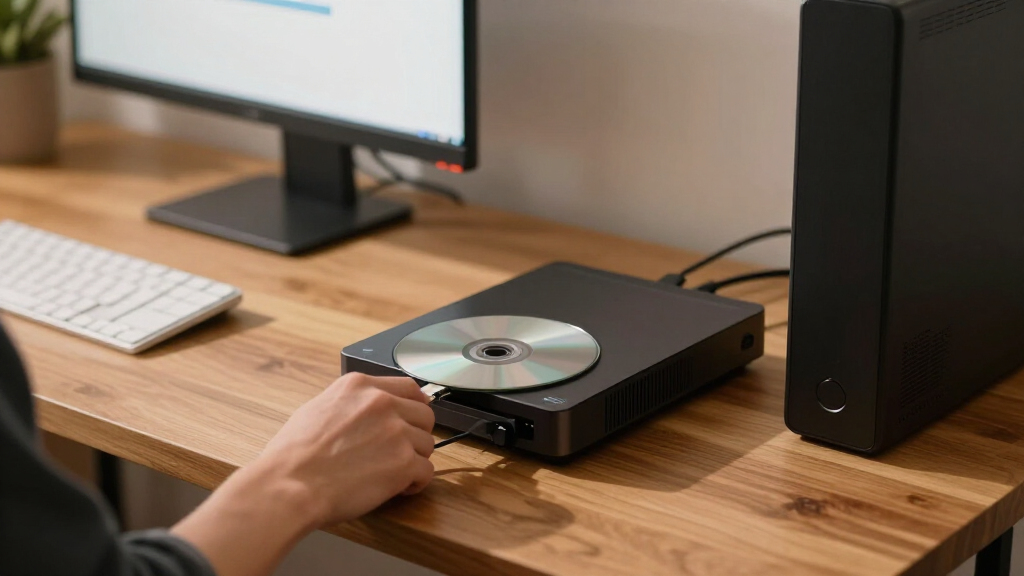
I ranked these five discs by how well their format and pack size serve common archival tasks, rather than treating the highest capacity as an automatic win. My comparison weighs capacity per disc, total pack capacity, recording speed, printing and storage details, and the hardware each format demands. A 100GB disc can reduce the number of discs in a project, but that advantage disappears if a buyer’s optical drive cannot write BDXL media.
I also separated the two 100GB products by their real use cases. The 25-pack BDXL option offers substantial volume and a thermal-printable surface, making it the better fit for a large, labeled archive. The five-pack BD-R XL option lowers the commitment for a smaller set of files and specifies inkjet printing instead. Their different pack counts and printing methods matter as much as the shared 100GB capacity.
For 25GB and 50GB discs, I considered whether the bundle makes everyday archiving simpler. The 50GB five-pack brings jewel cases and 6x recording, while the 25GB 25-pack supplies more individual discs and includes a stated 10-year limited warranty. The smaller five-pack of printable 25GB discs is a reasonable choice for a few labeled copies, but its limited quantity keeps it below the larger bundle for ongoing use.
All five products are write-once M-DISC media, so none belongs in a workflow that depends on routine editing or erasing. Durability descriptions and shelf-life claims are product claims, not a promise that any disc, drive, or file will remain readable indefinitely. My ranking favors clear fit and practical usability; it does not replace keeping multiple copies and checking archived files periodically.
| M-DISC Blu-ray disc | Format | Recording type |
|---|---|---|
| Verbatim M-DISC BDXL 100GB 4x | Blu-ray BDXL M-DISC | Non-rewritable |
| Verbatim M-DISC BD-R XL 100GB | Blu-ray BD-R XL | Single recording |
| Verbatim M-DISC BD-R 25GB 4x A | Blu-ray BD-R | Non-rewritable, single-layer |
| Verbatim M-Disc BD-R Blu-ray D | Blu-ray BD-R M-DISC | — |
| Verbatim M-DISC BD-R Blu-ray D | BD-R M-DISC | Single recording |
Factors to Consider When Choosing Best M-DISC Blu-ray Discs
I would start by checking the drive, then match capacity and pack size to the archive. M-DISC is a write-once format in these listings, so the choice is less about flexibility and more about how you will prepare, record, label, and store a stable set of files.
Confirm Your Drive Can Write the Disc Format
Drive compatibility is the first filter. The two 100GB products are BDXL or BD-R XL media, and the 25-pack explicitly requires a BDXL optical drive. A drive that reads ordinary Blu-ray discs may not write BDXL discs, so check the manufacturer’s specifications for recording support and the exact disc type. The 25GB and 50GB BD-R options avoid the higher-capacity BDXL format, but the printable 25GB pack specifically calls for an M-DISC-compatible recording drive. Do not assume that a drive can write archival media just because it can read Blu-ray. If your hardware is uncertain, confirm compatibility before buying a pack.
Choose Capacity by Archive Size, Not Headline Number
A 100GB disc can reduce the number of discs in a large project, which may simplify labeling and storage. That benefit comes with a drive requirement and, in the 25-pack, a larger quantity to manage. The 50GB five-pack is a middle option for a smaller collection when 25GB would create too many discs. The 25GB products make more sense for modest file groups or buyers who want to keep separate projects on separate media. Think about the size of the files after any compression and how you want folders divided; capacity on the label does not dictate a sensible archive structure.
Match the Pack Count to Your Ongoing Needs
Pack size changes the value of a format. The 25-disc 25GB pack is suited to repeated projects and a larger supply of conventional BD-R discs. The two five-packs are easier to justify for a single small archive or a trial run with compatible equipment. The 100GB 25-pack has the largest total capacity in this group, but may be more media than a buyer needs for one-time use. Estimate the number of discs your current archive requires, then leave a little room for future additions rather than buying capacity that will sit unused.
Treat Printable Surfaces as a Workflow Choice
Printable faces can make a multi-disc archive easier to identify, but the printer type matters. The 100GB 25-pack specifies thermal and hub printing, while the 100GB five-pack and 25GB five-pack list inkjet-compatible surfaces. These are not interchangeable assumptions: match the disc surface to a printer designed for printable optical media. The 50GB jewel-case pack does not list a printable face, and the 25-disc 25GB pack also does not specify one. If you do not own a compatible disc printer, labels or careful case notes may be a more practical way to identify discs.
Plan Around Write-Once Recording
Every option here is single-recording media. Prepare the folders, check filenames, and confirm the drive’s settings before starting a burn; a disc cannot be erased and reused if you find an error later. Where possible, verify the recorded data after writing and keep a separate copy on another storage medium. M-DISC is intended for archival use, but a disc is only one part of a backup plan: drives can fail, discs can be damaged, and a future computer may not include an optical drive.
Read Longevity and Warranty Claims Carefully
Some listings describe resistance to light, heat, and humidity or state a shelf-life claim exceeding 100 years. Those are manufacturer descriptions, not a promise that a particular burn will stay readable for that period in every storage environment. The 25-disc 25GB pack and the 100GB BDXL 25-pack specify a 10-year limited warranty; warranty terms do not promise recovery of archived files. Store discs in appropriate cases away from heat, direct light, and physical damage, and periodically check important archives. Multiple copies in separate locations provide a stronger safeguard than relying on one disc.
Think About Speed in Context
The listed speeds range from 2–4x on the 100GB five-pack to 6x on the 50GB option, with other listings specifying 4x or a 1–6x range. Higher listed speed may shorten a recording session, but the actual rate depends on drive support, media, and recording conditions. For a small archive, speed may be less important than capacity or printable labeling. For a large project, compare the number of discs and total burn time rather than choosing solely by the maximum speed printed in a specification. A slower, compatible burn is preferable to a fast attempt with unsupported hardware.
Frequently Asked Questions
What is the difference between M-DISC BD-R and M-DISC BDXL?
Both formats are write-once Blu-ray media, but the products here differ in capacity and drive requirements. The listed BD-R choices provide 25GB or 50GB per disc, while the BDXL/BD-R XL options provide 100GB. The higher-capacity discs can reduce the disc count for a large archive, but they need a compatible BDXL or BD-R XL writer. Check the exact drive specifications before choosing based on capacity alone.
Can I rewrite or erase files on these M-DISC Blu-ray discs?
No. All five products in this roundup are described as single-recording or non-rewritable media. Once a disc has been recorded, you cannot erase it and use it again as a rewritable disc. I would check the files and folder structure before burning, then verify the recording and keep another copy of important data elsewhere.
Which option is best if I need 100GB discs?
For a larger archive, I would choose the Verbatim 100GB BDXL 25-pack because it combines high capacity with a large supply and a thermal-printable surface. If you only need a few discs, the 100GB BD-R XL five-pack is the more contained choice and lists an inkjet-printable surface. Both require compatible high-capacity Blu-ray hardware, so verify the writer before choosing either one.
Do I need a special printer for printable M-DISC discs?
Yes, the printing method needs to match the disc surface. The 100GB 25-pack lists thermal and hub printing, while the 100GB five-pack and 25GB printable five-pack specify inkjet compatibility. A regular paper printer is not enough; use a printer designed to print directly on compatible optical discs. If you do not have one, identify discs with their cases or another suitable labeling method.
Does an M-DISC guarantee that my data will last for 100 years?
No. Some products describe a design for long-term storage or state a shelf-life claim exceeding 100 years, but that should not be treated as a guarantee that every disc and recording will remain readable for that duration. Storage conditions, recording quality, physical handling, and future drive availability all matter. For important files, keep multiple copies, store discs carefully, and check the archive periodically.
Conclusion
My recommendation depends on the size and shape of your archive. Choose the Verbatim 100GB BDXL 25-pack for a large, labeled collection if you already have compatible BDXL writing and thermal-printing hardware. Pick the 100GB BD-R XL five-pack when you want high capacity for a smaller project and can use its inkjet-printable surface. For a steady supply of conventional 25GB media, the 25-disc 4x pack is the practical choice; for a handful of personalized discs, choose the 25GB printable five-pack. If you want 50GB discs with individual cases and 6x listed speed, the 50GB jewel-case pack fills that middle ground. Whichever you select, confirm compatibility before ordering, prepare files before recording, and keep another copy of anything you cannot afford to lose.
Halloween Picks
halloween
As an affiliate, we earn on qualifying purchases.