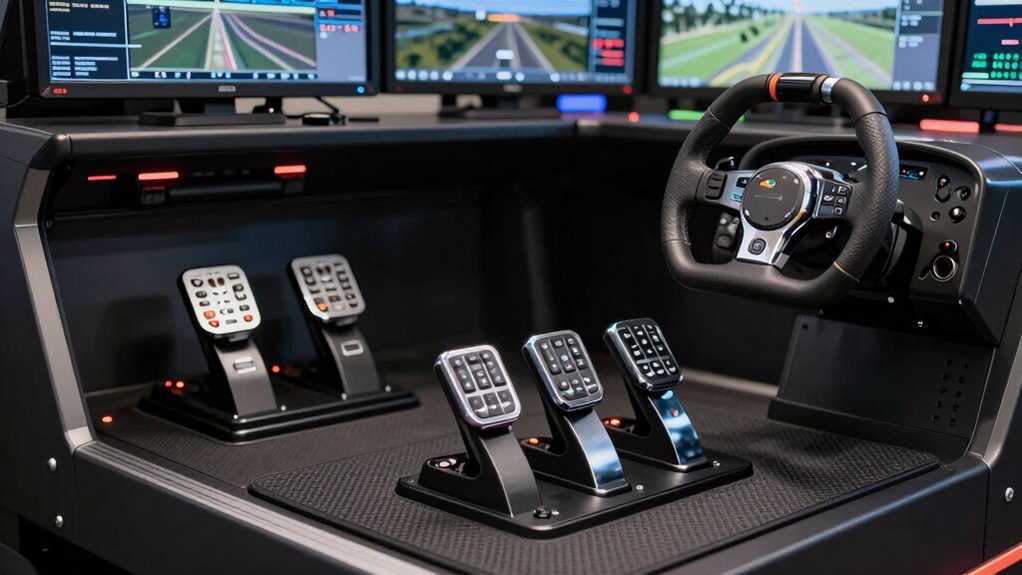

For anyone serious about flight simulation, choosing the right yoke and pedals can significantly impact realism and comfort. The Logitech G Pro Flight Yoke System stands out as the overall best for its balance of build quality and versatility. The Honeycomb Alpha Flight Controls Yoke is a top choice for dedicated enthusiasts who want a more authentic feel, while the Turtle Beach VelocityOne Flight impresses with its seamless compatibility across Xbox and Windows. These options highlight the main tradeoffs in this category: premium features versus price, realism versus ease of setup, and compatibility across platforms. Keep reading for a detailed breakdown to find the best fit for your flight sim setup.
Get ready for Prime Big Deal Days — try Prime free
Exclusive member deals on October 6–7, plus fast free delivery. Cancel anytime.
Start your free trialAs an affiliate, we earn on qualifying purchases.
Complete the kit



Key Takeaways
- The top products balance realism with usability, with higher-end options offering more authentic controls but at a higher cost.
- Compatibility varies significantly, so matching your platform (PC or Xbox) is essential to avoid frustrations.
- Build quality and durability are key for long-term use, especially with more intensive flying sessions.
- Price often correlates with features, but the most expensive models aren’t always the best value for beginners.
- Pedals differ widely in precision and feel; choosing a set that matches your yoke’s quality is crucial for a cohesive experience.
| Logitech G Pro Flight Yoke System + Pro Flight Rudder Pedals Bundle |  | Best Overall for Realism and Customization | Yoke Controls: 14 buttons, 3-position mode switch, 54 programmable controls | Rudder Pedals: Self-centering with adjustable damping, differential toe brakes, adjustable foot rests | Connectivity: USB | VIEW ON AMAZON | See Our Full Breakdown |
| Thrustmaster T-Flight Full Kit HOTAS with Rudder Pedals – Xbox & PC |  | Best for Xbox and Casual Flight Sim Players | Platform: Xbox Series X|S, PC | Includes: HOTAS system, Rudder pedals | Axes: 5 | VIEW ON AMAZON | See Our Full Breakdown |
| Thrustmaster TCA Yoke & Quadrant Boeing Edition Flight Pack – Xbox & PC |  | Best for Boeing Enthusiasts and Realism Seekers | Compatibility: Xbox & PC | Yoke Material: Metal | Range of Motion: 8.3 inches (21 cm) | VIEW ON AMAZON | See Our Full Breakdown |
| Honeycomb Alpha Flight Controls Yoke & Switch Panel |  | Best for Immersive Cockpit Experience | Rotation: 180° | Control Shaft: Solid steel with two linear ball bearings | Switch Panel Features: Main, alternator, avionics, light switches, 5-position ignition | VIEW ON AMAZON | See Our Full Breakdown |
| Logitech G PRO Flight Yoke System |  | Best for Beginners and Versatile Use | Compatible Devices: Windows | Controller Type: Yoke | Connectivity Technology: USB | VIEW ON AMAZON | See Our Full Breakdown |
| Turtle Beach VelocityOne Flight Universal Control System for Xbox and Windows | 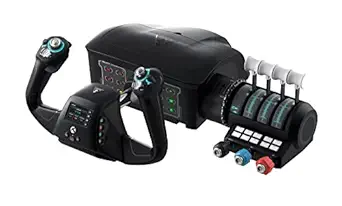 | Best for Realism and Comprehensive Control Integration | Compatibility: Xbox Series X & S, Xbox One, Windows 10 & 11 | Control Features: Yoke handle, throttle quadrant, trim wheel, rudder controls | Rotation: 180° yoke handle | VIEW ON AMAZON | See Our Full Breakdown |
| flight simulator yoke and pedal | Compatibility |
|---|---|
| Logitech G Pro Flight Yoke Sys | PC |
| Thrustmaster T-Flight Full Kit | — |
| Thrustmaster TCA Yoke & Quadra | Xbox & PC |
| Honeycomb Alpha Flight Control | — |
| Logitech G PRO Flight Yoke Sys | — |
| Turtle Beach VelocityOne Fligh | Xbox Series X & S, Xbox One, Windows 10 & 11 |
More Details on Our Top Picks
Logitech G Pro Flight Yoke System + Pro Flight Rudder Pedals Bundle
This bundle stands out for its highly customizable controls and realistic feel, making it ideal for serious flight sim enthusiasts who want a comprehensive setup. The 14 programmable buttons on the yoke and self-centering rudder pedals with adjustable damping offer a level of control that surpasses many entry-level options like the Thrustmaster T-Flight. However, its complexity and premium price can be a barrier for newcomers, and compatibility details are somewhat limited. Compared with the Thrustmaster T-Flight, it provides far more control options but demands more time to configure properly. For those committed to a realistic cockpit experience, this package offers unmatched control and durability, though it may be overkill for casual players.
Pros:- Highly customizable with 54 programmable controls
- Self-centering rudder pedals with adjustable damping
- Robust steel shaft yoke for durability
- Adjustable foot rests for extended comfort
Cons:- Complex for first-time users to set up
- Limited compatibility info may cause confusion
- Premium price may be prohibitive for some buyers
Best for: Aviation enthusiasts who want a highly customizable, realistic flight control setup and are willing to invest time and money.
Not ideal for: Beginners or casual gamers seeking an easy, plug-and-play solution without extensive setup or expense.
- Yoke Controls:14 buttons, 3-position mode switch, 54 programmable controls
- Rudder Pedals:Self-centering with adjustable damping, differential toe brakes, adjustable foot rests
- Connectivity:USB
- Compatibility:PC
- Material:Steel shaft (Yoke)
Our verdict“This bundle is perfect for dedicated flight sim fans seeking maximum control and realism, despite its setup complexity and cost.”
Thrustmaster T-Flight Full Kit HOTAS with Rudder Pedals – Xbox & PC
This kit offers a great entry point for Xbox users and casual flight enthusiasts, combining a HOTAS system with rudder pedals for a more immersive experience. Its high-precision controls and ergonomic pedals deliver smooth steering, making it more engaging than simple controllers. Compared with the Logitech G Pro Flight bundle, it’s more straightforward to set up and better suited for console users, but it lacks the extensive programmability and customization. For those who value ease of use over deep customization, this kit balances realistic control with simplicity. However, it may feel limited for advanced pilots or those seeking a fully customizable cockpit.
Pros:- High-precision controls with smooth rudder pedals
- Ergonomic pedal design for long sessions
- Seamless Xbox integration
- Includes a versatile layout with multiple buttons
Cons:- Can be complex for new or casual users
- Requires significant space for full setup
- Limited to flight simulation genre
Best for: Xbox gamers and casual flight sim fans who want a straightforward, immersive setup without complex configurations.
Not ideal for: Hardcore flight sim enthusiasts seeking extensive control customization or PC-only setup.
- Platform:Xbox Series X|S, PC
- Includes:HOTAS system, Rudder pedals
- Axes:5
- Programmable buttons:14
- Trigger:Rapid fire
Our verdict“This kit offers a practical, easy-to-use option for Xbox users wanting a realistic flight experience without the complexity of high-end gear.”
Thrustmaster TCA Yoke & Quadrant Boeing Edition Flight Pack – Xbox & PC
The Boeing Edition flight pack excels for those craving authentic Boeing controls, with a beautifully detailed yoke and quadrant that mimic real aircraft. Its smooth motion and durable metal build elevate the flight experience, especially compared to more generic options like the Logitech G PRO. The inclusion of a dedicated quadrant and multiple axes makes it ideal for serious enthusiasts, but it also adds complexity—requiring separate rudder pedals for full control and a steeper learning curve. While the setup offers impressive realism, beginners might find it daunting due to its extensive controls and assembly. For dedicated Boeing fans or those wanting a genuine cockpit replica, this pack delivers, but it’s less suited for casual use or newcomers.
Pros:- Authentic Boeing 787 replica with detailed controls
- Smooth, responsive motion mimicking real flight dynamics
- Durable metal construction for longevity
- Multiple axes and extensive buttons for comprehensive control
Cons:- Requires separate rudder pedals for full control
- Setup and configuration can be complex for beginners
- Higher price point for a specialized kit
Best for: Aviation hobbyists and aspiring pilots focused on Boeing aircraft who want authentic controls and a premium build.
Not ideal for: Casual gamers or newcomers seeking a simple, all-in-one solution, as it demands a more complex setup.
- Compatibility:Xbox & PC
- Yoke Material:Metal
- Range of Motion:8.3 inches (21 cm)
- Number of Action Buttons:35
- Additional Axes:2
Our verdict“This Boeing-themed flight pack is ideal for serious enthusiasts seeking authentic, comprehensive controls despite its setup complexity.”
Honeycomb Alpha Flight Controls Yoke & Switch Panel
The Honeycomb Alpha set offers a highly immersive cockpit feel, with its responsive control shaft and extensive switch panel options. Its 180° rotation and solid steel shaft provide a realistic feel absent in simpler yokes like the Logitech G PRO. The switch panel adds a layer of depth, mimicking cockpit switches and enhancing immersion. It’s well-suited for dedicated flight sim enthusiasts who want a comprehensive setup, but the initial setup and mounting can be time-consuming. Casual users may find the array of switches overwhelming, and it’s primarily designed for those who want a detailed cockpit replica rather than plug-and-play simplicity. Overall, its build quality and realism make it a standout for serious flight simmers willing to invest effort.
Pros:- Highly realistic control shaft with 180° rotation
- Rich switch panel for detailed cockpit simulation
- Durable materials and robust mounting options
- Compatible with major flight sim software
Cons:- Requires significant setup time and effort
- Primarily for dedicated enthusiasts, not casual users
- May be expensive for those on a tight budget
Best for: Experienced flight sim enthusiasts seeking a realistic, comprehensive cockpit with switch controls.
Not ideal for: Casual players or those new to flight sims who prefer simpler, all-in-one solutions.
- Rotation:180°
- Control Shaft:Solid steel with two linear ball bearings
- Switch Panel Features:Main, alternator, avionics, light switches, 5-position ignition
- Backlighting:Red LED
- Mounting Options:Heavy-duty clamps or micro-suction pad
Our verdict“This yoke and switch panel deliver immersive realism for seasoned flight sim fans prepared for detailed setup and calibration.”
Logitech G PRO Flight Yoke System
This Logitech model strikes a balance between realism and accessibility, making it suitable for newcomers and intermediate users. Its modular design and multiple programmable buttons allow customization without the complexity of high-end gear like the Logitech G Pro Flight bundle. While it offers solid stability with robust mounting options, it’s slightly heavier and requires software downloads for full functionality, which can be a hurdle for some users. Compared to the Honeycomb Alpha, it’s less detailed but more straightforward to set up. If you want a reliable, versatile yoke that can grow with your skills, this pick makes the most sense, though it may not satisfy those seeking ultra-realistic cockpit fidelity.
Pros:- Realistic and precise control for flight simulation
- Multiple programmable buttons for customization
- Modular and interchangeable design
- Sturdy mounting options for stability
Cons:- Requires software download for full features
- Limited to Windows platforms
- Relatively heavy at 6.2 pounds
Best for: Flight sim beginners and hobbyists wanting a reliable, upgradeable yoke system with good customization options.
Not ideal for: Advanced flight pilots demanding the most authentic controls and switch panels, or users seeking plug-and-play simplicity.
- Compatible Devices:Windows
- Controller Type:Yoke
- Connectivity Technology:USB
- Additional Features:14 USB buttons
- Hardware Platform:Desktop, PC
Our verdict“This yoke is a versatile choice for those new to flight sims or seeking a reliable base for future upgrades, with some software setup required.”
Turtle Beach VelocityOne Flight Universal Control System for Xbox and Windows
The Turtle Beach VelocityOne Flight stands out for its all-in-one design, combining a yoke, throttle, trim wheel, and rudder controls into a single, cohesive setup. Compared with the Logitech G Pro Flight Yoke System, this model offers a more immersive experience thanks to its full-color flight management display and wider array of control axes, which translate into more precise and realistic flying. However, this complexity can be overwhelming for beginners who may find the extensive controls intimidating. The VelocityOne’s customizable components and secure clamping system make it ideal for serious sim enthusiasts seeking a high-fidelity setup. Its higher price reflects the advanced features, making it less suitable for casual users or those with limited space. Overall, this system is best for dedicated flight simmers who prioritize realism over simplicity and are willing to invest in a comprehensive control experience.
Pros:- All-in-one setup with yoke, throttle, trim, and rudder controls
- Full-color flight management display enhances realism
- Highly customizable components for personalized configurations
- Secure clamping system ensures stability during intense sessions
Cons:- Complex interface may be intimidating for newcomers
- Higher price point may be prohibitive for casual users
- Requires more space due to its comprehensive size
Best for: Avid flight simulation enthusiasts wanting a fully integrated and realistic control system for Xbox and PC.
Not ideal for: Beginners or casual players who prefer a simpler, more budget-friendly setup without extensive controls.
- Compatibility:Xbox Series X & S, Xbox One, Windows 10 & 11
- Control Features:Yoke handle, throttle quadrant, trim wheel, rudder controls
- Rotation:180° yoke handle
- Display:Full color flight management display
- Axes:12 analog axes
- Switches:2 POV switch, 2 4-way HAT switches
- Additional Controls:Dedicated pitch trim wheel
- Mounting:Secure clamping system
Our verdict“This system makes the most sense for dedicated flight simmers seeking a realistic, all-encompassing control setup and willing to invest accordingly.”

How We Picked
Products were selected based on a combination of build quality, realism, compatibility, and user reviews. Priority was given to options that offer a good balance of features and value, ensuring they suit both casual and serious flight sim enthusiasts. The ranking considers ease of setup, durability, and platform support, with a focus on models that deliver consistent performance over time. We aimed to include a range of price points to help buyers find options that match their budget and experience level.| flight simulator yoke and pedal | Compatibility |
|---|---|
| Logitech G Pro Flight Yoke Sys | PC |
| Thrustmaster T-Flight Full Kit | — |
| Thrustmaster TCA Yoke & Quadra | Xbox & PC |
| Honeycomb Alpha Flight Control | — |
| Logitech G PRO Flight Yoke Sys | — |
| Turtle Beach VelocityOne Fligh | Xbox Series X & S, Xbox One, Windows 10 & 11 |
Factors to Consider When Choosing Flight Simulator Yoke And Pedals
Choosing the right flight simulator yoke and pedals involves several key considerations. Beyond just looking at features, buyers should evaluate compatibility with their gaming platform, the level of realism they desire, and their budget. A well-chosen setup can dramatically improve immersion, but an ill-fitting or incompatible model can lead to frustration. Understanding the tradeoffs between cost, build quality, and functionality helps in making an informed decision that will enhance your flying experience for years to come.Platform Compatibility
Before purchasing, verify whether the yoke and pedals are compatible with your gaming platform—PC, Xbox, or both. Some models are designed specifically for one, which can limit your options or require additional adapters. Incompatibility can mean missing out on features or facing setup issues, so matching hardware with your console or PC setup is a key first step to avoid disappointment.
Realism and Feel
The tactile quality of the yoke and pedals plays a major role in immersion. Higher-end models often feature more precise resistance, more authentic textures, and smoother movement. However, increased realism usually comes at a higher price. Beginners might prefer models with softer, easier-to-maneuver controls, while enthusiasts will prioritize those offering more detailed feedback and resistance.
Build Quality and Durability
Flight sim gear experiences frequent use and sometimes rough handling, so durability matters. Look for metal components, solid construction, and positive user reviews on longevity. Cheaper plastic models may wear out quickly or feel flimsy, which can detract from the experience and lead to repeated replacements, ultimately costing more in the long run.
Adjustability and Comfort
Comfortable, adjustable controls help prevent fatigue and improve precision during long flights. Features like customizable throttle quadrants, adjustable yoke tension, and ergonomic pedal placement are worth considering. Choosing a setup that can be tailored to your height and hand size ensures a more natural flying position and reduces strain.
Price and Value
Prices in this category range from budget-friendly to premium, but higher cost doesn’t always mean better value. Determine your budget first, then compare features that matter most to you—whether realism, durability, or platform support. Sometimes, investing a bit more upfront results in a more satisfying, long-lasting setup that enhances your overall experience.
Frequently Asked Questions
Can I use a flight yoke and pedals on Xbox and PC?
Many models now support both Xbox and PC, but not all do. Check the product specifications carefully to confirm platform compatibility. The Turtle Beach VelocityOne Flight, for example, is designed for both Xbox and Windows, offering seamless integration. For other models, you may need adapters or specific drivers. Always verify compatibility before purchasing to ensure your setup works smoothly across your preferred devices.
Is a more expensive yoke worth the investment for beginners?
Generally, higher-priced models tend to offer better build quality and more realistic feedback, which can be beneficial even for newcomers. However, if you’re just starting out, a mid-range or budget option might provide enough functionality without a large investment. Consider how serious your interest is—if you plan to fly regularly, investing in a better-quality yoke can save money in the long run and improve your experience.
How important are pedals for a realistic flight experience?
Pedals are a key component for controlling yaw, braking, and rudder inputs, significantly enhancing realism. The quality and responsiveness of pedals influence how intuitive and precise your control feels, especially during complex maneuvers. If you’re aiming for a high-fidelity simulation, investing in a sturdy, precise pedal set makes a noticeable difference, but for casual flying, simpler pedals might suffice.
What should I consider if I want a compact setup?
Space constraints are a common concern, so look for models specifically designed to save space without sacrificing too much realism. Some yokes and pedals are smaller, foldable, or have adjustable components to fit tighter setups. Be aware, however, that smaller models might compromise on build quality or feel, so balance your space needs with the level of immersion you desire.
Is it better to buy a bundle or separate components?
Bundles often offer cost savings and ensure compatibility between yoke and pedals, simplifying setup. However, they may include lower-quality components or features you don’t need. Buying components separately allows for more customization and access to higher-end models, but can be more expensive and require additional research to ensure compatibility. Consider your budget and desired level of realism when choosing between bundles and individual components.
Conclusion
For casual flyers or newcomers, the Logitech G PRO Flight Yoke System offers excellent value with straightforward setup and decent realism. Serious enthusiasts seeking a more authentic experience should consider the Honeycomb Alpha Flight Controls Yoke, which provides superior build quality and tactile feedback. If platform compatibility across Xbox and Windows is a priority, the Turtle Beach VelocityOne Flight stands out for seamless integration. Budget-minded buyers can find reliable options in mid-range bundles, while those aiming for the most immersive simulation should allocate resources toward higher-end, customizable setups. Ultimately, your choice hinges on your experience level, platform needs, and budget.NFL season / tailgating Picks
team gear
As an affiliate, we earn on qualifying purchases.