
Many believe all public Wi-Fi networks are unsafe, but that’s a myth. Some networks use proper encryption, making them safer to connect to. However, open or fake hotspots can expose your data to hackers. Using strong security practices like VPNs and verifying networks before connecting greatly reduces risks. Understanding these misconceptions can help you stay protected. Keep going, and you’ll discover how to safeguard your personal information even better on public Wi-Fi.

Get the latest gadgets delivered free with Prime
- Fast, free delivery on millions of items
- Prime Video, Amazon Music and more included
- Member-only deals all year
Key Takeaways
- Not all public Wi-Fi networks are unsafe; some use proper encryption protocols that protect data.
- Connecting to open, unencrypted networks increases the risk of data interception and cyber threats.
- Rogue hotspots and fake networks can mimic legitimate ones, risking data theft if connected.
- Using VPNs and verifying network authenticity significantly enhances security on public Wi-Fi.
- Outdated or weak encryption standards make public networks vulnerable to hacking attacks.
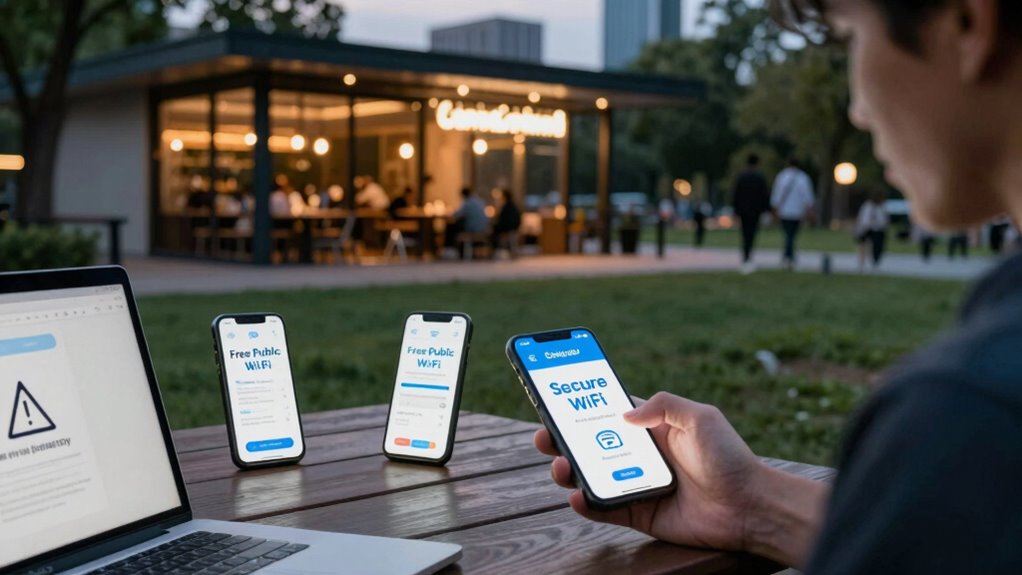
Many people believe that public Wi-Fi is inherently unsafe, but that’s not entirely true. While it’s true that using open networks can expose you to certain risks, understanding how these threats work helps you better protect your data. One common misconception is that all public Wi-Fi networks are equally dangerous. In reality, some networks are more secure than others, especially if they use proper encryption protocols. However, encryption vulnerabilities can still be exploited by cybercriminals, even on networks that seem legitimate. Weak or outdated encryption can allow hackers to intercept your data, potentially exposing passwords, personal information, and financial details. That’s why it’s vital to be cautious whenever you connect to any Wi-Fi, especially if the connection doesn’t require a password or uses outdated security standards. Additionally, the use of encryption protocols plays a crucial role in safeguarding your data during transmission. Another dangerous myth involves rogue hotspots, which are fake Wi-Fi networks set up by attackers to lure unsuspecting users. You might see a network with a tempting name like “Free Airport Wi-Fi” or “CoffeeShop Guest,” and assume it’s safe because it appears legitimate. But cybercriminals often create these rogue hotspots to intercept data as you connect. Once you join such a network, they can monitor your activity, steal login credentials, or even inject malicious software onto your device. To avoid falling victim, always verify the network’s authenticity before connecting, and consider asking staff or the network provider for the exact name of the official Wi-Fi. Being aware of public Wi-Fi security best practices can significantly reduce your risk of data theft. People also underestimate the importance of using a virtual private network (VPN) to safeguard their data. Many think that simply avoiding sensitive transactions is enough, but encryption vulnerabilities can still be exploited if you’re not using additional security measures. A VPN encrypts your internet traffic, making it much harder for hackers to decipher your data even if they manage to intercept it. Without a VPN, your information is more vulnerable, especially on networks with weak security or those compromised by rogue hotspots. Moreover, understanding Wi-Fi network security can help you make smarter choices about which networks to trust. Recognizing the significance of network encryption can further enhance your online safety on public networks.
As an affiliate, we earn on qualifying purchases.
Frequently Asked Questions
Can Public Wi-Fi Be Used Safely for Online Banking?
You can use public Wi-Fi for online banking safely if you guarantee strong encryption protocols are in place, like WPA3, and that your device authenticates securely to the network. Use a VPN to encrypt your data further, and avoid accessing sensitive info on open networks. Always verify the network’s legitimacy, keep your device’s security updated, and log out after your session to minimize risks.
Do All Public Wi-Fi Networks Have the Same Security Risks?
Not all public Wi-Fi networks have the same security risks. Some use strong network encryption, making data transfer safer, while others lack it, leaving your data vulnerable. Access restrictions vary too; open networks without login requirements pose higher risks, whereas networks with login procedures add layers of security. Always check for encryption and access controls before connecting, and avoid transmitting sensitive information on unsecured networks.
Is It Necessary to Use a VPN on Public Wi-Fi?
Yes, you should use a VPN on public Wi-Fi. It encrypts your data with strong protocols, safeguarding your information from potential hackers. A VPN also enhances your device security by creating a secure connection, preventing unauthorized access. Without it, your sensitive data, like passwords and banking info, remains vulnerable. So, always activate your VPN when connecting to public networks to keep your data protected and maintain privacy.
Can Public Wi-Fi Steal My Device’s Saved Passwords?
Think of public Wi-Fi as a crowded marketplace where whispers of your passwords could be snatched by lurking thieves. Yes, network vulnerabilities can allow hackers to steal your saved passwords if you’re not cautious. They exploit weak security, turning your device into an open book. To protect yourself, avoid saving passwords on public networks, use strong encryption, and always connect through a trusted VPN. Stay vigilant, and your data remains safe.
Are Free Public Wi-Fi Networks More Dangerous Than Paid Ones?
Free public Wi-Fi networks are generally more dangerous than paid ones because they often lack strong network encryption, making it easier for cybercriminals to intercept signals. When you connect, your data is more vulnerable to signal interception, increasing risks to your personal information. Paid networks typically invest in better security measures, reducing these risks. Always use a VPN and avoid transmitting sensitive data on unsecured networks to stay safe.
As an affiliate, we earn on qualifying purchases.
Conclusion
Don’t let myths about public Wi-Fi fool you into a false sense of security. While it’s true that these networks can pose risks, taking simple precautions like using a VPN or avoiding sensitive transactions can keep your data safe. Some say it’s too much trouble, but protecting your personal information is worth a few extra minutes. Remember, staying informed and cautious is your best defense against cyber threats on public Wi-Fi.
Wi-Fi hotspot verification device
As an affiliate, we earn on qualifying purchases.
As an affiliate, we earn on qualifying purchases.
encryption protocol Wi-Fi adapter
As an affiliate, we earn on qualifying purchases.
As an affiliate, we earn on qualifying purchases.
Halloween Picks
halloween
As an affiliate, we earn on qualifying purchases.