A good task app combines a clean, simple design with powerful features that make managing your time easy. It should help you stay organized with clear labels, quick access to essential tools, and options to customize to fit your workflow. Visual cues like progress bars and reminders keep you on track without stress. When everything works seamlessly across your devices, staying productive becomes effortless. Keep exploring to discover how the right features can transform your task management.
Key Takeaways
- An intuitive, clutter-free interface that allows quick access to essential features enhances user experience.
- Effective time management tools like reminders, progress tracking, and task breakdowns boost productivity.
- Seamless integration with calendars, email, and notes ensures a unified workflow across devices.
- Customization options for categories, notifications, and display settings personalize the app to user needs.
- Overall simplicity and robust functionality help reduce stress and improve task completion efficiency.
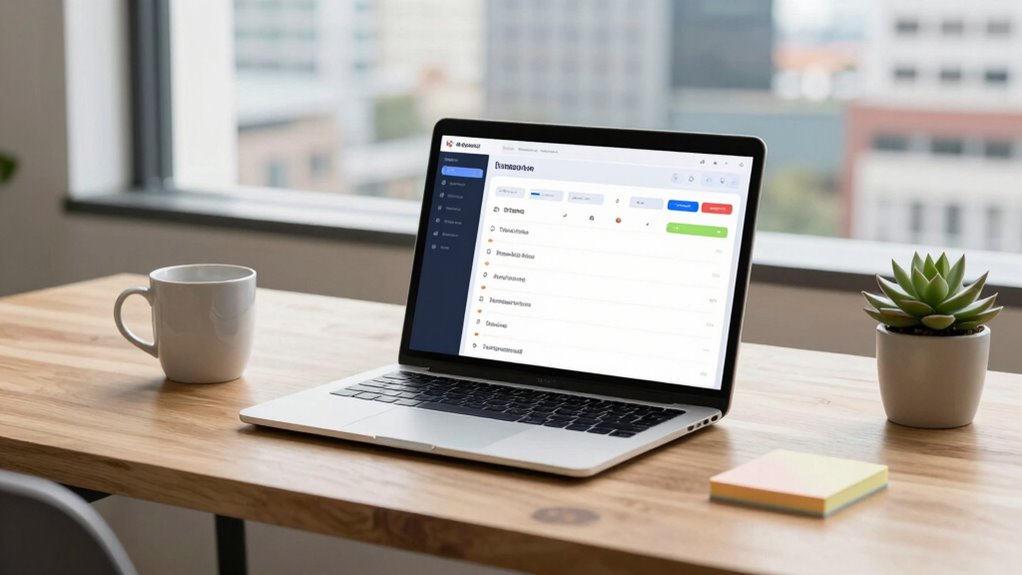
Have you ever wondered what sets a good task app apart from the rest? It all comes down to how well it helps you stay organized and productive in real-world situations. The best apps don’t just list your tasks; they integrate seamlessly into your daily life, making time management easier and more intuitive. When considering a task app, one of the most important factors is its user interface. If it’s cluttered or complicated, you’ll likely find yourself frustrated and less inclined to use it consistently. On the other hand, a clean, simple, and intuitive interface invites you to engage with your tasks naturally. You want to find what you need quickly, add new tasks without hassle, and navigate between different lists effortlessly. The user interface should prioritize clarity, with clear labels, minimal distractions, and easy access to key features.
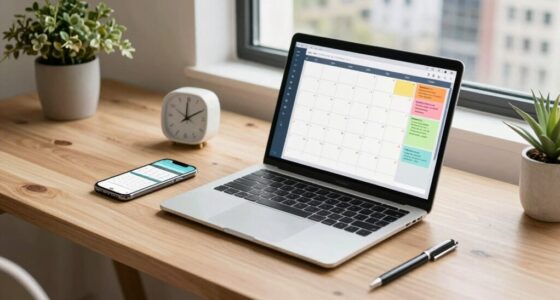
Effective time management is at the core of a good task app. It should help you allocate your time wisely, remind you of deadlines, and allow you to prioritize tasks based on urgency and importance. Features like deadlines, recurring tasks, and notifications keep you on track without overwhelming you. The best apps also incorporate visual cues—like color coding or progress bars—that let you see at a glance what needs immediate attention. The ability to break down larger tasks into smaller, manageable steps further enhances your control over your schedule. When an app supports flexible planning, it adapts to your workflow, whether you’re managing daily chores, work projects, or long-term goals.
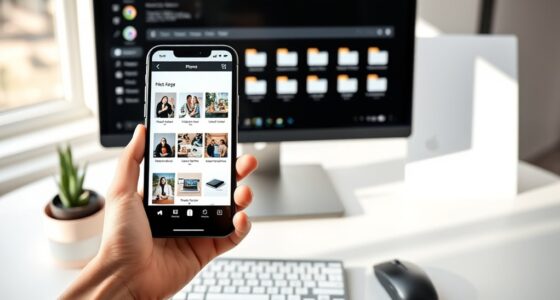
A good task app also offers integrations with other tools you use daily, like calendars, email, or note-taking apps. This connectivity streamlines your workflow, so you don’t have to switch between multiple platforms, losing track of your progress. Syncing across devices should be seamless, ensuring your data is always up-to-date, whether you’re on your phone, tablet, or computer. In addition, the best apps provide customization options—allowing you to tailor task categories, notifications, and display settings to your preferences. This personalization makes the app feel like a natural extension of your way of working.
In the end, a good task app is one that simplifies your life, not complicates it. It combines a user-friendly interface with robust features for time management, helping you stay focused and productive. When these elements work together smoothly, you find yourself completing tasks more efficiently and feeling less overwhelmed—making your daily routine more manageable and less stressful.
best task management app for Windows
As an affiliate, we earn on qualifying purchases.
As an affiliate, we earn on qualifying purchases.
Frequently Asked Questions
How Do Task Apps Improve Daily Productivity?
Task apps boost your daily productivity by helping you organize and manage tasks efficiently. You can implement prioritization strategies, ensuring urgent tasks get done first. Customization options let you tailor the app to fit your workflow, making task management more intuitive. By keeping everything in one place and setting reminders, you stay focused and on track, ultimately completing more tasks with less stress and better time management.
What Security Features Should a Task App Have?
Like the vaults of Fort Knox, your task app should prioritize security with robust data encryption and strict authentication protocols. These features guarantee your sensitive information stays private and protected from unauthorized access. You should also look for multi-factor authentication and regular security updates, which act as guard dogs, defending your data. A secure task app gives you peace of mind, allowing you to focus on productivity without worrying about breaches.
Can Task Apps Integrate With Other Tools?
Yes, task apps can integrate with other tools through third-party integrations and API compatibility. You can connect your task app with calendar apps, communication platforms, or file-sharing services, streamlining your workflow. These integrations help you automate updates, sync data across platforms, and enhance productivity. By choosing an app that supports third-party integrations and offers robust API compatibility, you guarantee your tools work seamlessly together, saving you time and effort.
Are Free Task Apps as Effective as Paid Ones?
Did you know 70% of users find free task apps sufficient for daily use? Free task apps can be effective, but they often come with freemium limitations that restrict features. Paid versions open up premium features like advanced integrations and customization, boosting productivity. If you need basic organization, free apps work well. However, for extensive needs, investing in a paid app may provide the tools you require to stay truly organized and efficient.
How User-Friendly Should a Task App Be?
You should look for a task app that’s highly user-friendly, with an intuitive user interface that makes navigation effortless. It should also offer customization options, allowing you to tailor features to your workflow. A good app minimizes clutter, uses clear icons, and provides simple ways to add, edit, and organize tasks. This way, you stay focused and motivated, making task management feel less like a chore and more like a breeze.
reminder and to-do list app for iOS
As an affiliate, we earn on qualifying purchases.
As an affiliate, we earn on qualifying purchases.
Conclusion
In the end, a good task app is like a trusted compass, guiding you through life’s chaos effortlessly. It’s not just about ticking boxes but about creating harmony amid the storm—like Odysseus steering treacherous waters. When your app adapts to your needs and keeps you focused, it becomes more than a tool; it’s a partner in your journey. Embrace what works, and let it steer you toward your goals with quiet confidence.
task app with progress tracking and calendar integration
As an affiliate, we earn on qualifying purchases.
As an affiliate, we earn on qualifying purchases.
customizable task organizer for Android
As an affiliate, we earn on qualifying purchases.
As an affiliate, we earn on qualifying purchases.