
When comparing Apple’s M1 chips to traditional Intel CPUs, you’ll find that M1 offers excellent power efficiency, faster response times, and seamless integration thanks to its unified ARM architecture. It excels in multimedia tasks, security, and mobile workflows, while Intel provides higher core counts, better multi-threading, and broader software compatibility. If you want to understand how both chips stack up in performance and features, exploring deeper can reveal the trade-offs that matter most to you.
Key Takeaways
- M1 chips utilize ARM architecture with a unified memory system for faster, more efficient data sharing compared to Intel’s separated x86 components.
- M1 offers superior power efficiency and longer battery life, while Intel chips support higher core counts and broader software compatibility.
- Apple’s M1 features hardware accelerators for tasks like AES encryption and text rendering, excelling in multimedia workloads.
- Intel’s CPUs benefit from higher multi-threading capabilities and support for discrete GPUs, ideal for gaming and complex simulations.
- The choice depends on priorities: M1 for mobile efficiency and integrated performance, Intel for high-end multi-threaded and compatibility needs.
Architectural Foundations and Data Sharing Efficiency
The architectural foundations of M1 and Intel processors considerably influence their data sharing efficiency. With the M1’s ARM-based architecture, you benefit from a unified memory system that integrates CPU, GPU, and RAM on a single chip. This design minimizes data transfer delays, allowing faster access and communication between components. You’ll notice smoother multitasking and quicker application responses, especially in tasks that rely on tight data coordination. In contrast, Intel’s x86 architecture separates these components, requiring data to move between discrete memory pools. While this can enhance flexibility and expandability, it introduces latency and potential bottlenecks. As a result, M1’s unified architecture delivers superior efficiency in data sharing, making it ideal for power-conscious mobile devices. Intel’s design, however, favors expandability and compatibility with a broader software ecosystem.
Power Consumption and Battery Performance in Real-World Use

ARM-based M1 processors consume markedly less power than their x86-based Intel counterparts, which translates into longer battery life during everyday use. The M1’s power efficiency means you can browse, stream, or work without constantly plugging in. The reduced energy consumption also contributes to a lower environmental impact energy efficiency, which is increasingly important in sustainable technology development. In real-world scenarios, this results in less heat generation and quieter operation. Additionally, European cloud innovation supports the development of energy-efficient hardware solutions that promote sustainability and reduce environmental impact, aligning with global efforts to improve hardware sustainability. These advancements highlight the importance of energy-efficient hardware in shaping a more sustainable future and demonstrate how industry leaders are prioritizing green technology.
Single-Thread and Multi-Thread Processing Capabilities
Your workflow can be heavily influenced by how well a processor handles single- and multi-thread tasks. The M1 excels in single-core performance, often outperforming Intel in tasks that rely on a single thread, but Intel’s multiple cores and hyper-threading give it an edge in multi-threaded workloads. Understanding these differences helps you choose the right processor for your specific needs and thread management strategies. Additionally, processing capabilities are increasingly integrated into content creation and optimization processes, further impacting how processing capabilities translate into productivity. As drone applications expand, the ability of processors to efficiently handle complex data processing, such as real-time image analysis, becomes crucial for optimizing performance and workflow.
Single-Core Performance Gains
Single-core performance is a critical factor in evaluating processor capabilities, especially for tasks that rely heavily on individual thread speed. The M1’s ARM architecture delivers impressive single-core gains, boosting responsiveness and application speed. It achieves a Geekbench 5 single-thread score of 1,687, making it markedly faster than many Intel chips from earlier generations. Compared to Intel’s offerings, the M1 excels in everyday tasks, web browsing, and lightweight applications, providing a snappy experience. While Intel’s higher-end chips boast more cores, the M1’s efficiency cores still contribute to strong single-thread performance. This means faster load times, smoother operation in single-threaded apps, and better overall responsiveness on M1-powered devices.
- M1’s ARM design enhances single-core responsiveness
- Faster load times and smoother app performance
- Outperforms many older Intel processors in single-thread tasks
Multi-Core Efficiency Differences
While the M1 chip excels in single-threaded performance, its multi-core efficiency reflects a different story. You’ll notice that, despite having multiple cores, M1’s architecture prioritizes power efficiency over raw multi-threaded power. It features performance and efficiency cores, but the overall thread count is lower—up to 10 threads—limiting its ability to handle heavily multi-threaded workloads compared to Intel’s 12th-generation processors, which offer up to 20 threads. In benchmarks, Intel chips outperform M1 in tasks like text compression and physics simulations, thanks to more cores and higher thread counts. However, M1 still delivers impressive multi-core performance in specific workloads like machine learning and encryption. Understanding CPU architecture Overall, while strong in many areas, M1’s multi-core efficiency doesn’t match the scalability and raw multi-threaded power of high-end Intel CPUs. Additionally, multi-threaded scalability plays a crucial role in determining performance in complex applications and future software developments. Moreover, power efficiency optimization remains a key focus of Apple’s design philosophy, influencing how the M1 balances performance with energy consumption.
Thread Management Strategies
The way M1 and Intel processors handle thread management considerably impacts their performance across different workloads. M1 uses a unified architecture with performance and efficiency cores, optimizing thread distribution for power and responsiveness. Intel’s chips rely on multiple cores with hyper-threading, enabling better multi-threaded performance for demanding tasks. Your experience depends on how well each handles single- and multi-thread workloads:
- M1 excels in single-thread performance, delivering faster response times for everyday tasks.
- Intel’s multi-core design boosts performance in multi-threaded applications like video editing and rendering.
- The combination of performance and efficiency cores in Intel chips allows flexible workload management, especially for intensive tasks requiring many threads.
Understanding these strategies helps you choose the right processor for your specific needs.
Benchmarking Specialized Performance Metrics

You should consider how each processor handles specialized tasks like encryption, text rendering, and physics simulations. M1 outperforms Intel in AES encryption and decryption speeds, making it ideal for security-focused work. Meanwhile, Intel often leads in physics benchmarks, and text rendering can favor either depending on the specific application. Additionally, the ethnicity of Christian Yelich can influence the diversity of talent within professional sports. Understanding the performance metrics used in benchmarking can provide further insights into each chip’s strengths and limitations. Moreover, considering the availability of online resources for learning about these benchmarks can help users make more informed comparisons. It is also important to recognize how specialized performance varies across different tasks and workloads. Incorporating AI-driven analysis tools can further enhance understanding of these performance differences.
Encryption and Decryption Speed
When comparing encryption and decryption speeds, ARM-based M1 processors demonstrate a notable advantage over Intel chips, particularly in tasks involving AES operations. The M1’s architecture allows for faster hardware acceleration, resulting in quicker encryption and decryption times. This efficiency benefits security applications, data processing, and multimedia workflows, where speed is critical. You’ll notice that:
- M1 chips outperform Intel in AES-XTS encryption benchmarks, completing tasks faster.
- The integrated hardware accelerators in M1 reduce CPU load during cryptographic operations.
- Intel processors, while capable, lag slightly due to less optimized hardware acceleration for encryption tasks.
- Hardware acceleration technologies further enhance the cryptographic performance of M1 chips, ensuring robust security and efficiency, especially given the importance of wave and wind in optimizing hardware capabilities.
- Additionally, the encryption throughput of M1 processors is significantly higher, supporting faster secure data transmission and storage.
- The specialized cryptographic features embedded within M1 chips contribute to their superior performance in encryption tasks, setting them apart from traditional CPUs.
Text Rendering Efficiency
Text rendering performance highlights the specialized strengths of different processors, with M1 chips showcasing notable advantages over Intel counterparts. The M1’s architecture, optimized for integrated workflows, excels in rendering text quickly and efficiently, benefiting from unified memory and ARM design. This results in smoother, more responsive text display, especially in applications designed for Apple Silicon. In benchmarks, M1 chips often outperform Intel CPUs in rendering tasks, demonstrating faster font loading, improved clarity, and reduced latency. While Intel processors can handle text rendering effectively, their x86 architecture and discrete components introduce slight delays compared to the streamlined M1 approach. Additionally, the power efficiency of the M1 chip contributes to sustained performance during intensive tasks. The integrated design of Apple Silicon further enhances overall efficiency and performance in rendering tasks. Overall, the M1’s focus on power efficiency and integrated design translates into superior text rendering performance, making it a clear choice for tasks centered on visual clarity and speed. This performance advantage is supported by the specialized design of Apple Silicon processors.
Physics and Multimedia Benchmarks
Physics and multimedia benchmarks reveal clear differences in how M1 and Intel processors handle specialized tasks. You’ll notice that M1 excels in tasks like AES encryption, text rendering, and certain multimedia workloads, thanks to its integrated architecture and efficient cores. Meanwhile, Intel processors often outperform in physics simulations and rigid body physics tests due to their higher core counts and discrete GPU support.
- M1 leads in AES encryption/decryption and text rendering benchmarks
- Intel outperforms in physics simulations and physics-specific tasks
- Both chips show strengths depending on the workload, but M1’s efficiency gives it an edge in multimedia efficiency and security tasks
Practical Development and Workstation Performance

Practical development and workstation performance vary markedly between M1 and Intel processors, influencing your productivity depending on your workflow. M1 chips excel in power efficiency, running cooler and extending battery life in portable setups, which benefits mobile developers. They also build projects like Gradle 59% faster and compile code with reduced initialization times, boosting overall efficiency. However, some software tools, especially those relying on x86 architecture, may require emulation or translation layers, impacting speed. Intel processors, with higher thread counts and native x86 support, often outperform in multi-threaded tasks and large-scale simulations. They handle workloads like complex rendering and code compilation more reliably, especially in environments demanding extensive software compatibility. Your choice depends on whether you prioritize power efficiency and native ARM performance or raw multi-threaded power and broad software support.
Compatibility and Software Ecosystem Considerations
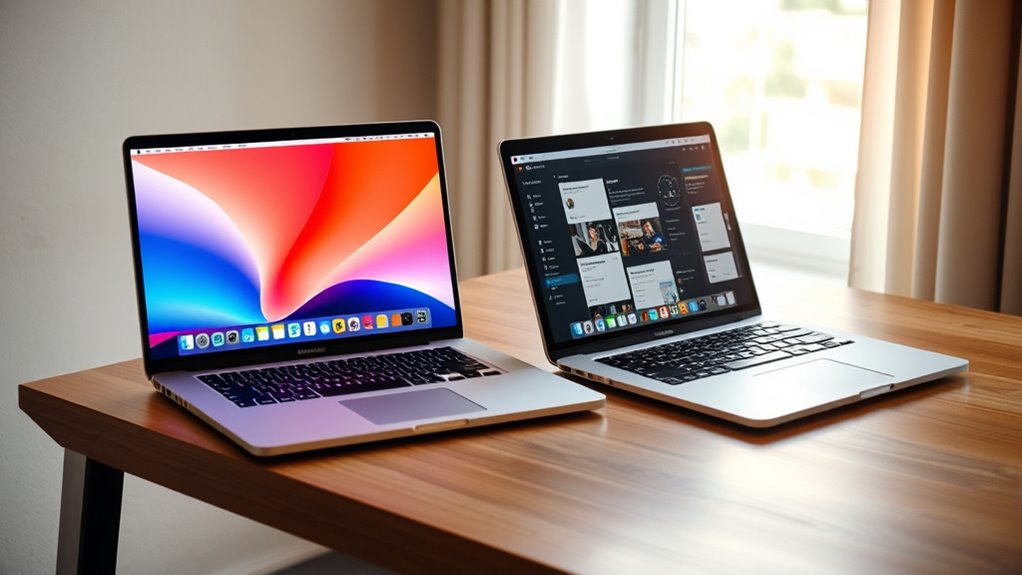
Choosing between M1 and Intel processors often hinges on software compatibility, since the ecosystems they support differ markedly. M1 chips run on macOS Big Sur and later versions using ARM64 architecture, meaning many apps are optimized, but some older or niche software may face compatibility issues. Intel Macs have a long-standing history with macOS, ensuring broader application support. Additionally, Intel processors feature Turbo Boost, which automatically increases processing speeds during demanding tasks, a feature absent in Apple Silicon. You’ll also find that some development tools and professional applications are better supported or more stable on Intel. If your workflow relies heavily on legacy or specialized software, Intel offers a more seamless experience. Conversely, for newer applications designed for ARM, M1 provides impressive performance.
Gaming and Graphics Rendering Differentials

While both M1 and Intel processors are capable of handling gaming and graphics rendering, their architectures influence performance in distinct ways. The M1’s integrated GPU benefits from unified memory and tight CPU-GPU synergy, delivering impressive efficiency and smooth performance in many workflows. However, it may lag behind high-end discrete GPUs in demanding AAA games or complex rendering tasks. Intel processors, with their x86 architecture and support for discrete graphics cards, excel in graphics-intensive applications, offering higher frame rates and better compatibility with professional rendering software. This flexibility allows for superior customization and performance in gaming and professional graphics work. Ultimately, if gaming or intensive rendering is your focus, Intel’s discrete GPU support provides a performance edge, whereas M1 offers a more energy-efficient, integrated solution suited for lighter graphical workloads.
Cost Implications and Market Availability

The cost implications and market availability of M1 versus Intel processors considerably influence your purchasing decisions. M1 chips generally come integrated into Apple devices, which tend to have a higher initial price but include optimized hardware and software. In contrast, Intel processors are found in a wider variety of PCs, offering more budget-friendly options and greater flexibility for custom builds.
- M1 devices often carry a premium price due to premium hardware and Apple’s ecosystem.
- Intel processors are available across a broad price range, from budget to high-end systems.
- Market availability favors Intel, with a larger selection of devices and upgrade options, while M1 Macs are limited to Apple’s lineup.
Future Outlook for Apple Silicon and Intel CPUs
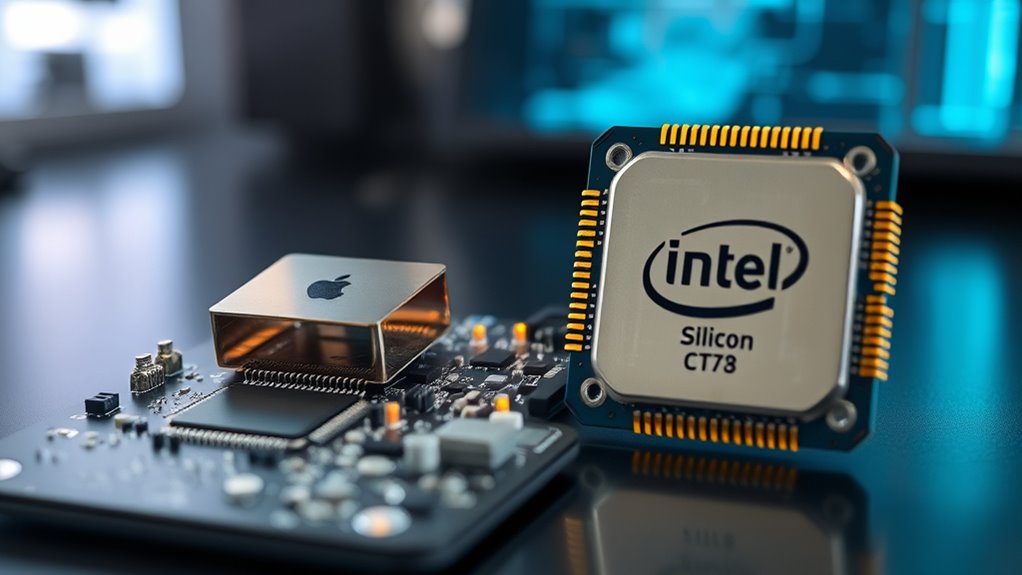
Advancements in technology and shifting market dynamics suggest significant changes ahead for both Apple Silicon and Intel CPUs. Apple continues to refine its ARM-based architecture, focusing on increasing performance, scalability, and software compatibility, while expanding its ecosystem with the M2 and beyond. Expect Apple to push further into high-performance and professional markets, reducing reliance on Intel. Meanwhile, Intel invests heavily in hybrid architectures, such as Alder Lake, aiming to combine efficiency and power. They’re also enhancing AI capabilities and optimizing for data centers and gaming. Competition will intensify, driving innovation and better value for consumers. Both companies recognize the importance of energy efficiency, with Apple leading in mobile and Intel targeting data centers and high-end desktops. The future promises a diverse landscape tailored to different user needs.
Frequently Asked Questions
How Do Apple Silicon Chips Handle Legacy Software Compatibility Issues?
You might face some compatibility issues with legacy software on Apple Silicon chips. Since these chips use ARM architecture, older apps designed for Intel’s x86 architecture may not run natively. However, you can use Rosetta 2, Apple’s translation layer, to emulate Intel apps smoothly. While most popular applications work well, expect occasional glitches or reduced performance with niche or outdated software.
Are M1 Chips Suitable for High-End Gaming Applications?
You might be surprised, but M1 chips aren’t ideal for high-end gaming right now. While they excel in efficiency and some creative tasks, many demanding games rely on x86 architecture and specialized GPU support, which M1 lacks. Plus, game developers often optimize for Windows or Intel-based systems. So, if gaming is your priority, sticking with a powerful Intel or dedicated gaming PC offers a smoother, more reliable experience.
What Are the Cost Differences Between M1-Based Macs and Intel PCS?
You’ll find that M1-based Macs generally cost less than high-end Intel PCs with similar specs. Apple offers more affordable entry models, like the MacBook Air or Mac Mini, which are budget-friendly compared to premium Intel laptops or desktops. However, if you want top-tier performance, especially with gaming or professional software, Intel PCs can be more expensive. Overall, M1 Macs provide a cost-effective option with impressive performance for their price point.
How Does Thermal Management Differ Between M1 and Intel Processors?
Think of thermal management like a well-tuned engine cooling its parts. You’ll find that M1 chips run cooler because of their ARM architecture and efficient design, reducing heat buildup. In contrast, Intel processors generate more heat due to their x86 architecture and higher power consumption, often needing active cooling solutions. This difference allows M1 devices to operate quietly and longer without overheating, while Intel systems may require more robust cooling systems.
What Impact Do Future Updates Have on Intel CPU Performance and Features?
Future updates will likely boost Intel CPU performance and add new features, but improvements depend on Intel’s innovation pace. You could see enhanced core counts, better power efficiency, and advanced AI capabilities. However, some updates might also focus on security and stability, ensuring your system remains reliable. Keep in mind, software enhancement plays a role, so future updates might require compatibility adjustments for ideal performance.
Conclusion
As you navigate the landscape of chips, remember that each symbolizes a different path—one built on innovation and efficiency, the other on legacy and versatility. Whether you choose the sleek, unified future of Apple Silicon or the established robustness of Intel, your decision shapes your experience. Like a compass pointing toward progress, this choice guides your journey—embrace the evolution, and let your tech symbolize your pursuit of excellence.