
TL;DR
Buying a prebuilt AI workstation offers immediate deployment, validated thermal performance, and vendor support, often at a comparable or better price than building yourself, especially during component shortages. Building provides customization and control but demands time and expertise. The right choice depends on your needs for speed, control, and support.
Building your own AI workstation used to be a no-brainer for cost savings. But in 2026, the landscape has shifted. The rising costs of GPUs, RAM, and storage, combined with supply shortages, have made prebuilt systems more attractive—sometimes even cheaper than assembling your own.
Plus, with AI workloads demanding high thermal stability, power management, and software optimizations, the decision isn’t just about dollars anymore. It’s about speed, reliability, and peace of mind. So, which way should you go? Let’s break down the real differences, so you can decide what works best for your AI projects and your schedule.
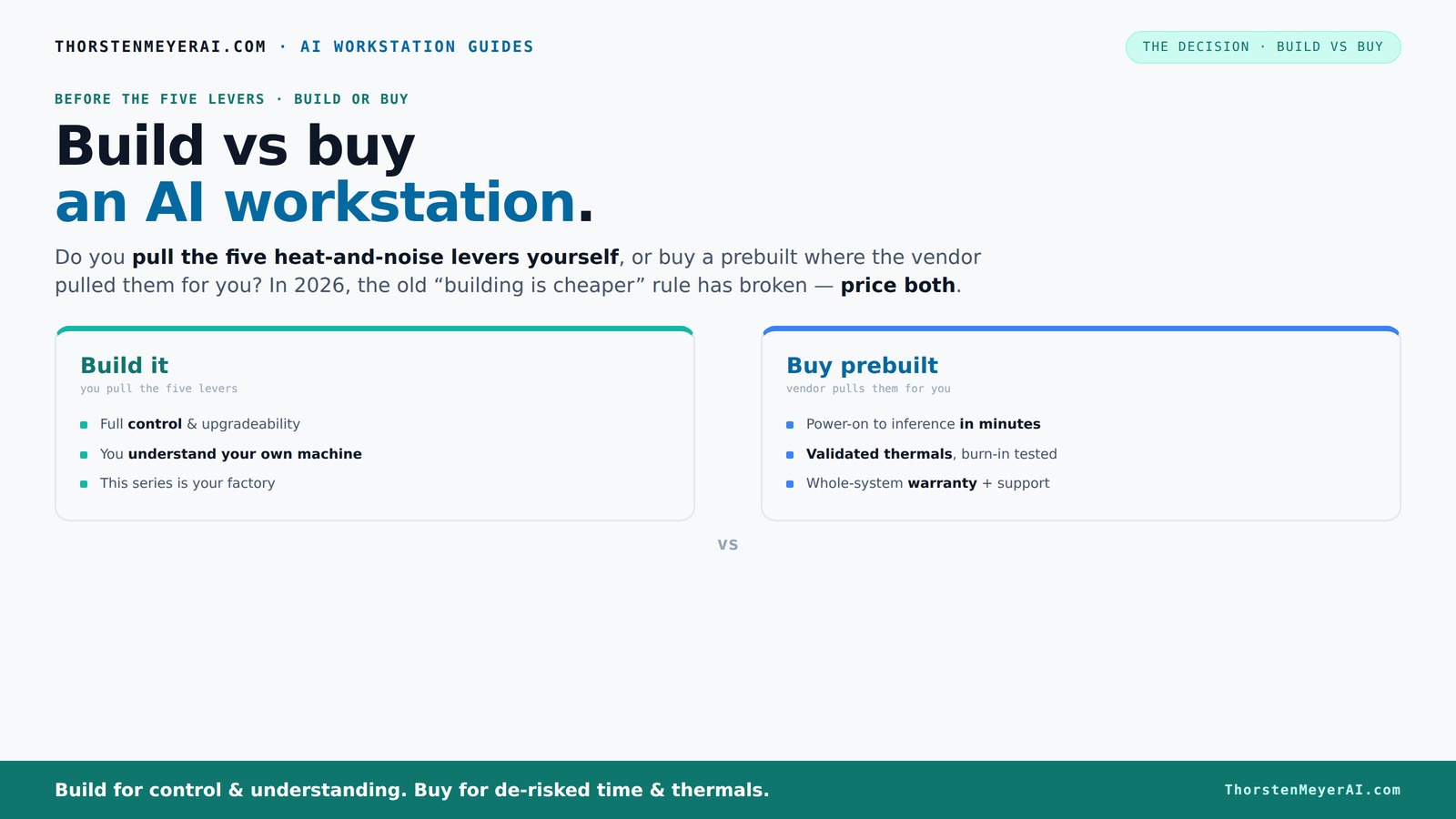
Build vs buy
an AI workstation.
The real question behind this whole series: do you pull the five heat-and-noise levers yourself, or buy a prebuilt where the vendor pulled them for you? And in 2026, the old “building is cheaper” rule has broken. Match your situation in Part 3.
Key Takeaways
- Component shortages in 2026 have made prebuilt AI workstations often cheaper or equal in price to DIY builds, reversing the traditional cost advantage.
- Prebuilts save time with factory validation, optimized cooling, and ready-to-run AI stacks—perfect for quick deployment.
- Building offers full control over components, customization, and the learning experience, ideal for hobbyists and those with specific needs.
- Thermal management and power stability are critical for AI workloads, whether you build or buy, but prebuilts often come with validated solutions.
- Support and warranty play a big role—prebuilts simplify support, but DIY gives you the flexibility for future upgrades.

WIWB Gaming PC Desktop Core I9-14900HX, RTX 5060 Ti 8G, 1TB NVME SSD
- Powerful Processor: Intel Core i9-14900HX with 24 cores
- High-Performance Graphics: RTX 5060 Ti 8GB GDDR7
- Fast Memory & Storage: 16GB DDR5 RAM, 1TB NVMe SSD
As an affiliate, we earn on qualifying purchases.
As an affiliate, we earn on qualifying purchases.
Why the Price of Building Your Own AI Workstation Has Gone Up
Building your own AI rig used to be cheaper because you picked the parts and avoided markup. Today, that’s no longer true. The surge in demand for GPUs, DDR5 RAM, and fast SSDs has driven prices sky-high. A build that cost under $1,000 in 2024 now easily exceeds $1,250, sometimes more.
Major manufacturers bought in bulk before the shortages hit, locking in lower prices. Now, their systems often cost less than assembling the same parts yourself—especially when you factor in time, troubleshooting, and potential compatibility issues. According to Build vs Buy a Prebuilt AI Workstation, component shortages are making DIY builds less financially attractive than ever.
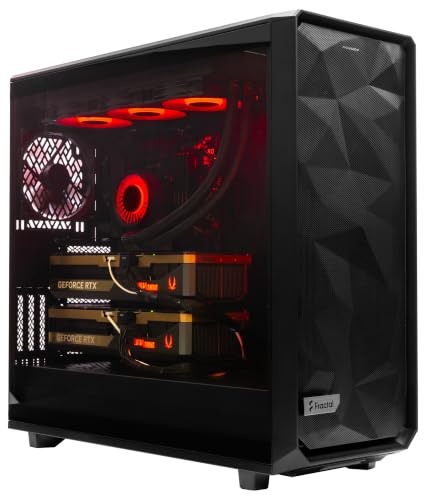
ArsenalPC MES2X Dual GPU AI Workstation - AMD Ryzen 9-9950X3D2 16 core 4.3GHz - Dual GPU GeForce RTX 5090-8TB (2x4TB RAID) NVMe SSD - 256GB DDR5-1600W - Windows 11 Pro - Liquid Cooled
- Processor: AMD Ryzen 9-9950X3D2 16-core 4.3GHz
- Memory: 256GB DDR5 RAM
- Graphics Cards: Dual GeForce RTX 5090 64GB
As an affiliate, we earn on qualifying purchases.
As an affiliate, we earn on qualifying purchases.
What a Prebuilt AI Workstation Really Brings to the Table
Prebuilts aren’t just about convenience—they come with validated thermals, optimized cooling, and tested stability. Companies like Lambda or Puget run extensive burn-in tests, ensuring your system won’t throttle during long AI training sessions. They also include support, warranties, and preinstalled AI software stacks, saving you hours of setup.
Imagine opening a box and powering on a system ready for inference, with CUDA, TensorFlow, and Docker already configured. That’s a huge time-saver, especially if your project has tight deadlines. Plus, these systems are engineered to run cooler and quieter at high loads, thanks to factory tuning.
Deeply, this validation process matters because AI workloads are highly sensitive to thermal and stability issues. When a system is tested thoroughly, it minimizes the risk of thermal throttling or hardware failure mid-training, which can be costly in both time and resources. Support and warranties further reduce downtime—if something goes wrong, you have a safety net. These factors combined ensure that your system performs reliably under demanding AI tasks, giving you peace of mind and predictable performance that is hard to match with a DIY build.
As an affiliate, we earn on qualifying purchases.
Performance Showdown: Build or Buy for AI Tasks?
| Feature | Build Your Own | Prebuilt System |
|---|---|---|
| GPU Choice | You pick and undervolt for efficiency. | Pretested, optimized for sustained loads. |
| Cooling & Thermals | Depends on your setup skills. | Factory-tuned cooling, validated for high loads. |
| Software & Drivers | You install and troubleshoot. | Preloaded with AI stacks, tested for compatibility. |
| Performance | Depends on your expertise. | Often better for sustained workloads due to validation. |
Understanding these differences is crucial because performance isn’t just about raw specs; it’s about how well the system maintains those specs under real-world AI workloads. A prebuilt system's validated thermals and stability mean it can sustain peak performance longer without throttling, which is essential for large-scale training or inference tasks. Conversely, a DIY build can match or surpass this performance if you have the expertise to tune and test your system thoroughly. But the tradeoff is the time investment and the risk of overlooked issues that could impair performance or stability. Ultimately, this comparison underscores that performance is about reliability and consistency, not just component specs.
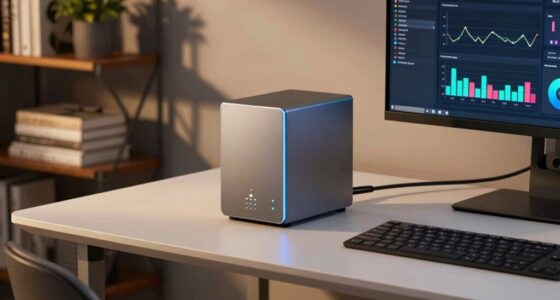
AI workstation with vendor support
As an affiliate, we earn on qualifying purchases.
As an affiliate, we earn on qualifying purchases.
How the Levers of Thermal and Power Management Decide Your Choice
Running AI workloads at full tilt demands careful thermal and power management. The five levers—undervolt GPU, match cooling, optimize airflow, tune fans, and placement—are what make a system quiet and stable during prolonged use.
If you build, you control these levers, tweaking your system for optimal noise and heat. If you buy, the vendor has already pulled them, often with advanced water cooling or custom airflow designs. For example, companies like BIZON advertise systems with 30% lower noise and temperature, validated through extensive factory testing [2].
Deeply, these levers matter because improper thermal or power management can lead to throttling, hardware degradation, or system crashes—especially during long AI training sessions. When you build, you have the opportunity to tailor these aspects precisely, but it requires knowledge and effort. For more on thermal management, see PepperEYES. Buying off-the-shelf means trusting that the vendor has optimized these parameters, which often results in a more predictable and stable environment. The implication is that thermal and power management are not just about keeping hardware cool; they are critical for maintaining performance, prolonging hardware lifespan, and reducing downtime during intensive AI workloads.
When a Prebuilt System Makes More Sense Than Building
If your time is limited, or you need a machine ready yesterday, prebuilt is the clear winner. It’s plug-and-play, with everything preconfigured—CUDA, PyTorch, Docker. That means you can start training or inference immediately, avoiding hours or days of troubleshooting. Learn more about surveillance and spy tech tools for secure AI deployment.
Moreover, if you’re running multi-GPU setups or need reliable support, prebuilts come with validation and warranty. For instance, Lambda’s systems are tested for stability under sustained load, reducing the risk of thermal throttling or hardware failure mid-job [1].
Choosing prebuilt systems in these scenarios isn’t just about convenience; it’s about minimizing risk and ensuring consistent performance from the start. When time is tight or the stakes are high, the tested and supported environment of a prebuilt system often outweighs the potential customization gains of building yourself, especially considering the complexities and troubleshooting time involved.
Why Building Might Still Be Your Choice
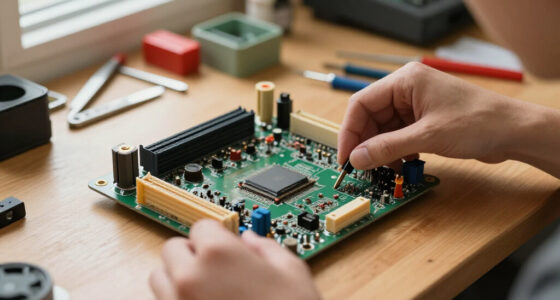
If you love tinkering, want specific components, or need a custom form factor, building is still the way to go. You get full control over every part—like choosing a quiet GPU or a specialized cooling setup. Plus, for experienced builders, it can sometimes be cheaper, especially if you find good deals on parts.
Deeply, building allows you to optimize for particular needs—such as ultra-quiet operation, specific form factors, or budget constraints—by selecting components that precisely match your priorities. This level of customization can lead to a more tailored system that performs better for your specific workload and environment. Moreover, the process of building enhances your understanding of hardware, which can be invaluable for troubleshooting and future upgrades. This hands-on approach also offers the flexibility to swap parts or upgrade over time, extending the lifespan of your investment and adapting to evolving AI demands.
Upgradeability and Support: Who Wins?
Building your own system typically offers easier upgrades—swap in a new GPU or add RAM without proprietary connectors or limited slots. You control the entire build, making future improvements straightforward.
Prebuilts, however, can sometimes lock you into proprietary parts or nonstandard connectors, complicating upgrades. But many high-end vendors now offer modular designs and support plans that extend the lifespan of their systems, making support and maintenance more predictable. Choosing between the two often hinges on how much you value future-proofing and ease of upgrades versus initial convenience and vendor support.
Warranty, Support, and Peace of Mind
A prebuilt system usually comes with a one-stop warranty—often 3 to 5 years—and dedicated support. If something goes wrong, you call one number, and they handle everything. This is especially valuable during long training runs or critical projects.
DIY builds require you to manage warranties for each part and troubleshoot issues yourself, which can be time-consuming and stressful. However, experienced builders often have the knowledge to fix problems quickly, if not immediately. The tradeoff is that support is less centralized, but the flexibility to troubleshoot and repair can be a significant advantage for those with technical skills. Ultimately, your choice depends on your comfort level with managing hardware issues and your need for peace of mind during critical AI workloads.
Cooling, Power, and Long-Term Stability—Why They Matter
AI workloads can run for days under sustained load, making thermal and power headroom critical. High-quality cooling and stable power delivery prevent throttling and hardware failures. Many prebuilt systems come with factory-tuned cooling solutions that ensure your machine stays cool and quiet, even under stress.
For DIY, you can achieve similar results—if you know how to match a quiet GPU, pick the right case, and tune fan curves. But that takes experience and effort. The deeper implication is that thermal and power stability directly influence the longevity and reliability of your hardware, which in turn affects your AI project's success. Poor thermal management can lead to hardware degradation, unexpected shutdowns, and increased maintenance costs. Therefore, whether built or bought, prioritizing proper thermal and power design is essential for sustained AI workloads.
Decision Time: Who Should Build and Who Should Buy?
Freelancers, startups, and small teams often benefit most from prebuilt systems—saving time and reducing risk. Large organizations or hobbyists might prefer to build for maximum control and customization. Consider your priorities: is speed and support worth the premium? Or do you want to learn and tinker?
Use this quick checklist:
- Need AI now? Prebuilt wins.
- Love tweaking and customizing? Build your own.
- Value support and warranty? Prebuilt is safer.
- Want to learn hardware? Build it yourself.
Ultimately, your choice should align with your project deadlines, technical expertise, and long-term goals. Recognizing these tradeoffs ensures you pick a solution that not only meets your current needs but also supports future growth and flexibility.
Frequently Asked Questions
Is it cheaper to build or buy an AI workstation?
Today, due to component shortages and bulk buying, prebuilt systems often cost the same or less than building your own, especially when factoring in time and troubleshooting. Always price both options for your specific configuration.Which option provides better AI performance?
Prebuilts often come with validated thermals and optimized cooling, supporting sustained workloads better. Building can match performance if you tune everything yourself, but it requires expertise.Can I upgrade a prebuilt system easily later?
It depends. High-end prebuilts usually support upgrades, but some OEMs use proprietary parts or limited slots. DIY builds generally make upgrades straightforward, as you control every component.How important is cooling for AI workloads?
Very. AI tasks run continuously at high load, generating heat. Proper cooling prevents throttling, prolongs hardware lifespan, and keeps noise levels down. Factory-tuned prebuilts often have the edge here.When does buying prebuilt make more sense than building?
When you need quick setup, reliable support, and validated thermal performance—especially for multi-GPU or high-end systems. It’s ideal if your project timeline is tight and downtime costly.Conclusion
Choosing between build and buy isn’t just about costs anymore. It’s about your schedule, your need for control, and how much risk you’re willing to accept. With shortages leveling the playing field, the right choice depends on your project timeline and comfort level with hardware tuning.
In 2026, the smart move might be to let the vendor do the thermal and stability work—saving you time and worry. But if you love the process, building your own can still deliver a machine tailored precisely to your needs.