
Before upgrading your GPU, consider the market options in 2025, like high-end Nvidia RTX 5090 or more budget-friendly choices such as the Nvidia RTX 4060. Think about your gaming or creative needs—whether you want 1080p, 1440p, or 4K performance—and check specs like VRAM, ray tracing, and AI features. Knowing when your current GPU struggles and understanding future tech trends can help you choose the right upgrade. Keep exploring to get all the details you need.
Key Takeaways
- Assess your current GPU’s performance and identify signs like low frame rates or high VRAM usage indicating the need for an upgrade.
- Consider your primary use case, such as gaming at 1080p, 1440p, or 4K, to choose a GPU with appropriate power and features.
- Ensure compatibility with your system’s power supply, connectors, and physical space before selecting a new graphics card.
- Stay informed about technological advances like AI upscaling, ray tracing, and VRAM improvements that enhance performance and visual quality.
- Regularly maintain your GPU with updates and cleaning to maximize lifespan and performance, especially when planning an upgrade.
Understanding the Current GPU Market Landscape in 2025

The GPU market in 2025 is marked by a diverse range of options tailored to different gaming and professional needs, driven by rapid technological advancements. You’ll find high-end cards like Nvidia’s RTX 5090, equipped with 32GB GDDR7 VRAM for 4K gaming and AI tasks, alongside more affordable options such as Intel’s Arc B580 and Nvidia’s RTX 4060, perfect for 1080p gameplay. Mid-range choices like AMD RX 9070 XT and Nvidia RTX 5070 Ti strike a balance between performance and price, targeting 1440p gaming. Overall, the market offers a mix of hardware focused on raw power, efficiency, and value. This variety allows you to select a GPU that aligns with your specific gaming resolutions, professional workload, and budget, making 2025 a dynamic year for GPU upgrades. Additionally, European cloud innovation is contributing to the development of cloud-based GPU solutions that enhance remote processing capabilities, offering new options for professionals and gamers alike. Furthermore, advancements in energy efficiency are making high-performance GPUs more sustainable and cost-effective over time.
Key Technological Advances Shaping GPU Performance
Advances like AI frame generation and upscaling technologies are transforming how your GPU delivers smooth, high-quality visuals. Real-time ray tracing now creates more realistic lighting and reflections, elevating game immersion. Understanding these technological shifts helps you make smarter choices when upgrading your GPU for better performance. Additionally, local automation and routines are increasingly integrated into gaming setups to optimize system resources and enhance user experience. As the industry moves towards more sustainable practices, future GPU designs are expected to incorporate eco-friendly materials and energy-efficient architectures to reduce environmental impact. Recognizing the diverse backgrounds of developers, such as those with multicultural heritage, can also influence the inclusivity and innovation seen in GPU technology development. Moreover, incorporating innovative manufacturing techniques can further improve GPU efficiency and sustainability.
AI Frame Generation Advances
AI frame generation has become a game-changer in modern GPU technology, markedly enhancing gaming performance and visual quality. It uses AI algorithms to generate additional frames between rendered images, resulting in smoother gameplay and better responsiveness. This technology reduces motion artifacts and stuttering, giving you a more seamless experience, especially in fast-paced titles. With advancements like Nvidia’s Frame Generation and DLSS 4, you can enjoy higher frame rates without sacrificing image fidelity. As a result, your games look sharper and run more smoothly, even at higher resolutions. Key benefits include:
- Improved frame rates through AI-driven upscaling
- Reduced stuttering with multi-frame prediction
- Enhanced visual quality without extra hardware strain
- Incorporating lush greenery and stylish design elements into gaming setups can complement the advanced visual effects, creating an immersive environment that aligns with modern GPU innovations.
Real-Time Ray Tracing
Real-time ray tracing has revolutionized GPU performance by enabling highly realistic lighting, shadows, and reflections in modern games and applications. It simulates how light interacts with surfaces, creating lifelike visuals that were previously impossible with traditional rasterization. To support this technology, GPUs need massive processing power, especially in cores dedicated to ray tracing calculations. High-end models like Nvidia’s RTX 5090 and AMD’s RX 9070 XT incorporate specialized ray tracing cores, boosting performance and visual fidelity. However, enabling ray tracing can profoundly impact frame rates, so many gamers rely on upscaling technologies like DLSS or FSR to maintain smooth gameplay. As GPU tech advances, real-time ray tracing continues to push the boundaries of realism, making immersive experiences more accessible across different hardware tiers. Additionally, ongoing hardware innovations are expanding the capabilities of ray tracing, allowing for even more detailed and dynamic visual effects. These advancements also involve improvements in processing efficiency, ensuring that high-quality visuals do not come at the expense of performance.
Upscaling Technologies Evolution
Upscaling technologies have become indispensable tools for enhancing gaming visuals and maintaining smooth performance, especially as resolutions climb higher. They allow you to enjoy sharp, detailed images without overburdening your GPU. Nvidia’s DLSS 4 uses AI to generate higher-quality frames and improve fidelity, even at lower rendering resolutions. AMD’s FSR offers a flexible alternative, compatible with a wide range of GPUs and games, though it may not match DLSS’s quality in all titles. Multi Frame Generation (MFG) reduces stutters and artifacts, making gameplay smoother. As resolutions push past 1440p and into 4K, upscaling becomes vital for balancing visual quality with performance.
- AI-driven image enhancement with DLSS 4
- AMD’s versatile FSR technology
- Multi Frame Generation for fluid gameplay
When Is the Right Time to Upgrade Your Graphics Card
Determining the right moment to upgrade your graphics card depends on how well your current GPU meets your gaming and workload needs. If you’re struggling with low frame rates, poor resolution performance, or missing features like DLSS or ray tracing, it’s time to consider an upgrade. Also, rising VRAM requirements for new titles and higher resolutions signal the need for newer hardware. Monitoring performance ratings can help you assess whether your current GPU still provides optimal performance for your tasks.
Important Specs and Features to Consider Before Buying
When choosing a new GPU, you should pay close attention to VRAM capacity and speed, as they impact your ability to run high-resolution games smoothly. Ray tracing support enhances graphics realism but can require more powerful hardware. Additionally, upscaling technologies like DLSS and FSR can boost performance and image quality, so consider which options are compatible with your system and gaming preferences. Understanding hardware requirements is essential to ensure your setup can handle these advanced features effectively. A clear understanding of power consumption can also help prevent potential system instability or overheating issues during demanding gaming sessions. Moreover, system compatibility plays a crucial role in making sure your new GPU integrates smoothly with existing components for optimal performance. Being aware of thermal management needs can help you choose adequate cooling solutions to maintain optimal performance and longevity of your GPU. Recognizing future-proofing considerations can also help you select a GPU that remains relevant for upcoming game releases and hardware updates.
VRAM Capacity and Speed
VRAM capacity and speed are critical factors to contemplate before upgrading your GPU, especially as game textures and resolution demands increase. Higher VRAM allows you to handle larger textures and more complex scenes without performance issues. Faster VRAM improves data transfer rates, reducing bottlenecks and ensuring smoother gameplay at high resolutions. If you plan to game in 4K or engage in creative work, opting for a GPU with at least 12GB of VRAM is wise. Keep in mind that VRAM speed—measured in MHz—affects how quickly data is moved to the GPU core. Understanding VRAM is essential for selecting the right graphics card to meet your needs.
- Larger VRAM buffers support higher resolutions and detailed textures
- Faster VRAM enhances overall rendering performance
- Adequate VRAM prevents stuttering during demanding tasks
Ray Tracing Support
Are you aware of how crucial ray tracing support is when choosing a GPU? Ray tracing enhances graphics realism by simulating light behavior, resulting in lifelike reflections, shadows, and global illumination. To get the most out of ray tracing, your GPU needs dedicated hardware—like RT cores in Nvidia’s RTX series or Ray Accelerators in AMD’s RX cards. Higher core counts and advanced architectures improve ray tracing performance, reducing lag and artifacts. Additionally, consider the level of support for real-time ray tracing in the games you play, as not all titles leverage this feature equally. A GPU with strong ray tracing support ensures immersive visuals without sacrificing too much frame rate, making it a key factor in your upgrade decision if enhanced graphics quality matters to you. Moreover, understanding hardware acceleration capabilities can help you select a GPU that maintains smooth performance during intensive ray-traced scenes.
Upscaling Technologies
Upscaling technologies have become a key consideration for gamers and creators looking to maximize visual quality without investing in the most powerful hardware. These features can enhance image fidelity, boost frame rates, and extend your GPU’s lifespan. Nvidia’s DLSS 4 uses AI to generate sharper images and improve performance, especially on RTX 50-series cards. AMD’s FSR offers a flexible alternative compatible with many GPUs, though it may support fewer titles. Multi Frame Generation (MFG) reduces artifacts, ensuring smoother gameplay. When choosing a GPU, look for support for these upscaling options, as they can dramatically improve your experience at higher resolutions. Keep in mind, hardware with dedicated AI cores or advanced upscaling algorithms will give you a noticeable edge in visual quality and performance. Discover Chemistry also explores innovative applications of AI in various fields, including graphics technology.
Matching Your Gaming and Creative Needs With the Right GPU

Choosing the right GPU depends on balancing your gaming and creative needs to maximize performance and value. If you’re gaming at 1080p, budget options like the Nvidia RTX 4060 or AMD RX 9060 XT offer smooth gameplay. For 1440p high-refresh gaming, mid-range cards like the RTX 5070 Ti excel with ray tracing and DLSS 4. Creative tasks such as video editing or 3D rendering demand higher VRAM and AI acceleration, making GPUs like the RTX 5090 ideal. Consider this comparison to match your needs:
| Use Case | Recommended GPUs | Key Features |
|---|---|---|
| 1080p Gaming | Nvidia RTX 4060, AMD RX 9060 XT | 8-12GB VRAM, good performance |
| 1440p Gaming | RTX 5070 Ti, AMD RX 9070 XT | Ray tracing, DLSS 4, 16GB VRAM |
| 4K Gaming | RTX 5090, RX 9070 XT | 32GB VRAM, AI acceleration |
| Creative & AI Workloads | RTX 5090, RTX 5080 | High VRAM, tensor cores |
Practical Tips for a Smooth GPU Upgrade Process
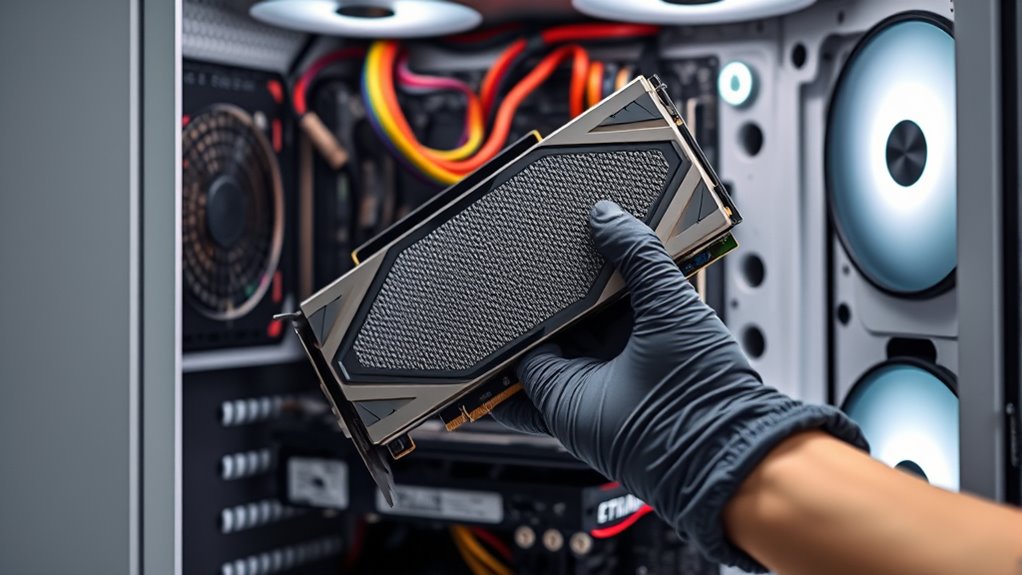
Upgrading your GPU can markedly boost gaming and creative performance, but to facilitate a smooth transition, proper planning and preparation are essential. Start by verifying your power supply’s wattage, connectors, and compatibility with your new card. Clean your PC thoroughly to prevent overheating and guarantee proper airflow. Finally, update your system BIOS and graphics drivers to avoid software conflicts.
Consider these practical tips:
- Check your case size and airflow to ensure the new GPU fits comfortably and stays cool.
- Back up important data before installing new hardware.
- Keep your system’s firmware and drivers up to date for optimal performance and stability.
Following these steps will help you avoid common pitfalls and enjoy a seamless upgrade experience.
Future Trends and How They Influence GPU Choices
As technology advances, future GPU trends are set to reshape how you select and utilize graphics cards. Expect increased focus on AI-driven features like DLSS 4 and Frame Generation, which will deliver higher frame rates and better image quality with less hardware strain. VRAM capacities will continue to grow, supporting 4K and even 8K gaming, making future-proofing more vital. Architectural improvements, such as next-gen PCIe standards and power efficiencies, will enhance compatibility and performance. Ray tracing will become more realistic and less demanding, thanks to dedicated cores and smarter algorithms. Additionally, software ecosystems like G-Sync and FreeSync will evolve, offering smoother experiences across various displays. These trends mean you’ll need to consider not just raw power but also AI capabilities, future compatibility, and ecosystem integration when upgrading your GPU. Moreover, hardware architecture advancements will optimize energy consumption and cooling solutions, contributing to more sustainable and reliable systems. The integration of advanced cooling methods will also become increasingly important to manage the higher performance outputs and maintain system longevity. Furthermore, ongoing innovations in power management will help balance performance with energy efficiency, reducing overall system heat and noise. Staying informed about industry standards will be crucial for ensuring your GPU remains compatible with evolving technologies. As these innovations develop, manufacturers will likely focus on creating more modular designs, allowing easier upgrades and customization for users.
Frequently Asked Questions
How Do I Determine if My Current PSU Supports High-End GPUS?
You can determine if your PSU supports high-end GPUs by checking its wattage rating, ensuring it meets the GPU manufacturer’s recommendations, usually 650W or higher for top-tier cards. Look at the power connectors—high-end GPUs often need multiple PCIe power connectors (6+2 pin or 8-pin). Also, verify it has the necessary PCIe 5.1 support and enough amperage on the 12V rail to handle the load safely.
What Are the Best Ways to Optimize GPU Performance for Specific Games?
Did you know that optimizing your GPU can boost game performance by up to 30%? To get the most out of specific games, tweak in-game settings like resolution, texture quality, and ray tracing features. Enable DLSS or FSR for better frame rates, and keep your drivers updated. Additionally, close background apps and make certain your cooling system is efficient—these steps help your GPU perform at its best.
How Does Driver Support Impact GPU Stability and Performance Over Time?
Driver support directly impacts your GPU’s stability and performance over time. When you keep drivers up to date, you guarantee compatibility with new games and software, fix bugs, and optimize hardware efficiency. Outdated or poorly supported drivers can cause crashes, graphical glitches, and lower frame rates. Regular updates also improve security and leverage the latest features like DLSS, ensuring your GPU runs smoothly and performs at its best for gaming and creative tasks.
Are There Compatibility Issues Between New GPUS and Older Motherboards?
You might face compatibility issues when pairing new GPUs with older motherboards. Your motherboard’s PCIe slot version, BIOS firmware, and power connectors can create obstacles. If your motherboard has an older PCIe slot, it might not fully support the latest GPU’s bandwidth, causing performance drops. Outdated BIOS may prevent recognition of new hardware, and insufficient power connectors or wattage can hinder installation and stability. Always verify compatibility before upgrading to avoid surprises.
How Do I Evaluate the Real-World Benefits of DLSS 4 Versus FSR?
You evaluate DLSS 4 versus FSR by testing their impact on your gameplay. DLSS 4, with AI-driven frame generation, usually gives sharper images and higher frame rates on supported Nvidia GPUs, especially at higher resolutions. FSR, compatible with more GPUs, offers decent performance boosts and image quality, but can sometimes be less sharp. Try both if possible, compare the visual quality and frame stability to see which benefits your setup most.
Conclusion
Think of your GPU as the heart of your digital world—pumping power and life into your gaming and creative pursuits. Upgrading wisely is like planting a seed for future growth, ensuring your experience blossoms with cutting-edge performance. Stay informed about the market and tech trends, and choose a card that matches your needs. With the right upgrade, you’ll unbolt new horizons, turning your setup into a gateway to endless possibilities.