Understanding laptop display types helps you pick what suits your needs best. IPS screens give you better color accuracy and wider viewing angles, ideal for creatives. OLED displays offer richer blacks and vibrant colors for media lovers. LED-backlit screens are energy-efficient and common for everyday use. Touchscreens add interactivity but can be fragile and more expensive. Knowing these options guarantees you find a display that balances quality, durability, and cost—keep exploring to learn even more.

Get the latest gadgets delivered free — and shop member deals
- Fast, free delivery on millions of items
- Access to Prime Big Deal Days deals on October 6–7
- Prime Video, Amazon Music and more included
Key Takeaways
- Different display types (IPS, OLED, LED) impact color accuracy, contrast, and viewing angles, affecting visual quality.
- Touchscreen displays offer intuitive interaction but may increase device cost and fragility.
- Higher resolutions improve sharpness and detail but demand more hardware power and reduce battery life.
- Display durability and refresh rates influence longevity and motion clarity during fast-paced activities.
- Understanding display technology helps buyers choose the best balance between visual quality, performance, and budget.
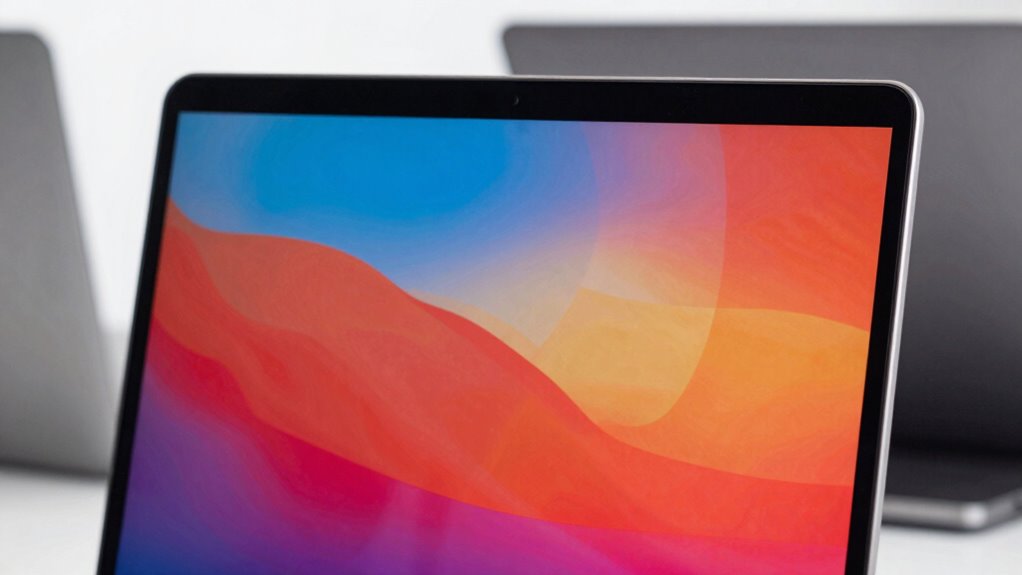
Ever wondered what makes one laptop screen different from another? It all comes down to the display type and the features that come with it. When you’re shopping for a new laptop, understanding the importance of display resolution options and touchscreen functionality can help you make a smarter choice suited to your needs. Different display types offer various advantages, whether you’re into photo editing, gaming, or just browsing the web. For starters, display resolution options are critical because they determine how sharp and clear images and text appear on the screen. Higher resolutions like Full HD (1920×1080), 4K (3840×2160), or even 8K provide more detail, making your viewing experience more immersive and crisp. However, higher resolution screens demand more from your graphics hardware and can impact battery life, so it’s worth contemplating what balance works best for your usage. Additionally, the type of display technology, such as IPS or OLED, influences color accuracy and contrast, which are key considerations for creative professionals. Touchscreen functionality is another feature that can profoundly influence how you interact with your laptop. If you prefer a device that doubles as a tablet or want to navigate through documents and apps more intuitively, a touchscreen display could be a game-changer. Touchscreens provide an added layer of convenience, especially for creative work, note-taking, or casual browsing. But keep in mind, touch-enabled screens tend to be more fragile and may require more frequent cleaning to stay smudge-free. They also typically add to the overall cost of the device, so evaluate whether this feature aligns with your daily tasks. The type of display itself also matters. For example, IPS (In-Plane Switching) screens offer better color accuracy and wider viewing angles compared to TN (Twisted Nematic) panels, which are often cheaper but less vibrant. OLED screens, on the other hand, deliver richer blacks and more vibrant colors, making them ideal for media consumption and graphic design. Meanwhile, LED-backlit displays are common and generally more energy-efficient than older LCDs. Each type has its own set of pros and cons, so it’s important to think about how you’ll be using your laptop and what display qualities are non-negotiable for you. Understanding display technology can ultimately help you select a device that provides the best visual experience for your specific needs. It’s also useful to consider energy efficiency, as this can significantly influence your device’s battery life when used on the go. Incorporating screen durability considerations may also be beneficial, particularly if you’re often on the move or prone to accidental knocks. Being aware of refresh rates can further help you choose a display that minimizes motion blur during fast-paced activities like gaming or video editing. In essence, understanding display resolution options and touchscreen functionality helps you tailor your laptop choice to your specific needs. Whether you prioritize crisp visuals, touch interaction, or color accuracy, knowing what each display type offers ensures you’re investing in a device that enhances your productivity and enjoyment.
As an affiliate, we earn on qualifying purchases.
Frequently Asked Questions
How Do Display Types Affect Battery Life?
Display types markedly impact your battery life. For example, OLED screens often consume more power with bright images and high contrast, while LCDs with lower screen resolution tend to last longer because they use less energy. Your view angle also matters—wider angles might drain the battery faster since the display adjusts brightness for ideal viewing. So, if battery life is essential, choose a display with efficient screen resolution and a manageable view angle.
Are Certain Display Types Better for Gaming?
If you’re into gaming, an IPS or TN display with a high refresh rate, like 120Hz or more, is better because it offers smoother visuals and faster response times. Look for resolution options like Full HD or higher for sharper images. Higher refresh rates give you an edge in fast-paced games, while better resolution enhances overall clarity. Choose a display that balances refresh rate and resolution for the best gaming experience.
Do Display Types Impact Screen Durability?
Display types do impact screen durability more than you might think, especially if you’re juggling screen cleaning or using a touchscreen. For instance, OLED screens are vibrant but can be more prone to scratches, while glass screens handle touch responsiveness and cleaning better. Knowing this, you can choose a display that withstands your daily routines, ensuring your laptop stays pristine and functional longer, without sacrificing responsiveness or ease of cleaning.
Which Display Type Offers the Best Color Accuracy?
You’ll find OLED displays offer the best color accuracy, thanks to their wider color gamut and superior color calibration. They produce vibrant, true-to-life images that are ideal for creative work. IPS panels also provide good color accuracy, though slightly less vivid than OLEDs. When choosing, consider your need for precise color reproduction, especially if you work in design or photography, where accurate color display makes a significant difference.
Can I Upgrade My Laptop’s Display Type Later?
You generally can’t upgrade your laptop’s display type later because displays are usually integrated into the chassis. But you can improve your experience by choosing a higher display resolution or a touchscreen, if compatible. Look for models that support your desired features, and consider external monitors for better resolution or touchscreen capabilities. Upgrading internal components like the display isn’t common, so choose carefully when buying.
As an affiliate, we earn on qualifying purchases.
Conclusion
Understanding laptop display types helps you make smarter choices, but it’s easy to assume all screens are the same. The truth is, your display impacts your viewing comfort, work efficiency, and entertainment quality. Don’t settle for a mediocre screen just because it’s cheaper; investing in the right display can transform your experience. Remember, a good display isn’t a luxury — it’s a key to enjoying your laptop to its fullest.
Touchscreen laptops for creatives
As an affiliate, we earn on qualifying purchases.
As an affiliate, we earn on qualifying purchases.
As an affiliate, we earn on qualifying purchases.
Halloween Picks
halloween
As an affiliate, we earn on qualifying purchases.