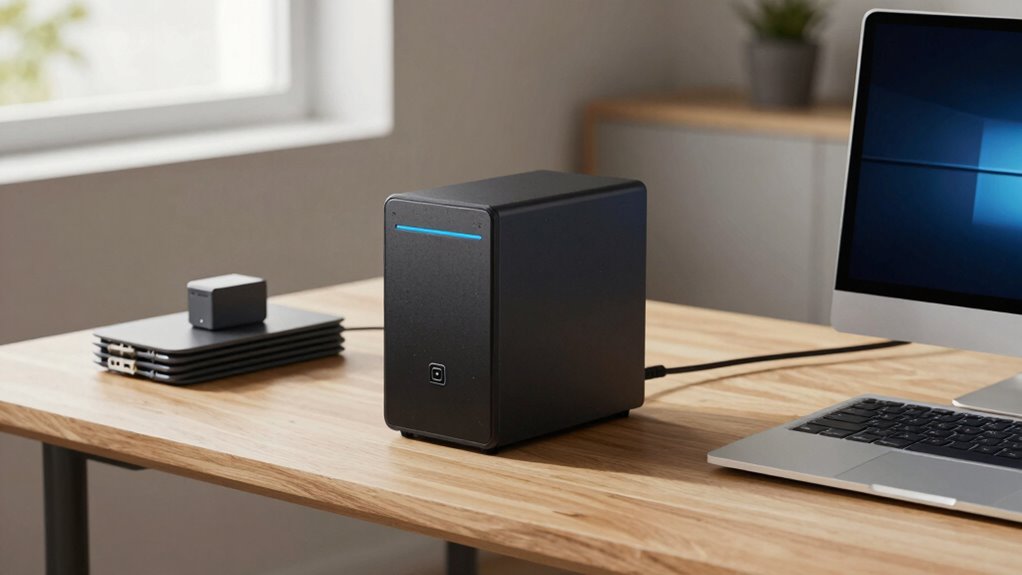
A NAS (Network-Attached Storage) device is a central hub that lets you store, share, and back up your digital files easily within your home network. It connects multiple devices like computers and smartphones, offering quick access and media streaming without relying on the internet. With built-in security features and expandable storage, a NAS helps you maintain control over your data while saving on ongoing costs. To discover how it can fit into your home, explore further.
Key Takeaways
- NAS is a dedicated device that centralizes home data storage and allows device access over the local network.
- It enhances data security with encryption, access controls, and automatic backups, reducing reliance on cloud services.
- NAS offers cost-effective, expandable storage supporting media streaming, backups, and surveillance, with no ongoing subscription fees.
- It provides quick, local access to files, improving privacy and control over personal data compared to cloud solutions.
- Increasing home digital needs make NAS a versatile, reliable solution for data management and security.
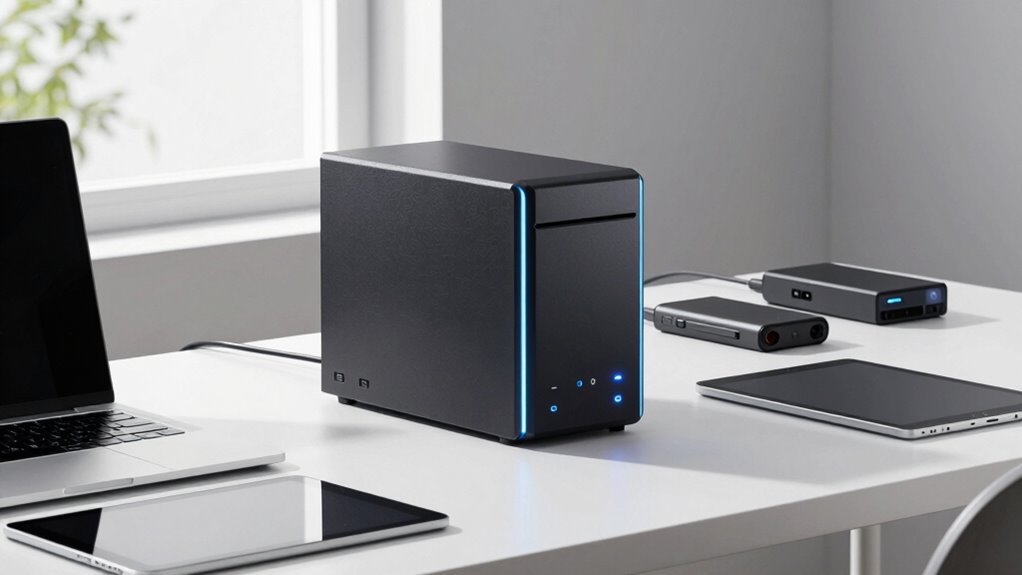
A NAS, or Network Attached Storage, is a dedicated device that allows you to store and access your files over your home network. Unlike cloud storage services that rely on internet connectivity and remote servers, a NAS provides a local, centralized location for all your data. You can easily connect multiple devices—computers, smartphones, tablets—to this device, enabling seamless file sharing and media streaming within your household. This setup not only simplifies access but also gives you more control over your data, without depending on third-party providers.
One of the key advantages of using a NAS is the added layer of data security it offers. While cloud storage providers implement their security measures, hosting your data on a NAS means you’re in charge of your privacy. You can set up advanced security protocols, such as encryption, access controls, and user permissions, to prevent unauthorized access. Plus, because your data stays within your home network, you face fewer concerns about breaches or data leaks often associated with third-party cloud services. Many NAS devices also come with built-in backup features, allowing you to automatically back up your important files to an external drive or another device. This guarantees that even if your NAS experiences a hardware failure or a security breach, your data remains safe and recoverable.
Another reason more homes are adopting NAS devices is their versatility and cost-effectiveness. Instead of paying ongoing subscription fees for cloud storage, you make a one-time investment in the hardware. Over time, this can save you money, especially if you have large volumes of data to store. Plus, a NAS can serve multiple functions—streaming movies to your smart TV, hosting personal cloud services, or even managing surveillance footage. Its expandability means you can add more drives as your storage needs grow, making it a scalable solution for your household. Additionally, a NAS often supports data redundancy to protect against drive failures, further enhancing its reliability. This feature ensures that if one drive fails, your data remains intact on other drives, providing peace of mind.
While cloud storage is convenient, it often depends on stable internet connections and might not always meet your privacy standards. A NAS complements cloud storage by providing a local backup and quick access, reducing reliance on the internet for everyday use. It’s especially useful for protecting sensitive files and understanding enterprise governance principles that emphasize control and security. Regularly updating your NAS firmware and security settings can also help defend against cyber threats, which are increasingly common. Moreover, a NAS can improve your network management, making it easier to monitor and optimize your home network’s performance. By maintaining control over your data locally, you can ensure compliance with privacy standards and safeguard your information more effectively. Ultimately, a NAS empowers you to have full control over your digital life, giving you peace of mind, enhanced data security, and flexible storage options—all within the comfort of your home.

BUFFALO LinkStation 210 2TB 1-Bay NAS Network Attached Storage with HDD Hard Drives Included NAS Storage that Works as Home Cloud or Network Storage Device for Home
Value NAS with RAID for centralized storage and backup for all your devices. Check out the LS 700…
As an affiliate, we earn on qualifying purchases.
As an affiliate, we earn on qualifying purchases.
Frequently Asked Questions
How Much Does a NAS Typically Cost?
A NAS typically costs between $200 and $1,000, depending on features like storage capacity and performance. You’ll find models with data redundancy options, ensuring your data stays safe even if a drive fails. Many NAS devices also offer cloud integration, making it easy to access your files remotely. Consider your storage needs and budget to choose a device that balances cost with features for reliable home use.
Can a NAS Improve My Internet Speed?
A NAS can improve your internet experience by reducing network latency, especially when accessing large files or streaming content. It provides data redundancy, ensuring your files stay safe and accessible even if one drive fails. While it doesn’t directly boost your internet speed, a NAS streamlines data management and transfers, making your network more efficient and responsive, which can feel like faster internet overall.
Is a NAS Suitable for Small Households?
Yes, a NAS suits small households well, especially if you’re into home automation and multimedia streaming. It provides centralized storage for all your devices, making it easy to share files and stream content seamlessly. With a NAS, you can automate backups, access your media remotely, and keep your smart home organized. Its scalability means it grows with your needs, ensuring your small household stays connected and entertained effortlessly.
What Are the Security Risks of Using a NAS?
Using a NAS is like leaving your valuables accessible; it’s convenient but risky. You face security risks like unauthorized access and data breaches if you don’t implement proper safeguards. Data encryption can protect your files, but neglecting it leaves sensitive info vulnerable. Regularly updating firmware and setting strong passwords help reduce risks, ensuring your data stays safe from cyber threats and unauthorized eyes.
How Difficult Is It to Set up a NAS?
Setting up a NAS isn’t too difficult if you’re comfortable with network configuration; most models come with step-by-step guides. You’ll connect the device to your router, configure network settings, and set up user accounts. Ensuring data redundancy is key, so you’ll want to configure RAID options during setup. Once completed, your NAS provides centralized storage, easy access, and improved data security, making it a practical addition for your home network.

UGREEN NAS DH2300 2-Bay Desktop NASync, Support Capacity 64TB (Diskless), Remote Access, AI Photo Album, Beginner Friendly System, 4GB RAM on Board,1GbE, 4K HDMI, Network Attached Storage(Diskless)
Entry-level NAS Personal Storage:UGREEN NAS DH2300 is your first and best NAS made easy. It is designed for…
As an affiliate, we earn on qualifying purchases.
As an affiliate, we earn on qualifying purchases.
Conclusion
Imagine losing all your precious memories stored on a single device—devastating, right? That’s why more families are turning to NAS systems. For example, Sarah, a mother of two, saved her family’s photos and videos on her NAS, ensuring they’re protected even if her computers fail. A NAS offers peace of mind, easy access, and security for your digital life. Don’t wait for a disaster—protect your memories today with a NAS.
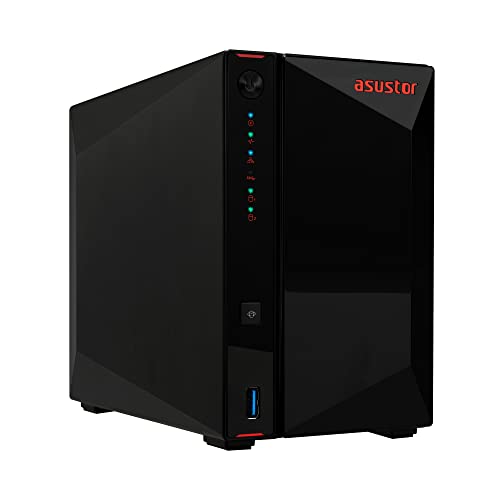
Asustor AS5402T, 2 Bay NAS, Intel Quad-Core 2.0GHz CPU, 4X M.2 NVMe SSD Slots, 2×2.5GbE Ports, 4GB DDR4 RAM, Cloud Storage for Gaming and Live Stream, Network Attached Storage(Diskless)
[Intel N5105 Quad-Core Performance NAS] High-performance Intel quad-core processor designed for multitasking, file storage, media streaming, backup, and…
As an affiliate, we earn on qualifying purchases.
As an affiliate, we earn on qualifying purchases.
UGREEN NAS DH2300 2-Bay Desktop NASync, Support Capacity 64TB (Diskless), Remote Access, AI Photo Album, Beginner Friendly System, 4GB RAM on Board,1GbE, 4K HDMI, Network Attached Storage(Diskless)
Entry-level NAS Personal Storage:UGREEN NAS DH2300 is your first and best NAS made easy. It is designed for…
As an affiliate, we earn on qualifying purchases.
As an affiliate, we earn on qualifying purchases.