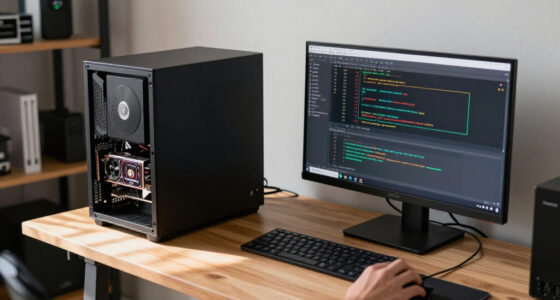
All-in-one PCs are still relevant because they provide a sleek, space-saving design that’s easy to set up and move. They’re perfect if you prefer a tidy, clutter-free workspace and don’t need high-end gaming graphics. Many modern models are upgradeable, allowing you to extend their lifespan. Plus, their improved displays make multimedia and creative work more enjoyable. Keep exploring, and you’ll see why these versatile systems continue to fit many users’ needs.

Get the latest gadgets delivered free with Prime
- Fast, free delivery on millions of items
- Prime Video, Amazon Music and more included
- Member-only deals all year
Key Takeaways
- All-in-one PCs offer a space-saving, clutter-free design ideal for minimalist setups and small workspaces.
- They are suitable for casual gaming and multimedia tasks, providing integrated convenience without high-end gaming performance.
- Recent models support hardware upgrades like RAM and storage, enhancing longevity and user customization.
- Improved display quality makes them suitable for creative work, multimedia consumption, and professional use.
- Their integrated features and easy setup make them practical for home offices, presentations, and flexible work environments.

Have you ever wondered where all-in-one PCs truly belong in today’s tech landscape? These sleek machines combine everything into a single unit, making them appealing for many users. While some might see them as outdated or limited, they still hold a valuable place, especially for those who prioritize simplicity and space-saving design. When it comes to gaming performance, all-in-one PCs aren’t typically the first choice for gamers seeking cutting-edge graphics or high frame rates. However, modern models are increasingly equipped with powerful processors and dedicated graphics cards that can handle casual gaming and less demanding titles quite well. If you’re into gaming that requires intense graphics or fast response times, you might find that all-in-one PCs don’t quite meet those needs, but for everyday gaming, they can serve adequately.
One big advantage of all-in-one PCs is their upgrade potential. Unlike many all-in-one models from a few years ago, recent designs often allow for some upgrades, like adding more RAM or swapping out storage drives. This flexibility extends their lifespan and makes them more adaptable to changing needs. You can often upgrade the memory or storage without having to replace the entire system, which is a significant benefit compared to traditional desktops where upgrades are straightforward. Additionally, hardware upgradeability is an important factor to consider, as it directly impacts the longevity and adaptability of these systems. It’s also worth noting that display quality, including factors like brightness and viewing angles, has seen improvements in recent models, making them suitable for multimedia and creative work. Furthermore, improvements in display technology have enhanced user experience, especially for creative professionals. Beyond hardware, all-in-one PCs offer a tidy, clutter-free setup that appeals to users who want a minimalistic workspace. Their integrated design means fewer cables and less desk clutter, which can be a game-changer in small offices or home environments. They also tend to be easier to set up and move around, making them perfect for those who frequently rearrange their workspace or need a portable system for presentations. Plus, many models now include integrated features like webcams and speakers, further reducing the need for additional peripherals.
Frequently Asked Questions
Are All-In-One PCS Suitable for Gaming?
All-in-one PCs aren’t the best choice for gaming because their gaming performance usually falls short compared to gaming desktops or laptops with dedicated GPUs. However, their ergonomic design offers a sleek, space-saving setup that can handle casual gaming and everyday tasks well. If you prioritize a stylish workspace and play less demanding games, an all-in-one PC might suit your needs, but for high-end gaming, consider other options.
How Upgradeable Are All-In-One PCS?
Imagine peeling back the sleek, seamless shell of your all-in-one PC to access its inner workings. While some models offer decent customization options, many have limited upgradeability due to compact design. Port accessibility varies; some provide easy access to RAM or storage, while others require more effort. Overall, you can upgrade certain components, but the process isn’t always straightforward, so check your model’s specifications before making plans.
Do All-In-One PCS Have Better Security Features?
All-in-One PCs generally have comparable security features to traditional desktops, but they can pose unique privacy concerns due to integrated cameras and microphones. You might face security vulnerabilities if firmware updates aren’t promptly installed or if the device’s built-in components are exploited. To protect yourself, guarantee your system receives regular security updates and adjust privacy settings. While they offer convenience, stay vigilant about potential privacy and security risks.
What Is the Average Lifespan of an All-In-One PC?
You can expect an all-in-one PC to last about 3 to 5 years, depending on hardware durability and usage. Regular upgrades and careful handling extend its lifespan. Warranty coverage helps protect you from unexpected repairs, but if hardware starts failing after the warranty expires, replacement might be necessary. Overall, your PC’s longevity relies on build quality, maintenance, and timely support, ensuring it stays functional during its typical lifespan.
Can All-In-One PCS Support Multiple Monitors?
Yes, all-in-one PCs can support multiple monitors, especially with modern models that feature multiple video outputs and strong wireless connectivity options. This setup enhances your workspace’s ergonomic design, allowing you to easily switch between screens without clutter. Keep in mind, you’ll need compatible ports or wireless display technology, but many all-in-one PCs are designed to accommodate multi-monitor setups, boosting productivity and creating a more flexible work environment.
Conclusion
So, even in today’s tech landscape, all-in-one PCs still hold a special place, blending simplicity with style. They’re like the trusty steed of the digital age—reliable, space-saving, and perfect for your home or small office. Don’t dismiss them as relics; they’re the Swiss Army knives of computing, ready to serve your needs without fuss. After all, sometimes a good old-fashioned solution is just what you need to stay ahead in this fast-paced world.
Halloween Picks
halloween
As an affiliate, we earn on qualifying purchases.