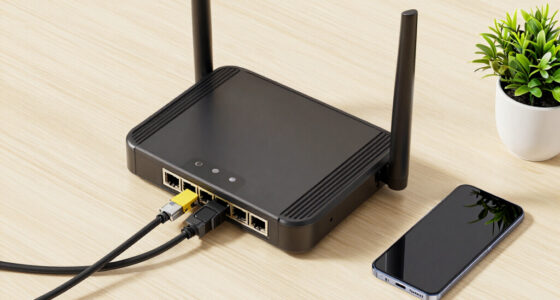

A router acts as the central hub that manages your entire network, handling traffic, assigning IP addresses, and providing security. An access point, on the other hand, extends wireless coverage by connecting to your router via Ethernet, allowing more devices to connect and improving signal strength in weak areas. While the router manages your network, access points focus on expanding it. Continue exploring to discover how to optimize both for better connectivity.

Get the latest gadgets delivered free — and shop member deals
- Fast, free delivery on millions of items
- Access to Prime Big Deal Days deals on October 6–7
- Prime Video, Amazon Music and more included
Key Takeaways
- A router manages network traffic, assigns IP addresses, and provides security, while an access point extends existing Wi-Fi coverage.
- Routers connect multiple devices directly to the internet, whereas access points connect to a router to expand wireless range.
- Access points do not route traffic or assign IPs; they primarily broadcast wireless signals from a wired connection.
- Routers act as the network’s central “brain,” while access points serve as “limbs” to improve coverage and device capacity.
- Mesh systems combine multiple access points for seamless coverage, whereas traditional access points require manual setup and placement.

Ever wondered what sets an access point apart from a router? The difference primarily lies in how each device handles wireless connectivity and supports network expansion. A router acts as the central hub for your network, connecting multiple devices to the internet and to each other. It manages your network’s traffic, assigns IP addresses, and provides security features like firewalls. When you set up a home Wi-Fi, the router is usually the device that delivers wireless connectivity to your laptops, phones, and smart gadgets.
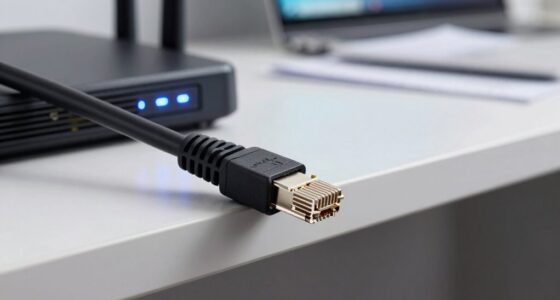
An access point, on the other hand, functions as a bridge that extends your existing network without creating a new one. It connects to your router via Ethernet and broadcasts wireless signals to expand coverage. Think of an access point as a way to improve your wireless connectivity in areas where the router’s signal is weak or obstructed. Instead of replacing your router, you add an access point to bolster your network’s reach. This makes it especially useful in larger homes, offices, or spaces with thick walls that hinder Wi-Fi signals.
An access point extends your network wirelessly by connecting via Ethernet to improve coverage in weak signal areas.
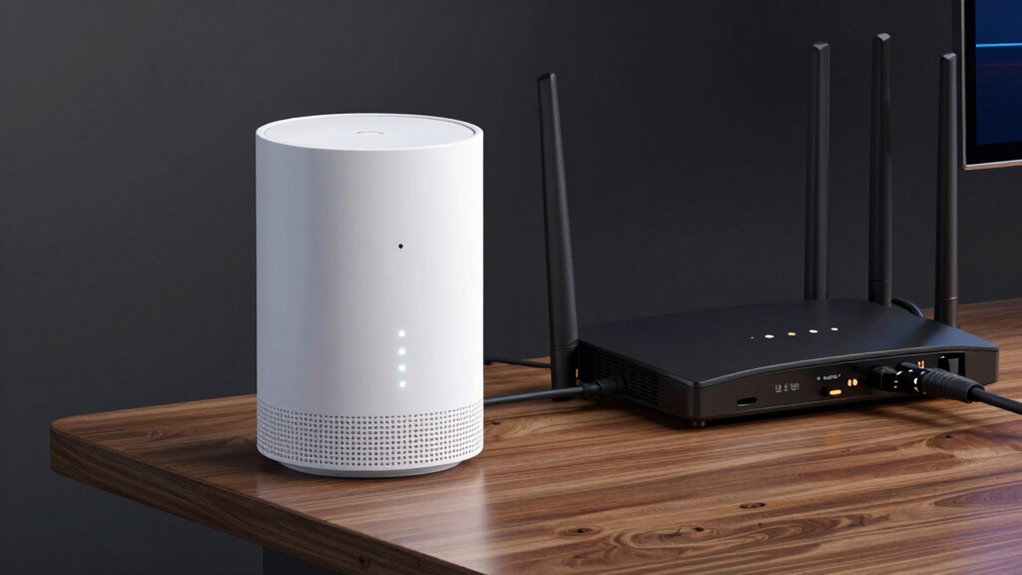
Network expansion is where access points really shine. They allow you to increase the number of wireless devices that can connect simultaneously, without bogging down your main router. By strategically placing multiple access points, you create a seamless, robust wireless environment. As you move around your space, your devices automatically switch between access points, maintaining a stable connection. This setup is common in enterprise environments but is increasingly accessible for home use, especially with mesh Wi-Fi systems that combine routers and access points into a unified network.
Understanding network coverage and how different devices contribute to it can help you optimize your wireless setup. While a router is essential for establishing your internet connection and managing local network traffic, an access point’s primary role is to extend that network wirelessly. You can think of the router as the brain of your network and the access points as the limbs that reach out further. They work together to ensure your devices stay connected and experience minimal dead zones. Proper placement of access points is crucial for maximizing their effectiveness and ensuring comprehensive coverage throughout your space. Additionally, the use of wireless standards can impact the performance and compatibility of your network components. mesh Wi-Fi systems further simplify the process by integrating multiple access points into a single, cohesive network, making the setup more user-friendly.
As an affiliate, we earn on qualifying purchases.
Frequently Asked Questions
Can an Access Point Replace a Router Entirely?
An access point can’t replace a router entirely because it mainly extends your existing network, not manages internet connections. You need a router for wireless security, assigning IP addresses, and network scalability. An access point improves coverage but relies on a router to handle essential functions. For a secure, scalable network, use both—an access point to boost coverage and a router for management and security.
Do Access Points Support Wired Connections?
While access points primarily support wireless connections, many also support wired connections, offering a reliable backbone for your network. You’ll appreciate how wired support enhances wireless security, reducing vulnerabilities, and boosts network scalability by connecting multiple devices seamlessly. Connecting via Ethernet ensures stable, faster performance, making your network more resilient. So, yes, access points do support wired connections — a smart choice for extending your network’s reach and security.
How Many Devices Can an Access Point Handle?
An access point can typically handle dozens to hundreds of devices, depending on its device compatibility and signal range. Higher-end models support more connections and maintain a strong signal over larger areas. You should consider your network needs and the number of devices you plan to connect. If you need to support many users, choose an access point with robust device compatibility and an extended signal range to guarantee reliable performance.
Are Access Points Suitable for Large Enterprise Networks?
Yes, access points are suitable for large enterprise networks because they enhance wireless scalability and support extensive device connections. They enable network segmentation, which improves security and performance by isolating different parts of the network. With multiple access points, you can extend coverage, manage high traffic loads, and guarantee reliable connectivity across large areas, making them essential components for robust, scalable enterprise networks.
Can a Router Function as an Access Point?
Yes, a router can act as an access point, but it’s like trying to fit a square peg in a round hole. To do this effectively, you need to disable the router’s routing features and enable wireless security and firmware updates, ensuring your network stays safe. Keep in mind, using a dedicated access point often offers better performance and management, especially for expanding coverage or improving network stability.
mesh Wi-Fi system with multiple access points
As an affiliate, we earn on qualifying purchases.
As an affiliate, we earn on qualifying purchases.
Conclusion
Understanding the difference between an access point and a router helps you optimize your network setup. Did you know that businesses that properly deploy access points see up to a 50% increase in network efficiency? By choosing the right device for your needs, you guarantee better coverage and performance. Whether expanding Wi-Fi reach or managing network traffic, knowing these distinctions allows you to make smarter, more informed decisions for your connectivity.
As an affiliate, we earn on qualifying purchases.
Wi-Fi range extender for large homes
As an affiliate, we earn on qualifying purchases.
As an affiliate, we earn on qualifying purchases.
Fall Picks
fall essentials
As an affiliate, we earn on qualifying purchases.