
Public Wi-Fi networks are often insecure, making your personal data vulnerable to cybercriminals who can create fake hotspots or use techniques like data sniffing to steal your information. To stay safe, avoid connecting to unsecured or suspicious networks, use strong passwords, and activate a VPN to encrypt your activity. Keeping your device updated and disabling sharing features also help protect you. If you want to learn more about staying safe online on public Wi-Fi, keep exploring these important tips.
Key Takeaways
- Unsecured public Wi-Fi networks can expose your personal data to cybercriminals through eavesdropping and data interception.
- Fake hotspots may trick you into connecting, risking malware installation and data theft.
- Using a VPN encrypts your internet traffic, protecting sensitive information on public networks.
- Avoid accessing sensitive accounts or sharing personal info when connected to unsecured Wi-Fi.
- Keep your device’s software updated and disable sharing features to prevent unauthorized access.
As an affiliate, we earn on qualifying purchases.
The Hidden Risks of Public Wi-Fi Networks

Have you ever connected to a public Wi-Fi network without thinking twice? These networks often seem convenient, but they hide serious risks. Many are unsecured, meaning anyone nearby can potentially access your data. Cybercriminals can set up fake hotspots that look legitimate, tricking you into connecting. Once connected, your personal information—emails, passwords, credit card details—may be exposed or intercepted. Even simple activities like browsing or checking social media can be risky if your connection isn’t secure. Without proper safeguards, you’re vulnerable to data theft or malware infections. Understanding the risks of public Wi-Fi is essential to protect yourself online. It’s easy to underestimate the danger of free Wi-Fi, but the reality is that these networks are prime targets for cybercriminals seeking to exploit careless users. Recognizing the security vulnerabilities associated with public Wi-Fi can help you take appropriate precautions. Being aware of cybersecurity best practices can make a significant difference in staying safe, especially since many public networks lack the necessary encryption to secure your data. Additionally, understanding how network security protocols work can further enhance your defenses against potential threats.
As an affiliate, we earn on qualifying purchases.
How Cybercriminals Exploit Unsecured Connections
Ever wonder how cybercriminals turn unsecured Wi-Fi connections into opportunities for theft? They often set up fake hotspots or exploit weak security settings on open networks. When you connect to these unprotected networks, cybercriminals can intercept your data through a technique called “sniffing,” where they monitor the information you send and receive. This can include passwords, emails, credit card details, and personal messages. Some attackers use “man-in-the-middle” attacks, inserting themselves between you and the website you’re visiting, capturing sensitive information. Others might deploy malware or ransomware once connected. By exploiting the lack of encryption and security, cybercriminals turn unsecured connections into tools for identity theft, financial fraud, and data breaches. Additionally, unsecure Wi-Fi networks can facilitate data interception if proper security measures are not in place. Implementing encryption protocols can significantly reduce these risks and protect your data. Staying aware helps you avoid falling prey to these dangerous tactics and safeguards your personal information from potential cyber threats.
As an affiliate, we earn on qualifying purchases.
Recognizing Safe and Unsafe Wi-Fi Hotspots

When choosing a Wi-Fi hotspot, look for secure connections that use HTTPS or require a password. Always verify the hotspot name with staff or signage to avoid fake networks. Using a VPN adds an extra layer of protection, even on trusted networks. Ensuring proper network security measures can help safeguard your personal information. Additionally, be aware that public Wi-Fi networks are often targeted by cybercriminals, so taking extra precautions is essential. Paying attention to connection encryption can significantly reduce the risk of data interception. Being aware of device security best practices can further enhance your safety when connected to public networks. Moreover, understanding the net worth of public figures can sometimes help you gauge the credibility of online information.
Look for Secure Connections
To stay safe on public Wi-Fi, you need to identify secure connections. Look for hotspots that use encryption, indicated by terms like “WPA2” or “WPA3” in their security settings. Usually, secure networks have a padlock icon next to their name. If the Wi-Fi name seems suspicious or too generic, avoid connecting. Sometimes, legitimate networks display their credentials openly, but always double-check for encryption details. Here’s a quick guide:
| Indicator | Description | Action |
|---|---|---|
| Padlock icon | Secured Wi-Fi connection | Connect with confidence |
| WPA2/WPA3 | Encryption protocols used | Prefer networks with these |
| No security | No encryption, unsafe to connect | Avoid connecting |
| Network name | Recognizable or official name | Trust familiar names |
| Open networks | No security or encryption | Stay away unless necessary |
Verify Hotspot Names
Recognizing safe and unsafe Wi-Fi hotspots starts with verifying their names. Always check the network name before connecting. Legitimate hotspots often have clear, recognizable names that match the location, like “Starbucks Wi-Fi” or “City Library.” Be wary of names that are overly generic, misspelled, or slightly altered from the official name, such as “Starbux Free Wi-Fi” or “City Libary.” Hackers often create fake hotspots with similar names to trick users. If you’re unsure, ask an employee or staff member for the correct network name. Avoid connecting to open networks with suspicious or unfamiliar names. Confirming the hotspot’s name helps prevent accidental connection to malicious networks designed to steal your data. Always verify before connecting to ensure your safety online.
Use VPN for Safety
Using a VPN is one of the most effective ways to protect your data when connecting to public Wi-Fi. It encrypts your internet traffic, making it nearly impossible for hackers to intercept sensitive information like passwords, credit card numbers, or personal emails. When you activate a VPN, your device creates a secure tunnel between you and the VPN server, shielding your activity from prying eyes. Always choose a reputable VPN provider with strong encryption standards and a no-logs policy. Avoid free VPNs, as they often compromise your privacy or lack reliable security features. Using a VPN not only safeguards your data but also helps you access content securely and anonymously, giving you peace of mind whenever you connect to unfamiliar Wi-Fi networks. Understanding encryption can further enhance your awareness of how your data remains protected.
As an affiliate, we earn on qualifying purchases.
Best Practices for Securing Your Devices
Securing your devices is essential whenever you connect to public Wi-Fi, as these networks are often targeted by hackers. Start by keeping your software and apps up to date; updates patch security vulnerabilities that hackers might exploit. Enable your device’s built-in firewall to block unauthorized access. Use strong, unique passwords for your accounts, and avoid saving login details on public devices. Turn off file sharing and Wi-Fi auto-connect features to prevent unauthorized connections. Always log out of accounts when you’re finished and avoid accessing sensitive information like banking apps or confidential emails. If possible, set your device to “public mode,” which limits visibility to other users. Understanding deep-sky imaging and the importance of secure connections can also help you better protect your data. Additionally, being aware of network encryption protocols can enhance your understanding of how data is protected during transmission. For added security, consider using a reputable VPN service, which encrypts your internet traffic and helps shield your activity from prying eyes. Following these practices helps protect your data and reduces the risk of cyberattacks on your devices.
The Importance of Using VPNs in Public Spaces
Using a VPN in public spaces helps protect your sensitive data from hackers and eavesdroppers. It prevents unauthorized access to your devices and keeps your browsing private. With a VPN, you can surf the web securely, even on risky networks.
Protect Sensitive Data
When you’re connected to public Wi-Fi, your sensitive data like passwords, bank details, and personal messages are vulnerable to hackers. Without proper protection, cybercriminals can intercept your information easily. Using a VPN encrypts your internet traffic, making it unreadable to prying eyes. This extra layer of security guarantees your data stays private, even on unsecured networks. A VPN also masks your IP address, preventing hackers from tracking your online activities. Always activate your VPN before accessing sensitive accounts or entering personal information. By doing so, you greatly reduce the risk of data theft and keep your private information secure. Additionally, understanding at-home security devices can further enhance your overall online safety practices. Incorporating secure Wi-Fi setups and strong passwords further strengthens your defenses against cyber threats. Regularly updating your device software and staying informed about emerging cybersecurity threats can also help protect your personal information. Remember, cyber threats evolve constantly, so staying vigilant is essential for maintaining your online privacy.
Prevent Unauthorized Access
Did you know that without a VPN, hackers can easily access your devices when you’re on public Wi-Fi? Public networks lack strong security, making it simple for cybercriminals to intercept your data or even gain control of your device. A VPN encrypts your internet traffic, creating a secure tunnel that shields your information from prying eyes. This encryption prevents hackers from viewing your passwords, emails, or financial details, even if they manage to access the network. Using a VPN also hides your IP address, making it harder for hackers to track your location or target you specifically. By activating a VPN whenever you’re on public Wi-Fi, you profoundly reduce the risk of unauthorized access and keep your online activities private and protected.
Secure Browsing Experience
Public spaces like cafes and airports are often bustling with Wi-Fi networks that seem convenient but can compromise your privacy. When you connect without protection, your data becomes vulnerable to hackers and cyber snoopers. To guarantee a secure browsing experience, using a VPN is essential. A VPN encrypts your internet traffic, making it unreadable to anyone trying to intercept it. This protection keeps your personal information, passwords, and sensitive data safe from prying eyes. It also prevents websites from tracking your location and browsing habits. By activating a VPN before connecting to public Wi-Fi, you add a crucial layer of security that helps you browse confidently. Don’t leave your online safety to chance—invest in a reliable VPN for a safer, more private internet experience in public spaces.
Protecting Your Personal Data From Theft
To protect your personal data from theft on public Wi-Fi networks, you need to be proactive about security measures. First, avoid accessing sensitive information like bank accounts or personal emails unless you’re on a secure connection. Use a reputable VPN to encrypt your data and hide your activity from potential hackers. Enable two-factor authentication on your accounts for an extra layer of security. Also, keep your device’s software updated to patch vulnerabilities. Incorporating safe installation practices can further defend your devices from security gaps. Here are key steps to defend your data:
- Use a trusted VPN for encrypting your internet traffic
- Turn off sharing options and Bluetooth when not in use
- Stick to secure websites with HTTPS
- Regularly update your device and app software
Common Signs That Your Connection Has Been Compromised

Even if you’ve taken steps to protect your data on public Wi-Fi, your connection can still be at risk if it’s been compromised. You might notice unusual activity, like unexpected pop-ups or sudden slowdowns, which can indicate malicious interference. If your device starts connecting to unfamiliar networks without your input, that’s a red flag. Watch for browsers redirecting to suspicious sites or login prompts that seem out of place. You may also experience frequent disconnections or errors when trying to access certain websites. Additionally, if your device’s battery drains faster than usual or you notice strange app behavior, these could be signs someone is monitoring or tampering with your connection. Recognizing these signs early helps you respond quickly and minimize potential damage. Secure network protocols are essential for safeguarding your data during online activities, especially when using public Wi-Fi.
Tips for Safe Browsing and Online Activities
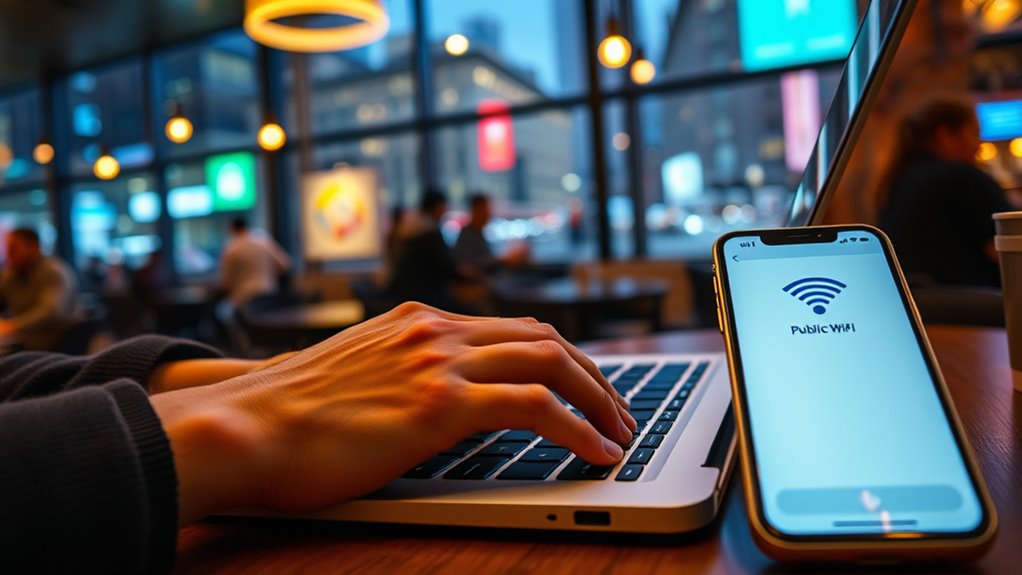
When browsing online on public Wi-Fi, taking proactive steps can considerably reduce your risk of falling victim to cyber threats. Protect yourself by following simple yet effective tips to stay safe during your online activities. First, always use a VPN to encrypt your internet traffic and hide your activity from prying eyes. Second, avoid accessing sensitive accounts or transferring personal data unless you’re on a secure connection. Third, keep your software and apps updated to patch security vulnerabilities. Finally, disable sharing options and turn off Wi-Fi when not in use to prevent unwanted connections.
Use a VPN, avoid sensitive data, update software, and disable sharing to stay safe on public Wi-Fi.
- Use strong, unique passwords for each account
- Enable two-factor authentication whenever possible
- Avoid clicking on suspicious links or ads
- Log out and forget the network after use
Frequently Asked Questions
How Can I Tell if a Public Wi-Fi Network Is Malicious?
You can tell if a public Wi-Fi network is malicious by checking its name closely—look for misspellings or unusual characters. Avoid networks with generic names like “Free Wi-Fi” and ask staff for the official network. If a connection prompts you to enter personal info or redirects you unexpectedly, disconnect immediately. Use a VPN and verify your device’s security settings are up-to-date to stay protected.
Are Free VPN Services Safe for Protecting My Data?
Think of free VPNs like free samples at a market—they might seem tempting, but they can be risky. While some offer decent protection, many lack proper encryption or logs your activity. I once used a free VPN that sold user data, causing me to lose trust. For essential privacy, investing in a reputable paid VPN is safer, ensuring your data stays protected without unknown risks.
What Specific Signs Indicate My Device Has Been Hacked on Public Wi-Fi?
If your device has been hacked on public Wi-Fi, you’ll notice unusual activity like strange pop-ups, apps opening automatically, or your device slowing down unexpectedly. You might also see unfamiliar emails sent from your account or new contacts you didn’t add. Unexpected battery drain or increased data usage can be clues too. Trust your instincts—if something seems off, disconnect from the network immediately and run a security scan.
Can I Safely Access Banking Apps Over Public Wi-Fi?
Back in the day, people used to think public Wi-Fi was safe, but now you should be cautious. You can’t safely access banking apps over public Wi-Fi unless you use a trusted VPN, two-factor authentication, and verify the app is updated. Otherwise, hackers could intercept your data. To keep your finances secure, avoid logging into sensitive accounts on unsecured networks and stick to your mobile data when possible.
How Often Should I Update My Device’s Security Settings?
You should update your device’s security settings at least once a month to stay protected. Regular updates patch vulnerabilities and improve security features, reducing risks when using public Wi-Fi. Make it a habit to check for updates often, especially after major software releases. Keeping your device current helps defend against malware, hacking attempts, and data breaches, ensuring your personal information stays safe whenever you’re online.
Conclusion
Staying safe on public Wi-Fi isn’t just a choice — it’s a necessity. Think of your connection as a fragile glass; one crack and everything shatters. By following simple tips, like using a VPN and avoiding sensitive activities, you protect your personal data from cybercriminals lurking in the shadows. Remember, the safest connection is the one you control. Don’t let your online security be a gamble—your digital safety depends on it.