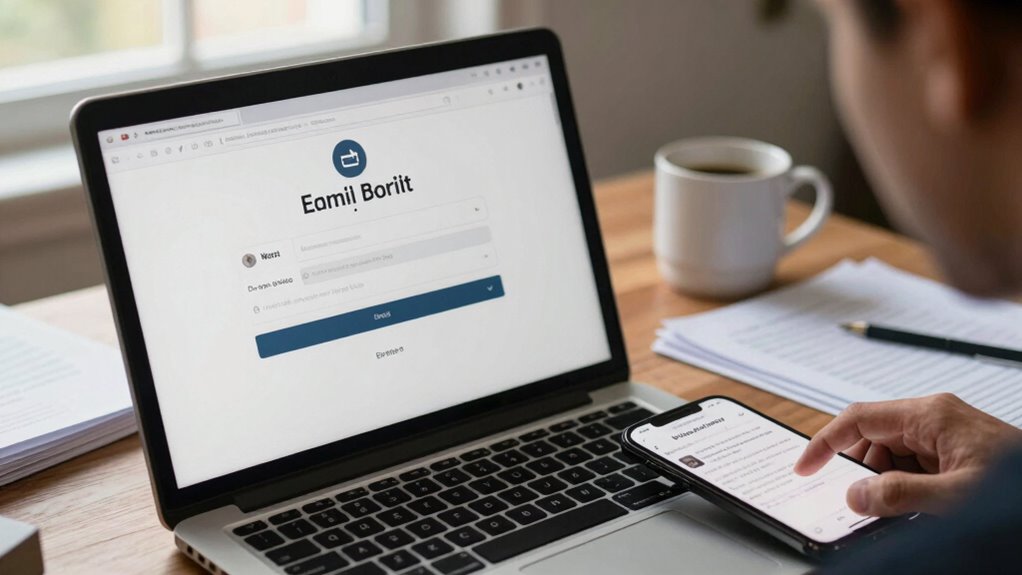

You’re most likely to fall for phishing tricks that exploit your trust and sense of urgency, like fake emails from trusted sources, convincing websites with subtle URL differences, and social engineering tactics pretending to be colleagues or support teams. Hackers prey on your impulses by creating panic or fear to prompt quick actions. Staying cautious and verifying details can protect you, and if you continue, you’ll discover more tactics used to bypass your defenses.

Get the latest gadgets delivered free — and shop member deals
- Fast, free delivery on millions of items
- Access to Prime Big Deal Days deals on October 6–7
- Prime Video, Amazon Music and more included
Key Takeaways
- Phishing emails mimic trusted sources and create urgency to prompt quick, unthinking responses.
- Fake websites closely resemble legitimate ones, with subtle URL differences to deceive users.
- Social engineering tactics involve impersonating colleagues or support staff to extract sensitive info.
- Attackers exploit human emotions like trust and panic to increase scam success.
- Awareness and verification protocols are essential to recognize and prevent common phishing tricks.

Despite ongoing efforts to combat cyber threats, hackers continue to rely on proven phishing tricks that still succeed today. You might think that with all the security measures in place, these tricks would become ineffective, but scammers have become surprisingly adept at exploiting human behavior and weaknesses. That’s why understanding common phishing tactics is essential for enhancing your cybersecurity awareness. When you recognize the familiar patterns, you’re better equipped to prevent falling for these scams.
One of the most prevalent phishing tricks involves deceptive emails that appear to come from trusted sources, such as your bank, employer, or popular online services. These messages often create a sense of urgency, urging you to click a link or open an attachment immediately. The email may look legitimate, with logos, language, and formatting that mimic real correspondences, making it difficult to spot the fraud at first glance. Hackers know that creating a sense of panic or importance increases the likelihood of you acting impulsively, which is why phishing prevention strategies focus on teaching you to pause and scrutinize such messages carefully.
Deceptive emails from trusted sources often create urgency to prompt impulsive actions. Always scrutinize before clicking or replying.
Another common tactic involves fake websites designed to look identical to legitimate ones. When you click on a malicious link in a phishing email, you might be directed to a replica site that captures your login credentials or personal details. These sites often have subtle differences, like misspelled URLs or non-secure connections, but they can be hard to notice if you’re not paying close attention. To protect yourself, always verify URLs before entering sensitive information and consider bookmarking trusted sites for quick access. Recognizing website authenticity is crucial in avoiding these traps. Additionally, hackers often use social engineering techniques to manipulate victims into revealing confidential data, making awareness of these tactics vital.
Hackers also exploit social engineering by posing as colleagues or customer support representatives through email, chat, or social media. They may request confidential information, password resets, or money transfers, claiming there’s an urgent issue. Your best defense here is skepticism—never share sensitive data unless you’ve independently verified the requester’s identity. Establishing clear protocols within your organization for handling such requests can mitigate these risks. Recognizing the importance of cybersecurity awareness helps you stay vigilant against these manipulative tactics. Staying informed about current scams and common tricks is an ongoing process that enhances your defenses.
As an affiliate, we earn on qualifying purchases.
Frequently Asked Questions
How Can I Identify a Phishing Email Promptly?
You can identify a phishing email promptly by looking for email red flags like misspelled words, unusual sender addresses, and urgent language. Always hover over suspicious links to see if they match the official website, and avoid clicking on them. Be cautious of unexpected attachments or requests for personal information. Trust your instincts—if something feels off, verify the email through separate channels before taking any action.
What Are the Latest Phishing Tactics Cybercriminals Use?
Cybercriminals now use advanced email spoofing to make messages appear legitimate, increasing trust and click rates. They also rely heavily on social engineering, crafting convincing messages that exploit your emotions or sense of urgency. These tactics can deceive you into revealing sensitive info or clicking malicious links. Stay alert by scrutinizing email senders closely, avoiding rushed decisions, and verifying requests through separate channels to protect yourself from these evolving phishing tricks.
How Often Should I Update My Cybersecurity Protocols?
You should update your cybersecurity protocols at least quarterly to maintain strong cyber hygiene and stay ahead of evolving threats. Regular updates guarantee your threat detection systems are current and effective against new phishing tactics. Keep an eye on industry advice, implement patches promptly, and review access controls. Consistent updates help you identify vulnerabilities early and protect your sensitive information from cybercriminals exploiting outdated defenses.
Are Small Businesses More Vulnerable to Phishing Attacks?
Yes, small businesses are more vulnerable to phishing attacks because they often lack advanced cybersecurity measures and training. Phishing vulnerability is higher due to limited resources and awareness. As a small business owner, you need to stay vigilant, implement strong security protocols, and educate your team about common phishing tricks. Regular updates and cybersecurity training help reduce your risk, making your business less attractive to cybercriminals.
What Training Best Prepares Employees Against Phishing Scams?
You should prioritize employee awareness training combined with regular phishing simulations. These simulations help your team recognize common scams and respond appropriately. By consistently practicing and discussing potential threats, you build a vigilant culture that can spot phishing attempts early. Effective training also includes educating staff on how to verify links and attachments, making them less likely to fall for scams. This proactive approach considerably boosts your defenses against phishing attacks.
secure URL verification software
As an affiliate, we earn on qualifying purchases.
As an affiliate, we earn on qualifying purchases.
Conclusion
Now, as you navigate the digital landscape, remember that these tricks are like shadows lurking in every corner—deceptively simple yet dangerously effective. Picture a spider’s web glistening in the morning sun, each thread a potential trap waiting to ensnare the unwary. Stay vigilant, question every unexpected link, and never let your guard down. In this web of deception, awareness is your shield, guiding you safely through the unseen dangers lurking in your inbox.
identity verification software for organizations
As an affiliate, we earn on qualifying purchases.
As an affiliate, we earn on qualifying purchases.
cybersecurity awareness training kits
As an affiliate, we earn on qualifying purchases.
As an affiliate, we earn on qualifying purchases.
Fall Picks
fall essentials
As an affiliate, we earn on qualifying purchases.