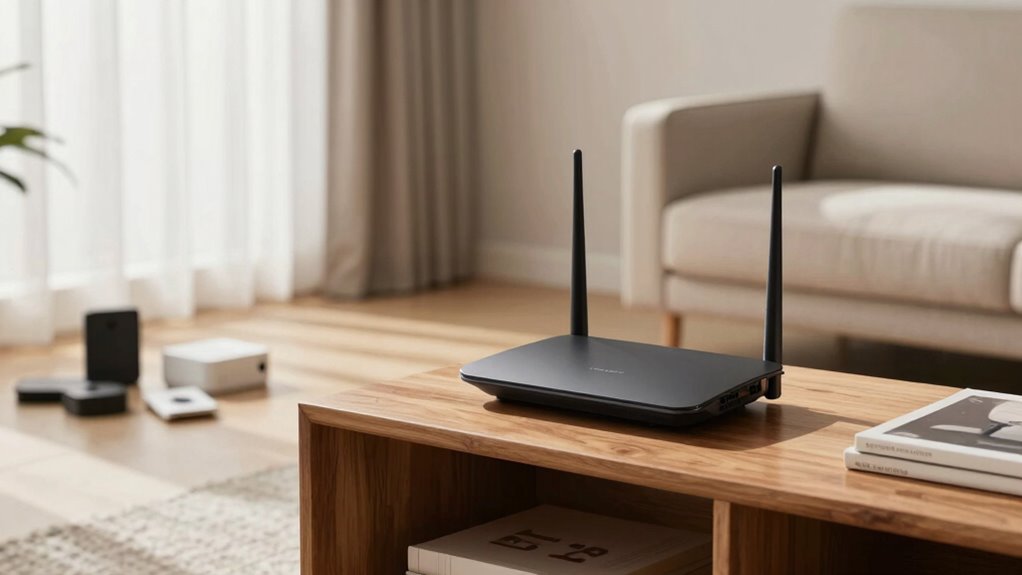
Your router placement has a bigger impact on your Wi-Fi speed than your internet plan because the right position guarantees signals reach your devices clearly and evenly. Placing it centrally, high up, and away from interference sources like electronics and thick walls can greatly improve coverage and reduce dead zones. Poor placement can cause lag and buffering even with a fast plan. Keep this in mind, as you’ll discover more tips to optimize your Wi-Fi performance if you keep exploring.

Get the latest gadgets delivered free — and shop member deals
- Fast, free delivery on millions of items
- Access to Prime Big Deal Days deals on October 6–7
- Prime Video, Amazon Music and more included
Key Takeaways
- Proper router placement ensures strong, consistent signals, which can outperform a faster internet plan with poor positioning.
- Central, elevated placement minimizes dead zones and maximizes coverage across your home.
- Avoiding interference from electronics and obstacles enhances signal strength more than upgrading your plan.
- Good placement reduces lag, buffering, and device disconnections, improving overall Wi-Fi performance.
- Optimizing router location often yields better results than simply increasing your internet speed.
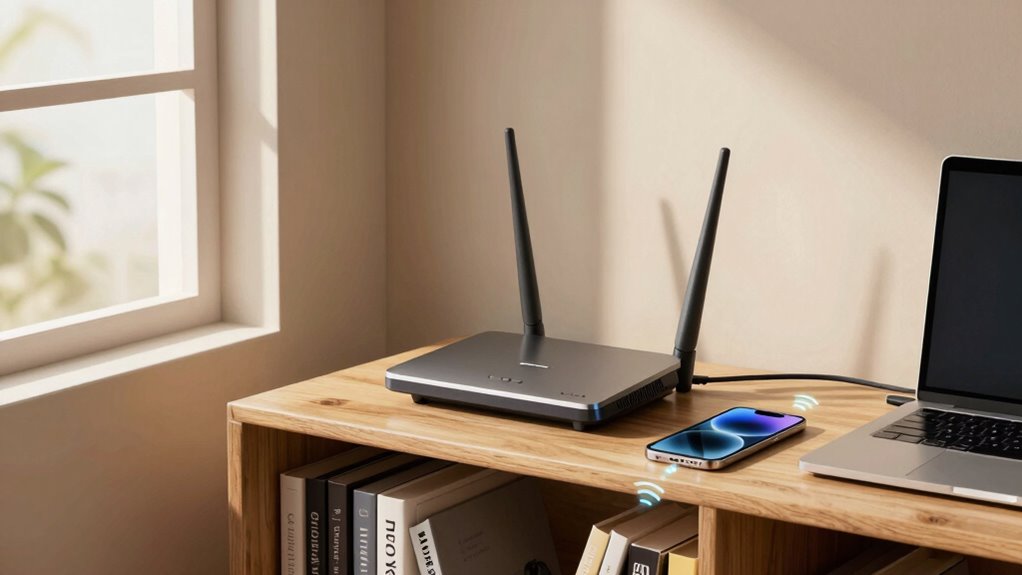
Many people assume that upgrading their internet plan will automatically boost their Wi-Fi speed, but in reality, where you place your router has a much bigger impact. The location of your router influences how well your devices receive the signal, affecting your overall internet experience more than the plan itself. Even if you pay for the fastest internet, poor placement can hinder your connection, causing buffering, lag, or dead zones in your home. Proper router placement can significantly enhance your Wi-Fi performance and reduce the need for costly upgrades. Device interference plays a substantial role in Wi-Fi performance. Other electronics—such as cordless phones, microwave ovens, baby monitors, and Bluetooth devices—can disrupt your signal if your router is nearby. Placing your router away from these gadgets minimizes interference, allowing your Wi-Fi to operate more smoothly. It’s also important to keep in mind that large appliances or metal objects can reflect or absorb signals, further degrading signal quality. Avoid placing your router behind furniture, inside cabinets, or near mirrors—these can hinder signal propagation. Signal enhancement begins with choosing the right location. Ideally, you want to position your router centrally in your home, elevated on a shelf or mounted high on a wall. This ensures even distribution of the Wi-Fi signal across all rooms, reducing dead zones. Keep the router away from thick walls or floors made of concrete or brick, as these materials can considerably weaken the signal. Also, don’t place it near windows, as glass can reflect signals and cause fluctuations in speed. Another tip for signal improvement is to elevate your router. A higher position allows Wi-Fi signals to travel more freely and reach more devices without obstruction. Proper placement of your router is essential for optimal connectivity, especially if multiple devices are used simultaneously. Regularly updating your router’s firmware also helps maintain peak performance and can improve connection stability. Understanding signal propagation can help you better optimize your router’s placement for maximum coverage, especially when considering how different environments impact wireless signals. Additionally, being aware of interference sources in your home can guide you in choosing the best location for your router to minimize disruptions.
As an affiliate, we earn on qualifying purchases.
Frequently Asked Questions
How Does Router Placement Affect Wi-Fi Speed?
Your router placement directly impacts Wi-Fi speed by minimizing signal interference and guaranteeing device compatibility. When you put your router in an open, central location, it broadcasts a stronger signal, reducing dead zones. Avoid placing it near thick walls or electronics that cause interference. Proper placement ensures your devices connect seamlessly without lag, boosting overall speed and reliability. So, smart positioning makes a noticeable difference in your Wi-Fi experience.
What Are the Worst Spots to Place a Router?
You should avoid placing your router behind furniture, near thick walls, or tucked into dark corners. These spots hinder signal flow, cause interference, and reduce your Wi-Fi speed. Keep your router in an open, central location with minimal router aesthetics blocking the signal. Stay away from appliances or metal objects that create signal interference. Proper placement guarantees better coverage, faster speeds, and a more reliable connection.
Can Router Placement Improve Signal for Multiple Devices?
Yes, proper router placement can improve signal for multiple devices. By positioning your router away from sources of device interference like microwaves or cordless phones, you optimize the signal. Placing it centrally and elevated helps guarantee even coverage. This strategic placement enhances signal strength, reducing dead zones and ensuring all devices get a reliable connection. Signal optimization through thoughtful placement makes a noticeable difference in your network’s performance.
Does Router Placement Impact Internet Security?
Your router placement can drastically impact your internet security, almost like a fortress guarding your digital life. If you place your router in an open, accessible spot, it’s easier for cybercriminals to exploit network vulnerabilities or gain unauthorized access. Keep your router tucked away in a secure, central location, away from windows and public areas, to minimize risks and protect your personal information from potential threats.
How Often Should I Reposition My Router?
You should reposition your router about every six months or whenever you notice a drop in your internet speed. Keep in mind, router aesthetics and color matter too, so find a spot that hides it nicely while maintaining good signal strength. Adjusting its placement can improve coverage and security, especially if you change your furniture layout or add new devices. Regular tweaks guarantee the best performance and keep your connection reliable.
high elevation Wi-Fi router stand
As an affiliate, we earn on qualifying purchases.
As an affiliate, we earn on qualifying purchases.
Conclusion
So, don’t just focus on upgrading your internet plan—your router’s placement makes a huge difference too. Imagine walking into a room where the Wi-Fi is strong and steady, no matter how fast your plan is. It’s like having a reliable, invisible highway that connects all your devices smoothly. By simply adjusting your router’s position, you can turn a spotty connection into seamless streaming and browsing, proving that placement truly matters more than the plan itself.
interference reducing Wi-Fi extender
As an affiliate, we earn on qualifying purchases.
As an affiliate, we earn on qualifying purchases.
As an affiliate, we earn on qualifying purchases.
Fall Picks
fall essentials
As an affiliate, we earn on qualifying purchases.