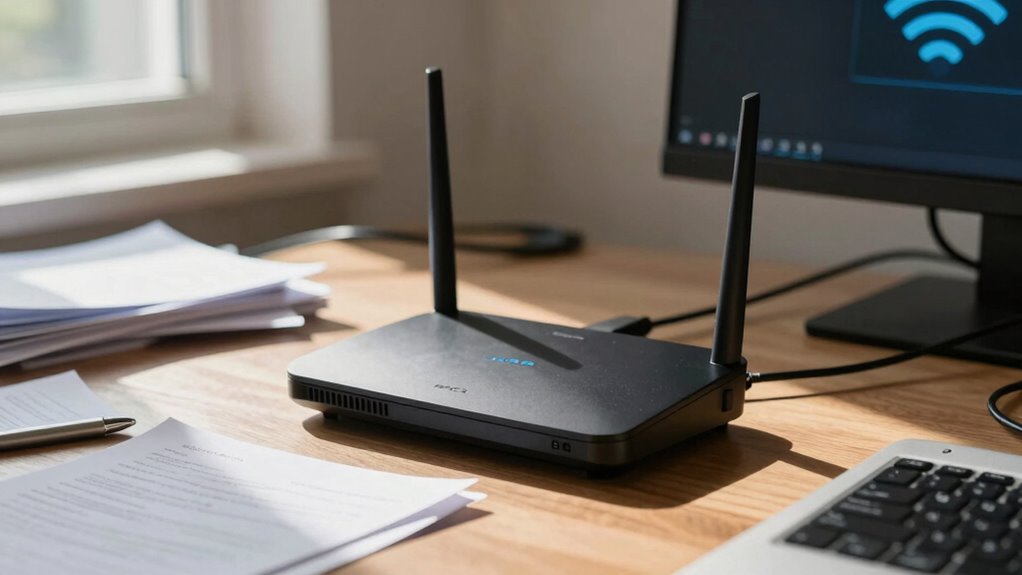

Placing your router in the wrong spot can drastically slow your internet or create dead zones. If it’s tucked away behind furniture, near metal objects, or in a corner, signals weaken and interference increases. Electronic devices and thick walls also cause disruptions. To boost your Wi-Fi, position it in an open, elevated space away from gadgets and barriers. Keep in mind, the right placement makes all the difference—stay tuned to learn how to optimize your setup for better connectivity.
Key Takeaways
- Poor router placement can create dead zones, significantly weakening Wi-Fi signals and causing unreliable internet connections.
- Placing the router near electronic devices or behind furniture increases interference and reduces signal strength.
- Central, elevated, and open locations promote even coverage and minimize the impact of dead spots.
- Physical barriers like thick walls, metal objects, and mirrors obstruct signals, worsening internet performance.
- Regularly optimizing router placement and reducing clutter enhances overall Wi-Fi speed and reliability.

Positioning your router correctly can considerably improve your Wi-Fi signal and reduce dead zones around your home. The placement of your router is often overlooked, but it plays a crucial role in ensuring a strong, reliable connection throughout your space. When your router sits in a poor spot, you might experience Wi-Fi interference, which can cause slow speeds, dropped connections, or inconsistent performance. Wi-Fi interference occurs when signals from other electronic devices or neighboring networks clash with your router’s signal, leading to weakened performance and frustrating dead zones where the signal barely reaches or fails entirely.
If your router is tucked away in a corner, placed behind thick furniture, or near electronic gadgets like cordless phones or microwave ovens, it’s more likely to encounter Wi-Fi interference. These interferences can cause your signal to weaken or fluctuate, especially in parts of your home far from the router. As a result, you develop signal dead zones—areas with little to no Wi-Fi coverage—making it difficult to stream, work, or browse seamlessly. The key is to find a central, open spot that minimizes physical barriers and electronic interference, ensuring the signal spreads evenly without interruption. Additionally, understanding Wi-Fi interference and its sources can help you optimize your router placement effectively. If your router is near metal objects, mirrors, or thick walls, these materials can reflect or absorb Wi-Fi signals, creating dead zones. Instead, position it in a high, open area, ideally off the floor and away from other electronics. Elevating your router on a shelf or mounting it on a wall can help maximize coverage. Also, keep it away from devices that generate electromagnetic interference, such as baby monitors, Bluetooth speakers, or wireless speakers, which can disrupt the signal. Being aware of environmental factors that cause interference can further enhance your Wi-Fi performance. Regularly checking for interference sources in your environment and adjusting your setup can also significantly improve connection stability.
Furthermore, periodically updating your router’s firmware can help mitigate interference issues, ensuring optimal operation and stability.
Moreover, choosing a location with minimal physical barriers and avoiding clutter around the router can greatly improve signal strength and reliability.

EVEO Screen Cleaner Spray - Large Screen Cleaner Bottle - TV Screen Cleaner, Computer Screen Cleaner, for Laptop, Phone, Ipad - Computer Cleaning kit Electronic Cleaner (1 Pack)
- Versatile Electronic Device Cleaner: Suitable for TVs, laptops, phones, and tablets
- Effective Streak-Free Cleaning: Removes dust, fingerprints, and smudges
- Gentle on Sensitive Screens: Safe for LCD, LED, OLED, CRT screens
As an affiliate, we earn on qualifying purchases.
Frequently Asked Questions
How Often Should I Reposition My Router for Optimal Performance?
You should reposition your router whenever you notice signal drops or slow speeds, ideally every few months for maximum performance. Router mobility helps maintain signal stability, especially if you move furniture or add new devices. Regular adjustments ensure your router stays in the best spot, providing consistent coverage. Keep an eye on signal strength and make small tweaks as needed, enhancing overall internet reliability and avoiding dead zones.
Can Router Placement Affect Device Battery Life?
While your router’s placement doesn’t directly influence device battery life, poor positioning can lead to weaker signals and increased device power consumption. When signals face interference or obstacles, your device works harder to maintain a stable connection, draining its battery faster. To optimize both connection quality and device longevity, place your router in a central, open spot, minimizing signal interference and ensuring efficient power use for your devices.
Are There Specific Materials That Block Wi-Fi Signals?
Yes, certain materials cause signal attenuation and block Wi-Fi signals. Materials like metal, brick, concrete, and thick glass are notorious for material interference, considerably weakening or blocking your Wi-Fi. You should avoid placing your router near these materials or behind them, as they can diminish signal strength, leading to slower or unreliable connections. Keep your router in open, central locations to minimize material interference and guarantee ideal Wi-Fi performance.
Does Router Placement Impact Security or Privacy?
Did you know that improper router placement can weaken your network encryption, making your Wi-Fi more vulnerable to hacking? Yes, physical obstructions like thick walls or metal objects can impact your router’s signal, potentially exposing your network to privacy risks. Proper placement enhances signal strength, helping maintain your security protocols and preventing unauthorized access. So, think carefully about where you put your router to protect your online privacy effectively.
Can Multiple Routers Improve Overall Wi-Fi Coverage?
Yes, multiple routers can improve your Wi-Fi coverage by creating a mesh network that blankets your home with a strong signal. This setup reduces signal interference, especially in larger spaces or homes with thick walls. With multiple routers working together, you get seamless connectivity across all areas, minimizing dead zones and boosting overall internet performance. Mesh networks are especially effective for maintaining reliable Wi-Fi in complex layouts.
Conclusion
Now that you know how essential router placement is, imagine that perfect spot where signals flow seamlessly, and your devices dance in harmony. But one wrong move, one hidden obstacle, and that harmony shatters into frustrating silence. The difference between a smooth connection and constant buffering lies in a single decision. So, choose wisely—your internet’s future depends on it. Will you find the ideal spot before it’s too late? The choice is yours.

WHOOSH! Screen Shine Duo – Screen Cleaner and Wipe Kit, 3.7 + 0.3 fl oz
- Safe for All Screens: Compatible with all screen types and coatings
- Streak-Free Cleaning: Leaves no smudges or residue
- Two Convenient Sizes: Large and travel-sized bottles included
As an affiliate, we earn on qualifying purchases.

iO CLEAN Screen Cleaner Spray (16oz - 473ml) – Best Large Cleaning Kit
- Versatile Screen Compatibility: Works on all electronic screens and devices
- Gentle, Scratch-Free Formula: Removes dust, fingerprints, grime safely
- Protective, Anti-Static Coating: Leaves a streak-free, smudge-free shine
As an affiliate, we earn on qualifying purchases.