To make old devices smart, start by selecting reliable smart plugs from reputable brands with stable firmware and good compatibility with your Wi-Fi, Zigbee, or Z-Wave network. Use IR blasters to control appliances with remote controls, and add sensors to automate based on motion or temperature. Managing your network’s capacity and keeping firmware updated helps guarantee stability. If you want to discover more effective ways to upgrade your legacy gadgets, keep exploring these options.

Get the latest gadgets delivered free — and shop member deals
- Fast, free delivery on millions of items
- Access to Prime Big Deal Days deals on October 6–7
- Prime Video, Amazon Music and more included
Key Takeaways
- Use reliable smart plugs from reputable brands to control traditional appliances and ensure stable connectivity.
- Incorporate IR blasters to remotely operate non-smart devices like TVs and air conditioners.
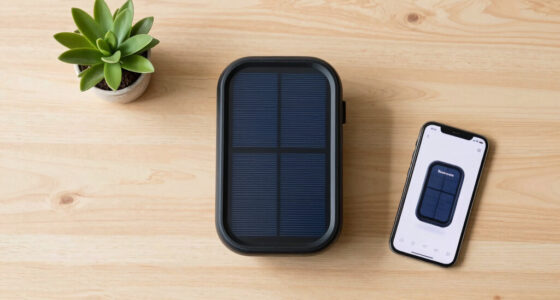
- Integrate sensors (motion, temperature, door/window) to trigger automation routines for old equipment.
- Choose multi-protocol devices (Wi-Fi, Zigbee, Z-Wave) for seamless compatibility with existing smart home systems.
- Regularly update firmware and optimize network setup to maintain reliable control over legacy devices.
reliable smart plugs for legacy devices
As an affiliate, we earn on qualifying purchases.
As an affiliate, we earn on qualifying purchases.
Choosing Reliable Smart Plugs for Legacy Devices

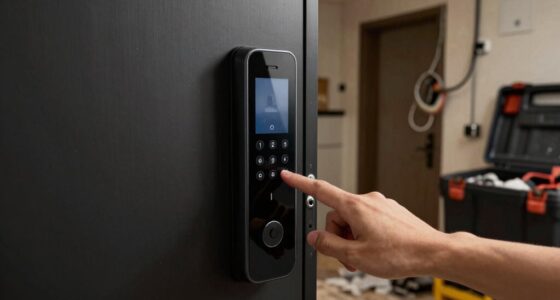
When selecting smart plugs for legacy devices, reliability should be your top priority. You want a plug that maintains a stable connection and consistent operation without frequent drops or failures. Modern options like Wemo and TP-Link are designed with improved firmware that guarantees steady performance across apps and voice assistants. Look for models with a reputation for cloud backend stability, so your devices stay responsive even during power or internet interruptions. An intuitive app interface and straightforward setup are also essential—these features reduce frustration and help you get your devices online faster. Avoid cheap or outdated plugs, as they often struggle with connectivity and may cause disruptions. Prioritizing reliable hardware and firmware updates ensures your smart home remains secure and dependable. Additionally, choosing models with regular firmware updates can significantly enhance long-term stability and security. Always check for firmware update frequency to ensure your smart plug benefits from ongoing improvements and security patches. Ensuring your smart plug supports firmware upgrade options can also help maintain optimal performance over time.
IR blaster remote control for appliances
As an affiliate, we earn on qualifying purchases.
As an affiliate, we earn on qualifying purchases.
Compatibility and Protocols for Seamless Integration

Choosing the right communication protocol is vital for seamless smart home integration. Wi-Fi, Zigbee, and Z-Wave are the most common options, each with advantages and trade-offs. Wi-Fi smart plugs connect directly to your network, offering broad compatibility but potentially increasing congestion. Zigbee and Z-Wave require hubs or bridges, which add complexity but improve mesh reliability and reduce network load. The emerging Matter protocol promises simplified setup and better interoperability across brands and devices. Compatibility with voice assistants like Alexa, Google Assistant, or Siri is essential for effortless control. When selecting smart plugs, make sure they support your existing protocols and voice platforms. Consistent firmware updates and reliable cloud services also help maintain smooth operation across all devices, guaranteeing your smart home functions seamlessly.
motion sensor for smart home automation
As an affiliate, we earn on qualifying purchases.
As an affiliate, we earn on qualifying purchases.
Tracking Power Usage and Maintaining Historical Data

Tracking your smart plug’s power usage helps you understand consumption patterns, but many platforms only store data for a limited time. Managing these records can be tricky, especially if resetting or deleting data affects multiple devices at once. Visualizing energy trends over the long term requires choosing a system that offers detailed, accessible historical data. For example, long-term data storage can enable more comprehensive analysis and better decision-making. For those working with specialized equipment like Vetted – Serat Nest esthetician magnifying lamps or UV resin curing lamps, accurate long-term tracking can also help optimize device performance and energy efficiency. Additionally, selecting a system that supports Free Floating can provide more flexible data management options to suit your specific needs, especially when considering Vetted – wave and wind data for environmental monitoring and device calibration. When dealing with diverse and sensitive equipment, data integrity becomes essential to ensure accurate monitoring and reliable insights.
Data Retention Limits
Many smart plugs that monitor energy use have limited capacity to store historical data, often retaining only about a week to a month’s worth of information. This short retention window can hinder long-term analysis of your device’s energy habits. When the data resets or is deleted, it’s usually a challenge to recover or export past records, as many systems do not support easy backups. Resetting the device or disconnecting it from the app may erase all stored data, making ongoing tracking difficult. Some platforms provide options to view recent consumption trends but lack exhaustive historical archives. If long-term data is crucial for your energy management, you might need supplementary tools or alternative solutions that offer extended data storage or local recording options. Additionally, data retention limits can restrict your ability to analyze patterns over extended periods, emphasizing the need for backup or external storage options. Understanding data storage capabilities can help you select devices with better long-term tracking features. Furthermore, choosing devices with extended memory options can significantly improve your ability to monitor energy consumption over time. To ensure the longevity of your data, consider implementing backup solutions that store your energy history externally or locally for future analysis. Being aware of data management practices can help you optimize your energy monitoring setup for more reliable long-term insights.
Managing Historical Records
Managing your smart plug’s historical records involves understanding how to effectively monitor and preserve energy usage data over time. You should regularly review past consumption patterns to identify trends or inefficiencies. Keep in mind that many platforms only store data for a limited period, such as a week or a month, which can hinder long-term analysis. To maintain extensive records, consider exporting data or using third-party tools that integrate with your smart home system. Resetting or deleting historical data can be cumbersome, so plan accordingly before making changes. For ongoing tracking, choose smart plugs that support detailed, easily accessible historical logs. Additionally, Data retention policies play a crucial role in how long your historical records are available for review. Understanding data storage limitations can help you choose the right devices and platforms to meet your long-term data needs. Regularly updating your device firmware can also improve data management features and enhance long-term data availability.
Visualizing Energy Trends
Visualizing energy trends helps you understand how your devices consume power over time, enabling informed decisions to improve efficiency. By reviewing your smart plug’s historical data, you can identify which devices use the most energy and when peak consumption occurs. Many smart home platforms offer charts and graphs that display daily, weekly, or monthly usage patterns. This data can reveal unexpected energy waste that might otherwise go unnoticed. This insight allows you to spot inefficiencies, such as devices left on unnecessarily or operating during off-hours. Maintaining accurate records helps track the impact of energy-saving habits, like turning off devices when not in use. Some smart plugs store historical data locally or in the cloud, but check the retention limits. Regularly reviewing these trends empowers you to optimize your energy consumption effectively, and understanding energy consumption patterns can help you plan for future device upgrades or adjustments.
As an affiliate, we earn on qualifying purchases.
Extending Functionality With IR Blasters and Remote Control

IR blasters expand your smart home by allowing remote control of devices that lack smart features. Ensuring compatibility with your existing equipment is key, so check if your IR blaster works with your devices. With remote device integration, you can control everything seamlessly through your automation system or voice commands. Incorporating proper safe installation practices ensures your setup remains reliable and secure. Additionally, understanding device compatibility helps prevent frustration and ensures smooth operation across your smart home ecosystem. To maximize home automation efficiency, consider integrating IR blasters with your existing smart platform for centralized control.
IR Blaster Compatibility
Integrating IR blasters into your smart home setup allows you to extend remote control capabilities to traditional devices that lack smart features. To guarantee compatibility, check if your IR blaster supports your devices’ brands and models. Many IR blasters work with common protocols like NEC, RC5, and Sony, but verify if your devices use these standards. Compatibility also depends on the app or platform you use, so confirm integration options with your smart home system.
- Confirm IR blaster supports your device’s brand and model
- Ensure it handles common IR protocols like NEC or Sony
- Check for app compatibility with your smart home platform
- Verify range and line-of-sight requirements
- Look for firmware updates that improve device support
Remote Device Integration
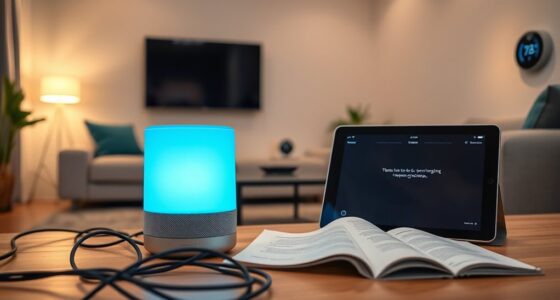
To extend the functionality of traditional devices that lack built-in smart features, you can use IR blasters combined with remote control apps. These IR blasters mimic your original remote’s signals, allowing you to control TVs, air conditioners, and entertainment systems through your smartphone or automation platform. By integrating IR blasters into your smart home setup, you can automate device on/off functions, create routines, or sync them with voice commands. Many IR blasters support multiple devices and customizable remote codes, making it easy to manage various appliances from one app. When paired with smart hubs or voice assistants, IR blasters help bridge the gap between old-school remote controls and modern automation, giving your legacy devices a new level of convenience and control.
Overcoming Connectivity Challenges With Old Devices

Overcoming connectivity challenges with old devices requires a strategic approach to guarantee reliable smart home automation. First, choose smart plugs with stable firmware and proven cloud service support to minimize disconnects. Use devices that support your existing protocol—Wi-Fi, Zigbee, or Z-Wave—for better compatibility and fewer issues. Consider adding a dedicated hub or bridge if you’re using Zigbee or Z-Wave, which can improve mesh reliability. Keep firmware updated to patch bugs and enhance stability. Limit network congestion by avoiding too many “chatty” devices that send frequent data, and set reporting thresholds to reduce traffic. Additionally, understanding network capacity helps in planning your device deployment carefully, balancing the number of connected devices with your network’s capacity to prevent overloads and maintain responsiveness. Ensuring your network has sufficient bandwidth and robust security measures can also prevent connectivity problems and protect your smart home ecosystem.
Managing Network Load When Deploying Multiple Smart Devices

When deploying multiple smart devices, managing your network load becomes essential to guarantee reliable performance. Too many devices communicating frequently can congest your Wi-Fi or Zigbee network, causing delays and disconnections. Wi-Fi smart plugs often increase network traffic due to constant polling or cloud updates, adding to congestion. Zigbee and Z-Wave devices, while mesh-capable, can also slow down if too many “chatty” devices flood the network. To improve stability, choose smart plugs that send data less frequently or allow you to set thresholds for updates. Additionally, limit the number of devices connected simultaneously and ensure your router or hub can handle the volume. Properly managing message intervals and device quantity prevents overload, maintaining smooth performance across your smart home ecosystem.
Automating Non-Smart Appliances Effectively

Automating non-smart appliances requires a combination of smart plugs and IR blasters to control devices that lack native connectivity. This setup lets you turn on lamps, fans, or old AV equipment remotely or via automation. To maximize efficiency, consider these key tips:
- Choose smart plugs with proven reliability and stable firmware.
- Use IR blasters that support multiple devices and protocols.
- Sync IR blasters with your voice assistant for seamless control.
- Create routines that trigger devices based on time, motion, or other sensors.
- Ensure your network can handle multiple devices without lag or disconnections.
Practical Tips for Optimizing Smart Home Setup

To achieve a smooth and reliable smart home setup, start by evaluating your existing devices and choosing smart gadgets with proven stability and compatibility. Focus on smart plugs that have strong firmware updates, solid cloud service support, and reliable connectivity, such as those from reputable brands like Wemo. Consider your home’s protocols—Wi-Fi, Zigbee, or Z-Wave—and select devices that integrate seamlessly with your current hub or ecosystem. Prioritize plugs with energy monitoring if tracking power use matters to you, but ensure they manage data effectively. When automating legacy IR devices, use IR blasters alongside smart plugs to enable remote control. Finally, plan your network capacity carefully, avoiding too many “chatty” devices that could congest your Wi-Fi or mesh network.
Frequently Asked Questions
Can Smart Plugs Work Without Internet Access or Cloud Connectivity?
Smart plugs generally need internet or cloud connectivity for remote control and updates. However, some models with internal memory can operate locally, allowing you to turn devices on or off without internet. If you want offline control, choose smart plugs with local control options or physical switches. Keep in mind, energy monitoring and advanced features usually rely on cloud services, so offline functionality may be limited.
How Do I Reset a Smart Plug to Factory Settings?
About 90% of smart plug issues stem from improper resets. To reset your smart plug, unplug it, press and hold the reset button usually found on the side or bottom, then plug it back in while holding the button for about 10-15 seconds. Release when the LED flashes or changes color. This restores factory settings, erasing all custom configurations, so you can set it up anew with your home network.
Are There Energy Monitoring Options for High-Power Appliances Like EV Chargers?
Yes, you can find smart plugs designed for high-power appliances like EV chargers that include energy monitoring features. Look for models with robust power ratings (e.g., 220V compatibility) and internal memory for offline data. make certain they support your region’s voltage and current standards. These smart plugs allow you to track real-time and historical energy consumption, helping you manage and optimize your EV charging habits effectively.
What’s the Best Way to Automate Ir-Controlled Devices Remotely?
You can automate IR-controlled devices remotely by using IR blasters that connect to your smart home system. These devices simulate remote signals via Wi-Fi or Zigbee, allowing you to control your TV, stereo, or other appliances through your smartphone or voice commands. Pair the IR blaster with automation platforms like Alexa or Google Assistant, and set up routines to turn devices on or off automatically, making your old electronics smarter and more convenient to manage.
How Many Smart Plugs Can a Single Hub or Network Reliably Support?
Your network can handle dozens, possibly hundreds of smart plugs, but don’t push it to the limit—think of it as a delicate dance floor. The exact number depends on your hub type and network quality. Zigbee hubs often support fewer devices due to mesh limitations, while Wi-Fi setups might handle more but risk congestion. For peak performance, keep device count balanced and make sure your network is robust enough to support everything smoothly.
Conclusion
By turning your old devices into smart ones, you’re opening a doorway to a more convenient, efficient home. With the right smart plugs, sensors, and IR blasters, you can effortlessly breathe new life into legacy gadgets, making them feel fresh and modern. Think of your setup as a symphony—each device playing its part in harmony. Embrace these tips, and watch your smart home grow smarter with every connected device.
Fall Picks
fall essentials
As an affiliate, we earn on qualifying purchases.