TL;DR
Smart home assistant devices combine voice control, connected hardware, and software to help you manage everyday tasks and compatible home products. Before buying, check ecosystem compatibility, privacy controls, internet needs, and ongoing costs; a speaker alone does not guarantee that every light or lock will work.
Your hallway light can switch on before you reach the door, but only if the bulb, assistant, and connection all cooperate. That simple moment captures both the promise and the catch of smart home assistant devices: they can make everyday tasks easier, while their usefulness depends on the products and services around them.

Get the latest gadgets delivered free with Prime
- Fast, free delivery on millions of items
- Prime Video, Amazon Music and more included
- Member-only deals all year
This guide explains what these devices do, how to compare ecosystems, and what to check before you bring one home. You’ll also get practical ways to think about compatibility, privacy, reliability, and total cost, so your first setup solves a real problem instead of adding another app to your phone.
Check the exact model and your existing devices before buying; a smart speaker does not control every product automatically.
Choose an ecosystem around the phones, services, and household accounts you already use.
Treat Matter as a compatibility aid, then confirm that the particular features you need are supported.
Review microphone, recording, account, and third-party integration settings during setup.
Budget for hubs, compatible hardware, and subscriptions, and keep a physical control for essential tasks.
What a Smart Home Assistant Can Actually Do
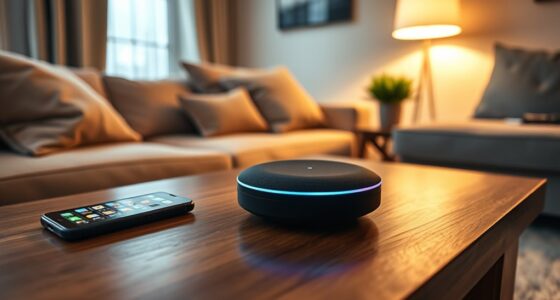
A smart home assistant device combines voice software, a speaker or screen, and connections to compatible services and products. You can ask it to set a timer, play music, answer a question, or control a connected light; the assistant interprets your request and sends it to the service or device that can act on it.
The phrase can mean three different things: the assistant software, the physical device that runs it, or the broader connected-home setup. A phone may have an assistant, a smart speaker may listen for voice commands, and a home hub may coordinate products behind the scenes. They include smart speakers and displays, but assistant features also appear in phones, TVs, appliances, and other devices.
For example, while kneading bread with flour on your hands, you might say, “Set a 12-minute timer,” then ask for the oven light to turn on. The timer usually depends on the assistant’s own functions, while the light command depends on a compatible bulb or switch. That distinction matters: voice control does not make every appliance smart.
Routines let you group actions into one command or schedule. A “good night” routine might turn off a living-room lamp and lower a compatible thermostat, much like a single switch controlling several rooms. The practical gain comes from choosing a few tasks you repeat, rather than trying to automate the whole house at once.
Products Worth Considering

LG 27GR83Q-B 27-inch Ultragear QHD IPS Gaming Monitor

Anker SOLIX C1000 Gen 2 Portable Power Station with 200W Solar Panel

Samsung 27-Inch Odyssey OLED G5 QHD Gaming Monitor (G50SF)
As an affiliate, we earn on qualifying purchases.
Choose the Assistant That Fits Your Home
Smart home assistant devices work best when their ecosystem matches the products and services you already use. Amazon Alexa, Google Home, and Apple Home each connect to a range of compatible products, but available features can differ by device, region, account, and software version. Start with the phone, music service, or smart products already in your household.
Imagine that your family already shares Apple devices and uses Apple Home-compatible lights. An Apple Home setup may feel straightforward; a household with a mix of products tied to Alexa or Google services may prefer to check those integrations first. The useful question is not which brand wins in the abstract, but whether your everyday products can do the jobs you want.
Matter is an industry standard designed to help many smart-home products work across ecosystems. It can make choosing devices less restrictive, but support varies by product and feature. Before checkout, look at the specific compatibility details: a label alone may not mean that every advanced feature works in every assistant.
| What to compare | Why it matters | Example check |
|---|---|---|
| Existing ecosystem | Accounts and services shape setup and daily controls. | Will it work with the phones and speakers your household uses? |
| Product compatibility | Some devices need a hub, account, or integration. | Can your current thermostat be controlled by this assistant? |
| Matter support | Support may differ across products and features. | Does the exact light model support your intended routine? |
| Shared household access | Personalized responses and controls may vary by user. | Can other household members use the features they need? |
Those checks take a few minutes, like reading the label before buying paint, and can save you from discovering that your bulbs need a separate hub after the box is open.
Check These Details Before You Buy
Before buying smart home assistant devices, confirm that the exact model supports the products and functions you plan to use. A smart speaker can answer questions and play music yet fail to control a particular lock because the lock needs a different hub, account, or integration. Product names can be similar, so check model numbers and the manufacturer’s current compatibility list.
Use this short checklist. For instance, if your goal is to switch off the kitchen lights when you leave, verify that the assistant can reach the bulbs you own and that the routine works with your chosen account.
- List the first three jobs you want help with, such as timers, lighting, or music.
- Write down your devices and accounts, including phone, bulbs, thermostat, and preferred music service.
- Check the exact model against the assistant’s compatibility details; look for hub or subscription requirements.
- Confirm the controls you will still have if voice recognition or internet access fails.
- Check the room and placement, including screen visibility, microphone access, and nearby power outlets.
A display may be more useful than a speaker if you want to see a recipe or video call, while a small speaker may suit a bedroom timer. For someone with limited vision or mobility, hands-free controls can make lighting or calls easier to reach. A physical switch, phone app, or accessible remote still matters when a spoken command is inconvenient.
Think of setup as a small household project, not just a gadget purchase. If a routine needs several accounts and a hub, factor in the time and hardware before deciding. A single compatible plug that switches on a lamp may be a better first step than a dozen devices scattered across different apps.
Protect Your Privacy With Settings You Can Find
Smart home assistants can collect voice requests, account details, and information about how linked services and devices are used. Some requests rely on cloud processing, while some functions may be handled locally; the mix depends on the product and feature. Check the manufacturer’s current privacy information to understand what is collected and how long it is kept.
During setup, find the microphone mute control and recording history settings. Many devices provide a physical mute button, but check how your model signals that the microphone is off. You can also review available settings for hearing, saving, or deleting voice recordings. A clear indicator light can make it easier to tell at a glance whether the microphone is muted.
Consider a speaker in a kitchen where you ask for timers, compared with one near a bedroom or child’s room. The same convenience may feel different in a space where people expect more privacy. You might choose a display with a camera shutter, leave video calling off, or keep the device outside that room.
Secure the account as carefully as the device. Use a strong, unique password and available multi-factor authentication, and review which third-party services have access. Connected services can reveal more than spoken words: for example, a linked calendar may expose appointments, while usage patterns can show when lights are typically on. Privacy settings are worth revisiting after software updates because features and policies can change.
Convenience works best when you know what the device can hear, what the account can access, and how to switch it off.
Plan for Internet Outages and the Full Cost
Smart home assistant devices depend on several links working together: voice recognition, internet access, the home network, and the product integration. If a request needs a cloud service, an internet outage may stop it; some setups still allow local controls, but that depends on the product and configuration. A wall switch or app control can be a useful backup when a voice command gets no reply.
Picture a rainy evening when the Wi-Fi drops and you want the hall light on. A connected bulb may be unreachable through the assistant, while its wall switch may still work. If the bulb receives power only through a switched outlet, the switch’s position can also affect whether the assistant can reach it later. Small practical details like that shape reliability more than a polished product demo.
Cost includes more than the speaker’s price. You may need compatible bulbs, a hub, installation, or a subscription for particular services. Before buying, add up the device, any accessories, and recurring fees. A low-cost speaker paired with four replacement bulbs and a paid feature might cost more over a year than expected.
Make a simple budget with one initial device and the products required for your first routine. For example, if the goal is a bedside lamp on a schedule, compare the cost of a compatible smart bulb with a smart plug, and check whether either needs a hub. A small setup also makes it easier to spot connection problems before you add more devices.
Use Voice Control Where It Makes Daily Life Easier
Voice control is most useful when your hands are busy, your phone is out of reach, or a physical control is hard to use. It can help people with limited mobility or vision manage compatible products, and a smart display may show calendars, camera feeds, instructions, or video calls. The benefit depends on whether the device recognizes the user’s voice and whether its controls meet that person’s needs.
Consider an older adult who has trouble reaching a lamp switch. A spoken command could turn on a compatible light, and a routine could switch on a hallway lamp at a chosen time. But if speech recognition struggles with an accent or the internet goes down, a large, easy-to-find physical switch may be the more dependable option.
Devices combine voice, connected hardware, and software to help people manage tasks and compatible home products. That combination can feel like an extra pair of hands while you cook, but it should not become the only way to do an essential task. Keep a physical control or app available for lights, temperature, and other functions your household relies on.
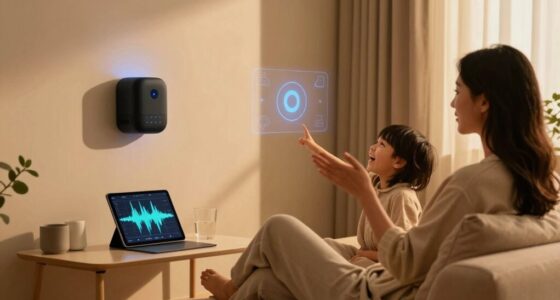
Start with one routine that removes a real irritation. A parent might ask for a kitchen timer while helping a child with homework; someone with low vision might use spoken controls for a lamp and music. Ask the people who will use the system which tasks they want help with, then test the setup together and adjust the words, placement, and backup controls.
Frequently Asked Questions
What is a smart home assistant device, and how does it work?
It is a device or built-in feature that uses assistant software to respond to voice or other commands and connect to compatible services or home products. You might ask a speaker to set a timer or tell a compatible light to switch on. Some requests use cloud services, and the exact setup varies by product.
Will a smart assistant work with my existing lights and thermostat?
Only if the products support the assistant or a compatible integration, and some may need a hub, account, or specific setup. Check the manufacturer’s current compatibility details for your exact models before buying. A shared label does not always mean every feature works across every ecosystem.
What is Matter, and does it make every smart device compatible?
Matter is an industry standard designed to help many smart-home products work across ecosystems. It can simplify compatibility, but support differs by product and feature. Check whether the particular action you want, such as including a device in a routine, works with your assistant.
Are smart speakers always listening, and can I mute them?
Many devices listen for a wake word, but recording and processing behavior depends on the model and settings. Many include a microphone control and settings for reviewing or deleting voice recordings. Check how your device signals mute and what its privacy settings say about stored requests.
Do smart home assistants work without the internet?
Some local controls may continue to work during an outage, but cloud-dependent requests and integrations may stop. The result depends on your devices, network, and setup. Keep a physical switch or another backup for functions your household needs every day.
What should I budget for beyond the speaker?
Include compatible bulbs, plugs, sensors, hubs, installation, and any subscription fees tied to features you want. A basic speaker may be affordable while the complete setup costs more. Price your first routine as a bundle before expanding to additional rooms.
Conclusion
Pick a smart home assistant by starting with one recurring job, then check that your current devices can do it and that you’re comfortable with the privacy settings and full cost. Keep an app or physical control for the moments when voice commands or internet access fail.
A good setup should make a small daily task feel lighter: one spoken timer, one lamp glowing at the right moment, and no mystery about what happens next.