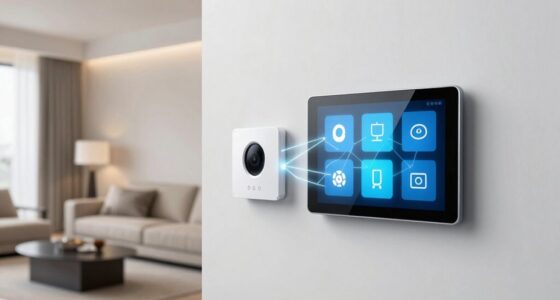
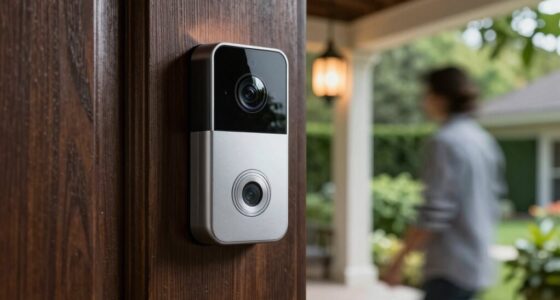
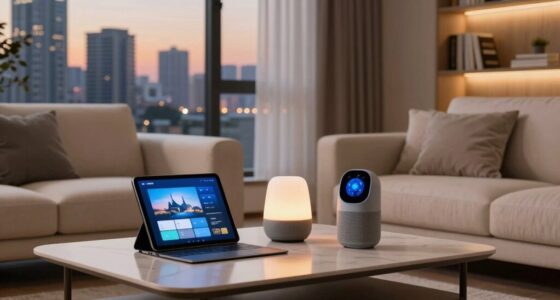
To start your smart home, consider adding a smart plug to control appliances remotely and monitor energy use easily. A smart thermostat helps you save on heating and cooling while keeping your home comfortable. Motion and door sensors boost security by alerting you to activity or openings. Smart lighting controls set the perfect mood and save energy. Finally, choose the right hub to connect everything smoothly. Keep going to discover how these devices come together for an easy setup.

Get the latest gadgets delivered free — and shop member deals
- Fast, free delivery on millions of items
- Access to Prime Big Deal Days deals on October 6–7
- Prime Video, Amazon Music and more included
Key Takeaways
- Start with affordable smart plugs to control appliances remotely and monitor energy usage easily.
- Add a smart thermostat for automatic temperature adjustments and energy savings.
- Install motion and door sensors to enhance security and automate lighting or alerts.
- Incorporate smart lighting controls for customizable ambiance and energy-efficient schedules.
- Choose a compatible hub or platform to ensure seamless device integration and future scalability.
Smart Plugs for Easy Appliance Control

Smart plugs are a simple and affordable way to bring your existing appliances into the smart home ecosystem. With a price around $10, they’re easy to install—no electrical expertise needed. Just plug them into your wall outlet, connect your device, and control everything via a smartphone app or voice commands. You can turn lamps, fans, or coffee makers on and off remotely, making your home more convenient. Many models support energy monitoring, so you can track power usage and cut down on waste. Their compact design ensures they don’t block adjacent outlets. Smart plugs are ideal for beginners because they require minimal setup and are compatible with most voice assistants like Alexa or Google Assistant. They’re a practical first step toward a smarter, more efficient home. Understanding smart home technology can help you make informed choices as you expand your setup. Additionally, many smart plugs are compatible with routines or schedules, allowing for automation that enhances your daily comfort, especially when integrated with other home automation devices.
A Smart Thermostat to Optimize Comfort and Energy Use

A smart thermostat can substantially enhance your home’s comfort while reducing energy costs by learning your routines and adjusting temperatures automatically. It tracks your daily habits, so it knows when you’re home or away, and adjusts heating or cooling accordingly. With a smartphone app, you can set or change temperatures remotely, ensuring your home is always comfortable when you arrive. Many models support voice commands, making control even easier. They also offer customizable schedules to optimize energy use during peak times or when you’re away. Advanced thermostats, like the Ecobee Smart Thermostat Premium, use learning algorithms to fine-tune temperature settings over time, maximizing savings. Installing a smart thermostat is straightforward and provides a simple way to improve comfort and save money on energy bills. Smart HVAC optimization can further enhance your home’s efficiency by intelligently managing your entire climate system. Additionally, proper installation and setup ensure you get the most benefit from your device. Understanding network infrastructure can help you troubleshoot connectivity issues to keep your smart devices functioning smoothly. Moreover, integrating your smart thermostat with energy-efficient European cloud servers can enhance data security and ensure reliable remote access. Considering network security measures can also protect your smart home from potential cyber threats, adding an extra layer of safety.
Motion and Door Sensors for Security and Automation

Motion and door sensors play a crucial role in automating your home’s security and convenience. They detect activity and door openings, triggering actions like turning on lights or alerting you to unexpected movement. Motion sensors are ideal for main living areas, activating lights when you enter or turning off devices when no one’s around. Proper placement enhances their effectiveness and reduces false alarms. Proper placement involves understanding sensor calibration, which can improve accuracy and responsiveness. Additionally, sensor placement strategies can help you optimize coverage and minimize blind spots. Door sensors monitor exterior entrances, providing security by alerting you of unauthorized access or simulating occupancy while you’re away. These sensors operate on low power, often lasting months or years on batteries. They integrate seamlessly with your smart home system, enabling routines such as turning on porch lights at sunset or activating alarms during absences. Easy to install, they make your home safer and more responsive without requiring complex setup or wiring. Developing a good understanding of testing methodologies can help you troubleshoot and optimize your smart home devices for better performance.
Smart Lighting Controls for Ambiance and Convenience

Lighting controls are a simple yet powerful way to enhance your home’s ambiance and daily convenience. With smart lighting, you can customize your environment easily, adjusting brightness and color to match your mood or activity. Set schedules so your lights turn on or off automatically, saving energy and creating a welcoming atmosphere. Voice commands via Alexa, Google Assistant, or Siri make controlling your lights effortless, even from across the room. Dimmable smart bulbs and scene creation let you tailor lighting for reading, relaxing, or entertaining. Installation is straightforward, often requiring no professional help—just screw in the bulbs or replace your switches. These controls give you the flexibility to craft the perfect environment while simplifying everyday routines. Additionally, smart lighting controls leverage automation and connectivity to further improve energy efficiency and security in your home. Incorporating smart home devices can also enhance overall convenience and integration across your household systems.
Choosing the Right Hub or Platform for Your Smart Home

How do you choose the best hub or platform to power your smart home? First, consider compatibility with your existing devices and preferred ecosystem. Second, evaluate whether local control or cloud-based access is more important for your privacy and reliability. Third, think about future scalability—will the platform support new devices and standards as you expand?
Here’s what to keep in mind:
- Compatibility with protocols like Zigbee, Z-Wave, or Matter ensures smoother device integration.
- Ecosystem alignment, such as Apple, Google, or Samsung, simplifies control and automation.
- Support for automation routines and scene management helps customize your smart home experience.
Choosing the right hub sets the foundation for a seamless, reliable smart home tailored to your needs.
Frequently Asked Questions
How Do I Ensure My Smart Devices Are Compatible With Each Other?
To make certain your smart devices work together, check if they support common protocols like Zigbee, Z-Wave, or Matter. Stick to devices from the same ecosystem or platform, such as Apple, Google, or Samsung, to maximize compatibility. Use a smart home hub or controller that supports multiple protocols, and verify device compatibility before purchasing. This way, you create a seamless, integrated smart home experience with devices communicating reliably.
What Is the Typical Cost to Start a Smart Home System?
Starting your smart home journey costs around $50 to $150, a modest investment that unlocks a world of convenience. Think of it as planting seeds for a smarter, more comfortable future. With smart plugs at about $10 each and basic hubs or controllers, you can control lights, appliances, and temperature easily. As you add devices over time, your smart home will grow into a seamless, intuitive haven tailored to your lifestyle.
Can I Control My Smart Home Remotely Without an Internet Connection?
Yes, you can control your smart home remotely without an internet connection if your devices support local control. Using a smart home hub or controller, like Samsung SmartThings or Apple Home, lets you manage devices via your local network. This setup bypasses the internet, ensuring control during outages. However, not all devices offer this feature, so check compatibility before relying solely on local control for remote access.
How Secure Are Smart Home Devices Against Hacking or Unauthorized Access?
Smart home devices can be secure if you take proper precautions. You should change default passwords, keep firmware updated, and use strong, unique passwords for your network. Enable two-factor authentication if available, and avoid connecting devices to public Wi-Fi networks. Regularly monitor device activity and disable unnecessary features. These steps help prevent hacking and unauthorized access, keeping your smart home safer and more private.
Do I Need Technical Skills to Set up and Manage Smart Home Devices?
You don’t need advanced technical skills to set up and manage smart home devices. Most devices come with user-friendly apps and clear instructions, making installation straightforward. You’ll connect devices to your Wi-Fi, follow simple setup steps, and customize settings easily. Voice assistants like Alexa or Google Assistant further simplify control. With a little patience, you can enjoy a smart home without needing technical expertise, gaining convenience and automation effortlessly.
Conclusion
Building your smart home is like opening a door to a new world of convenience and comfort. Start with these five devices, and soon you’ll feel like the conductor of an intelligent symphony, where your home responds seamlessly to your needs. Just as a maestro guides an orchestra, you’ll orchestrate a smarter, more efficient living space—making everyday moments feel effortless and connected. The future of home living is now within your reach.
Fall Picks
fall essentials
As an affiliate, we earn on qualifying purchases.