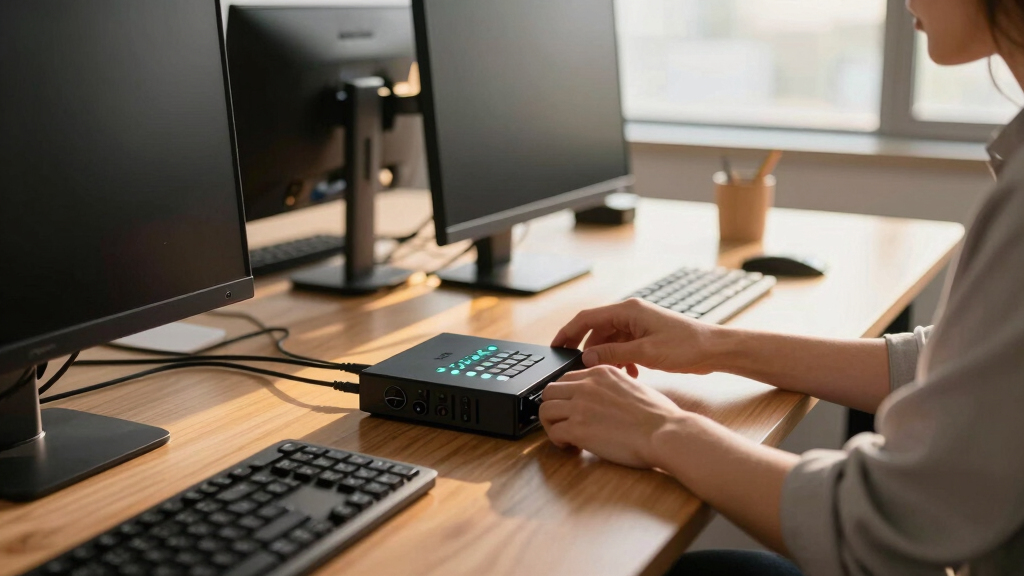

When searching for a kvm switch premium, you’re likely seeking high performance, robust build quality, and seamless multi-device management. The AV Access 8K KVM Switch stands out as the overall best, offering 8K@60Hz support and dual monitors, ideal for demanding professionals. The Hearvo HDMI KVM Switch offers excellent value with reliable 4K performance, while the Ugreen 8K@60Hz HDMI KVM shines for multi-device setups involving multiple computers and monitors. Each option presents a tradeoff: higher-end models provide advanced features but come at a premium, whereas more affordable ones may lack some multi-monitor or USB-C capabilities. Continue reading for a detailed comparison to help you identify the best fit for your needs.
Key Takeaways
- The highest-priced models generally support 8K resolution and multiple monitors, catering to professional or enthusiast users.
- USB-C integration is a key differentiator for modern setups that rely on fast data transfer and power delivery.
- Build quality and ease of switching vary significantly; aluminum enclosures and remote controls add durability and convenience.
- Many premium KVM switches include additional features like EDID management and multi-monitor support, but these can increase complexity and cost.
- Compatibility with different operating systems and peripherals remains critical; not all switches handle every device equally.





More Details on Our Top Picks
AV Access 8K KVM Switch 2 Monitors 2 Computers for Laptop & Gaming PC/Mac mini, 100W PD, GbE, 4xUSB 3.2 10Gbps USB C Hub, KVM Docking Station Dual Monitor 8K@60Hz/4K@165Hz, Audio, SD, Remote Switch
This AV Access model stands out for its ability to support ultra-high resolutions up to dual 8K@60Hz or 4K@165Hz on desktops, which makes it ideal for gamers and content creators who need premium visuals. Compared to the UGREEN 8K@60Hz HDMI KVM Switch, it offers more comprehensive docking features—such as 11-in-1 expansion including SD card slots and Ethernet—making it a versatile hub for productivity and entertainment. However, its complexity means a steeper learning curve, and compatibility issues with macOS are a factor, especially since it only mirrors displays on Macs. This makes it better suited to Windows/Linux users or those who prioritize high refresh rates and multi-functionality without macOS extended mode support. It integrates 100W fast charging via USB-C, supports gigabit Ethernet, and offers wired remote switching, allowing seamless workflow without driver installation. The tradeoff is that it is bulkier and more expensive than simpler KVMs, but it provides a comprehensive, high-performance solution for demanding setups.
Pros:- Supports dual 8K@60Hz and 4K@165Hz for ultra-smooth visuals
- Features 11-in-1 docking with SD, Ethernet, and multiple USB ports
- Full 100W USB-C charging while in use
- Remote switch for seamless toggling between systems
Cons:- High cost and larger footprint compared to basic KVMs
- Limited macOS extended display support (mirror mode only)
- Complex setup with multiple cables and compatibility considerations
Best for: Power users who need dual 8K displays, high refresh rates, and integrated docking features for gaming, streaming, or professional content creation.
Not ideal for: MacBook users requiring extended desktop mode, or buyers seeking a simple, straightforward KVM without docking or high refresh rate support.
- Supports dual 8K@60Hz or 4K@165Hz:Yes
- USB-C Power Delivery:100W
- Docking features:11-in-1 expansion
- Network connectivity:Gigabit Ethernet
- Operation mode:Manual
- Control method:Push button, remote
Bottom line: This option is best for advanced users needing high-resolution, multi-functionality, and seamless switching in demanding professional or gaming environments.
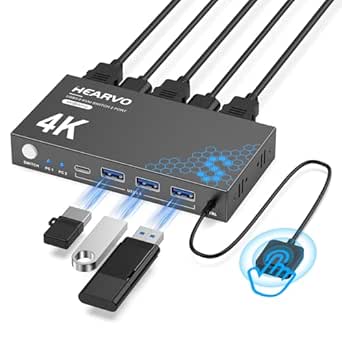
Hearvo USB 3.0 HDMI KVM Switch 1 Monitors 2 Computers, 4K@60Hz KVM Switches for 2 Computers Sharing Monitor Keyboard Mouse Hard Drives Printer, with EDID Adaptive, 2USB Cable and Controller -S7232H
This Hearvo model offers a strong balance of affordability and performance, supporting 4K@60Hz on one monitor with easy switch controls and compatibility across Windows, Mac, and Linux. Compared to the AV Access dual 8K model, it’s simpler and more straightforward, lacking the high refresh rate support but excelling in easy setup and reliable operation for everyday use. Its build quality feels solid with a metal casing and ample cable length, making it suitable for office and home environments. The EDID adaptive feature enhances display stability and color accuracy, which is important for professional tasks. The main tradeoff is that it only supports a single monitor and lacks the multi-function docking capabilities of higher-end models, but its plug-and-play setup and lower price make it appealing for users who need dependable 4K sharing without extra frills.
Pros:- Supports 4K@60Hz resolution with EDID adaptive stability
- Compatible with Windows, Mac, and Linux
- Plug-and-play, driver-free operation
- Solid metal construction with ample cable length
Cons:- Limited to a single monitor and 60Hz refresh rate
- Lacks docking or additional USB expansion features
- No remote control—only button switching
Best for: Small business or home office users who want reliable 4K display sharing with minimal fuss and budget-conscious pricing.
Not ideal for: Gamers or creative professionals requiring high refresh rates or multi-monitor setups with advanced features.
- Supports 4K@60Hz:Yes
- USB Ports:4 (3 USB-A + 1 USB-C)
- Build Material:Metal
- Operation Mode:Button
- Compatibility:Windows, Mac, Linux
- Size:Standard desktop
Bottom line: Ideal for users seeking a reliable, straightforward 4K sharing solution on a budget for everyday work or media tasks.
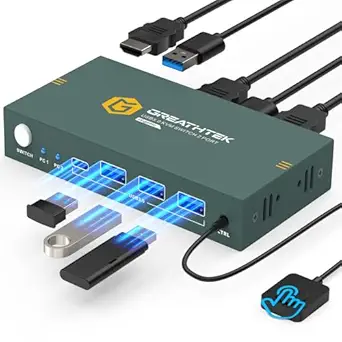
This UGREEN model supports up to 8K@60Hz and 4K@240Hz, making it excellent for high-end setups with multiple devices. It features four HDMI and USB ports, allowing four computers to share a single monitor, keyboard, mouse, and peripherals, with a desktop controller for quick switching. Compared with the Hearvo 4K model, it extends support to higher resolutions and multiple devices, but it requires an external power supply for stable operation. Its aluminum case provides durability, and the bundle of four HDMI and USB cables makes installation straightforward. The main tradeoff is that it’s bulkier and more expensive, and it does not support EDID emulation or hotkeys, which could be limiting for some professional workflows. Nevertheless, it offers a robust, high-resolution multi-device solution suitable for demanding environments.
Pros:- Supports 8K@60Hz and 4K@240Hz resolutions
- Supports up to 4 computers sharing one monitor
- Includes four HDMI and USB cables for easy setup
- Aluminum construction for durability
Cons:- Requires external power supply
- No EDID emulation or hotkey switching
- Bulkier size relative to simpler models
Best for: Professionals or prosumers needing multi-device, high-res display sharing in a compact, durable package.
Not ideal for: Casual users or those seeking a simple, single-computer setup with minimal configuration.
- Supports 8K@60Hz:Yes
- USB Ports:4 (including USB-C)
- Material:Aluminum
- Operation:Manual with desktop controller
- Resolution:8K@60Hz
- Power:External power supply required
Bottom line: Best suited for high-end, multi-device setups requiring ultra-high resolution and durable build quality.
This UGREEN DisplayPort KVM offers support for dual 8K@60Hz displays, making it ideal for professional multi-monitor workflows. It supports two computers sharing two monitors, with four USB 3.0 ports for peripherals, and is constructed with a sturdy aluminum casing. Compared to the HDMI-based models, it’s tailored specifically for DisplayPort setups, which are common in high-end graphics or CAD workstations. Setup is straightforward, with included USB-C and power cables, and the switch is controlled via a desktop controller for convenience. The main tradeoff is that it lacks EDID emulation and hotkey switching, which could affect compatibility or workflow speed for some users. Nonetheless, it’s a solid choice for those needing high-resolution dual display support in a durable, professional-grade device.
Pros:- Supports dual 8K@60Hz displays
- Durable aluminum housing
- Includes four USB 3.0 ports and cables
- Supports high-resolution professional workflows
Cons:- No EDID emulation or hotkeys
- Requires external power supply
- DisplayPort-specific, limiting versatility
Best for: Designers, engineers, or content creators with high-resolution multi-monitor requirements and DisplayPort-compatible equipment.
Not ideal for: Users with HDMI-only setups or seeking hotkey or EDID emulation features for more flexible workflows.
- Supports dual 8K@60Hz:Yes
- USB Ports:4
- Material:Aluminum
- Operation:Controller
- Compatibility:DisplayPort
- Power:External power
Bottom line: Ideal for professionals needing high-resolution dual DisplayPort support with durable hardware in dedicated workflows.
RubiPro HDMI KVM Switch 2 Monitors 2 Computers – Dual Display 8K@60Hz, 4K@120Hz, USB 3.0 Fast Data Transfer, Plug & Play for Windows/Mac/Linux with an Additional 8K HDMI Cable
This KVM switch stands out for its support of dual 8K@60Hz displays, making it ideal for high-end gaming and professional design workflows. Compared to the Hearvo HDMI KVM Switch, it offers higher resolution capabilities and a rugged metal build, but it requires a more complex setup with multiple HDMI connections, which could be daunting for less experienced users. Its true plug-and-play design with remote and manual switching options provides flexibility, and the inclusion of a 12V power adapter ensures stability at high resolutions. However, the setup demands each computer to have dual HDMI outputs, which might not suit laptops or compact desktops. This pick is perfect for power users needing top-tier resolution and dual monitor control. Key specs: supports 8K@60Hz, 4K@120Hz, 4 USB 3.0 ports, rugged metal housing, wired remote, requires 6 HDMI connections, 12V power adapter included.
Pros:- Supports stunning 8K@60Hz resolution for ultra-clear visuals
- Dual monitor capability enhances multitasking and productivity
- Rugged metal housing for durability and 24/7 reliability
- Includes dedicated remote for easy switching
Cons:- Requires multiple HDMI outputs on each computer, limiting compatibility with some laptops
- Setup involves connecting 6 HDMI cables, which can be complex for novices
- Higher cost compared to simpler single-monitor switches
Best for: Professionals and gamers requiring ultra high-resolution dual monitor control in a stable, reliable setup.
Not ideal for: Casual users with laptops lacking multiple HDMI outputs or those seeking a simple single-monitor switch.
Bottom line: This switch is best suited for demanding users needing dual 8K displays and robust hardware, despite its complex setup.
Compared with the Hearvo HDMI KVM Switch, this UGREEN model offers solid 4K@60Hz support at a more affordable price, making it a practical choice for most home or office setups. Its straightforward push-button switching combined with auto EDID makes for a smooth, user-friendly experience, and the 3 USB 3.0 ports facilitate device sharing with fast data transfer. However, it only supports a single monitor and lacks the dual display capability of higher-end options like the RubiPro HDMI KVM. The setup is simple, requiring no drivers or external power, but it limits users needing multi-monitor arrangements. This product is ideal for users who want reliable 4K performance without complex installation or high cost. Key specs: supports 4K@60Hz, 2 HDMI ports, 3 USB 3.0 ports, plug and play, EDID adaptive, no external power needed, push-button control.
Pros:- Supports crisp 4K@60Hz resolution for vivid image quality
- Simple push-button switching for ease of use
- No external power supply required, plug-and-play setup
- Includes 3 USB 3.0 ports for peripheral sharing
Cons:- Limited to one monitor, not suitable for multi-display setups
- No remote control option, less flexible in placement
- Basic build without advanced features for high-end users
Best for: Small office or home users needing a reliable 4K single-monitor switch with minimal fuss.
Not ideal for: Professional content creators or gamers requiring dual monitors or higher resolutions.
Bottom line: This switch offers excellent value for users needing dependable 4K single-monitor switching in a straightforward package.
Jancane 4K HDMI 2 Port KVM Switch, USB, Support UHD 4K@60Hz, No Power Required, Plug & Play
This compact KVM switch excels in portability and ease of use, supporting 4K@60Hz with a simple one-button switch. Its small footprint and included cables make it suitable for desktop setups where space is limited, similar to the Hearvo USB 3.0 HDMI KVM. Unlike larger units, it does not require external power, making installation quick and hassle-free. However, its basic plastic construction and limited ports mean it’s less durable for heavy use and cannot support dual monitors like the RubiPro. It’s an excellent choice for users with space constraints or needing a lightweight, portable solution, but it falls short for demanding multitasking or high-performance workflows. This is ideal for occasional dual monitor control in compact environments. Key specs: 2 HDMI ports, 2 USB ports, 4K@60Hz, plug and play, portable size, no power adapter needed, plastic contact material.
Pros:- Supports 4K@60Hz with vibrant clarity
- Compact and portable design fits on tight desks
- No external power needed, plug-and-play operation
- Includes all necessary cables for quick setup
Cons:- Plastic build may reduce durability over time
- Limited to two monitors and basic features
- Not suitable for intensive multitasking or heavy daily use
Best for: Users who need a small, portable dual-monitor switch for occasional use in limited space.
Not ideal for: Power users or professionals requiring durable, multi-monitor high-resolution setups.
Bottom line: This portable, space-saving switch is perfect for occasional dual monitor use in small, cluttered environments.
GL.iNet Comet Pro (GL-RM10) Remote KVM Over Wi-Fi, Dual Band Wi-Fi 6, 4K@30FPS Passthrough, Touchscreen, 32GB eMMC, Tailscale Support
The GL.iNet Comet Pro introduces a unique, wireless approach to KVM switching, supporting dual-band Wi-Fi 6 and remote management via Tailscale. Unlike traditional hardware-based switches like the Ugreen HDMI KVM, it allows control over multiple systems without physical cables, making it ideal for disaster recovery and remote IT support. Its touchscreen interface simplifies management, and the support for 4K@30FPS video ensures decent visual quality for remote sessions. On the downside, its Wi-Fi dependency introduces latency and potential connectivity issues, and it lacks the multi-monitor capability some high-end switches offer. Its robust security with Tailscale makes it a standout for remote management, but it’s less suitable for high-res gaming or graphics-intensive tasks. This product is perfect for remote control scenarios and disaster recovery, not for high-performance local workflows. Key specs: Wi-Fi 6 dual-band, 4K@30FPS, touchscreen, Tailscale, 32GB eMMC, supports remote access, no physical HDMI connections.
Pros:- Enables remote KVM control over Wi-Fi with dual-band support
- Built-in touchscreen for intuitive device management
- Supports 4K video passthrough and two-way audio
- Secure remote access via Tailscale with encrypted connections
Cons:- Dependent on Wi-Fi, which can introduce latency and instability
- Not suitable for local multi-monitor setups
- Limited to a single control point, no physical HDMI switch
Best for: IT professionals and remote workers needing flexible, cable-free control and disaster recovery capabilities.
Not ideal for: Users requiring high-resolution local multi-monitor setups or low-latency gaming.
Bottom line: This Wi-Fi-based KVM is ideal for remote management and disaster recovery rather than local high-res workflows.
RubiPro HDMI KVM Switch 2 Monitors 2 Computers – Dual Display 8K@60Hz, 4K@120Hz, USB 3.0 Fast Data Transfer, Plug & Play for Windows/Mac/Linux with an Additional 8K HDMI Cable
This KVM switch offers unmatched high-resolution support, including dual 8K@60Hz displays, making it ideal for professional designers or gamers with demanding visual needs. Compared to the Ugreen HDMI KVM, it provides more robust hardware with Genesys Logic chipsets and a rugged metal case, ensuring reliable multi-monitor control around the clock. Its multiple USB 3.0 ports enable fast data sharing, increasing productivity. The setup, however, involves connecting six HDMI cables and a power supply, which may be intimidating for users with less technical experience. Its advanced features come at a higher price point, but the performance justifies the cost for high-end users. This switch is best for those needing top-tier resolution, dual monitor, and high stability in professional environments. Key specs: supports 8K@60Hz, 4K@120Hz, 6 HDMI connections, 4 USB 3.0 ports, rugged metal housing, includes 8K HDMI cable, powered via 12V adapter.
Pros:- Supports stunning dual 8K@60Hz and 4K@120Hz resolutions
- Dual monitor extend/mirror modes for multitasking
- Industry-grade hardware with rugged metal case
- Includes an additional high-quality 8K HDMI cable
Cons:- Requires multiple HDMI connections and external power, complex setup
- Higher cost compared to simpler single-monitor switches
- Setup may be overkill for basic users or casual workflows
Best for: Creative professionals and high-end gamers demanding maximum resolution and dual monitor control.
Not ideal for: Casual users or those with limited HDMI outputs or budget constraints.
Bottom line: This premium dual monitor switch excels in resolution and reliability for high-end professional and gaming setups despite its complex installation.
This KVM switch shines for its ability to handle four computers simultaneously with high-resolution support up to 4K@60Hz, making it ideal for busy multi-device environments. Compared to the UGREEN 8K HDMI KVM Switch, it offers more ports and a straightforward plug-and-play experience, though it lacks HDMI 2.1 compatibility and hotkey switching. The included remote and front buttons provide flexible control, but the absence of hotkeys may slow down quick toggling for power users. Its sturdy design and comprehensive accessories make setup hassle-free, though it doesn’t support EDID emulation or hotkey toggling, which could be drawbacks for advanced users. This model makes sense for professionals needing reliable multi-computer management without fuss. Technical specs include 4 HDMI ports, 3 USB 3.0 ports, plug-in operation, maximum resolution 4K@60Hz, LED indicators, and plug-and-play setup.
Pros:- Supports 4 computers with 4K resolution at 60Hz, ensuring sharp visuals.
- Includes 3 USB 3.0 ports for sharing peripherals like keyboard, mouse, and USB drives.
- Offers flexible switching via front buttons and wired remote, improving workflow.
Cons:- Lacks hotkey switching, which can be inconvenient for frequent toggling.
- Does not support EDID emulation, potentially causing display compatibility issues.
Best for: IT professionals or power users managing multiple computers and monitors in an office environment.
Not ideal for: Gamers or high-end creative professionals requiring 8K support or advanced hotkey features.
- Operation Mode:Plug-and-play
- Max Resolution:4K@60Hz
- Number of Ports:4 HDMI, 3 USB 3.0
- Control Method:Button and remote
- Connectivity Protocol:HDMI
- Material:Metal
- Size:8.3 x 0.9 x 3 inches
Bottom line: This model suits tech-savvy professionals needing robust multi-device control without advanced hotkey or EDID features.
This UGREEN model stands out for supporting three monitors with up to 8K@60Hz resolution, perfect for content creators or high-end workstation setups. Unlike the HDMI-only KVM switches like the Hearvo S7229H, it supports DisplayPort and HDMI simultaneously, making it ideal for complex multi-monitor configurations. Its aluminum casing adds durability and a premium feel, but the setup requires multiple cables, and it doesn’t support hotkeys or EDID emulation, which may limit quick switching and compatibility. The dual switching options—button and desktop controller—enhance usability for extensive multitasking. It’s best suited for users with powerful graphics cards supporting triple monitors at high resolutions. Technical specs include 2 DisplayPort 1.4 ports, 4 USB 3.0 ports, 8K@60Hz support, plug-and-play connectivity, aluminum enclosure, and dual control methods.
Pros:- Supports 8K@60Hz and 4K@240Hz, delivering stunning high-resolution visuals.
- Handles three monitors simultaneously, increasing productivity and immersion.
- Durable aluminum case provides a sleek, sturdy design.
Cons:- Requires multiple cables and power sources, complicating setup.
- Lacks hotkey switching and EDID emulation, limiting quick toggling and compatibility.
Best for: Professional content creators or advanced workstation users managing three monitors at ultra-high resolutions.
Not ideal for: Casual users or gamers focused on HDMI-only setups or lower resolutions.
- Max Resolution:8K@60Hz, 4K@240Hz
- Ports:2 DisplayPort 1.4, 2 HDMI, 4 USB 3.0
- Switching:Button and desktop controller
- Material:Aluminum
- Supported Devices:PC, Mac, Linux
- Plug & Play:Yes
- Size:Large
Bottom line: Ideal for power users with demanding multi-monitor setups who prioritize high resolution over quick switching features.
UGREEN HDMI KVM Switch 2 Monitors 2 Computers 4K@60Hz, with 4 USB 3.0 Ports for 2 Computers Sharing 2 Monitors Keyboard Mouse Printer with 4 HDMI Cables, 2 USB Cables, Power Adapter and Controller
This UGREEN HDMI KVM switch offers a reliable solution for managing two computers with dual displays at 4K@60Hz, making it well-suited for home offices or small workstations. Compared to multi-monitor setups like the Displayport model, it simplifies the connection process and includes all necessary cables, ensuring immediate usability. The device supports hotkey switching and a wired remote, providing quick toggling, but it does not support EDID emulation, which could cause display compatibility issues in some configurations. Its compact size and included accessories make installation straightforward, though it’s limited to two monitors and doesn’t support higher resolutions like 8K. Best for users needing a straightforward dual-monitor setup with minimal fuss. Technical specs include 2 HDMI ports, 4 USB 3.0 ports, plug-and-play operation, 4K@60Hz support, and included cabling.
Pros:- Supports 4K@60Hz resolution for clear, sharp images.
- Includes all necessary cables for quick setup, reducing additional purchases.
- Supports hotkey and remote switching for convenience.
Cons:- Limited to two monitors and two computers, less flexible for complex workflows.
- No EDID emulation, which might cause display compatibility issues.
Best for: Home office workers or small business users needing dual-monitor support for two computers.
Not ideal for: High-end creatives or gamers requiring 8K resolution or multi-monitor configurations beyond two screens.
- Max Resolution:4K@60Hz
- Number of Monitors:2
- Number of PCs:2
- USB Ports:4 USB 3.0
- Switching Method:Button, remote
- Included Cables:4 HDMI, 2 USB
- Size:Compact
Bottom line: Perfect for users seeking a simple, reliable dual-monitor KVM solution for everyday work tasks.
This DisplayPort KVM switch excels in high-resolution sharing with support for 8K@60Hz, making it ideal for graphic professionals and high-end workstation setups. Unlike HDMI-only switches such as the UGREEN HDMI KVM, it supports DP1.4 and offers dual control options, including a desktop controller and driver-free operation. However, setup requires multiple cables and compatibility depends heavily on all devices supporting 8K, limiting its usability for less powerful systems. Its dual USB ports (3 USB-A, 1 USB-C) support fast data transfer and peripheral sharing, but it does not support hotkeys or EDID emulation. This makes it best suited for advanced users with demanding display needs and compatible hardware. Technical specs include 2 DP ports, 4 USB 3.0 ports, 8K@60Hz support, driver-free operation, includes cables, and dual control options.
Pros:- Supports ultra-high resolutions up to 8K@60Hz, perfect for professional workflows.
- Includes necessary cables for immediate setup, reducing extra purchases.
- Supports dual control with a desktop controller and driver-free operation.
Cons:- Requires all connected devices to support 8K, limiting compatibility.
- Setup is cable-intensive and relies on device support, which can be restrictive.
Best for: Creative professionals or high-end users needing 8K display sharing between two computers.
Not ideal for: Casual users or those with lower-resolution requirements, as setup is more complex and device compatibility is critical.
- Max Resolution:8K@60Hz
- Ports:2 DisplayPort 1.4, 4 USB 3.0
- Switching:Controller and driver-free
- Cabling:2 DP cables, 2 USB A to C
- Material:Plastic/Metal
- Supported Devices:PC, Mac
- Size:Compact
Bottom line: Best suited for high-end professionals with compatible hardware who need ultra-high-resolution sharing and flexible control options.

How We Picked
The products were evaluated based on performance, build quality, versatility, and user interface ease. Priority was given to switches supporting high resolutions like 4K and 8K, as well as multi-monitor configurations. We also considered input/output options, USB port availability, and additional features like remote switching or EDID management. Price was a factor, but only in relation to the features offered; the most expensive models were assessed for their professional-grade capabilities. The ranking reflects a balance between top-tier performance and practical usability for demanding setups, favoring products that deliver reliable, high-quality connections with minimal latency.Factors to Consider When Choosing Kvm Switch Premium
Choosing a premium KVM switch involves assessing your specific technical needs and workspace setup. The right model should match your resolution requirements, monitor count, and peripheral connectivity. Beyond raw features, consider how user-friendly the switch is—whether it offers remote control, quick switching, or advanced management options. Compatibility with your operating system and peripherals can prevent frustrating mismatches later. Finally, evaluate build quality and support options, especially for professional environments where reliability is critical. Being aware of these factors helps avoid common pitfalls like overpaying for unneeded features or buying incompatible hardware.Resolution and Multi-Monitor Support
High-resolution support, such as 4K or 8K, is essential for professional workflows involving detailed visuals or video editing. Multi-monitor support, whether dual or triple, is crucial for users who need extensive screen real estate. When selecting, ensure the switch explicitly supports your desired resolution and monitor count—some models support only 4K, while others extend to 8K or multiple displays. Keep in mind that higher resolutions and more monitors typically demand more advanced hardware and might result in higher costs or setup complexity.Connectivity and Compatibility
A premium KVM switch should seamlessly connect with your existing devices, including USB peripherals, audio, and networking. USB-C ports are increasingly important for modern setups, as they combine data, video, and power delivery. Compatibility across operating systems like Windows, Mac, and Linux varies; verifying support prevents future headaches. Additionally, check whether the switch supports your specific monitor inputs—HDMI, DisplayPort, or VGA—and whether it can handle the bandwidth required for your resolution and refresh rate.Ease of Use and Management Features
Switching between computers should be as effortless as possible, particularly for professional use. Features like remote control, hotkey switching, or physical buttons can significantly enhance usability. Advanced switches may include EDID management to ensure proper display resolution and color fidelity across devices. For multi-monitor setups, look for switches that support independent or synchronized switching, depending on your workflow. Complex configurations benefit from switches with clear indicator lights or onboard displays for status updates.Build Quality and Support
Durability matters in a premium device. Aluminum enclosures and high-quality connectors reduce wear and tear over time. Reliable switches also come with solid warranties and accessible customer support, especially for professional environments. Consider whether the model offers firmware updates or remote management tools, which can extend its lifespan and functionality. In environments where uptime is critical, these factors can justify a higher investment in a more robust product.Price and Value
Higher prices often reflect advanced features like multi-monitor support, 8K resolution, or extensive port options. However, it’s important to weigh these features against your actual needs; overpaying for capabilities you won’t use adds unnecessary expense. Conversely, opting for a less capable switch might save money initially but could lead to frustrations or limitations down the line. Look for a balance where the features match your current and foreseeable future requirements, ensuring long-term satisfaction and value.Frequently Asked Questions
Can a premium KVM switch support 8K resolution and multiple monitors simultaneously?
Yes, many premium KVM switches are designed to support 8K resolution at 60Hz and multiple monitors, making them suitable for high-end professional setups. However, not all models handle this level of performance, so it’s important to verify the specifications carefully. Supporting multiple monitors often requires more advanced hardware, and some switches may limit resolution or refresh rate when multiple displays are connected. Always check compatibility with your graphics hardware and ensure your cables and monitors also support the desired resolution for a seamless experience.What should I prioritize: more USB ports or higher resolution support?
Your priority depends on your workflow. If you rely heavily on peripherals like external drives, printers, or audio devices, then more USB ports are vital. Conversely, if your work involves high-resolution video editing, gaming, or detailed design work, then higher resolution support, such as 4K or 8K, should take precedence. Ideally, a premium switch balances both, but if you must choose, consider which aspect directly impacts your productivity or experience. Keep in mind that some high-end models offer both, though often at a higher cost.Are remote control or hotkey switching essential in a premium KVM switch?
Remote control and hotkey switching significantly improve convenience, especially if you frequently switch between multiple computers. Remote controls allow switching from a distance, which is useful in cluttered or hard-to-reach setups. Hotkeys provide quick access without needing to physically press buttons, streamlining workflow. While not strictly necessary for all users, these features can enhance efficiency and reduce wear on physical buttons. For professional environments or busy workstations, they often justify the extra cost and complexity.How important is build quality in choosing a premium KVM switch?
Build quality directly influences the device’s longevity and reliability, especially in demanding environments. A sturdy aluminum enclosure and high-quality connectors resist wear and environmental stress, preventing issues like loose connections or damage. Premium switches with solid construction often include better shielding against interference, ensuring signal integrity. Investing in a well-built switch reduces maintenance and replacement costs over time, providing peace of mind for critical workflows and long-term setups.Should I consider additional features like EDID management or firmware updates?
Features like EDID management are valuable in ensuring consistent resolution and color accuracy across multiple devices, which is especially important in professional graphics or video work. Firmware updates can add support for new devices, fix bugs, or improve performance, extending the product’s lifespan. While these features may increase initial cost, their benefits in stability and future-proofing often outweigh the price difference. For high-end professional setups, prioritizing switches with these capabilities can lead to a smoother, more reliable experience.Conclusion
For most users seeking the best overall experience, the AV Access 8K KVM Switch offers unmatched performance with 8K support and dual monitors, making it ideal for professionals requiring top-tier quality. Those on a tighter budget but still demanding high resolution might find the Hearvo HDMI KVM Switch to be the best value. For users needing extensive multi-monitor setups, the UGREEN 8K@60Hz DisplayPort KVM handles three displays with ease. Beginners or less demanding setups can opt for simpler, more affordable models, while power users should consider premium features like remote control, EDID management, and durable build quality. Tailoring your choice to your workflow and setup ensures a seamless, future-proof investment.