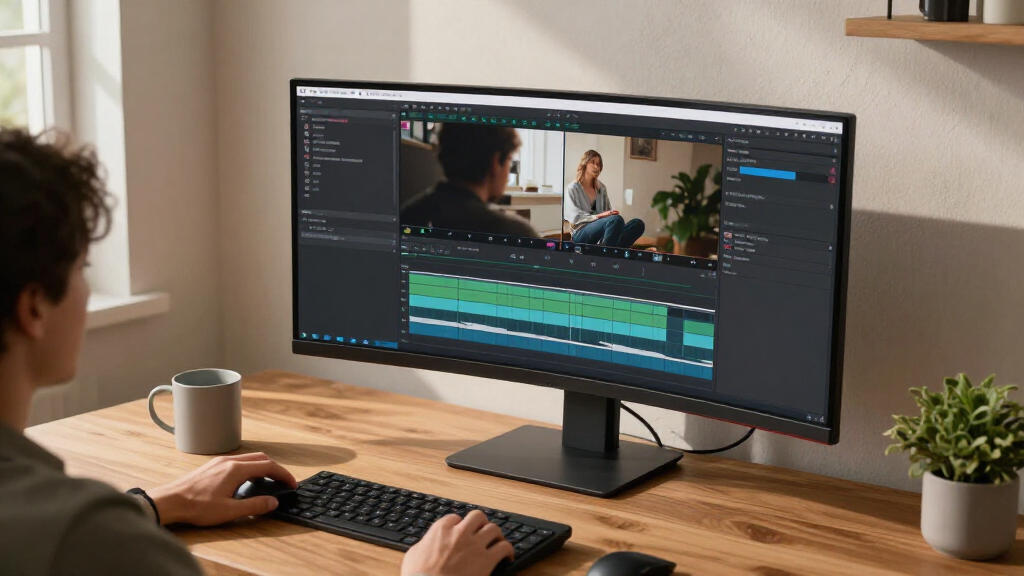

The best ultrawide monitors balance screen space, image quality, and the graphics power needed to drive a wider display. My best overall pick is the Samsung Odyssey G9 G91F, which pairs a 49-inch, 32:9 screen with Dual QHD resolution for an expansive gaming and multitasking setup. For extreme detail and scale, the Samsung Odyssey Neo G9 57-inch stands out, while the Dell S3425DW offers a more manageable 34-inch format for mixed everyday use. The main tradeoffs are screen size versus desk space, refresh rate versus GPU demands, and OLED contrast versus the comfort of less specialized panels. Continue reading for the full breakdown and advice on choosing the right fit.

Get the latest gadgets delivered free with Prime
- Fast, free delivery on millions of items
- Prime Video, Amazon Music and more included
- Member-only deals all year
Complete the kit



Key Takeaways
- The Samsung Odyssey G9 G91F is my best overall pick because its 49-inch Dual QHD format offers substantial workspace without the extreme demands of the 57-inch Neo G9.
- The 57-inch Samsung Odyssey Neo G9 is the scale-and-detail choice, but its Dual UHD resolution calls for a powerful graphics card and a very large desk.
- Thirty-four-inch UWQHD monitors are the practical middle ground: models from LG, Dell, Samsung, SANSUI, and Sceptre give up some width for easier placement and lower system demands than 49- and 57-inch screens.
- Refresh rates vary widely across this lineup, from productivity-oriented displays to 165Hz and 200Hz gaming models; buyers should match speed to their games and PC rather than chase the largest number.
- Panel and connection choices change the recommendation: the Samsung OLED G9 prioritizes OLED contrast, while the Samsung USB-C model and several LG options are more relevant to laptop-based work setups.
| INNOCN 49C1G 49-Inch Curved Ultrawide Gaming Monitor |  | Best for 32:9 Multitasking | Screen size: 49 inches | Panel type: VA | Aspect ratio: 32:9 | VIEW LATEST PRICE | See Our Full Breakdown |
| Samsung 40-inch Odyssey G7 (G75F) Series WUHD Curved Gaming Monitor |  | Best for High-Resolution Gaming | Screen size: 40 inches | Aspect ratio: 21:9 | Resolution: 3840 × 1600 | VIEW LATEST PRICE | See Our Full Breakdown |
| LG 34U650A-B 34-Inch Curved UltraWide WQHD IPS Monitor |  | Best for Laptop-Based Work | Screen size: 34 inches | Display type: Curved IPS | Aspect ratio: 21:9 | VIEW LATEST PRICE | See Our Full Breakdown |
| SANSUI 34-Inch Curved UWQHD Gaming Monitor, 200Hz |  | Best for High-Refresh Gaming on a 34-Inch Screen | Screen size: 34 inches | Panel type: VA LCD | Aspect ratio: 21:9 | VIEW LATEST PRICE | See Our Full Breakdown |
| Samsung 57-Inch Odyssey Neo G9 Dual UHD Curved Gaming Monitor (G95NC) |  | Best Premium Super-Ultrawide | Screen size: 57 inches | Resolution: Dual UHD | Curvature: 1000R | VIEW LATEST PRICE | See Our Full Breakdown |
| Samsung Odyssey G9 G91F 49-Inch DQHD Curved Gaming Monitor |  | Best for Fast-Paced Super-Ultrawide Gaming | Screen size: 49 inches | Resolution: DQHD | Aspect ratio: 32:9 | VIEW LATEST PRICE | See Our Full Breakdown |
| Samsung 34-Inch Odyssey G5 Ultra-Wide Curved Gaming Monitor |  | Best 34-Inch Pick for Competitive Gaming | Screen size: 34 inches | Resolution: WQHD | Panel type: VA | VIEW LATEST PRICE | See Our Full Breakdown |
| Samsung 49-Inch Curved Dual QHD Ultrawide Monitor with USB-C |  | Best for USB-C Workstation Setups | Screen size: 49 inches | Resolution: Dual QHD | Aspect ratio: 32:9 | VIEW LATEST PRICE | See Our Full Breakdown |
| Deco Gear 49″ Super Ultrawide Curved Monitor, 5120×1440, 5K2K, 120Hz, 32:9 |  | Best for Multi-Device Productivity | Screen size: 49 inches | Aspect ratio: 32:9 | Resolution: 5120×1440 (5K DQHD) | VIEW LATEST PRICE | See Our Full Breakdown |
| Samsung 49-inch Odyssey OLED G9 (G91SD) Dual QHD QD-OLED Curved Gaming Monitor |  | Best Premium OLED Gaming Pick | Screen size: 49 inches | Display technology: QD-OLED | Resolution: 5120 × 1440 (Dual QHD) | VIEW LATEST PRICE | See Our Full Breakdown |
| Dell S3425DW 34-Inch Curved WQHD Monitor |  | Best for One-Cable Work-and-Play Setups | Screen size: 34 inches | Resolution: 3440 × 1440 | Aspect ratio: 21:9 | VIEW LATEST PRICE | See Our Full Breakdown |
| Sceptre 34-Inch Curved Ultrawide WQHD Gaming Monitor, C345B-QUT168 |  | Best for High-Refresh Gaming on a Conventional Setup | Screen size: 34 inches | Resolution: 3440 × 1440 | Aspect ratio: 21:9 | VIEW LATEST PRICE | See Our Full Breakdown |
| LG 34U60ZB-B 34-Inch Curved UltraWide WQHD 120Hz Monitor |  | Best for Adjustable Everyday Multitasking | Screen size: 34 inches | Resolution: 3440 × 1440 (WQHD) | Aspect ratio: 21:9 | VIEW LATEST PRICE | See Our Full Breakdown |
| Samsung ViewFinity S50GC 34-Inch Ultra-WQHD Monitor |  | Best for Multiple-Source Multitasking | Screen size: 34 inches | Resolution: Ultra-WQHD | Aspect ratio: 21:9 | VIEW LATEST PRICE | See Our Full Breakdown |
| LG 34WR55QK-B 34-inch UltraWide WQHD Curved Computer Monitor |  | Best for a USB-C Office Dock | Screen size: 34 inches | Resolution: 3440 × 1440 (WQHD) | Aspect ratio: 21:9 | VIEW LATEST PRICE | See Our Full Breakdown |
| ultrawide monitor | Screen size | Resolution | Refresh rate | Aspect ratio |
|---|---|---|---|---|
| INNOCN 49C1G 49-Inch Curved Ul | 49 inches | 3840 × 1080 | Up to 144 Hz | 32:9 |
| Samsung 40-inch Odyssey G7 | 40 inches | 3840 × 1600 | 180 Hz | 21:9 |
| LG 34U650A-B 34-Inch Curved Ul | 34 inches | 3440 × 1440 | 100 Hz | 21:9 |
| SANSUI 34-Inch Curved UWQHD Ga | 34 inches | 3440 × 1440 | 200 Hz | 21:9 |
| Samsung 57-Inch Odyssey Neo G9 | 57 inches | Dual UHD | 240 Hz | — |
| Samsung Odyssey G9 G91F 49-Inc | 49 inches | DQHD | 144Hz | 32:9 |
| Samsung 34-Inch Odyssey G5 Ult | 34 inches | WQHD | 165Hz | — |
| Samsung 49-Inch Curved Dual QH | 49 inches | Dual QHD | 120Hz | 32:9 |
| Deco Gear 49" Super Ultrawide | 49 inches | 5120×1440 (5K DQHD) | 120Hz | 32:9 |
| Samsung 49-inch Odyssey OLED G | 49 inches | 5120 × 1440 (Dual QHD) | 144Hz | 32:9 |
| Dell S3425DW 34-Inch Curved WQ | 34 inches | 3440 × 1440 | 120Hz | 21:9 |
| Sceptre 34-Inch Curved Ultrawi | 34 inches | 3440 × 1440 | Up to 165Hz listed | 21:9 |
| LG 34U60ZB-B 34-Inch Curved Ul | 34 inches | 3440 × 1440 (WQHD) | 120Hz | 21:9 |
| Samsung ViewFinity S50GC 34-In | 34 inches | Ultra-WQHD | 100Hz | 21:9 |
| LG 34WR55QK-B 34-inch UltraWid | 34 inches | 3440 × 1440 (WQHD) | 100Hz | 21:9 |
More Details on Our Top Picks
INNOCN 49C1G 49-Inch Curved Ultrawide Gaming Monitor
The INNOCN 49C1G suits buyers who want one screen for side-by-side windows and gaming without moving up to a high-resolution Dual UHD panel. Its 49-inch, 32:9 display gives you two broad work areas, while 144Hz with Adaptive-Sync supports smoother play than a standard office monitor. Compared with the Samsung Odyssey G7 40-inch, it offers more horizontal room but less vertical resolution and a lower refresh ceiling. USB-C power delivery of up to 65W can simplify a laptop setup, though it may not cover higher-powered laptops as well as the LG 34U650A-B’s 96W connection. The main compromise is the 3840 × 1080 resolution: stretched across this much screen, it offers less fine detail than the 3440 × 1440 34-inch models. Its size also calls for a wide desk.
Pros:- 32:9 screen accommodates multiple windows without a center bezel
- 144Hz refresh rate and Adaptive-Sync support smoother gaming
- USB-C supplies up to 65W of laptop power
- Height, tilt, and swivel adjustments plus PIP/PBP
Cons:- 3840 × 1080 resolution provides less vertical detail than 3440 × 1440 or Dual UHD alternatives
- 49-inch width takes substantial desk space
- 65W USB-C charging may be insufficient for some higher-powered laptops
Best for: Multitaskers who want two broad desktop work areas, plus a high-refresh screen for gaming, and have room for a 49-inch monitor.
Not ideal for: Buyers who prioritize sharp text, detailed vertical workspace, or a compact desk setup; the 3840 × 1080 resolution and wide footprint may frustrate them.
- Screen size:49 inches
- Panel type:VA
- Aspect ratio:32:9
- Resolution:3840 × 1080
- Refresh rate:Up to 144 Hz
- Curvature:1800R
- USB-C power delivery:Up to 65 W
- HDR:HDR400
Our verdict“Choose the INNOCN if you want expansive 32:9 multitasking and 144Hz gaming more than high pixel density or a compact setup.”
Samsung 40-inch Odyssey G7 (G75F) Series WUHD Curved Gaming Monitor
The Samsung Odyssey G7 40-inch is a strong fit for gamers who want ultrawide immersion without accepting the lower pixel density of the INNOCN 49C1G. Its 3840 × 1600 resolution adds substantial vertical detail for games and desktop work, while the 180Hz refresh rate and 1ms response time are geared toward fast motion. The 1000R curve wraps more tightly around the viewer than the LG 34U650A-B’s 3800R curve, creating a more enveloping position at a close viewing distance. VESA DisplayHDR 600 also gives it a higher stated HDR tier than the LG’s HDR10 support, though that label alone does not describe every aspect of image quality. The tradeoff is practical: a 40-inch curved display needs desk space, and the listed specifications provide less information about connectivity and stand adjustment than several alternatives here.
Pros:- 3840 × 1600 resolution combines ultrawide width with more vertical detail than 1080-pixel models
- 180Hz refresh rate supports fluid gameplay
- 1ms GtG response time is suited to fast-moving games
- 1000R curve and VESA DisplayHDR 600 are aimed at immersive viewing
Cons:- 40-inch curved screen can be difficult to fit on smaller desks
- Tighter 1000R curve may not suit viewers who prefer a gentler viewing arc
- Provided specifications do not list connectivity or stand adjustments
Best for: PC gamers who want a high-resolution 21:9 display, fast refresh, and a pronounced curve for a close, immersive setup.
Not ideal for: Buyers with shallow or narrow desks, or shoppers who need confirmed USB-C laptop charging and extensive connectivity details before choosing.
- Screen size:40 inches
- Aspect ratio:21:9
- Resolution:3840 × 1600
- Curvature:1000R
- Refresh rate:180 Hz
- Response time:1 ms GtG
- HDR:VESA DisplayHDR 600
Our verdict“Pick the Odyssey G7 if you want more detail and a faster gaming display than the INNOCN, and have space for its deep curve and large footprint.”
LG 34U650A-B 34-Inch Curved UltraWide WQHD IPS Monitor
The LG 34U650A-B is the work-focused choice in this group, especially for someone who wants a tidy laptop setup rather than a 200Hz gaming screen. Its USB-C connection delivers up to 96W while carrying display and data, giving it more charging headroom than the INNOCN 49C1G’s 65W USB-C. The 34-inch 3440 × 1440 IPS panel also gives ordinary office work more vertical detail than the INNOCN’s 3840 × 1080 format, in a less imposing size. A 100Hz refresh rate is a step up from basic office displays, but the SANSUI 34-inch reaches 200Hz and is the clearer pick for high-frame-rate gaming. The LG’s gentle 3800R curve, HDR10, and adjustable stand suit mixed work and entertainment; its 5ms response time and built-in speakers are less compelling for competitive gaming or serious audio.
Pros:- USB-C handles display and data while delivering up to 96W of laptop charging
- 3440 × 1440 resolution offers more vertical workspace than the INNOCN 49C1G
- IPS panel and up to 99% sRGB coverage suit general work and color-conscious tasks
- 100Hz refresh rate and height, tilt, and swivel adjustments
Cons:- 100Hz refresh rate is below the SANSUI 34-inch’s 200Hz gaming focus
- 5ms response time is less suited to fast competitive play
- Built-in speakers may not meet buyers’ audio needs
Best for: Laptop-based professionals who want a 34-inch ultrawide for documents and multiple apps, with a single USB-C cable providing display, data, and substantial charging.
Not ideal for: Competitive gamers seeking very high refresh rates or buyers who need built-in speakers to replace a dedicated audio setup.
- Screen size:34 inches
- Display type:Curved IPS
- Aspect ratio:21:9
- Resolution:3440 × 1440
- Refresh rate:100 Hz
- Response time:5 ms
- USB-C charging:Up to 96 W
- HDR:HDR10
Our verdict“Choose the LG if your priority is a sharp, laptop-friendly work display with generous USB-C charging rather than maximum gaming speed.”
SANSUI 34-Inch Curved UWQHD Gaming Monitor, 200Hz
The SANSUI 34-inch makes the strongest case here for a dedicated high-refresh ultrawide gaming setup without moving to a huge 49- or 57-inch screen. Its 3440 × 1440 resolution at 200Hz pairs detailed 21:9 gameplay with a refresh rate well above the LG 34U650A-B’s 100Hz. A stated 1ms response time and FreeSync support target responsive motion, while the VA panel’s 3000:1 contrast ratio is a useful match for darker scenes. It is less convenient as an all-purpose workstation than the LG: there is no USB-C, no built-in speaker, and its stand only tilts, rather than offering height adjustment. The 1500R curve is more pronounced than the LG’s 3800R, and its gaming-oriented speed comes with 300-nit brightness.
Pros:- 200Hz refresh rate exceeds the LG 34U650A-B’s 100Hz for high-frame-rate gaming
- 3440 × 1440 resolution preserves detail across the ultrawide screen
- 1ms response time and FreeSync support responsive, synchronized play
- Two HDMI 2.1 ports and DisplayPort 1.4 provide multiple video inputs
Cons:- Stand adjusts for tilt only, with no height or swivel adjustment
- No built-in speakers or USB-C connection
- 300-nit brightness may limit the impact of HDR content
Best for: PC gamers who want a 34-inch 1440p ultrawide with a high refresh rate and can supply their own speakers and monitor arm or riser.
Not ideal for: Laptop users who want one-cable USB-C charging, buyers who need height-adjustable ergonomics out of the box, or anyone relying on built-in audio.
- Screen size:34 inches
- Panel type:VA LCD
- Aspect ratio:21:9
- Resolution:3440 × 1440
- Refresh rate:200 Hz
- Response time:1 ms
- Curvature:1500R
- Brightness:300 nits
- Adaptive sync:FreeSync
Our verdict“Choose the SANSUI over the LG if gaming speed matters most; choose the LG instead for USB-C convenience, stronger laptop charging, and a more adjustable stand.”
Samsung 57-Inch Odyssey Neo G9 Dual UHD Curved Gaming Monitor (G95NC)
The Samsung Odyssey Neo G9 is the most ambitious option in this batch: a 57-inch Dual UHD screen designed to combine enormous desktop space with top-tier gaming features. Its 1000R curve, Quantum Mini LED backlight, and 2,392 local dimming zones give it a much more elaborate picture and lighting system than the INNOCN 49C1G, while 240Hz and 1ms GtG target fast gameplay. Picture-by-Picture can also make the wide panel useful for a multi-source workstation. That scale has real costs beyond desk space: running Dual UHD at 240Hz calls for compatible graphics hardware and connections, including attention to its DisplayPort 2.1 or HDMI 2.1 inputs. It is a specialized, demanding setup, not a practical upgrade for someone who simply needs a standard 34-inch ultrawide like the LG.
Pros:- 57-inch Dual UHD workspace combines substantial screen area and high resolution
- 240Hz refresh rate and 1ms GtG response time support fast gaming
- Quantum Mini LED backlighting with 2,392 local dimming zones
- DisplayHDR 1000, FreeSync Premium Pro, and Picture-by-Picture support
Cons:- Very large display requires a substantial desk and careful setup planning
- Full Dual UHD at 240Hz depends on compatible graphics hardware and connections
- Scale and feature set may be excessive for buyers seeking a conventional 34-inch ultrawide
Best for: Enthusiast gamers and multi-source workstation users with a very large desk and graphics hardware capable of driving a Dual UHD display at high refresh rates.
Not ideal for: Buyers with limited desk space, modest graphics hardware, or no need for a screen that spans an exceptionally wide field of view.
- Screen size:57 inches
- Resolution:Dual UHD
- Curvature:1000R
- Refresh rate:240 Hz
- Response time:1 ms GtG
- Panel technology:Quantum Mini LED
- Local dimming zones:2,392
- HDR:VESA DisplayHDR 1000
- Video inputs:DisplayPort 2.1, HDMI 2.1
Our verdict“Choose the Neo G9 if you have the space and hardware to use its Dual UHD 240Hz display; otherwise, the smaller Samsung Odyssey G7 is a more manageable gaming option.”
Samsung Odyssey G9 G91F 49-Inch DQHD Curved Gaming Monitor
The Odyssey G9 G91F is the gaming-focused 49-inch pick for buyers who want a 32:9 field of view without stepping up to an OLED panel. Its 144Hz refresh rate, 1ms response time, and FreeSync Premium Pro support smooth play, while DisplayHDR 600 gives it a stronger HDR specification than the HDR10 support on the smaller Samsung Odyssey G5. The pronounced 1000R curve helps bring the broad screen into view, and split-screen and Picture-in-Picture can keep other sources accessible. The tradeoff is its imposing footprint: this needs substantially more desk width than a 34-inch ultrawide, and the OLED G9 offers a more premium display approach with an even faster stated response time. Choose this model for expansive, high-refresh gaming; skip it if desk space or OLED contrast is a priority.
Pros:- 49-inch 32:9 DQHD screen creates an expansive gaming and multitasking workspace
- 144Hz refresh rate and 1ms response time support responsive motion
- FreeSync Premium Pro helps reduce tearing and choppiness
- Picture-in-Picture and split-screen make it easier to view multiple sources
Cons:- The 49-inch width demands substantial desk space
- The 1000R curve may feel pronounced for buyers who prefer a flatter display
- Unlike the Samsung Odyssey OLED G9, this model does not use an OLED panel
Best for: PC gamers with a deep, wide desk who want a 49-inch 32:9 screen, high refresh rate, and adaptive sync.
Not ideal for: Buyers with compact desks or those prioritizing OLED image characteristics over a large conventional gaming display.
- Screen size:49 inches
- Resolution:DQHD
- Aspect ratio:32:9
- Curvature:1000R
- Refresh rate:144Hz
- Response time:1ms
- HDR:DisplayHDR 600
- Adaptive sync:AMD FreeSync Premium Pro
Our verdict“Choose the Odyssey G9 G91F if you want a fast, curved 49-inch gaming canvas and have room for its considerable width.”
Samsung 34-Inch Odyssey G5 Ultra-Wide Curved Gaming Monitor
The 34-inch Odyssey G5 is a more desk-friendly way to get a curved ultrawide gaming screen than the 49-inch Samsung Odyssey G9 G91F. Its 165Hz refresh rate is the highest listed among these five models, making it the clearest fit for players who value fluid motion over a huge, dual-monitor-style canvas. WQHD resolution and a 1000R curve keep the view immersive, while FreeSync Premium is designed to reduce tearing. HDR10 is included, but the provided specifications do not establish the stronger DisplayHDR level listed for the G91F, and its 1ms figure is specifically MPRT. The steep curve can also take up more visual space than some buyers want. Pick the G5 for high-refresh gaming in a less extreme size; look to a 49-inch option for broader multitasking.
Pros:- 165Hz refresh rate suits fast-moving games
- 34-inch WQHD ultrawide is less desk-dominating than the 49-inch models
- 1000R curve provides an enveloping viewing shape
- FreeSync Premium helps reduce tearing and stutter
Cons:- 1000R curvature may feel too aggressive for general office work
- HDR support is listed as HDR10, without a DisplayHDR tier in the provided specifications
- The 1ms response figure is MPRT rather than an unspecified response-time measure
Best for: Competitive PC gamers seeking a 34-inch curved ultrawide with a 165Hz refresh rate and adaptive sync.
Not ideal for: Buyers who need a 49-inch workspace, a flatter viewing surface, or HDR performance beyond the listed HDR10 support.
- Screen size:34 inches
- Resolution:WQHD
- Panel type:VA
- Curvature:1000R
- Refresh rate:165Hz
- Response time:1ms MPRT
- Adaptive sync:AMD FreeSync Premium
- HDR:HDR10
Our verdict“Pick the Odyssey G5 if your priority is high-refresh, curved ultrawide gaming in a more manageable 34-inch format.”
Samsung 49-Inch Curved Dual QHD Ultrawide Monitor with USB-C
This Samsung 49-inch model makes the most sense as a wide desktop hub, not as the most gaming-oriented option in this group. Its Dual QHD, 32:9 screen gives users room to arrange several windows side by side, and USB-C with 90W charging can connect and power a compatible laptop through one cable. That is a more substantial laptop-docking feature than the Deco Gear 49-inch’s listed 65W USB-C power delivery. The 120Hz refresh rate keeps scrolling and casual gaming fluid, though it trails the 144Hz Samsung G91F and the 165Hz Odyssey G5. DisplayHDR 400 and built-in speakers add convenience, but neither makes this the lineup’s specialist for high-end HDR or gaming. Its size remains the central compromise: it needs a wide desk and the space to use a full 32:9 layout.
Pros:- Dual QHD 32:9 panel provides room for multiple full-size work windows
- USB-C supports up to 90W charging for compatible laptops
- 120Hz refresh rate makes everyday movement smoother than a standard 60Hz display
- Built-in speakers and adjustable stand reduce extra setup requirements
Cons:- 49-inch width needs substantial desk space
- 120Hz refresh rate is below the 144Hz Samsung G91F and 165Hz Odyssey G5
- DisplayHDR 400 is a more modest HDR specification than the Samsung G91F’s DisplayHDR 600
Best for: Laptop-based professionals who want a very wide multitasking display with one-cable USB-C video and up to 90W charging.
Not ideal for: Competitive gamers focused on the highest refresh rates, or buyers with limited desk width who cannot make use of a 49-inch screen.
- Screen size:49 inches
- Resolution:Dual QHD
- Aspect ratio:32:9
- Curvature:1000R
- Refresh rate:120Hz
- HDR:VESA DisplayHDR 400
- USB-C charging:90W
- Inputs:DisplayPort, 2 HDMI, USB, USB-C
Our verdict“Choose this Samsung if USB-C laptop charging and a 49-inch multitasking canvas matter more than peak gaming speed.”
Deco Gear 49″ Super Ultrawide Curved Monitor, 5120×1440, 5K2K, 120Hz, 32:9
The Deco Gear stands apart from Samsung’s 49-inch gaming models by leaning into workspace control and connectivity. Its 5120×1440 resolution, KVM switch, USB hub, and PIP/PBP features are useful for people moving between computers or viewing two sources at once; the Samsung USB-C model is a stronger match if laptop charging is the deciding factor, since it lists 90W rather than this monitor’s 65W. A 120Hz refresh rate and Adaptive Sync keep motion smoother than a basic office display, while the listed color coverage makes it relevant to color-conscious desktop work. The R1500 curve is gentler than the 1000R Samsung alternatives, which may suit buyers who want a less tightly wrapped view. Still, this is a very wide monitor, and the built-in speakers are unlikely to replace dedicated audio.
Pros:- 5120×1440 resolution creates a broad, detailed 32:9 workspace
- KVM, USB hub, and PIP/PBP support multi-device workflows
- USB-C provides video and up to 65W power delivery
- 120Hz refresh rate, Adaptive Sync, and broad listed color coverage suit mixed work and play
Cons:- 49-inch width requires a large desk and ample viewing distance
- 65W USB-C charging is below the 90W offered by the Samsung USB-C 49-inch model
- Built-in speakers may not satisfy buyers seeking fuller audio
Best for: Multi-computer users and productivity-focused creators who want a 49-inch workspace, KVM switching, and PIP/PBP controls.
Not ideal for: Laptop users who need more than 65W USB-C charging, buyers with narrow desks, or anyone expecting built-in speakers to provide robust sound.
- Screen size:49 inches
- Aspect ratio:32:9
- Resolution:5120×1440 (5K DQHD)
- Curvature:R1500
- Refresh rate:120Hz
- Response time:1ms MPRT
- USB-C power delivery:65W
- Features:KVM switch, PIP/PBP, Adaptive Sync
Our verdict“Choose the Deco Gear for a multi-device 49-inch workspace with KVM and source-management features, rather than maximum laptop charging or gaming refresh rate.”
Samsung 49-inch Odyssey OLED G9 (G91SD) Dual QHD QD-OLED Curved Gaming Monitor
The Odyssey OLED G9 is the premium gaming choice here because its QD-OLED panel sets it apart from the VA-based Samsung Odyssey G5 and the non-OLED 49-inch G91F. The 5120×1440 resolution spreads that display across a 32:9 screen, while 144Hz and a stated 0.03ms response time make it the strongest listed fit for buyers chasing quick, responsive gameplay. G-Sync compatibility and FreeSync Premium Pro support a range of gaming setups, and Picture-in-Picture adds a useful multitasking option. That premium display focus comes with practical compromises: the 49-inch format still claims a lot of desk width, and the product data does not list HDR certification or a USB-C hub for work-focused docking. Burn-in prevention features are included, but buyers should weigh an OLED gaming display against a more connectivity-focused option such as the Deco Gear.
Pros:- QD-OLED panel differentiates it from the VA Samsung gaming options
- 5120×1440 resolution and 32:9 aspect ratio provide a broad, detailed view
- 144Hz refresh rate and 0.03ms response time target responsive gaming
- G-Sync compatibility and FreeSync Premium Pro support varied gaming PCs
Cons:- 49-inch 32:9 format requires substantial desk space
- Product data does not list USB-C laptop charging or a built-in USB hub
- OLED ownership includes burn-in concerns, though prevention features are listed
Best for: Enthusiast PC gamers who want a 49-inch QD-OLED ultrawide, fast response, and support for both major adaptive-sync ecosystems.
Not ideal for: Buyers who need a compact setup, extensive USB-C docking, or a monitor primarily selected for office connectivity.
- Screen size:49 inches
- Display technology:QD-OLED
- Resolution:5120 × 1440 (Dual QHD)
- Aspect ratio:32:9
- Pixel density:110 pixels per inch
- Refresh rate:144Hz
- Response time:0.03ms
- Adaptive sync:G-Sync compatible; AMD FreeSync Premium Pro
Our verdict“Choose the Odyssey OLED G9 if premium QD-OLED gaming and rapid response matter more than compact dimensions or work-focused connectivity.”
Dell S3425DW 34-Inch Curved WQHD Monitor
The Dell S3425DW is the most balanced choice here for buyers who want a single 34-inch ultrawide to handle office work and casual gaming. Its USB-C connection with up to 65W power delivery can connect and charge many laptops through one cable, a convenience the Sceptre C345B-QUT168 does not list. The 120Hz refresh rate and FreeSync Premium also make motion smoother than on the Samsung ViewFinity S50GC, which tops out at 100Hz. Its VA panel and 3000:1 contrast ratio suit dimmer rooms and cinematic content, while ComfortView Plus is useful for long desk sessions. The tradeoff is a lower refresh ceiling than Sceptre’s stated 165Hz, and the supplied brightness figure lacks a unit, making direct brightness comparisons difficult.
Pros:- USB-C supports up to 65W power delivery for compatible laptops
- 120Hz refresh rate with AMD FreeSync Premium
- 3440 × 1440 curved VA panel with a 3000:1 contrast ratio
- ComfortView Plus reduces blue-light emissions
Cons:- Refresh rate is lower than the Sceptre C345B-QUT168’s stated 165Hz
- Brightness is listed as 300 without a unit
- The supplied specifications do not state stand adjustments
Best for: Laptop users who want a 34-inch work-and-entertainment display with USB-C charging and smoother-than-standard motion.
Not ideal for: Competitive gamers prioritizing the highest refresh rate, or buyers who need clearly documented brightness specifications.
- Screen size:34 inches
- Resolution:3440 × 1440
- Aspect ratio:21:9
- Panel type:VA
- Refresh rate:120Hz
- Adaptive sync:AMD FreeSync Premium
- USB-C power delivery:Up to 65W
- Color coverage:99% sRGB, 95% DCI-P3
Our verdict“Choose the Dell for a laptop-centered desk that needs USB-C charging, 120Hz motion, and a versatile ultrawide in one display.”
Sceptre 34-Inch Curved Ultrawide WQHD Gaming Monitor, C345B-QUT168
For a gaming-first 34-inch ultrawide, the Sceptre C345B-QUT168 puts its emphasis on speed and direct display connections. Its listed up-to-165Hz refresh rate exceeds the Dell S3425DW’s 120Hz and LG 34U60ZB-B’s 120Hz, giving compatible systems more headroom for fast motion. FreeSync Premium and a 1500R curve reinforce its gaming focus, while two HDMI and two DisplayPort inputs offer flexibility for a desktop and other sources. It is less suited to a laptop-led workspace: the provided specifications do not list USB-C charging, and its 280 cd/m² brightness is modest beside the Samsung ViewFinity S50GC’s 300 cd/㎡ figure. The product description also cites both 165Hz and 180Hz, so I would treat 165Hz as the stated spec to compare against until the exact mode is confirmed.
Pros:- Up to 165Hz refresh rate and 1ms MPRT response time are suited to fast-paced games
- AMD FreeSync Premium helps reduce tearing with compatible systems
- Four video inputs: two HDMI and two DisplayPort
- 1500R curvature wraps the wide screen more closely around the viewer
Cons:- Description also mentions 180Hz, creating uncertainty about the supported maximum
- 280 cd/m² brightness is lower than the Samsung ViewFinity S50GC’s listed 300 cd/㎡
- USB-C and laptop power delivery are not listed
Best for: PC gamers with a compatible graphics card who value high refresh rates, adaptive sync, and multiple HDMI or DisplayPort connections.
Not ideal for: Laptop users seeking a one-cable USB-C dock, or buyers who need an unambiguous refresh-rate specification.
- Screen size:34 inches
- Resolution:3440 × 1440
- Aspect ratio:21:9
- Curvature:1500R
- Panel:VA
- Refresh rate:Up to 165Hz listed
- Response time:1ms MPRT
- Ports:2 × HDMI, 2 × DisplayPort
- Brightness:280 cd/m²
Our verdict“Pick the Sceptre if gaming speed and four standard video inputs matter more than USB-C convenience or a fully consistent refresh-rate listing.”
LG 34U60ZB-B 34-Inch Curved UltraWide WQHD 120Hz Monitor
The LG 34U60ZB-B makes a practical case for buyers who want an ultrawide for documents, browsing, and mixed media rather than a gaming-led feature set. Its height- and tilt-adjustable stand gives it an ergonomic advantage over the Samsung ViewFinity S50GC, whose supplied specifications do not list stand adjustments. At 3440 × 1440 and 120Hz, it also offers more refresh headroom than Samsung’s 100Hz option, while Reader Mode and screen-layout software cater to long work sessions and organized windows. The Sceptre C345B-QUT168 is the stronger fit for faster gaming, with a higher stated refresh rate and 1ms MPRT response time; LG lists 5ms instead. HDR10 is included, but the provided details do not specify brightness, and some software features require installation.
Pros:- Height and tilt adjustments help tailor the screen position
- 3440 × 1440 resolution provides room for side-by-side windows
- 120Hz refresh rate is above the Samsung ViewFinity S50GC’s 100Hz
- Reader Mode and screen-layout software support desk productivity
Cons:- 5ms response time is slower on paper than the Sceptre C345B-QUT168’s 1ms MPRT
- Some screen-layout features require software installation
- Maximum refresh rate may depend on the computer’s graphics specifications
Best for: Home-office users who want a sharp 34-inch workspace, adjustable positioning, and straightforward tools for organizing windows.
Not ideal for: Competitive gamers seeking the fastest response and refresh specifications, or buyers who want software features without installing apps.
- Screen size:34 inches
- Resolution:3440 × 1440 (WQHD)
- Aspect ratio:21:9
- Curvature:1800R
- Refresh rate:120Hz
- Response time:5ms
- HDR:HDR10
- Adjustments:Height and tilt
Our verdict“Choose this LG for an adjustable, work-friendly ultrawide with 120Hz motion, rather than for the highest-speed gaming experience.”
Samsung ViewFinity S50GC 34-Inch Ultra-WQHD Monitor
The Samsung ViewFinity S50GC is the clearest fit for people who regularly need to see two devices or sources at once. Its Picture-in-Picture and Picture-by-Picture features make that workflow more direct than on the LG 34U60ZB-B, whose listed strengths focus on desktop software and ergonomics. The 21:9 Ultra-WQHD screen, HDR10, and 300 cd/㎡ typical brightness suit general work and video, while Eye Saver Mode, Flicker Free, and an ambient light sensor add comfort-focused controls. Its 100Hz refresh rate is a step below the 120Hz Dell S3425DW and LG 34U60ZB-B, and well behind the Sceptre C345B-QUT168’s stated 165Hz. This is a multitasking display first: its listed 5ms response time and 100Hz ceiling make it less compelling for players chasing the snappiest motion.
Pros:- PIP and PBP support viewing multiple sources on one display
- 21:9 Ultra-WQHD layout offers room for broad desktop workflows
- Ambient light sensor, Eye Saver Mode, and Flicker Free support viewing comfort
- AMD FreeSync and 100Hz refresh rate support smoother everyday motion
Cons:- 100Hz is below the 120Hz Dell S3425DW and LG 34U60ZB-B
- 5ms response time is less suited to buyers prioritizing fast gaming response
- The supplied specifications do not list USB-C or stand adjustments
Best for: Multitaskers who need to display or compare two connected computers or video sources on one wide screen.
Not ideal for: Competitive gamers who prioritize high refresh rates and quick response, or users who require a height-adjustable stand based on the supplied specifications.
- Screen size:34 inches
- Resolution:Ultra-WQHD
- Aspect ratio:21:9
- Refresh rate:100Hz
- Response time:5ms
- HDR:HDR10
- Typical brightness:300 cd/㎡
- Inputs:2 × HDMI 2.2, 1 × DisplayPort 1.2
- Multi-source features:PIP and PBP
Our verdict“Choose the ViewFinity S50GC if viewing two sources at once matters more than higher refresh rates or listed USB-C connectivity.”
LG 34WR55QK-B 34-inch UltraWide WQHD Curved Computer Monitor
The LG 34WR55QK-B is aimed at desk workers who want laptop connectivity and ergonomic flexibility without stepping away from a standard 34-inch, 21:9 workspace. Its USB-C with 65W power delivery can carry video and data while charging a compatible laptop, much like the Dell S3425DW; LG also lists two USB-A ports and a height-adjustable stand. The Dell is the better fit for buyers who value a higher refresh rate, reaching 120Hz versus this LG’s 100Hz. Against the Samsung ViewFinity S50GC, LG’s USB-C and adjustable stand make it more suited to a laptop-centered desk, while Samsung offers PIP and PBP for viewing multiple sources. HDR10 and up to 99% sRGB coverage round out the setup, but there are no built-in speakers, and USB-C charging is limited to 65W.
Pros:- USB-C supports video, data, and up to 65W laptop charging
- Height- and tilt-adjustable stand supports a more tailored desk position
- Two USB-A ports add access for compatible peripherals
- OnScreen Control supports split-screen layouts and Picture-by-Picture
Cons:- 100Hz refresh rate is lower than the Dell S3425DW’s 120Hz
- No built-in speakers, so separate audio equipment is needed
- USB-C power delivery is limited to 65W
Best for: Laptop-based professionals who want one cable for display, data, and charging alongside an adjustable ultrawide screen.
Not ideal for: Competitive gamers seeking refresh rates above 100Hz, or users who need built-in speakers and a self-contained audio setup.
- Screen size:34 inches
- Resolution:3440 × 1440 (WQHD)
- Aspect ratio:21:9
- Refresh rate:100Hz
- Response time:5ms
- HDR:HDR10
- Connectivity:2 × HDMI, DisplayPort, USB-C (65W PD), 2 × USB-A, headphone jack
- Ergonomics:Height- and tilt-adjustable stand
- Color gamut:Up to 99% sRGB
Our verdict“Choose the LG 34WR55QK-B for a laptop-led office that benefits from USB-C, a height-adjustable stand, and a broad 21:9 workspace.”

How We Picked
I compared these 15 monitors around the decisions that most affect day-to-day use: screen size and aspect ratio, native resolution, refresh rate, panel type, connectivity, and adjustability. A wider screen only earns its place when its resolution keeps text and images clear, its curve suits the viewing distance, and the desk can accommodate its footprint. For gaming picks, I gave weight to refresh rate and the demands the resolution places on a graphics card; for work-oriented options, I considered whether the format, USB-C connectivity, and stand features suit a practical desktop setup.
The ranking favors monitors that make a clear case for their size and intended use, rather than treating the biggest or fastest specification as an automatic win. The Samsung Odyssey G9 G91F leads as a strong balance of expansive workspace and gaming focus; the 57-inch Neo G9 ranks as a more demanding premium specialist. The 34-inch displays are placed according to their mix of usability, speed, and work features, while the OLED G9 is a distinct contrast-focused option. Where specifications alone do not establish a universal advantage, I frame the recommendation around who benefits and who should choose a different format.
| ultrawide monitor | HDR |
|---|---|
| INNOCN 49C1G 49-Inch Curved Ul | HDR400 |
| Samsung 40-inch Odyssey G7 | VESA DisplayHDR 600 |
| LG 34U650A-B 34-Inch Curved Ul | HDR10 |
| SANSUI 34-Inch Curved UWQHD Ga | — |
| Samsung 57-Inch Odyssey Neo G9 | VESA DisplayHDR 1000 |
| Samsung Odyssey G9 G91F 49-Inc | DisplayHDR 600 |
| Samsung 34-Inch Odyssey G5 Ult | HDR10 |
| Samsung 49-Inch Curved Dual QH | VESA DisplayHDR 400 |
| Deco Gear 49" Super Ultrawide | — |
| Samsung 49-inch Odyssey OLED G | — |
| Dell S3425DW 34-Inch Curved WQ | — |
| Sceptre 34-Inch Curved Ultrawi | — |
| LG 34U60ZB-B 34-Inch Curved Ul | HDR10 |
| Samsung ViewFinity S50GC 34-In | HDR10 |
| LG 34WR55QK-B 34-inch UltraWid | HDR10 |
Factors to Consider When Choosing Best Ultrawide Monitors
Before choosing among these ultrawide monitors, start with the work or games you actually run and the space you can give the display. A 32:9 screen can replace a pair of monitors for some setups, but it also changes how you position windows and how much of the image your PC must render. These practical checks can help you avoid paying for width, speed, or resolution that does not fit your routine.
Choose an Aspect Ratio That Fits Your Tasks
A 21:9 monitor is a familiar step up from a standard widescreen display, adding room for a game alongside chat, or a document beside a browser. A 32:9 screen is closer to two side-by-side displays, which can suit sprawling timelines, spreadsheets, and supported games. But extra width is less useful if your apps do not handle window layouts well or if you regularly need a second screen in portrait orientation. Think through your most common window arrangement before deciding that a bigger panel will improve your workflow. A split-screen or picture-by-picture feature can help, though it does not replace checking how your computer handles multiple inputs. When in doubt, a 34-inch 21:9 model is easier to fit into a typical desk setup.
Match Resolution to Screen Size and Graphics Hardware
Resolution affects both the sharpness of text and the graphics load in games. UWQHD at 3440 x 1440 is a common fit for 34-inch models, while Dual QHD at 5120 x 1440 spreads that pixel count across a much wider 49-inch panel. The 57-inch Dual UHD option raises the demands further, so check your graphics card’s output support and the frame rates it can sustain at the monitor’s native resolution. A high refresh-rate label does not promise smooth performance if the PC cannot render frames quickly enough. For work, consider how scaling affects small text and whether you need extra vertical pixels more than horizontal space. Compare your graphics card and connection capabilities with the monitor’s full resolution and refresh rate, not just one specification at a time.
Treat Refresh Rate as a Use-Case Choice
Higher refresh rates can make fast camera movement and cursor motion appear smoother, which matters most in competitive or action-heavy games. The SANSUI 34-inch model reaches 200Hz, while the Sceptre option offers 165Hz; that difference matters less if your games rarely reach those frame rates. For slower-paced games, office work, and video, a lower refresh rate may leave more room in the budget for a better size, stand, or connection setup. Check whether the ports and cable you plan to use can carry the desired resolution at the advertised refresh rate. Also distinguish a monitor’s maximum refresh rate from the performance your PC can maintain during actual play. Choose speed for a clear purpose, not as a substitute for checking overall fit.
Compare Panel Strengths, Not Just Marketing Labels
Panel type affects contrast, black levels, color behavior, and the way a display suits bright rooms or long work sessions. The Samsung OLED G9 is the lineup’s standout for OLED contrast, while non-OLED options may make more sense if your priority is a general-purpose work display or you prefer not to weigh OLED-specific care practices. Curved VA-style gaming displays can create a more enveloping view, while an IPS panel can be appealing for varied desktop work and viewing positions. No panel type is a universal winner: room lighting, content, and personal sensitivity to motion or contrast all matter. Check the manufacturer’s guidance on care and any warranty coverage before making an OLED display a full-day work screen. If possible, compare return policies so you have recourse if the panel’s behavior does not suit your setup.
Check the Desk, Curve, Stand, and Viewing Distance
A 49- or 57-inch ultrawide needs more than a wide desk; it also needs enough depth to keep the curved edges comfortable to view. Measure the usable desktop width and depth, and include space for speakers, a keyboard, and any monitor arm. A strong curve can help the edges feel closer, but it may be a poor match for people who often share the screen with someone seated beside them. Stand height and tilt range affect comfort, particularly if the display sits too low or high for your posture. If a monitor arm is part of the plan, verify its supported weight and mounting pattern against the monitor. A 34-inch display is often the safer choice for compact desks or rooms where viewing distance is limited.
Value the Connections You Will Actually Use
For laptop owners, USB-C can reduce desk clutter and make a monitor easier to use as a central workspace, but check whether the particular USB-C port supports the charging and display features you need. A USB-C connector alone does not guarantee sufficient laptop charging or a single-cable setup. Desktop gamers may care more about the number and type of video inputs, audio connections, and access to the ports once the monitor is installed. Some buyers will also benefit from built-in split-screen tools or multiple-input support when sharing one large panel between devices. Confirm the cable and port combination can reach your target resolution and refresh rate. This small check can prevent a capable monitor from being limited by the wrong connection.
Frequently Asked Questions
Is a 49-inch ultrawide a sensible replacement for two monitors?
It can be, especially if your main goal is keeping two or more windows side by side without a bezel between them. The Samsung 49-inch options in this roundup use a 32:9 format, giving you a broad continuous workspace, but their width needs a suitable desk and viewing distance. A dual-monitor setup may still be better if you need separate screens at different heights or want one display in portrait orientation. Check that your operating system and apps make window positioning easy on one large desktop. Also confirm that your computer can drive the monitor at its native resolution and refresh rate.
Should I choose the 57-inch Neo G9 or a 49-inch Dual QHD model?
Choose the 57-inch Neo G9 if you want its larger, higher-resolution canvas and have the desk space and graphics hardware to support it. A 49-inch Dual QHD display is the more measured choice for buyers who want a very wide screen but do not need the extra pixels and physical scale. The larger model can make fine detail and expansive workspaces more rewarding, yet it also asks more of your PC and setup. Compare your graphics card’s outputs and expected frame rates before choosing the 57-inch display for gaming. For mixed work and play, the 49-inch format is often easier to accommodate.
Do I need a 165Hz or 200Hz ultrawide for gaming?
You benefit most from high refresh rates in fast games where your PC can produce a similarly high frame rate. The SANSUI 200Hz and Sceptre 165Hz models are aimed more directly at that kind of play than the productivity-focused monitors in this roundup. If you mainly play strategy, simulation, or story-driven games, a lower refresh rate may be a reasonable trade for a display with more useful connectivity or ergonomics. Check the exact resolution and refresh rate your graphics card can drive over your chosen cable. Do not buy on the maximum refresh figure alone if your system cannot make use of it.
Is an OLED ultrawide a good choice for working all day?
An OLED ultrawide can be appealing if deep blacks and strong contrast matter for games, films, and creative content. For long sessions with static elements such as taskbars, spreadsheets, or editing controls, review the manufacturer’s guidance on panel care and screen-protection features before buying. The Samsung OLED G9 is the lineup’s contrast-focused choice, but it is not automatically the best fit for every office. A non-OLED model may be a more comfortable general-purpose pick if you value a simpler, less specialized work setup. Your room brightness and the kind of content you leave on screen should influence the decision.
Will a 34-inch UWQHD monitor work with my laptop over USB-C?
It depends on the laptop’s USB-C capabilities and the exact features supported by the monitor’s port. Check for display output support, charging wattage, and whether the connection can handle the resolution and refresh rate you want. A USB-C-equipped monitor can simplify a work desk, but the presence of the connector by itself does not confirm a full single-cable setup. If your laptop lacks video output over USB-C, you may need HDMI or DisplayPort through an adapter or dock. Verify port specifications for both devices before choosing a monitor around laptop convenience.
Conclusion
For the broadest mix of gaming and workspace, I recommend the Samsung Odyssey G9 G91F as the best overall choice. The 34-inch Sceptre or SANSUI models are stronger value-oriented picks for buyers who want high-refresh gaming without stepping up to a 49-inch screen; compare their refresh rates and the features that matter to your setup. For a premium scale-and-detail display, choose the Samsung Odyssey Neo G9 57-inch if your desk and graphics hardware can handle it, or the Samsung OLED G9 if contrast is the priority. Beginners and buyers with typical desk space should start with a 34-inch UWQHD monitor, such as the Dell or an LG option, rather than jumping straight to 32:9. For laptop work, focus on the Samsung USB-C model or an LG monitor with the connections and stand adjustment your desk requires. The right pick is the one whose width, resolution, and speed match both your daily tasks and your computer.