Transforming your PC into a home theater hub involves choosing a capable processor, ample RAM, and a discrete GPU for 4K content. Install media center software like Plex or Kodi to easily manage your library and stream content. Use high-quality HDMI cables for video and audio output, and optimize your setup for quiet operation and space efficiency. With the right hardware and software, you’ll enjoy a personalized, versatile entertainment system—continue to explore for detailed steps.
Key Takeaways
- Select a powerful CPU and sufficient RAM for smooth 4K streaming and multitasking in your HTPC setup.
- Use a media center app like Plex or Kodi for easy navigation and multi-format support.
- Connect your PC to the TV with HDMI and configure display and audio settings for optimal quality.
- Opt for quiet, space-saving hardware components such as mini-ITX cases and energy-efficient fans.
- Customize your system for streaming, gaming, and automation, gaining full control over hardware and software.
Essential Hardware for Building an HTPC

Building an effective HTPC begins with selecting the right core hardware components. You’ll need a capable processor, like an Intel i5 or Ryzen 5, with integrated graphics to handle 4K decoding smoothly. Aim for at least 8GB of RAM; 16GB is better if you plan to run multiple apps simultaneously. For storage, combine an SSD (240GB–512GB) for your OS and apps with larger HDDs or NAS drives for media storage. Integrated GPUs are sufficient for most playback, but a discrete GPU such as an Nvidia GTX 1650 can improve 4K HDR and gaming. Cooling is essential—opt for quiet, low-noise fans or passive cooling to keep your setup unobtrusive. Prioritize energy-efficient, compact components that fit well into small cases for a sleek, quiet home theater environment. Additionally, selecting components with efficient cooling solutions helps maintain optimal performance and longevity of your HTPC, especially in a compact form factor where airflow can be limited. Incorporating adequate ventilation can further enhance airflow and prevent overheating during extended use, which is particularly important given the load calculations involved in running multiple media streams and apps. Considering power management features can also help reduce energy consumption and extend hardware lifespan.
Choosing the Right Software and Media Management Tools

Selecting the right software for your HTPC can substantially enhance your media experience. You want media center applications like Plex or Kodi that support a wide range of formats and offer easy navigation from a distance. These tools organize your media library, stream content from online sources, and allow remote control via smartphones or wireless keyboards. Consider software that integrates with your streaming subscriptions, DVR capabilities, and plugins for added features. Compatibility with your hardware and user interface preferences are essential. Some software provides customization options, enabling you to tailor the layout and functionalities to suit your needs. Overall, choosing reliable, user-friendly media management tools ensures seamless access, organization, and playback of your media collection. Additionally, selecting software that adheres to standardized media formats helps prevent playback issues and ensures compatibility across different devices. To further improve your setup, look for solutions that support multi-platform synchronization, allowing you to access your media seamlessly across various devices and operating systems.
Connecting and Optimizing Audio-Visual Components

Connecting your HTPC to audio-visual components is essential for achieving excellent picture and sound quality. To guarantee top-tier performance, follow these steps:
- Use an HDMI cable for both video and audio, connecting your HTPC to your TV or AV receiver for high-quality output.
- Configure display settings to match your screen’s resolution (4K, 1080p) for sharp visuals.
- Set up your audio output to support surround sound formats like Dolby Digital or DTS via HDMI or optical cables.
- Calibrate your display and sound system using built-in tools or external calibration discs to enhance picture clarity and sound balance.
Proper connections and adjustments prevent lag, artifacts, and audio issues, delivering a seamless entertainment experience.
Benefits of an HTPC Over Traditional Media Devices

An HTPC offers significant advantages over traditional media devices by giving you complete control and customization options. You can tailor your media experience, choose specific software, and upgrade hardware as needed. Unlike standalone devices, an HTPC handles multiple formats, streams content from various sources, and supports gaming and web browsing. It integrates seamlessly into your home automation system, acting as a central hub. Plus, you’re not limited by manufacturer restrictions or preset interfaces. This flexibility means your entertainment setup adapts to your preferences over time.
| Feature | Benefit |
|---|---|
| Custom software | Greater control over media management and playback |
| Hardware upgrades | Extended device lifespan and performance enhancements |
| Multi-format support | Compatibility with diverse media sources and formats |
| Versatility in use | Stream, game, browse, and record with one device |
Design Tips for a Quiet and Space-Saving Setup

To create a quiet and space-efficient HTPC setup, focus on choosing components that prioritize low noise and compact size. This ensures your entertainment area remains unobtrusive and peaceful. Consider the following tips:
Create a quiet, space-saving HTPC with low-noise, compact components for a peaceful entertainment setup.
- Use a mini-ITX case or slim chassis to save space and fit seamlessly into your living room.
- Select low-RPM fans, or opt for fanless cooling solutions to minimize noise.
- Choose a power supply with a small form factor and quiet operation, like a SFX or TFX model.
- Opt for integrated graphics and energy-efficient components to reduce heat output, allowing for passive cooling or minimal fan use.
- Incorporate Free Floating design principles to enhance airflow and reduce clutter, ensuring your setup remains tidy and silent.
These strategies help maintain a sleek, quiet setup that doesn’t distract from your viewing experience.
Frequently Asked Questions
Can I Build an HTPC Using Only Existing Computer Parts?
Yes, you can build an HTPC using only your existing computer parts if they meet the hardware requirements. Make sure your CPU handles 4K video decoding, your RAM is at least 8GB, and you have enough storage for your media library. Check if your graphics support HDMI output and surround sound. If your current parts align with these specs, you’re ready to repurpose your PC into a media hub without additional purchases.
What Is the Best Remote Control for an HTPC Setup?
The best remote control for your HTPC setup is one that’s compatible, user-friendly, and suits your needs. I recommend a Logitech Harmony remote because it’s versatile, supports many devices, and can be programmed for custom commands. Wireless remotes with backlit buttons make navigation easy from your couch, and some models even have touchscreen features. Choose one that integrates well with your media software and offers reliable connectivity for seamless control.
How Do I Upgrade My Htpc’s Graphics for 4K Gaming?
Did you know 4K gaming requires at least a GTX 1660 Ti or AMD RX 5600 XT? To upgrade your HTPC’s graphics, first check your case’s compatibility for a discrete GPU. Power down, unplug, and remove the existing card. Install the new GPU, connect necessary power cables, and update your graphics drivers. This boost will deliver smoother 4K gameplay and better visual quality for your gaming and media experiences.
Is It Possible to Integrate Smart Home Controls With an HTPC?
Yes, you can integrate smart home controls with your HTPC. You just need compatible software like Home Assistant, OpenHAB, or Hubitat, which can run on your PC or connect via network. With these, you can control lights, thermostats, and security systems directly from your HTPC interface. Use plugins or apps for media center software like Kodi or Plex to create a seamless, centralized control system for all your smart devices.
What Are the Maintenance Requirements for an HTPC in a Living Room?
You’ll love how low-maintenance your HTPC is—just like a pet rock. Regularly, you’ll want to dust it off and make sure vents stay clear to prevent overheating, especially if you have fans or heatsinks. Keep software updated to patch security flaws and improve performance. Occasionally, check connections and clean the storage if you notice slowdowns. Overall, it’s surprisingly hassle-free, giving you more time to enjoy your movies and games.
Conclusion
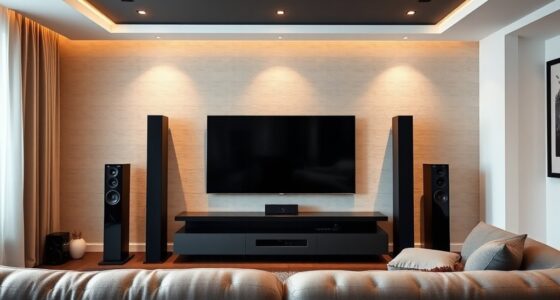
Now, picture your living room transformed into a sleek entertainment hub, where your PC seamlessly streams movies, music, and shows with a whisper-quiet hum. With the right hardware and software in place, you can relax on your couch, surrounded by crisp visuals and rich sound, all controlled effortlessly from your remote or device. An HTPC turns your space into a personal theater, inviting you to unwind and enjoy your favorite media in perfect comfort.