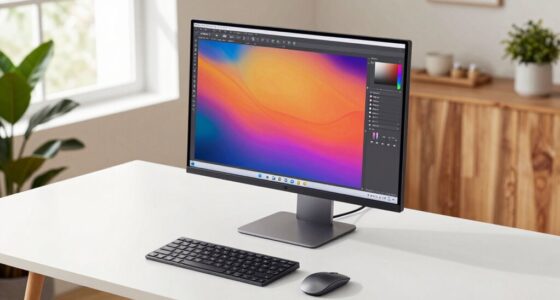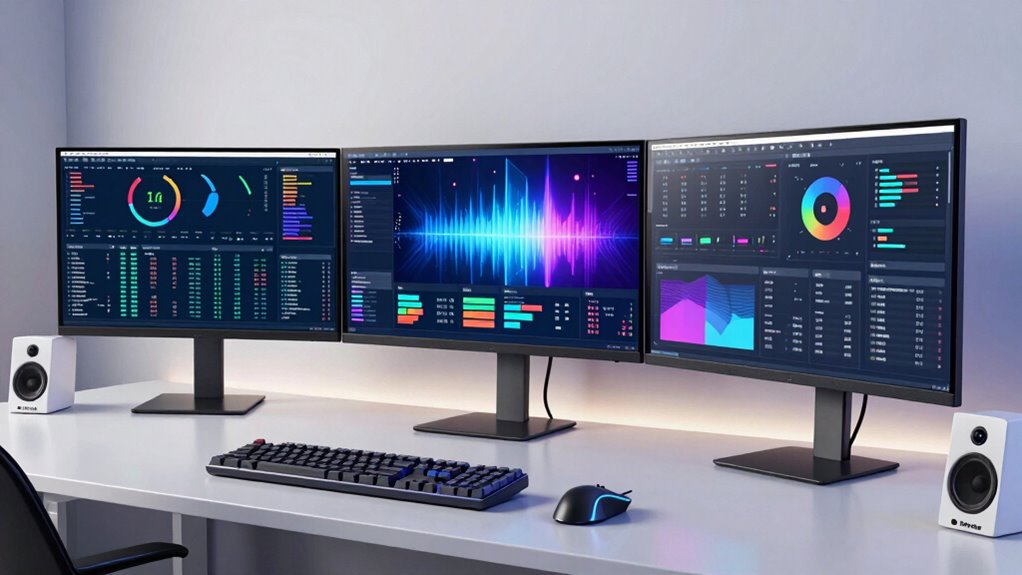

Multi-monitor setups stay popular because they boost your productivity and comfort by letting you manage more information at once. They reduce the need to constantly switch tabs or applications, making multitasking smoother. Proper positioning also minimizes neck and eye strain, supporting better posture and long-term well-being. Plus, expanding your screen real estate helps keep your workflow efficient. If you want to discover the full benefits and practical tips, keep exploring how these setups can transform your workspace.

Get the latest gadgets delivered free with Prime
- Fast, free delivery on millions of items
- Prime Video, Amazon Music and more included
- Member-only deals all year
Key Takeaways
- They significantly improve multitasking efficiency by providing more screen space for managing multiple applications simultaneously.
- Proper ergonomic setup reduces physical strain, promoting comfort and preventing injuries during long work sessions.
- Multi-monitor configurations enhance productivity by minimizing window switching and streamlining workflow for professionals.
- They support better workspace organization, keeping tools and references accessible without clutter.
- The lasting appeal stems from combining ergonomic benefits, productivity gains, and adaptability in a dynamic work environment.

Have you noticed how more people are embracing multi-monitor setups? It’s become a common sight in offices, homes, and creative spaces alike. The appeal is clear: having multiple screens allows you to see more information at once, reducing the need to constantly switch between tabs or applications. But beyond convenience, the real reason these setups remain popular lies in their tangible benefits—particularly the ergonomic benefits and productivity enhancement they offer.
When you set up multiple monitors properly, you reduce strain on your neck and eyes. Instead of constantly turning your head or shifting your gaze across a single, cluttered screen, you can position your monitors to create a natural, comfortable viewing angle. This setup minimizes awkward postures, helping to prevent discomfort and long-term musculoskeletal issues. As a result, you’re less likely to experience fatigue or pain at the end of a long workday, which makes multi-monitor arrangements a smart choice for your physical well-being.
Moreover, the ergonomic benefits extend beyond just neck and eye comfort. With multiple screens, you can arrange your workspace to keep frequently used tools and documents within easy reach, decreasing unnecessary movement. This setup encourages good posture and better organization, allowing you to work more comfortably for longer periods. Ergonomic setup also contributes to overall wellness by reducing the risk of repetitive strain injuries. Incorporating proper workspace ergonomics can further enhance these benefits, making multi-monitor configurations even more effective. Additionally, understanding visual ergonomics can help you optimize monitor placement to reduce glare and reflections, further improving comfort. An awareness of ergonomic principles can guide you in customizing your workspace for maximum comfort and efficiency. Proper monitor positioning is essential in achieving these ergonomic benefits and ensuring your workspace remains comfortable.
The productivity enhancement that multi-monitor setups provide is undeniable. When you have more screen real estate, you can manage several tasks simultaneously without constantly minimizing and maximizing windows. For example, in a professional setting, you might keep your email or chat app open on one monitor while working on a document or design on another. Creative professionals can view reference images, editing tools, and their main project side by side, streamlining their workflow. This multitasking ability reduces downtime and keeps your work flowing smoothly, ultimately boosting your output.
In essence, the lasting popularity of multi-monitor setups boils down to the practical benefits they deliver. They help you work more comfortably, reduce physical strain, and increase productivity—all vital factors in today’s fast-paced, multitasking-driven environment. When you invest in a multi-monitor setup, you’re not just expanding your screen space; you’re creating a more ergonomic, efficient workspace that adapts to your needs. That’s why, even as technology evolves, multi-monitor configurations remain a top choice for many professionals and enthusiasts alike.
Products Worth Considering

Samsung 27-inch Odyssey OLED G6 QD-OLED QHD Gaming Monitor

LG UltraGear 27-Inch QHD OLED Gaming Monitor, 240Hz, 0.03ms, G-SYNC Compatible, FreeSync Premium Pro, HDMI 2.1

Logitech MX Master 4 for Mac, Ergonomic Bluetooth Mouse with Haptic Feedback, Ultra-Fast Scrolling, USB-C Charging, for MacOS, iPadOS, Windo
As an affiliate, we earn on qualifying purchases.
Frequently Asked Questions
How Do Multi-Monitor Setups Affect Desk Space?
Multi-monitor setups take up more desk space, making desk organization more challenging. You need to allocate room for multiple screens, which can clutter your workspace if not arranged thoughtfully. However, they enhance ergonomic design by reducing neck and eye strain, allowing you to work more comfortably. To maximize space, consider mounts or stands that free up surface area, helping you stay organized while enjoying the ergonomic benefits.
Are Multi-Monitor Setups Suitable for Gaming?
Like a knight wielding a mighty sword, multi-monitor setups are highly suitable for gaming. They boost your gaming performance and create an immersive experience that pulls you into the action. With multiple screens, you see more of the game world, making it easier to spot enemies or explore. While they take up space, the enhanced visuals and gameplay make it worth the effort for serious gamers seeking an epic, all-encompassing adventure.
What Are the Costs Involved in Multi-Monitor Setups?
You’ll need to do a cost analysis to determine if a multi-monitor setup fits your budget. Hardware requirements include multiple monitors, a powerful graphics card, and possibly a sturdy stand or mounting solution. Expect costs to vary depending on monitor quality and size. Additionally, you might need extra cables or adapters. Overall, investing in a multi-monitor setup can be pricey but offers enhanced productivity and immersive experiences.
How Do Multi-Monitor Setups Impact Productivity?
Multi-monitor setups boost your productivity by enhancing ergonomic benefits and visual ergonomics. You can manage multiple tasks more efficiently, reducing the time spent switching between windows. With better screen placement, you minimize eye strain and awkward postures, leading to increased comfort during long work sessions. This setup allows you to stay focused, multitask seamlessly, and improve overall work quality, making it a valuable investment for your productivity.
What Are the Best Configurations for Multi-Monitor Setups?
You might think stacking monitors high is best, but the ideal configuration balances ergonomic benefits and aesthetic appeal. Placing monitors at eye level reduces neck strain, while a curved setup offers immersive viewing. Arrange screens side-by-side for easy multitasking, ensuring your workspace looks sleek and inviting. Ultimately, the best setup minimizes fatigue and maximizes visual harmony, proving that sometimes, simpler truly is better—despite the flashy appeal of multi-screen chaos.
Conclusion
If you’re still wondering why multi-monitor setups stay popular, consider this: over 80% of professionals say they’re more productive with multiple screens. It’s clear that having extra display space boosts efficiency and focus, making multitasking smoother. Whether you’re working, gaming, or creating, that extra monitor can be a game-changer. So, if you haven’t tried it yet, it might be time to give multi-monitor setups a shot—they truly make a difference!