
If you’re aiming for top-tier performance, quieter operation, and better overclocking, liquid cooling is a great choice, especially for high-performance builds. It’s more space-efficient and keeps temperatures lower, which can extend your hardware’s lifespan. However, it comes with a higher cost and slightly more maintenance. If you want something simple, reliable, and budget-friendly, air cooling might suit you better. To explore which option fits your needs best, stick around for more details.
Key Takeaways
- Liquid cooling generally offers superior heat dissipation, lower temperatures, and better overclocking potential than air cooling.
- Air cooling is more budget-friendly, easier to install, and requires less maintenance, making it suitable for most users.
- Liquid cooling provides quieter operation and sleek aesthetics, ideal for quiet and visually appealing builds.
- Air coolers tend to be larger and less space-efficient, which can limit compatibility in small or compact cases.
- The choice depends on your performance needs, budget, space constraints, and willingness to manage system complexity.
Cooling Performance and Heat Dissipation Capabilities

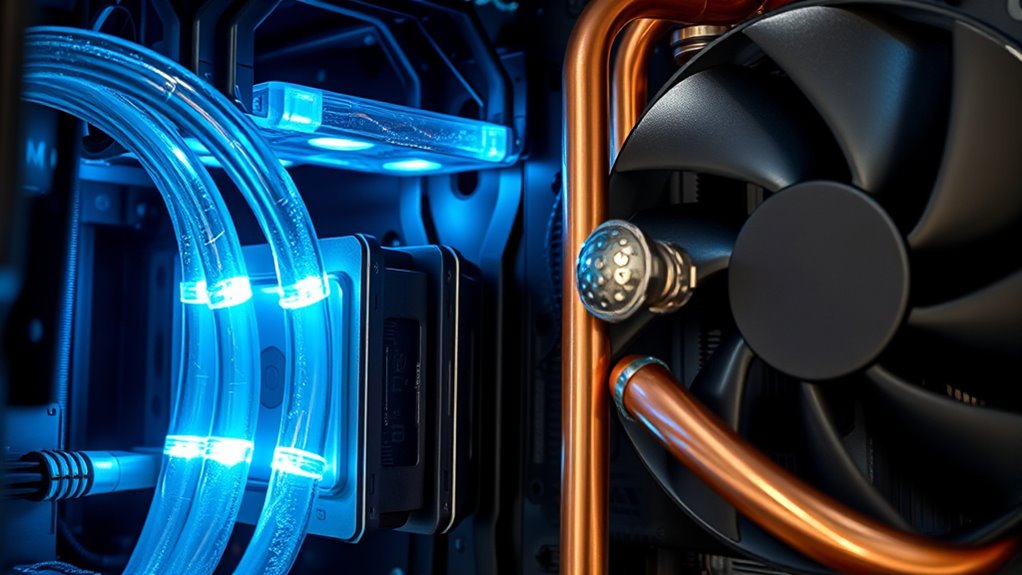
When it comes to cooling performance and heat dissipation, liquid cooling systems generally outperform air coolers by handling 50-100W more heat output. This means your hardware stays cooler under heavy loads, like gaming or rendering, reducing thermal stress. Water coolers excel at relocating heat outside the case through radiators and fans, preventing heat buildup inside. In contrast, air coolers disperse heat into the case, which can raise overall system temperatures if airflow isn’t ideal. Because of their superior heat removal, liquid cooling solutions are ideal for overclocking or maintaining stable performance during intense tasks. They also tend to maintain lower CPU temperatures, enhancing longevity. Proper implementation of thermal management strategies further ensures optimal system stability and longevity. Additionally, the efficient heat transfer capabilities of liquid cooling systems make them a preferred choice for high-performance builds, especially when combined with quality components designed for optimal thermal conduction. Moreover, understanding the heat dissipation capabilities of different cooling methods can help you optimize your PC’s performance and lifespan. Recognizing the thermal conductivity of various materials used in cooling setups can further improve overall heat transfer efficiency.
Noise Levels and Silent Operation Benefits

Liquid cooling systems are especially quieter than their air cooling counterparts, making them a popular choice for users seeking a peaceful computing environment. The radiator fans on liquid coolers operate at lower RPMs, reducing noise considerably during normal operation. The pumps in all-in-one (AIO) units are well-insulated, producing minimal sound, even under heavy loads. Unlike air coolers, which often rely on large, noisy fans to disperse heat, water cooled systems run more silently because they don’t need high-speed fans to keep temperatures in check. Additionally, noise reduction techniques in liquid cooling setups further enhance silent operation. Incorporating innovative pump design can further decrease noise levels, making liquid cooling systems even more suitable for quiet operation. Modern thermal management methods also contribute to maintaining low noise levels without sacrificing cooling performance. If you value a quieter workspace or gaming setup, liquid cooling offers a clear advantage. You’ll enjoy a more serene environment without sacrificing performance, especially during long gaming sessions or intensive workloads.
Overclocking Potential and Performance Enhancements

If you’re aiming to push your CPU to higher clock speeds, you’ll need better cooling to handle the increased heat. Liquid cooling offers higher thermal headroom, allowing for more sustained overclock stability and performance gains. By keeping temperatures lower, you can reveal your hardware’s full potential without risking thermal throttling. Additionally, choosing a reliable cooling solution can prevent potential hardware damage caused by overheating during intense overclocking sessions. Studies show that best cooling methods significantly impact overclocking results and hardware longevity. Incorporating innovative cooling solutions like liquid cooling can further optimize your setup for demanding tasks, especially when considering temperature management techniques that maximize hardware lifespan. For enthusiasts who want to fine-tune their systems, understanding thermal transfer efficiency is crucial for achieving optimal cooling performance.
Higher Thermal Headroom
Higher thermal headroom is essential for maximizing your system’s overclocking potential and overall performance. With greater headroom, you can push your CPU higher without risking overheating. Here’s why liquid cooling gives you an advantage:
- It handles higher heat loads, preventing thermal throttling during intensive tasks.
- It maintains lower core temperatures, allowing safer overclocked speeds.
- It reduces the risk of thermal stress, extending hardware lifespan.
- It provides more consistent performance under heavy loads, boosting stability.
- Additionally, local automation can optimize cooling systems dynamically, ensuring optimal thermal management.
- Because of its superior heat dissipation capabilities, liquid cooling systems can better accommodate higher thermal loads, enabling more aggressive overclocking and performance tuning.
- This thermal management allows for more reliable and sustained overclocking, reducing the need for manual adjustments and constant monitoring.
- As the market for cooling solutions evolves, the integration of advanced cooling technologies can further enhance thermal performance and system reliability.
- Implementing proper maintenance ensures that cooling systems operate at peak efficiency, further supporting high-performance overclocking.
Sustained Overclock Stability
Sustained overclock stability determines how well your system maintains peak performance over time, especially during extended gaming or intensive workloads. With liquid cooling, you can push your CPU to higher clock speeds without overheating, ensuring consistent performance. Water coolers handle high thermal loads better, preventing thermal throttling that limits performance during long sessions. This superior thermal management leads to increased overclocking potential and longevity of your components. This allows your hardware to operate at higher, stable overclocked speeds longer than with air cooling. Additionally, thermal management techniques in liquid cooling systems contribute to maintaining consistent performance levels under sustained loads. Moreover, liquid cooling’s ability to efficiently transfer heat enhances the overall system stability, making it a preferred choice for enthusiasts seeking maximum overclocking headroom. Proper heat dissipation in liquid cooling setups minimizes the risk of component degradation over time, further supporting stable operation during demanding tasks. Overall, liquid cooling provides a more reliable foundation for aggressive overclocking, offering better thermal headroom and stability for demanding tasks.
Improved Cooling Efficiency
Liquid cooling considerably enhances your system’s ability to handle overclocking by providing superior thermal management. This means you can push your CPU to higher speeds without risking overheating. With better heat dissipation, you’ll experience:
- Higher overclocking limits, revealing extra performance potential
- Reduced thermal throttling, maintaining peak speeds longer
- Cooler hardware temperatures during demanding tasks or gaming
- Enhanced stability, allowing sustained high-performance operation
Proper heat dissipation methods also play a crucial role in maximizing cooling efficiency and ensuring your system remains reliable under heavy loads. Additionally, thermal management techniques are essential for optimizing overall system performance and longevity.
Cost, Installation Process, and Maintenance Considerations

While installing cooling solutions, you’ll find that air coolers are generally more budget-friendly and easier to set up than liquid cooling systems. Air coolers tend to cost less upfront and have simpler installation processes, making them ideal for beginners. In contrast, liquid coolers usually require more time and careful handling during installation, especially for custom loops. Maintenance is also different: air coolers are almost maintenance-free, while AIO liquid coolers may need occasional checks for leaks or pump issues over time.
| Aspect | Details |
|---|---|
| Cost | Air coolers are cheaper; liquid coolers cost more upfront |
| Installation | Air coolers are straightforward; liquid coolers are more complex |
| Maintenance | Air coolers need minimal upkeep; liquid coolers may require periodic checks |
Space Efficiency and Compatibility With Different PC Sizes

Choosing between air and liquid cooling largely depends on your PC’s size and internal space constraints. If you’re working with a compact case, liquid cooling offers advantages because of its smaller form factor. Here are four key points to consider:
For compact cases, liquid cooling offers a smaller, more versatile cooling solution.
- Size of Coolers: Large air coolers can be bulky, limiting compatibility with smaller cases.
- Case Compatibility: Mini-ITX and small form factor builds benefit from the compact design of liquid coolers.
- Mounting Space: Liquid coolers require less vertical space, freeing up room for other components.
- Airflow Constraints: Large air coolers need space for fans and heatsinks, which may not fit in tight cases.
Ultimately, liquid cooling provides a more adaptable solution for constrained spaces, while air coolers need sufficient room to perform at their best.
Aesthetics, Personalization, and Visual Appeal

Your choice of cooling system considerably impacts your build’s look and feel. Liquid coolers often feature customizable RGB lighting and sleek, modern designs that make your setup stand out. Meanwhile, air coolers tend to have simpler aesthetics but can still be personalized with various finishes and colors, allowing you to craft a visual theme that matches your style.
Customizable RGB Lighting
Customizable RGB lighting has become a key feature for enthusiasts seeking to enhance their PC’s visual appeal. It allows you to personalize your build with vibrant colors and dynamic effects. Whether you prefer subtle glows or bold color shifts, RGB lighting offers endless options. Here are four ways it elevates your setup:
- Synchronizes with components for seamless lighting effects
- Offers customizable color schemes to match your theme
- Includes programmable effects like breathing, pulsating, or rainbow cycles
- Enables individual control over fans, pumps, and LED strips
This level of personalization transforms your PC from a standard machine into a stunning centerpiece. RGB lighting not only adds flair but also reflects your unique style and gaming personality.
Sleek, Modern Designs
Sleek, modern designs elevate your PC’s visual appeal by combining form and function in a way that stands out. Liquid cooling systems often feature minimalist, high-tech aesthetics with illuminated pumps and slim radiators, giving your build a futuristic vibe. Their compact size allows for cleaner cable management and a clutter-free look, especially in small cases. Conversely, high-end air coolers showcase bold, imposing designs with large heatsinks and customizable fans, adding a rugged or professional touch. Both options offer visual customization through RGB lighting, allowing you to match your build’s theme. Ultimately, liquid coolers tend to look more modern and streamlined, while air coolers provide a more traditional, bold presence. Your choice depends on your preferred style and the overall aesthetic you want to achieve.
Visual Impact & Theme
When it comes to visual impact, both liquid and air cooling systems substantially influence your PC’s aesthetic appeal. You can customize your build to stand out or blend seamlessly. Here are some key points:
- Liquid coolers often feature RGB lighting on pumps and radiators, creating striking visual effects.
- They offer sleek, modern designs that complement high-end build themes.
- Air coolers tend to have simpler looks but can be customized with colored fans or heatsinks.
- Larger air coolers can serve as a visual centerpiece, especially with decorative shrouds and LED accents.
Your choice affects not just performance but also how your system looks. Whether you prefer a minimalist or vibrant style, both options can enhance your PC’s overall theme.
Reliability, Long-Term Durability, and System Longevity

Although both liquid and air cooling systems are designed to protect your hardware, their long-term reliability and durability vary considerably. Air coolers generally last longer with fewer failure points, thanks to their simpler design and fewer moving parts. Liquid cooling, especially AIO units, can develop leaks or pump failures over time, reducing reliability. Proper maintenance, like cleaning dust filters and checking fittings, extends longevity for both systems. Here’s a quick comparison:
| Feature | Liquid Cooling | Air Cooling | Notes |
|---|---|---|---|
| Durability | Moderate; pump and seals may fail | High; minimal parts wear out | Pumps require more maintenance |
| Reliability | Lower; potential leak points | Higher; fewer failure risks | Regular checks improve lifespan |
| Long-term Use | Requires monitoring | Typically hassle-free | Proper airflow preserves system |
| Maintenance | Moderate; flush and refill | Low; mostly dust cleaning | Regular upkeep extends lifespan |
Environmental Factors and Ambient Conditions Impacting Cooling

Environmental factors and ambient conditions play a significant role in how effectively your cooling system performs. Your room temperature, airflow, and humidity directly impact cooling efficiency. Higher ambient temperatures can reduce the cooling capacity of both liquid and air solutions. Humidity levels influence heat dissipation, especially for air coolers, which depend on airflow. Poor airflow can trap hot air inside your case, raising overall temperatures. To optimize performance, consider these factors:
- Keep your room cool and well-ventilated to assist cooling systems.
- Ensure proper case airflow with clean, unobstructed fans.
- Avoid high humidity environments that hinder heat dissipation.
- Position your PC away from heat sources like direct sunlight or heaters.
Controlling these conditions helps maintain stable temperatures and maximizes your cooling system’s effectiveness.
Suitability for Different User Profiles and Usage Scenarios

Choosing the right cooling solution depends heavily on your specific user profile and usage scenario. If you’re a casual user or build a compact PC, air cooling offers a simple, cost-effective option that’s easy to install and maintain. It works well in moderate workloads and balanced environments. Gamers and overclockers, however, benefit from liquid cooling’s superior heat dissipation, enabling higher performance and sustained overclocking, especially during demanding tasks. Professionals working with intensive workloads or running small form factor builds also find liquid cooling advantageous due to its space-saving design and efficient thermal management. Conversely, if you prefer a silent setup with minimal maintenance, liquid cooling is preferable. Your choice ultimately hinges on your performance needs, budget, space constraints, and willingness to manage system complexity.
Frequently Asked Questions
How Does Ambient Temperature Affect the Efficiency of Liquid Versus Air Cooling?
Ambient temperature markedly impacts both liquid and air cooling efficiency. You’ll notice that higher temperatures make air coolers less effective because they rely on airflow and case temperature, which rise with ambient heat. Liquid cooling maintains consistent performance as it actively relocates heat outside the case, so it handles warm environments better. If you live in a hot climate, liquid cooling helps keep your hardware cooler and prevents thermal throttling.
Can Liquid Cooling Systems Be Used With Custom Loop Configurations?
Absolutely, you can use liquid cooling with custom loop configurations—if you’re ready to embrace the chaos of DIY plumbing and endless tube routing. Custom loops let you tailor cooling performance precisely, but they demand meticulous planning, regular maintenance, and a love for leaks. If you enjoy tinkering and want top-tier temps, go for it; otherwise, stick with simpler options to keep your build sane and cool.
What Are the Risks of Pump Failure in Liquid Cooling Setups?
You risk pump failure in liquid cooling setups, which can lead to overheating and potential hardware damage. If the pump stops working, coolant circulation halts, causing temperatures to spike quickly. This failure might be due to wear over time, manufacturing defects, or debris in the loop. To reduce risks, select reliable brands, maintain your system regularly, and monitor pump performance to make certain your PC stays cool and safe.
How Do Cooling Solutions Impact Overall System Noise During Idle and Load?
Silent serenity or boisterous buzz? You’ll find liquid cooling considerably silences system sounds, especially during idle and light tasks, thanks to low-RPM radiator fans and insulated pumps. In contrast, air cooling often produces more noise because of louder fans and higher RPMs needed to dissipate heat. If you crave calm, liquid cooling keeps your build quiet under load, while air cooling may introduce more background noise during intense gaming or processing.
Are There Specific Cases Better Suited for Liquid Cooling Over Air Cooling?
You should choose a case designed for liquid cooling if you want better thermal management in compact builds or high-performance setups. These cases typically feature space for radiators, improved airflow, and mounting options for pumps and tubes. They’re ideal for smaller form factors, overclocked systems, or aesthetic preferences. Look for cases with dedicated mounting points, good airflow, and enough room to accommodate radiators and fans comfortably.
Conclusion
Choosing between liquid and air cooling is like picking your favorite bike: both have their perks, but it depends on what rides your world. If you want top performance and a sleek look, liquid cooling might be your speed. For simplicity and reliability, air cooling’s your steady companion. Consider your space, budget, and usage to find the perfect fit. Ultimately, the right choice keeps your PC running smoothly, just like a well-tuned engine.