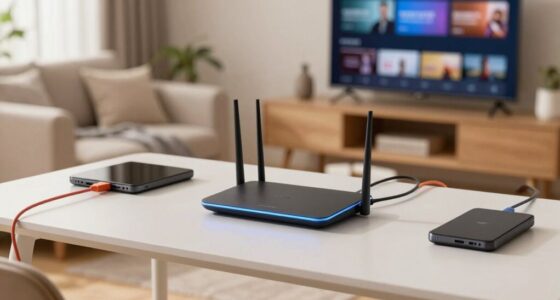
A better router can fix Wi-Fi interference, enhance signal stability, and expand coverage by reducing dead zones. It can handle multiple channels or dual bands for better performance and upgrade signal strength with improved antennas. However, it can’t fix slow speeds caused by your ISP, network congestion, or outdated devices. Plus, it won’t resolve hardware failures or external interference sources. Explore further to discover how to maximize your network’s potential and troubleshoot common issues effectively.
Key Takeaways
- A better router can improve Wi-Fi signal stability, coverage, and reduce interference from other networks.
- It cannot resolve slow internet speeds caused by your ISP or external network issues.
- Upgrading a router won’t fix outdated or incompatible devices or improve external infrastructure limitations.
- A malfunctioning or damaged router requires repair or replacement; a better router won’t fix hardware faults.
- It cannot eliminate all interference sources like microwaves or cordless phones without additional solutions.

Having a reliable internet connection is vital, but router issues can disrupt your day and cause frustration. When your Wi-Fi isn’t performing well, upgrading to a better router can seem like the obvious solution. While a better router can fix some problems, it’s important to know what it can and cannot do. One of the main issues it can address is Wi-Fi interference. If your current router struggles with signal stability, a more advanced model might better handle interference from other wireless devices or neighboring networks. This can lead to a stronger, more consistent connection, especially if you choose a router with multiple channels or dual-band capabilities. Proper router placement also plays an important role. A better router often comes with enhanced antennas or signal strength, but if you place it in a poor location—like inside a cabinet or near thick walls—it won’t reach its full potential. Moving your router to a central, open spot can markedly improve coverage and reduce dead zones.
However, a better router can’t fix everything. If your internet speed is slow due to issues with your service provider, upgrading your router won’t solve that problem. Sometimes, the bottleneck lies outside your home network, such as with your ISP’s infrastructure or network congestion during peak hours. In these cases, no matter how advanced your router is, your connection will be limited. Additionally, a better router cannot fix outdated or incompatible devices. If your smartphones, laptops, or smart home gadgets are old or have outdated Wi-Fi standards, they won’t benefit fully from a new router’s capabilities. You might need to upgrade those devices separately to see a real improvement. Network limitations, like these, often require solutions beyond just hardware upgrades. A firmware update can often address performance issues without the need for a new device, making it a cost-effective troubleshooting step.
Furthermore, a better router won’t fix hardware malfunctions or damage. If your current router is faulty or overheating, replacing it with a new one will help, but it’s not a cure-all. Sometimes, problems stem from faulty cables, power issues, or firmware bugs that a simple reset or update can resolve. It is also beneficial to regularly monitor your network for hardware problems, as these can cause intermittent connectivity issues. firmware updates can also enhance performance and security without needing a new device. Ultimately, a better router isn’t a magic fix for all network issues. It won’t eliminate all Wi-Fi interference if other devices in your environment are causing substantial disruptions. You may still need to troubleshoot specific sources of interference, such as microwaves or cordless phones, or invest in additional solutions like Wi-Fi extenders or mesh networks.

TP-Link BE6500 Dual-Band WiFi 7 Router (BE400) – Dual 2.5Gbps Ports, USB 3.0, Covers up to 2,400 sq. ft., 90 Devices, Quad-Core CPU, HomeShield, Private IoT, Free Expert Support
- Wi-Fi 7 Technology: Supports Multi-Link Operation and 4K-QAM
- High-Speed Dual-Band: Up to 6.5 Gbps total bandwidth
- Wide Coverage: Covers up to 2,400 sq. ft.
As an affiliate, we earn on qualifying purchases.
As an affiliate, we earn on qualifying purchases.
Frequently Asked Questions
Can a New Router Improve My Internet Speed Beyond My Service Plan?
A new router can improve your internet speed only if it’s compatible with your service plan and meets your device’s hardware compatibility and technical specifications. Upgrading might boost your Wi-Fi range or reduce congestion, but it won’t exceed the speed limits set by your provider. Make sure the router supports your internet plan’s speeds and standards to see real improvements. Otherwise, your bandwidth remains limited by your service plan.
Will Upgrading My Router Fix Issues Caused by My Internet Provider?
Upgrading your router is like replacing a faulty lighthouse lens; it can improve your local signal but won’t fix the stormy seas caused by your internet provider. If service outages persist or your hardware isn’t compatible, a new router won’t solve those issues. You’ll need to contact your provider to address outages or verify your equipment matches their specifications. Sometimes, the problem lies beyond your network’s hardware.
How Does Router Placement Affect Wi-Fi Performance?
Your router placement directly impacts Wi-Fi performance by minimizing interference sources and optimizing signal strength. Keep it central, elevated, and away from thick walls or metal objects, which can block signals. Avoid placing it near cordless phones or microwaves, as these are common interference sources. Proper placement guarantees a stronger, more reliable Wi-Fi connection, making it easier to stream, browse, and connect without disruptions.
Can a Better Router Eliminate All Wi-Fi Dead Zones?
A better router can considerably reduce Wi-Fi dead zones, but it won’t eliminate them entirely. Wi-Fi interference from other devices and obstacles can still affect signal strength, even with advanced routers. Ensuring router compatibility with your internet plan and minimizing interference sources helps optimize coverage. While a high-quality router improves overall performance, some dead zones may persist due to physical barriers or external interference, requiring additional solutions like mesh networks.
Is a Higher-End Router Necessary for Streaming or Gaming?
A higher-end router isn’t always necessary for streaming or gaming, but it can make a difference. Think of it like a sleek sports car—better router aesthetics and upgraded router firmware can enhance performance, reduce lag, and handle multiple devices smoothly. If you prioritize smooth gameplay or HD streaming, investing in a premium router offers faster speeds and more reliable connections, ensuring your experience stays seamless even during peak usage.

TP-Link AC1200 WiFi Extender – 1.2Gbps Home Signal Booster, Dual Band 5GHz/2.4GHz, Up to 1600 Sq.ft and 32 Devices, EasyMesh Compatible, One Ethernet Port (RE315)
- Enhanced Wi-Fi Coverage: Eliminates dead zones with strong signals
- Dual-Band Speed: Supports 867 Mbps on 5GHz and 300 Mbps on 2.4GHz
- Wide Coverage Area: Up to 1500 sq.ft for reliable connections
As an affiliate, we earn on qualifying purchases.
As an affiliate, we earn on qualifying purchases.
Conclusion
While upgrading to a better router can solve many connectivity issues, it’s not a magic wand—think of it like replacing your old, dusty typewriter with a sleek laptop. Some problems, like service outages or interference, still need your ISP’s help or a bit of troubleshooting. Remember, even in a world of sci-fi gadgets, a good router just gets you closer to the internet galaxy. Sometimes, patience and a few tweaks are your best tools.

TP-Link Deco S4 Mesh AC1900 WiFi System – Up to 5,500 Sq.ft. Coverage, Replaces WiFi Router and Extender, Gigabit Ports, Works with Alexa, Deco S4(3-Pack)
- WiFi Technology: Deco Mesh for faster, stronger WiFi
- Coverage Area: Up to 5,500 sq.ft. coverage
- Mesh Network: Seamless, stable WiFi throughout home
As an affiliate, we earn on qualifying purchases.
As an affiliate, we earn on qualifying purchases.
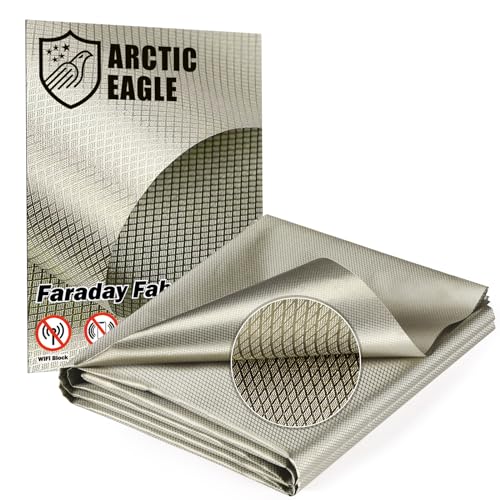
Faraday Fabric – Conductive Electromagnetic Interference Reduction Cloth for Faraday Cage (43" x 236")
- Enhanced Copper Content & Reliable Interference Reduction: This faraday fabric features triple-layer…
- 3-Layer Metallic Structure & Long-Term Durability: The innovative nickel-copper-nickel layered metal…
- Multiple Size Options for Versatile Applications: This fabric is available in…
As an affiliate, we earn on qualifying purchases.
As an affiliate, we earn on qualifying purchases.