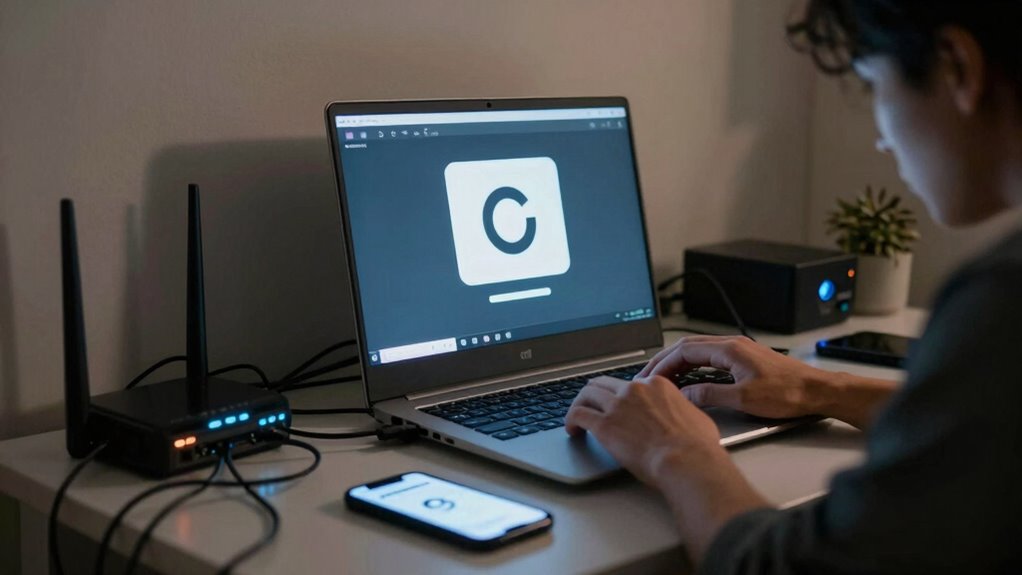

When your home network becomes congested, you’ll notice your internet slowing down during tasks like streaming, video calls, or online gaming. Buffers cycle endlessly, pages take longer to load, and file downloads pause or freeze. You may experience frequent disconnections or lag, especially during peak times with multiple devices online. Recognizing these signs helps you understand what’s causing the issue. Keep exploring to learn how to improve your home network and reduce frustration.

Get the latest gadgets delivered free with Prime
- Fast, free delivery on millions of items
- Prime Video, Amazon Music and more included
- Member-only deals all year
Key Takeaways
- Internet speeds slow down significantly during high-usage times, causing delays in loading pages or streaming content.
- Buffering and interruptions become common during video calls or streaming sessions.
- Online tasks like gaming or file downloads experience lag, increased latency, and connection drops.
- Multiple devices competing for bandwidth results in noticeable performance drops everywhere in the house.
- Overall network performance feels unreliable, with inconsistent connection quality and dead zones in certain areas.

In today’s digital age, network congestion at home has become a common frustration, especially when multiple devices compete for bandwidth. You might notice your internet slowing down just as you’re about to start an important video call or stream a movie. This slowdown isn’t random; it results from Wi Fi interference and bandwidth limitations that happen when too many devices try to use the same network at once. When your Wi Fi signals clash with neighboring networks or household appliances, it causes interference that reduces the quality and speed of your connection. This interference can cause frequent buffering, dropped connections, or lag during your online activities, making simple tasks feel like a chore.
Your devices constantly compete for the limited bandwidth your internet provider supplies, and when too many are active, the network struggles to keep up. Think of bandwidth as a highway: when only a few cars are on it, travel is smooth. But as more cars join, traffic slows, and delays become inevitable. The more devices you connect—smartphones, tablets, smart TVs, laptops—the higher the demand on your network. During peak times or when multiple people are streaming, gaming, or working remotely, you’ll feel this pinch even more. Your internet feels sluggish, and it’s easy to get frustrated trying to load a simple webpage or download a file. Sometimes, understanding the bandwidth capacity of your internet plan can help you better manage your household’s digital needs.
Devices compete for limited bandwidth, slowing your internet during peak times and multiple activities.
Wi Fi interference isn’t always obvious; it can come from everyday household items like microwaves, cordless phones, or even neighboring Wi Fi networks operating on the same frequency band. These signals clash, creating dead zones or spots with poor connectivity. To tackle this, you might try changing your Wi Fi channel or relocating your router to a more central, open space. Additionally, understanding the sources of interference in your environment and how they impact your network can also lead to more effective troubleshooting. Recognizing the network congestion and how it impacts your household can help you make smarter decisions about your setup and improve overall connectivity. If persistent issues occur, upgrading your internet plan or investing in a mesh network may be necessary to distribute the load more effectively.
As an affiliate, we earn on qualifying purchases.
Frequently Asked Questions
How Can I Test if My Internet Is Congested?
You can test if your internet is congested by performing a bandwidth measurement with tools like Speedtest.net or Fast.com. These tests show your current download and upload speeds, revealing if you’re getting the speeds you’re paying for. Also, check for signal interference by moving closer to your router and reducing obstacles. If speeds are slow despite a strong signal, congestion might be the issue, especially during peak usage hours.
Does Upgrading My Router Reduce Network Congestion?
Upgrading your router can definitely help reduce network congestion. Imagine your current router as a narrow highway causing traffic jams; a new one with better antennas and faster processing acts like a multi-lane freeway. Proper placement guarantees signals reach all corners, while avoiding bandwidth throttling maximizes your speed. So, yes, a better router can improve your connection, making streaming and gaming smoother and more reliable at home.
Can Network Congestion Affect Streaming Quality?
Yes, network congestion can definitely affect your streaming quality. When there’s too much traffic, bandwidth throttling may kick in, reducing your available speeds. Signal interference from other devices or nearby networks can also weaken your Wi-Fi signal, causing buffering and lower resolution. Upgrading your router or changing Wi-Fi channels can help minimize these issues, ensuring smoother streaming even during peak usage times.
How Do Multiple Devices Impact Home Network Congestion?
Multiple devices on your home network are like a crowded highway during rush hour, causing slowdowns and delays. When you have device prioritization in place, it helps manage bandwidth sharing, ensuring critical devices get the speed they need. Without it, all devices compete for the same bandwidth, leading to lag and buffering. To keep everything running smoothly, balance device usage and set priorities to avoid congestion.
Is Network Congestion Different During Peak Versus Off-Peak Hours?
During peak hours, network congestion is much worse because many devices are using the internet simultaneously, causing slower speeds and higher latency. Off-peak impact is less severe, with fewer users on the network, so your connection tends to be faster and more stable. If you work or stream during peak hours, you’ll notice the difference in speed and quality, making off-peak times more reliable for essential online activities.
mesh WiFi system for large house
As an affiliate, we earn on qualifying purchases.
As an affiliate, we earn on qualifying purchases.
Conclusion
Think of your home network as a busy highway during rush hour. When too many devices are trying to pass through, everything slows down, and frustration builds. Just like cars stuck in traffic, your data gets backed up, making your internet feel sluggish. To clear the jam, you need to manage the flow—prioritize devices, upgrade your router, or limit usage. With a little effort, your digital highway will flow smoothly again, keeping you connected without the gridlock.
As an affiliate, we earn on qualifying purchases.
As an affiliate, we earn on qualifying purchases.
Columbus Day / Indigenous Peoples' Day Picks
long weekend sales
As an affiliate, we earn on qualifying purchases.