
Your phone’s display refresh rate tells you how many times per second the screen updates. A higher rate, like 120Hz, makes animations, scrolling, and interactions look smoother and more responsive, especially during gaming or fast-moving videos. Less frequent updates, like at 60Hz, may seem choppier during quick movements. Understanding this can help you choose a device that feels more natural and efficient; stick around to learn how it all works behind the scenes.

Get the latest gadgets delivered free — and shop member deals
- Fast, free delivery on millions of items
- Access to Prime Big Deal Days deals on October 6–7
- Prime Video, Amazon Music and more included
Key Takeaways
- The refresh rate indicates how many times per second the phone’s display updates, measured in Hertz (Hz).
- A higher refresh rate results in smoother animations, scrolling, and faster response times.
- Modern phones can automatically adjust refresh rates to save battery life while maintaining smooth visuals.
- Higher refresh rates consume more battery power, so users may choose lower rates for better battery life.
- Content like gaming and videos benefit most from higher refresh rates, improving overall user experience.
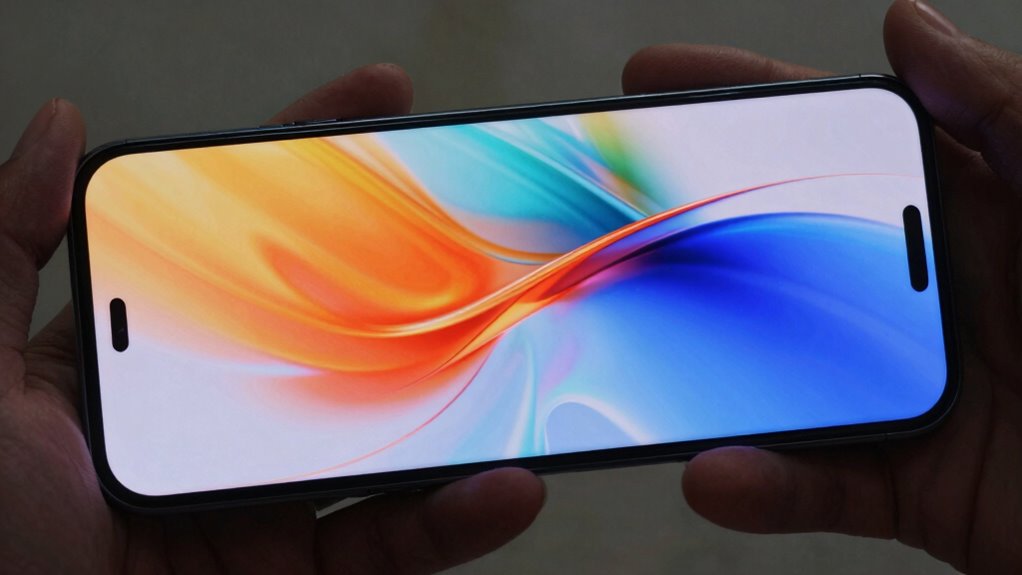
Ever wondered what the refresh rate on your phone really means? It’s a term you might see often when exploring new devices, but understanding it can seem confusing. Essentially, the refresh rate refers to how many times per second your phone’s display updates or redraws itself. Measured in Hertz (Hz), a higher refresh rate means the screen updates more frequently. This isn’t just about numbers—it directly impacts your user experience, influencing how smooth and responsive everything feels on your device.
The refresh rate shows how often your phone’s screen updates each second, affecting smoothness and responsiveness.
Different phones come with varying refresh rates, typically ranging from 60Hz to 120Hz or even higher. When your screen refreshes more times each second, animations, scrolling, and progressions look much smoother. Imagine scrolling through a lengthy webpage or flipping through photos. With a 60Hz display, there’s a slight lag or choppiness, especially during rapid movements. But with a 120Hz screen, these actions feel more fluid and natural, almost like browsing through a high-quality video. This enhancement in screen technology contributes to a notably improved user experience because actions that once felt sluggish now seem instantaneous. Additionally, display technology continues evolving to offer better performance and energy efficiency. As Adaptive refresh rate technology becomes more widespread, users can enjoy a balance between visual quality and battery life.
However, higher refresh rates aren’t without their trade-offs. They tend to consume more battery power since the screen updates more often. That’s why many devices offer the option to toggle the refresh rate—so you can switch to 60Hz for longer battery life or bump it up when you want the smoothest visuals possible. Some phones automatically adjust the refresh rate based on what you’re doing, optimizing both performance and battery life. This adaptability demonstrates how modern screen technology prioritizes user experience by balancing visual smoothness with efficiency. Furthermore, power consumption can significantly increase at higher refresh rates, making it an important consideration for mobile users.
It’s also important to note that not all content benefits equally from a high refresh rate. While gaming and fast-paced videos look noticeably better, static images or simple apps may not showcase the difference as much. Still, the overall feel of responsiveness improves across the board, making your interactions more seamless. Whether you’re scrolling through social media, playing games, or using productivity apps, a higher refresh rate enhances every moment, giving your device a more premium and polished feel. Additionally, understanding display refresh rate can help users make more informed decisions when choosing a new device. Recognizing how screen refresh rate impacts your experience can lead to a more satisfying and efficient use of your device.
As an affiliate, we earn on qualifying purchases.
Frequently Asked Questions
Does a Higher Refresh Rate Drain Battery Faster?
Yes, a higher refresh rate can drain your battery faster because it requires more power from your device. However, modern display technology often includes battery optimization features that adjust the refresh rate based on what you’re doing, conserving power when possible. So, while higher refresh rates boost smoothness, they may impact battery life, making it important to balance performance and efficiency depending on your needs.
Can I Change My Phone’s Refresh Rate Manually?
Yes, you can change your phone’s refresh rate manually through display customization options. Most smartphones let you access refresh rate settings in the display menu, where you can select a higher or lower refresh rate depending on your preferences for smoothness or battery life. Simply go to your device’s settings, find display options, and adjust refresh rate settings to suit your needs. Keep in mind, some phones may limit manual adjustments.
Are Higher Refresh Rates Noticeable During Everyday Use?
You might suddenly notice the difference in screen smoothness and visual clarity during your daily activities, especially when scrolling or gaming. Higher refresh rates make animations feel more fluid and reduce motion blur, so yes, they’re quite noticeable. When your phone’s refresh rate is high, interactions seem more responsive and crisp, making everything look sleeker. If you’re used to standard rates, upgrading can truly enhance your overall experience.
Do All Apps Support High Refresh Rate Displays?
Not all apps support high refresh rate displays, which can lead to screen flickering or inconsistent performance. If an app isn’t optimized for higher refresh rates, you might notice choppiness or lag. To avoid issues, check your device’s refresh rate compatibility and update apps regularly. Keep in mind that some apps may default to lower refresh rates, so you might need to adjust settings for a smoother experience across different applications.
How Does Refresh Rate Affect Gaming Performance?
You’ll notice that higher refresh rates can boost your gaming performance markedly. Studies show that displays with a 120Hz refresh rate deliver smoother visuals, giving you a competitive edge. With advanced display technology, your device’s refresh rate optimization reduces motion blur and input lag, making gameplay more responsive. This means faster reactions and a more immersive experience, especially in fast-paced games where every millisecond counts.
As an affiliate, we earn on qualifying purchases.
Conclusion
So, now you know that a higher refresh rate isn’t just a fancy number to impress friends—it actually makes your scrolling smoother and gaming more responsive. But don’t get caught up in the hype; sometimes, it’s just another way for phone makers to sell you on the latest shiny thing. So, choose wisely, and remember: a refresh rate isn’t everything—unless you want your phone to make you feel like a tech wizard in a world of lag.
gaming phone with high refresh rate
As an affiliate, we earn on qualifying purchases.
As an affiliate, we earn on qualifying purchases.
smartphone screen protector for high refresh rate
As an affiliate, we earn on qualifying purchases.
As an affiliate, we earn on qualifying purchases.
Fall Picks
fall essentials
As an affiliate, we earn on qualifying purchases.