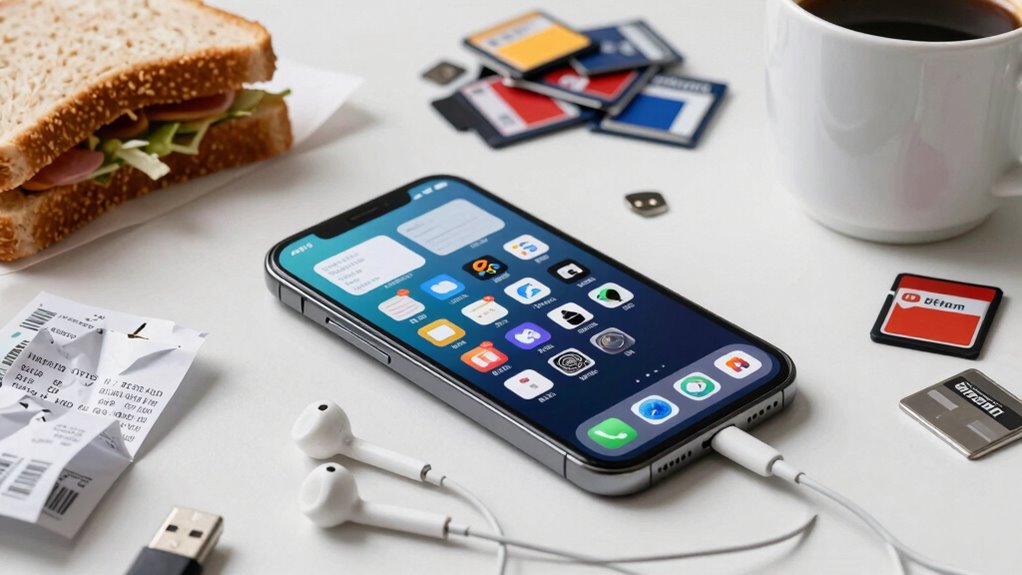

Your phone’s storage fills up faster because apps, photos, and videos generate large files and caches that often go unchecked. Cloud backups, duplicate files, and offline data also take up space unexpectedly. Many apps store offline content or background data without you realizing it. Regularly clearing cache, managing backups, and deleting unused files can help. Stick around, and you’ll discover more simple ways to keep your storage under control.
Key Takeaways
- Apps, especially social media and streaming, generate large cache files that quickly consume storage space.
- Cloud backups and redundant data create multiple copies of files, filling storage faster than anticipated.
- High-resolution photos and videos take up significant space, often remaining stored locally after cloud uploads.
- Unused or background apps continue to store data and offline content, gradually increasing storage use.
- Lack of regular storage monitoring leads to accumulation of temporary files and unnecessary data without user awareness.

Have you ever noticed how your phone’s storage seems to fill up faster than you expect? It’s frustrating, isn’t it? You delete a few photos, uninstall unused apps, and still find yourself running out of space. The reason behind this often lies in the way apps and data accumulate over time. One major culprit is app cache—those temporary files stored by your apps to speed up processes. While cache helps apps run more smoothly, it can quickly pile up without you realizing it. Some apps, especially social media or streaming platforms, generate large caches that gobble up significant storage space. Regularly clearing app cache can free up a surprising amount of room, but many users overlook this step.
Clearing app cache regularly frees up storage and keeps your phone running smoothly.
Another overlooked factor is how your phone manages backups. When you enable cloud backup, your device automatically uploads photos, videos, and other data to services like iCloud or Google Drive. While cloud backup is a great way to secure your data, it can also contribute to storage issues if you’re not careful. For instance, if your cloud account syncs everything without filters, duplicates or unnecessary files might be stored locally on your device, eating into your storage. Plus, some backup apps keep copies of old data or multiple versions of files, which can quickly add up. Monitoring what gets backed up and deleting redundant files from your device helps prevent your storage from filling up unnecessarily.
Photos and videos are another common reason for quick storage consumption. Even if you’re using cloud backup, the original files often remain stored locally until you delete them. High-resolution images and lengthy videos take up a lot of space, especially if you tend to capture everything without regularly cleaning your gallery. Many smartphones now offer settings to optimize storage—such as compressing photos or removing local copies after successful cloud backups—that you should take advantage of. Effective storage management tools can further assist you in identifying and removing large files or unused data. Additionally, some devices automatically generate duplicates or unnecessary files, which can further contribute to storage waste if not managed properly. Keeping an eye on storage consumption in your device settings can help you spot these issues early. Being aware of how background app activity impacts storage can also help you make smarter decisions about app usage and permissions.
Apps themselves are also space thieves. Many apps download data in the background, store offline content, or retain user settings, which can accumulate over time. Games, streaming apps, and social media platforms are notorious for this. Keep an eye on your app storage usage in your device settings, and delete or offload apps you no longer use. Regularly reviewing your installed apps and managing their data helps maintain free space.
Ultimately, understanding how app cache, cloud backup, and your app habits contribute to storage use empowers you to take control. By clearing cache, managing backups, and cleaning up your device regularly, you can prevent that dreaded “storage full” notification and keep your phone running smoothly. Additionally, exploring storage management tools and features provided by your device can further help monitor and optimize your storage capacity.
Android iPhone cache cleaner app
As an affiliate, we earn on qualifying purchases.
As an affiliate, we earn on qualifying purchases.
Frequently Asked Questions
How Can I Identify Which Apps Use the Most Storage?
To identify which apps use the most storage, start with app storage analysis in your phone’s settings. You can also use usage monitoring tools to track app data and see which ones consume the most space. These tools give you a clear view of storage distribution, allowing you to delete or clear data from large apps. Regularly checking helps prevent unexpected storage runouts and keeps your device running smoothly.
Do System Updates Significantly Increase Phone Storage Requirements?
System updates can feel like a sudden gust of wind, pushing your storage limits. While they do often require extra space temporarily, they’re essential for cloud backup and system optimization. These updates improve performance, security, and stability, but you might notice a spike in storage use during installation. Regularly clearing cache and managing apps helps balance out this storage growth, ensuring your phone stays smooth and efficient.
Can Deleting Old Messages Free up Noticeable Space?
Yes, deleting old messages can free up noticeable space on your phone. Your message history, especially if it includes images, videos, or large attachments, takes up storage that adds up over time. Regularly cleaning your message history is a simple way to optimize storage. This storage optimization helps keep your device running smoothly and prevents unexpected storage full notifications, ensuring you have space for new messages and apps.
How Do Cached Files Impact Storage Over Time?
Cached files, including cache buildup and temporary files, can take up significant storage over time. As you use apps and browse the web, these files accumulate to speed up processes but often aren’t deleted automatically. This buildup can lead to reduced storage space, making your device slower. Regularly clearing cache and temporary files helps free up space, improve performance, and prevent storage from filling up unexpectedly.
Are There Hidden Files or Folders Taking up Space?
Hidden folders and unseen files are like shadows lurking in your phone’s corners, quietly taking up space. They’re often overlooked, yet they store cache, app data, or system files that grow over time. These hidden files can unexpectedly fill your storage, making it seem like your device is running out of space without reason. Regularly checking for hidden folders helps you clear out these unseen files and free up storage.
As an affiliate, we earn on qualifying purchases.
Conclusion
So, beware—your phone’s storage can vanish faster than a magician’s rabbit in a hat! One moment, you’re scrolling happily; the next, your device screams, “No space left!” It’s like your phone’s secretly plotting to turn into a digital junkyard overnight. Stay vigilant, delete those unnecessary files, and clear cache regularly. Otherwise, you might find yourself frantically deleting memories just to squeeze in one more selfie—because, honestly, your storage is on a mission to disappear faster than you can say “upload”!
high resolution photo storage device
As an affiliate, we earn on qualifying purchases.
As an affiliate, we earn on qualifying purchases.
storage management app for smartphones
As an affiliate, we earn on qualifying purchases.
As an affiliate, we earn on qualifying purchases.