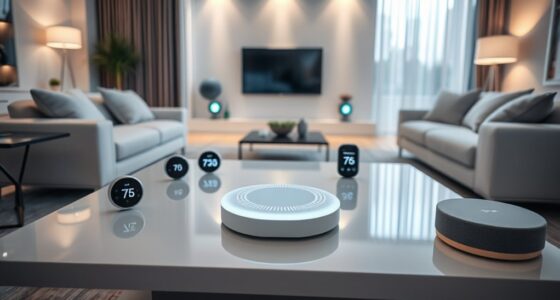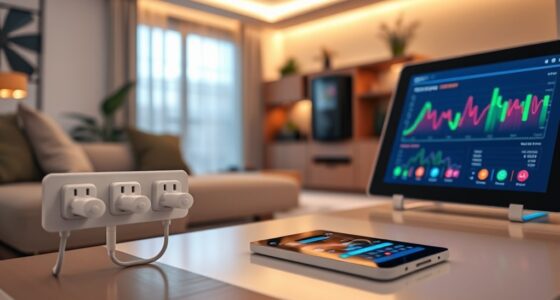
Discover 10 exciting smart home projects to make life easier, from automating your out-the-door routines with smart locks and thermostats, to setting personalized doorbell alerts with custom responses. You can monitor indoor air quality with sensors that activate purifiers automatically, or create a kitchen night reset to save energy and improve safety. Build a multi-sensor dashboard for real-time insights, and add kid-friendly smart buttons for family fun. Exploring these ideas will reveal how to upgrade your smart home effortlessly.

Get the latest gadgets delivered free — and shop member deals
- Fast, free delivery on millions of items
- Access to Prime Big Deal Days deals on October 6–7
- Prime Video, Amazon Music and more included
Key Takeaways
- Automate daily routines like morning prep, security, and air quality management for enhanced convenience and safety.
- Implement smart doorbell systems with personalized alerts and automated responses for visitor management.
- Use indoor air quality sensors to monitor pollutants and activate purifiers automatically for healthier living environments.
- Set up multi-sensor dashboards and safety alerts for real-time home environment monitoring and proactive maintenance.
- Create DIY control hubs and energy management routines to optimize device operation, reduce costs, and promote sustainability.
Create a Smart Out-the-Door Routine for Daily Convenience

Creating a Smart Out-the-Door Routine for Daily Convenience can significantly enhance your morning efficiency. Starting your day smoothly is easy with a well-designed Out-the-Door Routine that automates key tasks as you leave home. When your phone detects you’re heading out, it triggers a series of actions to save energy and boost security. Your smart locks automatically secure the doors, while your security system arms itself, ensuring your home is protected. The thermostat lowers the temperature, reducing energy costs, and the air purifier adjusts for ideal air quality. Meanwhile, your robot vacuum begins cleaning in Quiet Mode, and smart lights turn off or dim. This routine minimizes manual effort, enhances safety, and conserves energy, all while giving you peace of mind. Setting up these automations streamlines your mornings and simplifies your daily departures effortlessly. Smart home automation helps coordinate these tasks seamlessly for maximum convenience, leveraging local automation to operate without relying solely on cloud services. Additionally, automation reliability is essential to ensure these routines function consistently and securely every day. Regularly testing and updating your automations can further improve their performance and dependability. Incorporating secure network connections into your automation setup further protects your routines from potential cyber threats.
Set up Automated Doorbell Alerts With Customized Responses

You can personalize your doorbell alerts to notify you in ways that suit you best, whether through app notifications, sounds, or lights. Automated responses can be set up to trigger actions like turning on porch lights or locking doors when someone rings the bell. With customized settings, you make sure you’re always aware of visitors and can respond instantly. Incorporating smart habits into your setup can help you develop consistent routines that improve your overall awareness and responsiveness. Additionally, integrating navigation and mapping capabilities ensures your smart home devices operate efficiently and adapt to changes in your environment. Understanding contrast ratio and its impact on image quality can also help you optimize your home theater setup for better viewing experiences. Regularly updating your device firmware can also enhance the reliability and security of your automation system. Moreover, paying attention to ventilation considerations can ensure your smart home devices function optimally and safely over time.
Personalized Notification Settings
Have you considered customizing your doorbell notifications to better suit your household’s needs? With personalized notification settings, you can tailor alerts based on who’s at the door, the time of day, or specific events. For example, you might set a unique chime or message for family members versus guests, or receive a silent alert if a package arrives during work hours. Using smart home apps, you can assign different responses to various visitors, like triggering outdoor lights or sending a text to your phone. This customization helps you stay informed and respond quickly without unnecessary interruptions. European cloud infrastructure enables the integration of various smart devices securely and efficiently, ensuring your home automation remains reliable and protected. By fine-tuning your notifications, you create a more efficient, responsive, and secure home environment that adapts to your daily routines.
Automated Response Actions
Ever wondered how to make your doorbell alerts more useful and personalized? You can set up automated responses that trigger based on who’s at the door or the time of day. For example, when someone rings the doorbell, your system can turn on specific lights, send a notification with a photo, or even play a custom message. Using smart home platforms like Home Assistant or IFTTT, you can create rules that adapt to your needs, such as alerting family members differently or activating security cameras. You might also program responses for package deliveries, like opening the door temporarily or notifying you immediately. These customized automations enhance security, convenience, and user experience, making your smart home more intuitive and responsive. Incorporating privacy considerations ensures your data remains protected while enjoying these features. Additionally, understanding smart home protocols can help you choose compatible devices and improve the reliability of your automations. Considering device compatibility from the start can save time and frustration when setting up complex automations. Moreover, implementing trusted security practices can safeguard your automation system from potential threats. To further improve your setup, exploring security standards can help ensure your devices communicate securely.
Implement Indoor Air Quality Monitoring and Purification System

You can improve your home’s air quality by monitoring pollutants like PM2.5, VOCs, and CO₂ with smart sensors. When levels rise, your system can automatically activate air purifiers to filter out harmful particles. This setup guarantees healthier indoor air without you having to intervene manually. Additionally, choosing the right air purifier ensures optimal removal of airborne contaminants and enhances overall air quality. Proper system sizing and load planning are essential to ensure your air quality system operates effectively and reliably. Regular maintenance of the purifiers is also crucial for sustained performance and air cleanliness. Understanding Free Floating concepts can also help in designing air flow systems that optimize pollutant removal and air circulation throughout your home. Considering airflow dynamics can further improve the effectiveness of your air purification setup by ensuring uniform air distribution.
Monitoring Air Pollutants
Indoor air quality monitoring has become essential for maintaining a healthy home environment, especially as pollutants like PM2.5 and VOCs can quickly impact health and comfort. To do this, you can install multi-sensors that detect airborne particles, gases, humidity, and temperature. These sensors provide real-time data, helping you identify pollution spikes. Connect them to your smart home hub or automation platform for instant alerts on your phone or through voice assistants. You might also set routines that activate air purifiers or open windows when pollutant levels rise. Regular monitoring allows you to maintain ideal air quality, reduce health risks, and improve overall comfort. By integrating these sensors into your home system, you’ll stay ahead of indoor pollution and create a safer living space. Incorporating drone insights can also help you assess outdoor air quality to better understand your environment.
Automated Purification Response
Implementing an automated purification response begins with integrating air quality sensors that monitor pollutants like PM2.5, VOCs, and other airborne contaminants in real-time. When sensors detect elevated pollution levels, your smart system automatically activates air purifiers to improve indoor air quality without delay. You can set thresholds to trigger specific actions, such as increasing fan speeds or cycling purifiers during peak pollutant spikes. These responses keep your environment healthier and more comfortable. Additionally, your system can send alerts to your phone, informing you of air quality changes and purifying actions taken. By automating this process, you reduce manual intervention, ensuring continuous air purification tailored to your home’s needs. Incorporating sensor calibration ensures accurate monitoring for optimal performance. This seamless integration creates a smarter, cleaner, and safer living space, and understanding air quality standards helps maintain a healthy indoor environment.
Automate Kitchen Night Reset to Save Energy and Enhance Safety

Automating the Kitchen Night Reset streamlines energy savings and enhances safety by turning off lights and appliances when the household is inactive. You can set routines that detect bedtime or inactivity, automatically switching off devices to prevent energy waste and reduce fire risks. Use motion sensors or smart switches to trigger these actions seamlessly. Here’s a quick look at some common reset options:
| Device | Action |
|---|---|
| Kitchen Lights | Turn off after a set period of inactivity |
| Small Appliances | Power down or switch to standby mode |
| Oven/Countertop | Disable or ensure off during night |
This automation helps you save energy, avoid accidents, and gain peace of mind knowing your kitchen is safe and efficient overnight.
Build a Multi-Sensor Environmental Dashboard for Real-Time Monitoring

Choosing the right sensors and placing them strategically is key to capturing accurate environmental data. Once installed, you can design a dashboard that clearly visualizes temperature, humidity, air quality, and other metrics in real time. Setting up alerts guarantees you’re promptly notified of any environmental changes that require your attention.
Sensor Selection & Placement
Selecting the right sensors and placing them strategically is essential for building an effective multi-sensor environmental dashboard that provides real-time data. You want sensors in key locations to capture accurate, representative readings. Consider these placements:
- Living Room: position temperature, humidity, and light sensors to monitor comfort levels during daily activities.
- Kitchen: install air quality sensors near appliances prone to pollutants or VOCs to detect cooking fumes or cleaning chemicals.
- Basement or Attic: place moisture or humidity sensors to prevent mold or water issues, especially in hidden or less-ventilated areas.
- Entry Points: position motion sensors near doors and windows to track occupancy and trigger routines for security or climate control.
Strategic placement ensures your dashboard reflects real conditions, enabling precise automation and alerts.
Dashboard Visualization & Alerts
Creating an effective multi-sensor environmental dashboard starts with designing intuitive visualizations that display real-time data clearly. You’ll want to organize data from sensors like temperature, humidity, air quality, and light into easy-to-read charts and gauges. Use color coding to highlight critical conditions, such as high VOC levels or temperature spikes. Incorporate alerts that notify you immediately of issues, like pollutant spikes or water leaks, via push notifications or email. Make certain your dashboard updates dynamically, reflecting ongoing sensor readings. Keep the interface simple and accessible on both desktops and mobile devices. By streamlining data presentation and automating alerts, you’ll gain instant insights into your home’s environment, enabling quick responses and maintaining optimal comfort and safety.
Develop a DIY IR Control Hub for Your Traditional Appliances

Building a DIY IR control hub allows you to unify and automate your traditional appliances like TVs, air conditioners, and fans without relying on cloud services. You’ll need a microcontroller, an IR receiver, an IR transmitter, and a power supply. First, connect the IR receiver to capture remote signals from your appliances. Second, program the microcontroller to record and store these signals. Third, link the IR transmitter to send commands to your devices on command or schedule. Fourth, integrate your hub with a home automation system like Home Assistant for seamless control. Imagine pressing a single button to turn on your TV, set your AC, and activate the fan. This setup simplifies control and enhances automation for your household, all while maintaining privacy and local control.
Design a Kid-Friendly Smart Button for Family Engagement

A kid-friendly smart button can turn simple family interactions into engaging automation moments that everyone enjoys. You can program it to trigger fun routines like turning on colorful lights, playing a favorite song, or activating a storytime scene with a single press. Mount the button in common areas or kids’ rooms, making it easily accessible. Use a platform like Home Assistant or SmartThings to customize responses based on your family’s routines. Keep the interface simple—large, bright buttons work best for little hands. Encourage kids to use the button for positive interactions, fostering independence and fun. This project not only enhances family bonding but also introduces children to automation concepts in a playful, approachable way.
Establish Water Level Alerts With Ultrasonic Sump Pit Sensors

Integrating ultrasonic sensors into your sump pit offers a reliable way to monitor water levels and prevent flooding. You’ll set up the sensor to measure the distance between the sensor and the water surface, alerting you before overflow occurs. Here’s how it works:
- The ultrasonic sensor emits sound waves, bouncing off the water surface.
- It calculates the distance based on the time it takes for the echo to return.
- When water rises past a set threshold, the sensor triggers an alert.
- You receive notifications via your smart home system, prompting immediate action.
This setup keeps you informed in real-time, reducing flood risk and protecting your home. It’s a simple, effective way to automate sump pit monitoring and ensure peace of mind during heavy rains.
Integrate Voice Commands for Hands-Free Home Automation

Voice commands are transforming home automation by allowing you to control devices hands-free, making daily routines more seamless. With a smart speaker or voice assistant, you can turn on lights, adjust thermostats, or lock doors without lifting a finger. Simply speak your command naturally, and your system responds instantly. Connecting your devices through platforms like Amazon Alexa, Google Home, or Samsung SmartThings makes integration straightforward. You can create routines that trigger multiple actions with a single phrase, such as saying “Good night” to turn off lights, lower the thermostat, and arm security. Voice commands also enable quick access to information or entertainment, reducing the need to interact physically with your devices. This hands-free control enhances convenience, safety, and overall smart home responsiveness.
Manage Home Energy Usage With Smart Load Balancing and EV Charging

Managing your home’s energy consumption has become more efficient with smart load balancing systems and intelligent EV charging solutions. These technologies optimize power distribution, reduce costs, and prevent overloads. For example:
Smart load balancing and EV charging solutions make home energy management more efficient and cost-effective.
- You can schedule EV charging during off-peak hours, saving money and reducing strain on the grid.
- Smart load balancers monitor real-time energy use, automatically adjusting appliance operation to maintain balance.
- Integration with solar systems allows excess energy to be stored or redirected, maximizing renewable usage.
- Automated routines can dim or turn off devices when not in use, ensuring energy isn’t wasted unnecessarily.
With these tools, you gain better control over your energy habits, cut costs, and contribute to a greener environment—all while keeping your home running smoothly.
Frequently Asked Questions
How Can I Ensure My DIY Smart Projects Are Secure From Hacking?
To keep your DIY smart projects secure from hacking, you should start by changing default passwords to strong, unique ones. Keep your firmware updated regularly, and use secure Wi-Fi networks with WPA3 encryption. Enable two-factor authentication where possible, isolate your smart devices on a separate network, and disable remote access if not needed. Regularly monitor your network for suspicious activity and use a reputable firewall to block unauthorized connections.
What Are the Best Platforms for Integrating Multiple Smart Home Devices?
You should consider platforms like Home Assistant, IFTTT, and Samsung SmartThings because they support multiple brands and protocols, making device integration seamless. These platforms offer user-friendly interfaces, automation customization, and strong community support. Keep your firmware up-to-date and use secure Wi-Fi networks to prevent hacking. By choosing flexible, open-source platforms, you’ll enjoy better compatibility, security, and control over your smart home ecosystem.
How Do I Choose the Right Sensors for My Specific Automation Needs?
Imagine your home responding seamlessly, like a well-orchestrated symphony. To choose the right sensors, first picture your needs: environmental monitoring, security, or comfort? Motion sensors detect movement, perfect for security or lighting. Temperature or humidity sensors help with climate control. Air quality sensors monitor pollutants, ensuring health. Pick sensors compatible with your system, considering range, power, and data accuracy, to craft a personalized, responsive smart home environment.
Can I Set up Cross-Brand Automation Workflows Without Coding Experience?
Yes, you can set up cross-brand automation workflows without coding experience. Many platforms like Home Assistant, IFTTT, and Samsung SmartThings offer user-friendly interfaces with drag-and-drop builders and pre-made automation templates. You simply connect your devices, choose triggers and actions, and customize your routines. These tools handle the complex integration behind the scenes, so you can create seamless automations across different brands without any coding skills.
What Are the Power Requirements for Running DIY Automation Systems Long-Term?
You’ll need a reliable power source for your DIY automation systems, which typically operate on low-voltage DC or standard AC power. About 80% of DIY projects use USB or battery power, but for long-term use, dedicated power supplies or outlets are optimal. Planning for backup options like batteries ensures your automation keeps running during outages, reducing disruptions and maintaining security and comfort in your smart home.
Conclusion
By automating your home, you can save up to 30% on energy costs and enjoy greater convenience every day. With projects like smart routines and environmental monitoring, you make your space safer and more efficient. Imagine waking up to a perfectly brewed coffee or knowing your home is secure even when you’re away. Embracing smart home tech isn’t just about gadgets—it’s about transforming your living experience for comfort, safety, and peace of mind.
Fall Picks
fall essentials
As an affiliate, we earn on qualifying purchases.