Syncing your smart lights with your TV creates an immersive movie night experience by matching lighting colors, brightness, and effects to on-screen actions. This automation enhances mood, reduces eye strain, and offers personalized scenes for different genres. Using compatible devices and smart home hubs, you can control everything with voice commands or apps. For seamless integration, consider automation routines and troubleshooting tips that guarantee your setup stays smooth and ready for your next movie marathon.
Key Takeaways
- Use compatible smart devices and protocols to enable seamless synchronization between your lights and TV during movie nights.
- Automate lighting scenes and brightness levels with apps or voice commands to match movie genres or specific scenes.
- Incorporate motion sensors and routines for automatic lighting adjustments, enhancing convenience and energy efficiency.
- Sync lighting effects with audio cues or scene changes to create an immersive, lifelike entertainment experience.
- Regularly update device firmware and verify compatibility to ensure smooth operation and future-proof your smart home setup.
Understanding the Benefits of Syncing Lights and Your TV

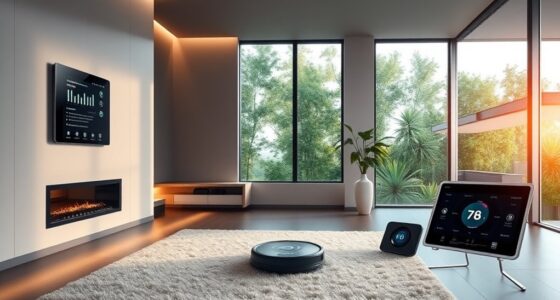
Have you ever wondered how syncing your smart lights with your TV can transform your viewing experience? When you synchronize lighting with your TV, you create an immersive environment that enhances every scene. Adjusting brightness, color, and intensity to match on-screen action makes movies feel more vivid and engaging. It also reduces eye strain by preventing glare and providing comfortable ambient lighting. Plus, personalized lighting scenes can set the mood for different genres, from cozy to dramatic. Automated routines simplify your movie night: just press play, and your lights dim or change color automatically. This seamless integration boosts convenience, making your entertainment more enjoyable. Implementing smart lighting technology allows for even greater customization and dynamic control. Additionally, leveraging energy-efficient solutions can help minimize energy consumption during extended viewing sessions, aligning with sustainable practices. Incorporating automated lighting routines can further streamline your setup, creating a truly effortless experience. Overall, syncing lights with your TV elevates your home theater into a truly immersive, personalized space. To maximize your setup, exploring advanced control systems can provide more precise and intuitive management of your lighting and entertainment devices. A thorough understanding of smart home integration can also help you optimize the entire system for better performance and reliability.
Choosing Compatible Smart Lighting and Entertainment Devices

To ensure your smart lights and entertainment devices work seamlessly together, you need to consider compatibility and the ecosystems they support. Check if your devices use common protocols like Wi-Fi, Zigbee, or Bluetooth, and if they integrate with your preferred smart home platforms. Investing in future-proof options that receive regular updates will keep your setup reliable and adaptable over time. Additionally, exploring local automation options can enhance privacy and reduce reliance on cloud services, making your setup more secure and responsive. Incorporating high-quality home theatre projectors can further elevate your movie nights by providing stunning visuals that complement your smart lighting system. Ensuring your devices are compatible with smart energy management systems can also optimize power usage and improve overall efficiency. Familiarizing yourself with interoperability standards can help you select devices that work well together and avoid compatibility issues. Being aware of device compatibility considerations will help you create a cohesive and enjoyable home entertainment environment.
Device Compatibility Considerations
Selecting compatible smart lighting and entertainment devices is essential for guaranteeing seamless integration and reliable performance in your home theater setup. To avoid frustration and technical issues, verify that your devices support common protocols like Wi-Fi, Zigbee, or Z-Wave. Check if your smart lights and TV work with your preferred voice assistants, such as Alexa or Google Assistant. Ensure your chosen streaming devices support 4K, HDR, and the streaming platforms you use regularly. Compatibility with smart hubs or apps simplifies control and automation. Additionally, reviewing device interoperability can help you plan a cohesive system. To maintain optimal functionality, it’s also important to ensure that your devices support regular firmware updates, which enhance security and performance. Finally, confirm that firmware updates are available to keep devices secure and functional. Regular maintenance and staying informed about automotive repair trends can help you troubleshoot issues quickly if problems arise.
Protocol and Ecosystem Integration
Ensuring your smart lighting and entertainment devices work together smoothly depends on choosing compatible protocols and ecosystems. You should verify that devices support common standards like Wi-Fi, Zigbee, or Z-Wave, which facilitate seamless communication. Using a central hub or platform—such as Alexa, Google Home, or Apple HomeKit—can unify control and simplify setup. Compatibility guarantees devices respond reliably to voice commands, automation routines, and app controls. When selecting equipment, check manufacturer specifications for ecosystem support and integration features. Opt for devices that receive regular firmware updates, enhancing security and functionality over time. Prioritizing ecosystem compatibility enhances device interoperability to avoid fragmenting control or encountering connectivity issues, ensuring your smart home theater setup operates harmoniously during movie nights.
Future-Proofing and Updates
Choosing smart lighting and entertainment devices that can receive regular updates helps keep your system secure and compatible with new features. Updates fix security vulnerabilities, improve performance, and add functionalities, ensuring your setup stays current. When selecting devices, look for brands with reliable update policies and active support communities. Compatibility across ecosystems like Alexa, Google, or Apple is essential for seamless integration. Future-proofing also means choosing hardware that supports the latest standards like Zigbee, Z-Wave, or Wi-Fi 6. Regular firmware updates help prevent obsolescence. Additionally, verifying that devices support interoperability standards ensures smooth communication between different smart home components. Staying informed about device security practices is crucial for protecting your network from potential threats.
Setting Up Your Smart Home Hub for Seamless Integration

To achieve seamless integration of your smart home theater devices, setting up a central hub is essential. This hub connects your smart lights, TV, sound system, and other devices, enabling unified control. Start by choosing a compatible platform like Amazon Alexa, Google Home, or Apple HomeKit. Confirm all devices support the hub’s protocols—Wi-Fi, Zigbee, or Z-Wave. Next, connect each device to the hub’s app, assigning labels for easy identification. Automate routines and scenes from the hub’s interface, linking lighting, sound, and video. Keep firmware updated to maintain security and compatibility. Using a reliable protocol, like Zigbee or Z-Wave, can improve device communication and reduce interference. Use the table below to visualize your setup process:
| Step | Action |
|---|---|
| 1 | Choose a compatible hub |
| 2 | Connect devices to the hub |
| 3 | Assign device labels |
| 4 | Configure automation routines |
| 5 | Regularly update firmware |
Creating Customized Lighting Scenes for Different Movie Genres

Once your smart home hub is set up and connected to your devices, you can start customizing lighting scenes tailored to different movie genres. This personalization enhances your viewing experience by matching lighting to the mood and style of each film. You can create vibrant, energetic scenes for action movies, warm and cozy settings for romances, or dark, subdued atmospheres for thrillers. Use your app or voice commands to set specific colors, brightness levels, and evolutions for each genre. These scenes can be activated manually or automated based on the movie type. Incorporating lighting automation can further streamline the process, allowing your system to adjust settings seamlessly during your movie nights. Leveraging smart home integrations can also help synchronize your lighting with your TV, making the experience even more immersive. Additionally, exploring device compatibility ensures your smart lights and TV work together smoothly across different brands and platforms. Utilizing scene customization options allows you to tailor each setting precisely to your preferences, elevating your overall viewing ambiance.
Automating Your Movie Night Routine With Voice Commands

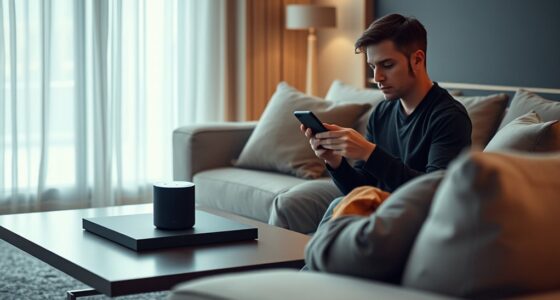
Automating your movie night with voice commands transforms the entire experience into a seamless, hands-free event. With a simple voice prompt, you can turn on your TV, adjust the lighting, and start your favorite streaming service—all at once. Using voice assistants like Alexa or Google Assistant, you can create routines that activate multiple devices with a single command, such as “Hey Google, start movie night.” This eliminates the need to navigate multiple remotes or apps, saving time and effort. You can also set up specific commands for different moods or genres, customizing your experience. Understanding device compatibility can help ensure all your smart devices work together smoothly. Additionally, ensuring your devices support voice control standards helps in creating a more reliable and integrated setup. Device interoperability is key to making sure all your smart devices communicate effectively. Voice control makes it effortless to prepare your space, ensuring that everything is perfectly synchronized for an immersive movie night. It’s convenience at its finest, enhancing your entertainment without lifting a finger.
Utilizing Motion Sensors to Enhance Viewing Comfort and Energy Efficiency

Motion sensors add a smart layer to your home theater setup by automatically adjusting lighting based on room occupancy. This guarantees your space is well-lit when needed and dims or turns off lights when you’re absent, boosting energy efficiency. They detect movement, so lights activate as you enter and turn off after you leave, reducing waste. You can also set sensors to dim lights gradually as you settle in or during quiet scenes to minimize glare. This automation enhances comfort by preventing harsh lighting that causes eye strain. Plus, motion sensors integrate seamlessly with your existing smart setup.
- Reduce energy waste by turning off lights when rooms are empty
- Prevent glare during intense movie scenes with automatic dimming
- Create a cozy atmosphere as you settle in without manual adjustments
- Save time by automating lighting without needing remote control
- Improve safety with automatic lighting when entering dark rooms
Adjusting Lighting Colors and Brightness to Match On-Screen Action

Adjusting lighting colors and brightness to match on-screen action transforms your viewing experience by immersing you in the scene. When intense action unfolds, you can increase brightness and shift lights to cooler hues for a sense of urgency. During calm, cozy moments, dim the lights and choose warmer tones to create a relaxed atmosphere. Many smart lighting systems allow you to set scenes or automate color and brightness changes based on the content. This synchronization enhances mood and makes scenes feel more realistic. You can also manually adjust lights during a movie, tailoring the environment to your tastes. Overall, dynamic lighting adjustments help you feel more connected to the story, heightening immersion and making your movie nights truly cinematic.
Synchronizing Sound and Light for an Immersive Experience

Synchronizing sound and light transforms your home theater into a truly immersive environment by aligning audio cues with visual effects. When sound and lighting work together, you heighten the sensory experience, making movies feel more lifelike. You can use smart devices and apps to sync your lights with specific scenes or sound effects, creating dynamic shifts that match on-screen action. This synchronization enhances tension during suspenseful moments or excitement during action scenes. You’ll also reduce eye strain and glare, maintaining visual comfort. To maximize this effect, consider:
Synchronize sound and lighting to elevate your home theater experience and create immersive, comfortable viewing.
- Using automation routines that trigger lighting changes with audio cues
- Syncing smart lights to sound levels for pulsating effects
- Integrating soundbars with lighting controls for real-time reactions
- Employing compatible platforms like IFTTT for seamless automation
- Adjusting delay settings to perfect timing between sound and light responses
Troubleshooting Common Connectivity and Control Issues

Connectivity and control issues are common obstacles when setting up smart lights and TV systems, but many can be resolved with systematic troubleshooting. First, verify all devices are connected to the same Wi-Fi network, as mismatched networks often cause problems. Restart your router, smart lights, and TV to refresh connections. Check for firmware updates on your devices and apps, as outdated software can hinder communication. Confirm that your smart lights and TV are compatible with your control platform or voice assistant. If control intermittently fails, try removing and re-adding devices in your app or hub. Also, confirm that Bluetooth, Zigbee, or other protocols are enabled where necessary. If issues persist, reset affected devices to factory settings and set them up again from scratch for a clean start.
Tips for Maintaining and Updating Your Smart Home Theater System

To keep your smart home theater system running smoothly, make certain you regularly update the firmware on all devices. Checking compatibility with new updates ensures everything continues to work together seamlessly. Staying current with software improvements helps prevent issues and maximizes your system’s capabilities.
Regular Firmware Updates
Regular firmware updates are essential for keeping your smart home theater system secure, efficient, and fully functional. They fix bugs, improve performance, and add new features, ensuring your devices stay compatible with evolving technology. Skipping updates can leave your system vulnerable to security risks and cause compatibility issues. To stay current, regularly check for updates through your device’s app or settings menu. Enable automatic updates if available, so you don’t miss critical patches. Remember, outdated firmware may lead to syncing problems between your lights and TV or cause system crashes. Staying on top of updates ensures seamless integration, peak performance, and access to the latest features that enhance your movie nights. Keep your system smooth and secure with timely firmware updates.
- Enable automatic firmware updates whenever possible
- Regularly check device settings for available updates
- Read update release notes to understand new features or fixes
- Restart devices after updates to ensure proper installation
- Keep a backup of your configurations before major updates
System Compatibility Checks
Ensuring your smart home theater system remains compatible as technology evolves requires proactive checks and updates. Regularly verify that all devices support current communication protocols like Wi-Fi, Zigbee, or Bluetooth, and confirm they work together seamlessly. Keep firmware and software updated on your smart TV, lighting, and streaming devices to access new features and security patches. Compatibility with your chosen voice assistants and automation platforms is essential; test routines periodically to ensure they execute correctly. If you add new equipment, double-check compatibility before purchasing. Use centralized apps or hubs that simplify device management and monitor for firmware alerts. Staying attentive to these details guarantees your system functions smoothly, maintains integration, and adapts effortlessly as your home entertainment setup grows.
Frequently Asked Questions
How Secure Is My Smart Home Theater System Against Hacking?
Your smart home theater system’s security depends on how well you set it up. You should change default passwords, keep firmware updated, and use strong, unique passwords for your Wi-Fi and devices. Enable two-factor authentication if available, and avoid connecting to unsecured networks. Regularly monitor device activity and disconnect unused devices. By taking these steps, you make it much harder for hackers to access and compromise your system.
Can I Integrate Third-Party Smart Devices Not Listed?
Certainly, you can seamlessly synchronize third-party smart devices not initially listed. First, verify compatibility by exploring protocols like Zigbee, Z-Wave, or Wi-Fi, ensuring devices speak the same language. Next, pair and program these gadgets via hubs, apps, or voice assistants for a harmonious home theater experience. With a little diligence and device diligence, you’ll deliver a dazzling, dynamic, and deeply integrated entertainment environment, elevating every movie night to magnificent new heights.
How Do I Reset Devices if They Become Unresponsive?
If your devices become unresponsive, start by unplugging them from power, wait 10 seconds, then plug them back in. For smart lights or hubs, use the reset button typically located on the device, holding it until the indicator flashes. If needed, restore factory settings through the device’s app or settings menu. Updating firmware afterward can prevent future issues and restore full functionality.
Are There Energy Consumption Considerations With Smart Lighting?
Like Icarus flying too close to the sun, overusing smart lighting can lead to higher energy bills. To keep consumption in check, set schedules or use motion sensors to turn lights off when rooms are empty. Dim or adjust brightness during movie nights to save power without sacrificing ambiance. Regularly review your device settings and firmware updates to optimize efficiency, ensuring your smart lighting remains eco-friendly and cost-effective.
What’s the Best Way to Upgrade My System in the Future?
To upgrade your system in the future, prioritize devices that support common protocols like Wi-Fi, Zigbee, or Z-Wave for easy integration. Choose platforms with regular firmware updates, compatibility with voice assistants, and multi-room audio capabilities. Invest in modular components so you can add or replace features without overhauling everything. Keep an eye on emerging technologies, and select brands known for longevity and good customer support to guarantee your system stays current.
Conclusion
By syncing your smart lights and TV, you create a movie night experience that feels almost magical—like your home adapts to every scene. With a little setup, you’ll find yourself immersed in the action, laughter, or suspense, as color and sound work together seamlessly. It’s a coincidence how technology can turn an ordinary evening into something extraordinary. So, start experimenting, and watch your movie nights become unforgettable moments of entertainment.