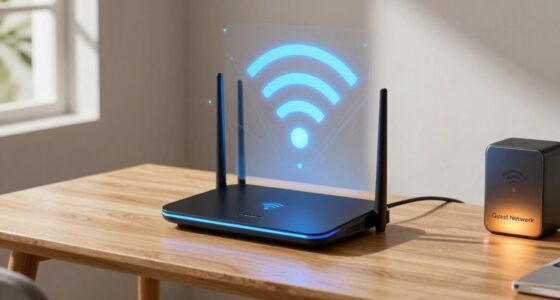
Smart homes rely on strong, secure networks more than you might realize. A reliable connection guarantees your devices like thermostats, lights, and security cameras work seamlessly and respond in real time. Weak networks can cause delays, glitches, or even security risks if not properly protected. Upgrading your network infrastructure is essential for both performance and privacy. If you want to discover how to keep your smart home running smoothly and safely, keep exploring the details ahead.
Key Takeaways
- Smart homes require robust networks to ensure seamless device communication and prevent delays or system failures.
- Enhanced network infrastructure supports the growing number of connected devices and higher bandwidth demands.
- Reliable networks are essential for real-time security alerts, automation, and safety features.
- Strong security protocols protect sensitive data transmitted between devices from cyber threats.
- Improved networks optimize energy efficiency through better device coordination and responsiveness.

Smart homes are transforming the way you live by making everyday tasks more convenient and efficient, but they rely heavily on robust, reliable networks. Without a strong connection, these devices can’t communicate properly, which means you might face delays, glitches, or even system failures. Your smart thermostat, lighting controls, and security cameras all depend on seamless data transfer to operate at their best. When your network is solid, your home becomes more energy-efficient because devices can coordinate better, adjusting heating, cooling, and lighting based on real-time data. This not only saves you money but also reduces your carbon footprint, making your home more sustainable.
A reliable network ensures your smart home runs smoothly, saving energy and reducing your carbon footprint.
However, all this connectivity raises privacy concerns. As your devices collect and transmit data about your daily routines, habits, and even security footage, the risk of breaches or unauthorized access grows. A weak network can open the door for hackers who might exploit vulnerabilities, putting your personal information at risk. That’s why having a reliable, secure network isn’t just about convenience—it’s about protecting your privacy. You need to ensure your Wi-Fi is encrypted, and your smart devices are updated regularly to patch security flaws. Many smart home owners overlook these precautions, but the consequences can be severe if sensitive data falls into the wrong hands. Cybersecurity plays a vital role in safeguarding your connected home.
The dependence on better networks also means you need more than just a fast internet connection; you need a network that can handle multiple devices simultaneously. As your smart home expands, so does the demand on your network’s bandwidth. A sluggish or unstable connection can lead to lagging security alerts or unresponsive automation. Upgrading your router, setting up a mesh network, or segmenting your Wi-Fi can help manage this increased load, ensuring all your devices stay connected and responsive. These improvements make your smart home more reliable, energy-efficient, and secure. Additionally, a robust network infrastructure is crucial to support the growing number of connected devices and ensure seamless operation across your smart home ecosystem.
Furthermore, investing in quality network components and understanding network security protocols can significantly enhance your home’s defenses against cyber threats. In essence, the smarter your home gets, the more it hinges on having a dependable network. It’s not just about streaming movies or browsing; it’s about creating a safe, efficient environment that responds to your needs in real time. Energy efficiency benefits considerably from this connectivity, but privacy concerns remind you to stay vigilant. Investing in a strong, secure network is the foundation that keeps your smart home functioning smoothly, protecting your data while making your life easier. Without it, all the smart devices in the world can’t deliver the convenience and security you expect.

TP-Link Deco X55 AX3000 WiFi 6 Mesh System – Covers up to 6500 Sq.Ft, Replaces Wireless Router and Extender, 3 Gigabit Ports per Unit, Supports Ethernet Backhaul, Deco X55(3-Pack)
Wi-Fi 6 Mesh Wi-Fi – Next-gen Wi-Fi 6 AX3000 whole home mesh system to eliminate weak Wi-Fi for…
As an affiliate, we earn on qualifying purchases.
As an affiliate, we earn on qualifying purchases.
Frequently Asked Questions
How Secure Are Smart Home Networks From Cyber Threats?
Smart home networks can be fairly secure if you use strong encryption protocols and guarantee proper device authentication. However, vulnerabilities exist if you ignore updates or use weak passwords. You should regularly update your devices, enable two-factor authentication, and use secure Wi-Fi connections. By taking these steps, you minimize cyber threats and protect your smart home from potential breaches. Staying vigilant keeps your connected home safer.
What Is the Average Bandwidth Required for a Smart Home?
The average bandwidth capacity needed for a smart home varies, but typically, you’ll require around 50 to 100 Mbps to guarantee smooth data throughput. This supports multiple devices like smart TVs, security cameras, thermostats, and voice assistants without lag or disruptions. If you have a larger smart home or more devices, consider upgrading your internet plan for higher data throughput to keep everything running seamlessly and securely.
Can Smart Home Devices Operate Without Internet Access?
They say, “Necessity is the mother of invention,” and smart home devices often can’t operate without internet access. While some devices may function locally, many depend on internet for device compatibility and energy efficiency features. Without it, your smart home’s automation, security, and remote control options are limited. To get the most from your smart home, a reliable network guarantees seamless operation and maximizes device capabilities.
How Does Network Congestion Affect Smart Home Device Performance?
Network congestion causes smart home devices to slow down or become unresponsive because wireless interference reduces signal stability. When too many devices compete for bandwidth, your smart gadgets struggle to communicate effectively, leading to delays or disconnections. You’ll notice that lights might flicker or your thermostat won’t respond promptly. To improve performance, make sure your network is free from interference and consider upgrading your router for better signal stability and less congestion.
What Are the Best Network Setups for Expanding Smart Homes?
Think of your smart home as a bustling city; a wireless mesh network acts like a well-planned street grid, ensuring smooth traffic flow. Incorporate network segmentation to create dedicated lanes for devices, preventing congestion. This setup amplifies your smart home’s efficiency, reducing lag and boosting reliability. With a robust wireless mesh and strategic segmentation, your smart home becomes a seamless, interconnected ecosystem, ready to handle anything you throw at it.

Blink Outdoor 4 – Wireless smart security camera, two-year battery life, 1080p HD day and infrared night live view, two-way talk. Sync Module Core included – 5 camera system
Outdoor 4 is our most affordable wireless smart security camera yet, offering up to two-year battery life for…
As an affiliate, we earn on qualifying purchases.
As an affiliate, we earn on qualifying purchases.
Conclusion
Just like a well-woven net keeps a boat steady in rough seas, your smart home relies on a strong, reliable network to keep everything running smoothly. Without this invisible web, devices can stumble and connections break, leaving you frustrated. So remember, behind every smart gadget, there’s a network working tirelessly, silently holding everything together. Strengthen this foundation, and your smart home will sail smoothly through everyday life, no matter what storms may come.

WiFi Extender, 2026 15X Fastest WiFi 6 Booster AX1800 Dual Band (5.8/2.4GHz) 17,999 sq.ft Long Range and 135+ Devices, WiFi Extender Signal Booster for Home with Ethernet Port (White)
【Blazing Fast Speeds】: The AX1800 WiFi 6 Extender is 200% faster than traditional WiFi 5 repeaters, delivering speeds…
As an affiliate, we earn on qualifying purchases.
As an affiliate, we earn on qualifying purchases.

TP-Link Tapo 1080P Indoor Security Camera for Baby Monitor, Dog Camera w/Motion Detection, 2-Way Audio Siren, Night Vision, Cloud & SD Card Storage, Works w/Alexa & Google Home (Tapo C100)
【Motion Detection & Instant Notification】Get instant push notifications when motion, person or baby crying is detected, there is…
As an affiliate, we earn on qualifying purchases.
As an affiliate, we earn on qualifying purchases.