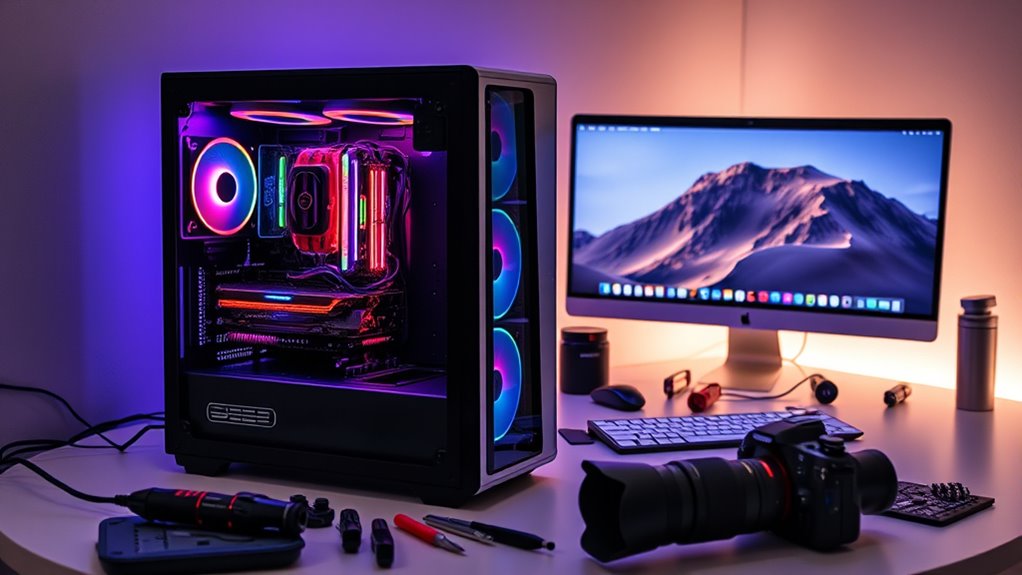

Building a Hackintosh can be a cost-effective way to run macOS on a custom PC that offers better performance and flexibility than many Apple hardware options. You can choose high-end components, upgrade easily, and save money. However, it requires technical skills for compatibility, software patches, and troubleshooting. Stability and updates aren’t guaranteed, and there are legal considerations. If you want to know more about whether it suits your needs, keep exploring the details ahead.
Key Takeaways
- Hackintosh offers customizable hardware and better performance at a lower cost than Apple Macs.
- Stability and software support depend on community patches, requiring ongoing maintenance and technical skills.
- Building a Hackintosh bypasses Apple’s EULA, posing legal risks and potential support issues.
- Upgrading components in a Hackintosh provides future-proofing and tailored performance improvements.
- For critical or professional use, native Macs offer greater stability and official support despite higher costs.

iO CLEAN Screen Cleaner Spray (16oz - 473ml) – Best Large Cleaning Kit
- Versatile Screen Compatibility: Works on all electronic screens and devices
- Gentle, Scratch-Free Formula: Removes dust, fingerprints, grime safely
- Protective, Anti-Static Coating: Leaves a streak-free, smudge-free shine
As an affiliate, we earn on qualifying purchases.
Understanding Hackintosh Hardware Options and Limitations

When building a Hackintosh, understanding the available hardware options is essential to achieving desired performance and stability. You can choose modern CPUs like Intel Core i9 or older Xeon processors, depending on your needs and budget. RAM is highly flexible, often supporting 4GB or more, which surpasses the typical 1-2GB in classic Mac Pros. Graphics cards range from consumer to prosumer GPUs, offering greater flexibility than Apple’s workstation options. Storage options include SSDs and NVMe drives, providing faster data transfer speeds than traditional HDDs. Customizing your hardware allows you to optimize your build for specific tasks and budgets. Additionally, paying attention to hardware compatibility and community feedback can significantly reduce troubleshooting time and improve your overall experience. However, compatibility issues can arise, so researching hardware support and community feedback is vital to avoid stability problems. Incorporating innovative European cloud servers can also enhance your Hackintosh setup by providing additional secure and scalable storage options.

EVEO Screen Cleaner Spray - Large Screen Cleaner Bottle - TV Screen Cleaner, Computer Screen Cleaner, for Laptop, Phone, Ipad - Computer Cleaning kit Electronic Cleaner (1 Pack)
- Versatile Electronic Device Cleaner: Suitable for TVs, laptops, phones, and tablets
- Effective Streak-Free Cleaning: Removes dust, fingerprints, and smudges
- Gentle on Sensitive Screens: Safe for LCD, LED, OLED, CRT screens
As an affiliate, we earn on qualifying purchases.
Performance Gains and Real-World Benchmarks

Recent Hackintosh builds equipped with modern CPUs like Intel Core i9 or i7 demonstrate significant performance improvements over traditional Mac Pros, often delivering up to 40% faster single-core and 11% faster multi-core CPU benchmarks. You’ll notice faster processing in tasks like video editing, 3D rendering, and software compiling. Graphics performance also surpasses older Mac Pros by 30-47%, thanks to newer GPUs and higher clock speeds. Real-world tests show smoother playback, quicker rendering times, and more responsive workflows. While Apple’s newer silicon Macs outperform Hackintoshes in CPU benchmarks and power efficiency, your custom build can excel in graphics-intensive workloads. Overall, Hackintosh performance can rival or even surpass that of some native Macs, making it a compelling option for demanding creative and technical work.

Screen Cleaner Spray 16oz (4oz x 4 Pack) - TV & Computer Screen Cleaner with 2 Microfiber Cloths for Multiple Devices
- Kit Includes: 4 screen cleaner bottles and 2 microfiber cloths
- Effective Cleaning: Removes dust, fingerprints, and smudges
- Gentle and Safe: Deep cleans without scratching surfaces
As an affiliate, we earn on qualifying purchases.
Compatibility, Software Updates, and Stability

Compatibility, software updates, and stability pose significant challenges for Hackintosh users because they depend heavily on community-developed tools and unofficial patches. You often need to manually patch your system after each macOS update, risking instability or boot failures. Unlike native Macs, which receive seamless, one-click updates, Hackintoshes require careful research and troubleshooting to maintain compatibility. Hardware differences can cause driver issues or software incompatibility, especially as Apple shifts toward ARM-based Silicon. Stability varies widely depending on your configuration and how well you apply patches. Additionally, Vetted wave and wind considerations are often necessary to ensure the system remains stable and functional over time. Proper system configuration and updating practices are essential for minimizing issues and ensuring reliable operation. Regularly reviewing compatibility lists can help identify known issues before updating. Staying informed about community support can significantly aid in troubleshooting and maintaining system stability. Being aware of official macOS documentation can also provide valuable insights to prevent common pitfalls. Overall, maintaining a Hackintosh demands ongoing technical effort, patience, and vigilance to keep your system running smoothly.

Nothing Phone (3a) Pro 5G Unlocked Smartphone, 12+256GB, Grey
- Super Zoom and Periscope Lens: 60x ultra zoom with 50MP lens
- Professional-Grade Selfies: 50MP front camera with 4K video
- Bright Sunlight AMOLED Display: 3000-nit peak brightness with eye safety
As an affiliate, we earn on qualifying purchases.
Legal and Ethical Considerations of Running Macos on Non-Apple Hardware

Running macOS on non-Apple hardware raises significant legal and ethical issues that can’t be ignored. Apple’s End User License Agreement (EULA) explicitly restricts macOS use to Apple hardware. By building a Hackintosh, you breach this agreement, risking legal consequences. Relying on unofficial patches and community tools introduces instability and potential legal complications, especially if you distribute or sell your system.
| Legal Aspect | Ethical Consideration |
|---|---|
| Breaching EULA | Violates Apple’s licensing terms |
| Unofficial patches | Risk of instability and support issues |
| Software updates | Lack of official support and warranties |
| Distribution | Potential legal liabilities |
| Future OS updates | Increased support and legal risks |
Cost Analysis: Building vs. Buying

Building a Hackintosh can often be more cost-effective than purchasing a new Mac, especially if you’re willing to invest some time in selecting compatible hardware. You can choose components that match your performance needs and budget, often getting better specs for less money. For example, a high-end CPU, ample RAM, and modern GPU can be assembled for a fraction of the price of a comparable Mac. However, consider potential hidden costs like troubleshooting, time spent researching compatibility, and possible hardware upgrades down the line. On the other hand, buying a used or refurbished Mac offers a simple, reliable solution with guaranteed support, though at a higher initial expense. Ultimately, your choice depends on your technical skills, performance requirements, and how much you’re willing to invest in maintenance. Navigation and mapping can be particularly helpful when configuring hardware compatibility for a Hackintosh setup. Additionally, understanding the history of hardware compatibility can assist in making informed decisions during your build process. Moreover, leveraging compatibility guides can significantly streamline the selection of components that work seamlessly together.
User Experience, Maintenance, and Troubleshooting

Using a Hackintosh can be rewarding, but it often comes with challenges that impact your user experience. Stability can be inconsistent, especially after macOS updates, requiring you to troubleshoot driver issues or tweak configurations. You might spend hours searching forums or applying patches, which can be frustrating if you’re not technically inclined. Maintenance involves staying on top of community updates and ensuring all hardware components remain compatible. Unlike native Macs, which offer seamless updates and support, Hackintoshes demand ongoing effort to keep running smoothly. Power efficiency and heat management can also be concerns, as non-Apple hardware isn’t optimized for macOS. Overall, while Hackintoshes can deliver impressive performance, expect a steeper learning curve and more hands-on maintenance than with genuine Apple hardware.
Comparing Hackintosh Performance With Native Macs and Apple Silicon

You’ll notice that Hackintosh systems often outperform older Macs in benchmarks, thanks to customizable, high-performance hardware. However, with Apple Silicon chips, native Macs now excel in CPU efficiency and integration, making comparisons more complex. Examining hardware flexibility and real-world performance helps clarify where Hackintoshes stand against native Macs and Apple Silicon. Additionally, performance optimization plays a crucial role in maximizing the potential of Hackintosh builds, often giving them an edge in specific tasks. Understanding the hardware compatibility ensures that users can tailor their builds for optimal performance and stability. Furthermore, ongoing developments in software support influence the overall stability and usability of Hackintosh systems.
Performance Benchmarks Comparison
When comparing performance benchmarks, Hackintosh systems often outperform older Mac Pros due to their newer, high-performance hardware. You’ll notice significant gains in specific areas:
- CPU Performance: Recent Hackintosh builds with Intel Core i7 or i9 processors deliver up to 40% faster single-core speeds and 11% better multi-core performance than some Mac Pros.
- Graphics Power: Graphics performance can surpass that of Mac Pros by 30-47%, thanks to newer, faster consumer and prosumer GPUs.
- Real-World Tasks: Tasks like video editing and 3D rendering run smoother and faster on Hackintoshes with modern hardware, providing quicker responsiveness and throughput.
- Hardware Flexibility: Hackintosh systems allow for customizable hardware options, enabling users to upgrade components more easily than with traditional Macs.
While Apple Silicon Macs excel in CPU benchmarks, Hackintosh systems often hold an edge in raw graphics and specialized workloads.
Hardware Flexibility Differences
Hackintosh systems offer exceptional hardware flexibility, allowing you to customize components to meet specific performance needs and budget constraints. You can choose high-end CPUs like Intel Core i9 or more affordable options, unlike Macs limited to Apple’s hardware. RAM is expandable beyond the typical 1-2GB, supporting 32GB or more easily. Graphics options range from consumer GPUs to professional cards, giving you performance boosts that Apple’s integrated or workstation GPUs can’t match. Storage choices are also broader, with support for SSDs and NVMe drives that markedly improve speed. This flexibility means you can tailor your build for gaming, creative work, or general use, often at a better price-to-performance ratio. Additionally, the ability to upgrade individual components over time provides a level of future-proofing that native Macs lack. Furthermore, many users prefer Hackintosh systems because they can select components based on the performance they need, rather than being restricted by Apple’s integrated hardware options. The open nature of Hackintosh hardware also allows for easier troubleshooting and customization, which can help prevent compatibility issues during setup. However, this customization comes with added complexity compared to the limited, sealed hardware of native Macs. Understanding Piercings-Body can be crucial if you plan to incorporate custom or specialized components that might require unique considerations during assembly or maintenance. Moreover, the open nature of Hackintosh hardware allows for easier troubleshooting and upgrades, enhancing the overall hardware customization experience.
Is a Hackintosh the Right Choice for Your Needs?

Deciding whether a Hackintosh is right for your needs depends largely on your technical skills, budget, and priorities for stability and support. If you’re comfortable troubleshooting, willing to invest time, and want high-performance hardware at a lower cost, a Hackintosh might suit you. Consider these key points:
- Performance Needs: If you require powerful CPUs, flexible GPU options, and fast storage, Hackintoshes excel, often outperforming older Macs.
- Stability and Updates: For critical work, native Macs offer more reliability and seamless updates, while Hackintoshes may need manual tweaks.
- Legal and Support Concerns: If compliance and official support matter, a genuine Mac is safer; Hackintoshes involve legal gray areas and community reliance.
Evaluate your priorities—technology, stability, legality—before choosing.
Frequently Asked Questions
Can a Hackintosh Be Upgraded to Newer Macos Versions Reliably?
You can upgrade a Hackintosh to newer macOS versions, but it’s often unreliable. Updates may break your system or require complex troubleshooting, especially after major releases. You’ll need to stay active in Hackintosh communities and keep backups ready. Unlike native Macs, which upgrade smoothly, Hackintoshes demand extra effort and technical knowledge to maintain stability and compatibility through each update.
How Does Hackintosh Power Consumption Compare to Genuine Macs?
Your Hackintosh typically consumes more power than genuine Macs because it often uses high-performance components like gaming GPUs and desktop-grade CPUs that aren’t optimized for energy efficiency. Native Macs, especially Apple Silicon models, are designed to maximize power efficiency and reduce heat, resulting in lower energy bills and less heat output. If power consumption matters to you, a real Mac offers better efficiency, even if Hackintoshes can match or exceed performance.
Are There Specific Hardware Components Incompatible With Hackintosh Builds?
You need to know that certain hardware components are incompatible with Hackintosh builds. For example, some Wi-Fi and Bluetooth chips, especially those with proprietary or non-standard drivers, won’t work properly. Many motherboards with newer chipsets or certain USB controllers can cause issues too. Graphics cards, especially AMD or Nvidia models, might not be fully supported, leading to display or acceleration problems. Always research your specific hardware’s compatibility before building.
What Are the Long-Term Support Options for Hackintosh Systems?
You won’t find official long-term support for hackintosh systems because Apple doesn’t provide updates or warranties for non-Apple hardware. You’re responsible for manually maintaining your system, applying patches, and troubleshooting compatibility issues after each macOS update. If you rely on stability and guaranteed support, you’ll struggle with hackintosh support options long-term. For peace of mind, native Macs offer consistent, guaranteed updates and official support, making them a more reliable choice.
Is It Possible to Build a Hackintosh With Laptop-Grade Hardware?
Think of building a Hackintosh with laptop-grade hardware as trying to fit a square peg into a round hole. While it’s technically possible, you’ll face significant hurdles—limited compatibility, driver issues, and unstable performance. Laptop components aren’t designed for customization, making it challenging to achieve a stable system. If you’re seeking a reliable Hackintosh experience, desktop hardware offers far better flexibility and stability for running macOS effectively.
Conclusion
Building a Hackintosh can be rewarding if you enjoy customizing your PC and saving money, but it comes with risks like stability issues and legal gray areas. For example, imagine a creative professional who customizes a powerful Hackintosh for video editing, saving thousands compared to a Mac. However, consider whether you’re comfortable troubleshooting potential problems. Ultimately, weigh your needs and technical skills before deciding if building a Hackintosh is worth it for you.