
Building your own PC lets you customize parts for better performance and save money in the long run, especially if you enjoy hands-on projects. It gives you control over quality, upgrades, and troubleshooting skills. However, it can take time, effort, and some technical know-how. Buying a pre-built system offers convenience, reliability, and quick setup, but you might pay more and have less personalization. To understand which option fits you best, keep exploring the benefits and drawbacks.

Get the latest gadgets delivered free with Prime
- Fast, free delivery on millions of items
- Prime Video, Amazon Music and more included
- Member-only deals all year
Key Takeaways
- Building offers customization and upgrade flexibility, while buying provides convenience and tested reliability.
- Building can be more cost-effective long-term but requires time and technical knowledge; buying is quicker but may include pre-built markup.
- DIY builds enhance understanding of hardware components and troubleshooting skills; pre-bought systems ensure professional assembly and support.
- Custom builds allow tailored performance for specific needs, whereas pre-built systems guarantee compatibility and optimized stability.
- Choosing to build or buy depends on technical skill, budget, desire for personalization, and urgency of use.
As an affiliate, we earn on qualifying purchases.
Advantages of Building Your Own PC
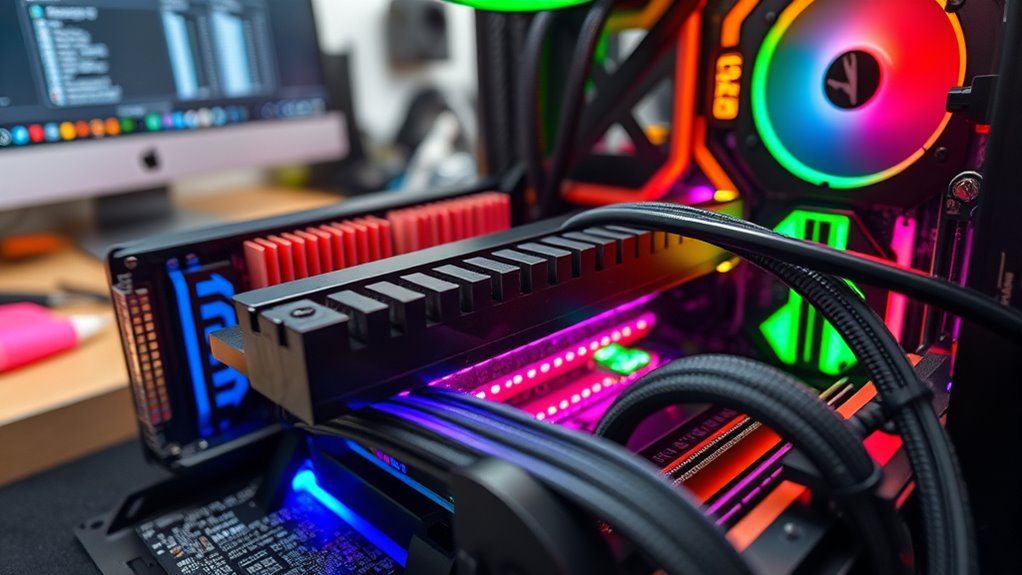
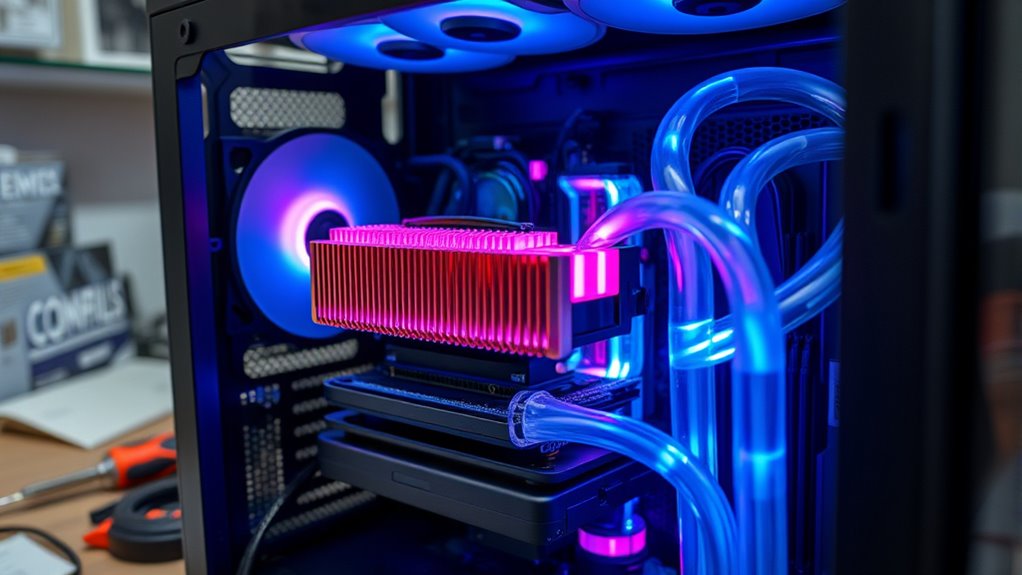
Building your own PC lets you customize each component to fit your specific needs, whether you’re gaming, streaming, or working. You have the freedom to choose high-quality parts that deliver better performance and longevity. This control allows you to prioritize features like faster processors, better graphics cards, or more RAM, ensuring your system exactly matches your workload. Additionally, building your PC can be more cost‑effective in the long run, as you can select components within your budget and upgrade parts individually over time. The hands‑on experience also gives you deeper insight into how your system works, empowering you to troubleshoot issues more effectively. Moreover, understanding hardware specifications, such as contrast ratio and color accuracy, can help you optimize your setup for specific uses like gaming or home cinema. Learning about system ventilation can further enhance your PC’s performance and lifespan. Gaining knowledge about power supply units and their capacity can ensure your system remains stable under load. Additionally, choosing the right motherboard can significantly influence your upgrade options and overall system compatibility. Familiarity with component compatibility can prevent costly mistakes during assembly and upgrades. Overall, building your own PC offers a tailored, upgradeable, and potentially more satisfying computing experience.
As an affiliate, we earn on qualifying purchases.
Benefits of Purchasing a Pre-Built System

Purchasing a pre-built system offers the convenience of having a ready-to-use computer straight out of the box, saving you time and effort compared to building one yourself. You won’t need to research components, troubleshoot compatibility issues, or assemble parts—everything is set up and tested for you. This option provides peace of mind, especially if you’re not tech-savvy or short on time. Pre-built systems often come with warranties and support, giving you quick assistance if problems arise. Additionally, these systems are optimized for stability and performance, with professional assembly ensuring quality. If you prefer a hassle-free experience and reliable performance without the guesswork, buying a pre-built system could be the smarter choice. Incorporating professional assembly ensures that the hardware is correctly installed and tested, reducing the likelihood of technical issues later on. Moreover, the expertise involved in system testing guarantees that all components function harmoniously, which is essential for optimal performance.
As an affiliate, we earn on qualifying purchases.
Frequently Asked Questions
How Long Does It Typically Take to Build a Custom PC?
It usually takes about 3 to 6 hours to build a custom PC, depending on your experience level and the complexity of the build. If you’re new, it might take longer as you get familiar with components and assembly. Experienced builders can often complete it faster, sometimes within 2 to 4 hours. Make sure to allocate extra time for troubleshooting or adjustments if needed.
What Are the Best Resources for Learning PC Building Skills?
Think of your journey as a quest; the best resources are your trusted maps and guides. You should start with online tutorials like YouTube channels, forums such as Reddit’s r/buildapc, and detailed websites like PCPartPicker. These resources serve as your compass, offering step-by-step instructions, tips, and troubleshooting advice. Embrace the process, learn actively, and soon you’ll wield the skills to build your dream PC with confidence and pride.
Can I Upgrade My Pre-Built PC Later Easily?
Yes, you can upgrade your pre-built PC later, but it depends on the model and how accessible the components are. Many pre-builts have limited upgrade options due to compact designs or proprietary parts. Check your PC’s specifications and compatibility before purchasing. If you’re comfortable opening your system and understanding the hardware, upgrading RAM, storage, or graphics card is usually straightforward and extends your PC’s lifespan.
How Do I Ensure Compatibility of All Components?
Ever wondered how to make sure all your parts work together smoothly? You check compatibility by researching each component’s specs—like socket types, RAM slots, and power requirements. Use online tools like PCPartPicker to see if parts fit and won’t cause conflicts. Double-check your motherboard’s compatibility list, and verify your power supply can handle your build’s total wattage. Planning ahead keeps your build running flawlessly.
What Warranties Are Available for Custom-Built Versus Pre-Built Systems?
You’ll find that pre-built systems often come with manufacturer warranties covering parts and labor, usually around one to three years. Custom-built PCs depend on individual component warranties, which you can often combine for broader coverage. You’re responsible for coordinating these warranties yourself, but you might get longer or more extensive coverage. Always check each component’s warranty details before purchasing to ensure you’re protected against potential failures.
best power supply units for gaming
As an affiliate, we earn on qualifying purchases.
As an affiliate, we earn on qualifying purchases.
Conclusion
Whether you build or buy, the decision is yours to make. Building your own PC is like crafting a custom suit—tailored perfectly to your needs. On the other hand, a pre-built system offers convenience, like slipping into a ready-made outfit. Consider your budget, tech skills, and how hands-on you want to be. Whichever path you choose, remember that the right choice will set you up for smooth computing adventures ahead.
Halloween Picks
halloween
As an affiliate, we earn on qualifying purchases.