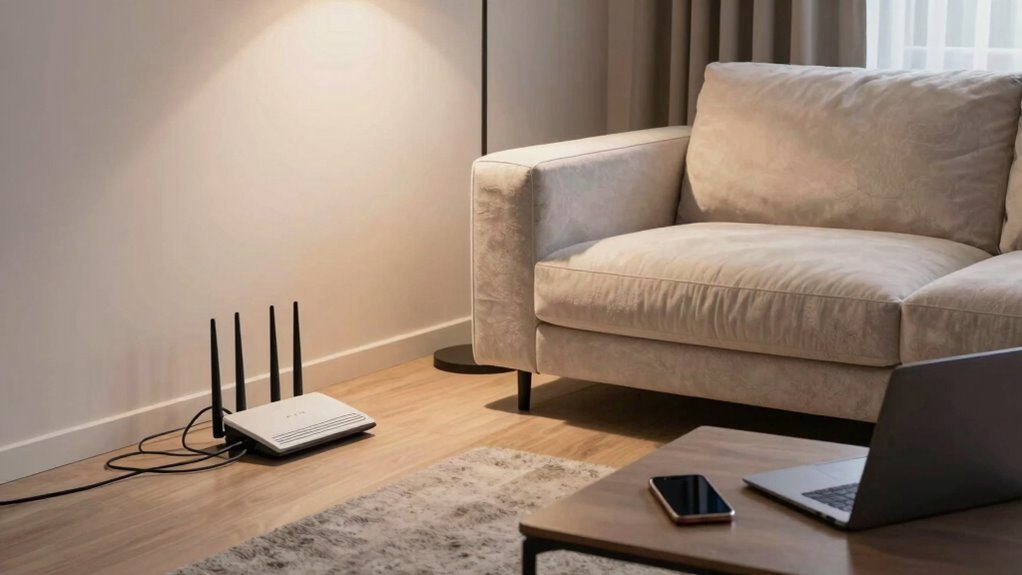

Many people unknowingly slow down their home Wi-Fi by making common mistakes like placing the router in hidden spots, ignoring firmware updates, or using outdated hardware. Network congestion during peak hours and poor device management also reduce speeds. To get the best performance, you need to optimize router placement, upgrade equipment when needed, and keep everything updated. If you keep these tips in mind, you’ll discover how to boost your Wi-Fi connection effectively.
Key Takeaways
- Ignoring network congestion during peak hours can significantly slow down Wi-Fi speeds.
- Using outdated or faulty hardware leads to unreliable connections and dead zones.
- Placing routers behind furniture or in closets weakens signal coverage.
- Failing to regularly update router firmware can cause security vulnerabilities and performance issues.
- Neglecting overall network management and device prioritization reduces Wi-Fi speed and stability.

Most people unknowingly sabotage their home Wi-Fi networks by making simple yet costly mistakes. One of the most common errors is ignoring network congestion. When multiple devices connect to your Wi-Fi, especially during peak usage hours, it can slow everything down considerably. Streaming videos, gaming, video calls—if too many devices are vying for bandwidth at once, your connection becomes sluggish. You might not realize it, but the bottleneck often isn’t your internet plan but the overcrowded network itself. To fix this, you need to prioritize devices, limit background activity, or upgrade your router to one that handles multiple connections better. Ignoring this issue keeps your Wi-Fi slow and unreliable, frustrating everyone in your household.
Ignoring network congestion causes slow Wi-Fi; prioritize devices or upgrade your router for better performance.
Another mistake many overlook is using faulty hardware. Routers and modems are the backbone of your network, but they aren’t always built to last forever. Over time, hardware can fail or become outdated, causing intermittent connectivity problems, dropped signals, or poor coverage. If your Wi-Fi keeps disconnecting or you notice dead zones around your home, faulty hardware might be to blame. Sometimes, simply restarting your router can help, but if problems persist, replacing aging equipment is essential. Older routers might not support the latest Wi-Fi standards, which means slower speeds and less security. Regularly updating or replacing your hardware guarantees you’re not fighting against faulty equipment that hampers your network performance.
Many people also make the mistake of neglecting their router’s placement. Placing it in a closet or behind furniture limits signal strength and coverage. Ideally, your router should be in a central, elevated location free from obstructions, where it can broadcast signals evenly throughout your home. If you ignore this basic rule, your Wi-Fi may struggle to reach all corners of your house, forcing you to reset or reposition devices constantly. Good placement combined with a quality router prevents dead zones and reduces the likelihood of network congestion caused by weak signals. Additionally, understanding the importance of wireless standards can help you select a router that offers optimal performance and compatibility. Being aware of network congestion and how it impacts your connection can help you take proactive steps to improve your overall network health.
Finally, failing to update your router’s firmware can cause security vulnerabilities and performance issues. Manufacturers regularly release updates that fix bugs, improve stability, and enhance security features. If you don’t install these patches, your network remains vulnerable to attacks and may experience unnecessary glitches. Regularly checking for firmware updates and applying them keeps your Wi-Fi secure and running smoothly.
In short, understanding and avoiding these common mistakes—network congestion, faulty hardware, poor placement, and outdated firmware—can dramatically improve your home Wi-Fi experience. You’ll enjoy faster, more reliable connections and fewer frustrations, making your digital life much easier.
Frequently Asked Questions
How Often Should I Update My Wi-Fi Router’s Firmware?
You should update your Wi-Fi router’s firmware at least every few months, or as soon as updates become available. Firmware updates improve router security by patching vulnerabilities and fixing bugs, helping protect your network from threats. Regular updates guarantee peak performance and stability. Don’t delay—keeping your firmware current is a simple, effective way to enhance your home Wi-Fi security and maintain reliable internet connectivity.
What Is the Best Placement for My Wi-Fi Router?
Position your router precisely in a central, elevated spot to promote ideal signal spread. Avoid clutter and thick walls, which can cause signal interference. Keep it away from metal objects and electronic devices that may disrupt connectivity. By placing your router thoughtfully—high, open, and central—you guarantee strong, stable Wi-Fi signals throughout your home, preventing dead zones and delivering better browsing, streaming, and working experiences.
How Can I Improve Wi-Fi Speeds on Multiple Devices?
To enhance Wi-Fi speeds on multiple devices, focus on router optimization and device prioritization. Start by updating your router’s firmware and changing channels to reduce interference. Use Quality of Service (QoS) settings to prioritize bandwidth for essential devices like work laptops or streaming gadgets. Additionally, consider upgrading to a dual-band or mesh Wi-Fi system for better coverage. These steps guarantee each device gets maximum speed and performance.
Is Using a Public Wi-Fi Network Safe?
Using a public Wi-Fi network isn’t the safest choice, but if you must, take precautions. You should rely on data encryption tools to protect your information and consider network segmentation, which isolates your device from others on the network. These steps help safeguard your data from prying eyes, making your online activities more secure. Always remember, being cautious on public networks keeps your personal information better protected.
What Are the Signs of a Compromised Wi-Fi Network?
You’ll notice signs of a compromised Wi-Fi network if your connection becomes unusually slow, devices disconnect randomly, or you see unknown devices connected. Unauthorized access often indicates a breach of network encryption, making it easier for hackers to infiltrate. Keep an eye out for these symptoms, and verify your network encryption is strong to prevent unauthorized access, safeguarding your data and devices from potential threats.
Conclusion
Avoiding common Wi-Fi mistakes is like revealing the secret to seamless internet. While many focus on speed, neglecting security or proper placement can turn your connection into a frustrating experience. Think of your Wi-Fi setup as a delicate balance—ignoring small details might lead to big problems, but paying attention can transform your home into a smooth, connected haven. Don’t settle for mediocrity; master your Wi-Fi, and enjoy the difference it makes.