

To spot app bloat, check your device for unused apps that haven’t been opened in weeks, and identify pre-installed apps that serve no real purpose. Look for duplicate apps and those draining your battery or hogging storage. Use built-in tools or third-party apps to analyze your device’s performance and remove unnecessary ones. Keeping your device clean boosts speed and battery life—discover the best strategies to manage bloatware effectively.

Get the latest gadgets delivered free — and shop member deals
- Fast, free delivery on millions of items
- Access to Prime Big Deal Days deals on October 6–7
- Prime Video, Amazon Music and more included
Key Takeaways
- Review app usage to identify rarely or never used apps; uninstall or disable them.
- Check for pre-installed bloatware with no clear purpose and disable or remove if possible.
- Use storage analysis tools to find apps that occupy significant space or drain resources.
- Monitor background activity, battery, and data usage to spot apps causing performance issues.
- Regularly organize and update your apps, removing duplicates and unnecessary ones to maintain device health.
As an affiliate, we earn on qualifying purchases.
Recognizing Signs of Bloatware on Your Device
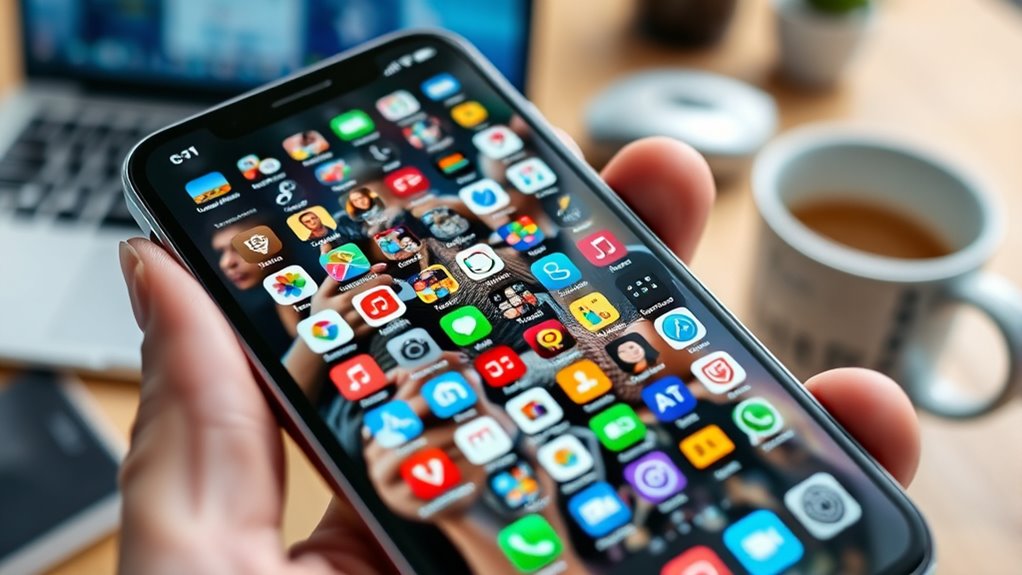
Recognizing signs of bloatware on your device is essential for maintaining peak performance and storage. You might notice your phone running slower or apps taking longer to load. Unwanted notifications from pre-installed apps can be distracting and frustrating, especially if they appear frequently. Check your storage—if it’s filling up quickly despite not installing many new apps, bloatware could be be the culprit. Also, observe which apps consume significant battery or data in the background; many bloatware apps run silently, draining resources without your knowledge. Another sign is apps that come pre-installed and can’t be removed easily. These often serve promotional purposes or manufacturer interests, not your needs. Recognizing these signs early helps you decide what to disable or uninstall, optimizing your device’s performance. Additionally, understanding the role of app optimization in device performance can guide you in managing unnecessary software effectively. Being aware of privacy implications related to bloatware is also crucial, as some pre-installed apps may collect data without clear user consent.
Furthermore, some bloatware applications may be designed to collect user data, raising privacy concerns that should not be overlooked.
As an affiliate, we earn on qualifying purchases.
Identifying Unused and Redundant Apps

To effectively manage your smartphone’s storage and performance, you need to identify which apps are unused or redundant. Start by reviewing your app list and noting which ones you haven’t opened in weeks or months. Look for pre-installed apps that serve no clear purpose for you, especially those you can’t uninstall easily. Check your device’s settings to see which apps consume the most battery or data; high usage by apps you rarely use is a red flag. Also, identify duplicate apps that perform similar functions, like multiple messaging or photo editing tools. If an app hasn’t been useful lately or duplicates another, it’s likely unnecessary. Removing these unused or redundant apps frees up space, improves speed, and reduces background resource drain. Paying attention to app bloat can help you streamline your device and optimize its overall performance. Additionally, understanding wave and wind patterns in app usage can assist in predicting when certain apps might become redundant or unnecessary over time. Recognizing software optimization techniques can further enhance your device’s efficiency and longevity, especially when combined with regular system updates that patch security and improve stability. Monitoring background activity can also reveal apps that unnecessarily drain resources even when not actively in use, helping you maintain a leaner, more responsive device.
battery monitoring app for smartphones
As an affiliate, we earn on qualifying purchases.
As an affiliate, we earn on qualifying purchases.
Tools and Techniques for Managing Bloatware

Managing bloatware effectively starts with knowing the right tools and techniques to identify and remove unnecessary apps. Begin by exploring your phone’s built-in settings—check storage details and app usage to spot seldom-used or unused apps. Use system options to disable or uninstall apps that you don’t need, especially those that are removable. For apps that can’t be uninstalled normally, consider third-party tools like device cleaner apps or usage trackers that highlight resource-heavy or inactive apps. If you’re comfortable with advanced options, rooted devices allow deeper removal of pre-installed bloatware, but this involves risks. Regularly review your installed apps, monitor background activity, and replace large, redundant apps with streamlined alternatives to keep your device optimized and clutter-free. Additionally, understanding aviation regulations can help you make informed decisions about software and system updates, ensuring your device remains secure and efficient. Proper management of bloatware not only improves performance but also extends your device’s lifespan by preventing unnecessary strain on hardware resources. Incorporating software management techniques specific to your device can further enhance efficiency and reduce clutter. Being aware of how system updates can introduce new bloatware helps you stay proactive in maintaining optimal device performance. Moreover, staying informed about software updates can help you anticipate and prevent the installation of unwanted apps that contribute to bloat.
duplicate app remover for Android
As an affiliate, we earn on qualifying purchases.
As an affiliate, we earn on qualifying purchases.
Safely Removing or Disabling Unnecessary Apps

Removing or disabling unnecessary apps can considerably improve your device’s performance and free up valuable storage space. To do this safely, start by identifying apps you rarely or never use, especially pre-installed ones that can’t be uninstalled easily. On Android, go to Settings > Apps, select the app, and choose “Disable” or “Uninstall” if available. For apps that can’t be disabled, consider using third-party tools or built-in device management features to turn off background activity and notifications. It’s also helpful to review bloatware that often comes pre-installed on devices and can slow down your phone. Being aware of system resources can help you prioritize which apps to remove or disable for optimal performance. Monitoring device performance can also alert you to problematic apps that may be draining resources. Additionally, understanding Lifevest Advisors can guide you in making safer decisions about managing your device. On iPhones, press and hold the app icon, then tap “Remove App” or “Delete App.” Always back up your data before removal, especially for important apps. If unsure, consult your device’s manufacturer guidelines or use trusted cleaning apps to help manage bloatware safely. Understanding bloatware can help you make better decisions about which apps to remove or disable.
Maintaining a Clean Smartphone Ecosystem

Maintaining a clean smartphone ecosystem requires regular oversight of your installed apps and storage. Start by reviewing all apps, especially those you rarely use or never opened. Identify pre-installed apps that can’t be easily removed and decide if they’re necessary. Use device settings or third-party tools to monitor background activity, battery drain, and data usage to spot unnecessary apps. Disable or uninstall apps that aren’t serving a purpose and clutter your device. Keep your apps updated and regularly delete unused or duplicate apps to free storage and improve performance. Organizing your apps and home screen can help minimize distractions and improve overall efficiency. Regular maintenance guarantees your device runs smoothly, stays responsive, and provides a clutter-free experience. Additionally, paying attention to app bloat can help optimize your device’s overall efficiency and longevity. Regularly reviewing your app usage can also help prevent software overload, ensuring your device remains streamlined and responsive over time. Incorporating app management practices can further enhance your device’s health and performance over the long term. Being aware of connected device management practices can help you better control and optimize your smartphone’s ecosystem.
Frequently Asked Questions
Can Bloatware Affect My Device’s Warranty or Security?
Bloatware generally doesn’t void your device’s warranty, but modifying or removing system apps—especially on rooted devices—can. Doing so might breach warranty terms or compromise security if you use unreliable tools or delete essential files. Be cautious, and stick to official methods or trusted apps for managing bloatware. Regularly updating your device and avoiding unofficial modifications help keep your device secure and warranty intact.
Are There Risks in Rooting My Android Device to Remove Bloatware?
Rooting your Android device can remove bloatware, but it does come with risks. You might void your warranty, which means repair or support could become unavailable. There’s also a chance of bricking your device if something goes wrong during the process. Plus, rooting can expose your device to security vulnerabilities, especially if you don’t follow proper precautions or use untrusted tools. Consider these risks before proceeding.
How Do I Differentiate Between Essential Apps and Unnecessary Bloatware?
Ironically, the simplest way to spot unnecessary apps is to ask yourself which ones you’ve never opened or don’t need anymore. Focus on apps that run in the background, drain your battery, or duplicate functions. If an app feels redundant or unrelated to your current needs, it’s probably bloatware. Trust your instincts—if you’re not sure why you have it, it’s likely time to delete or disable it.
Will Removing Bloatware Improve My Phone’s Battery Life Significantly?
Yes, removing bloatware can substantially improve your phone’s battery life. Unnecessary pre-installed apps often run in the background, consuming resources and draining power without you realizing it. By disabling or uninstalling these apps, you reduce background activity, decrease battery drain, and improve overall device performance. Keep in mind, even apps you don’t actively use can impact battery life, so regularly managing and removing bloatware is a smart move.
Are There Recommended Third-Party Apps for Managing Bloatware Safely?
Yes, there are trusted third-party apps that can help you manage bloatware safely. Apps like CCleaner, SD Maid, and Norton Clean are popular choices because they identify unnecessary files and apps without risking your device’s security. Just make sure to download them from reputable sources like the Google Play Store, and always review app permissions before use. These tools can help you disable or remove bloatware effectively and securely.
Conclusion
Think of your smartphone as a lush garden; too many unnecessary apps are like weeds choking your plants. By recognizing the signs of bloatware and gently pulling out the extra weeds, you allow your device to thrive with speed and clarity. Regularly pruning your app collection keeps your digital garden healthy and vibrant, ensuring it blooms effortlessly without getting tangled in clutter. A tidy phone is your personal paradise—beautiful, efficient, and stress-free.
Fall Picks
fall essentials
As an affiliate, we earn on qualifying purchases.